Repository navigation
Conversation Branches
Keep both versions of the Old Town interview outline while you decide which one to develop. The example compares a timeline with an outline organized around the resident, shop owner, and planner.
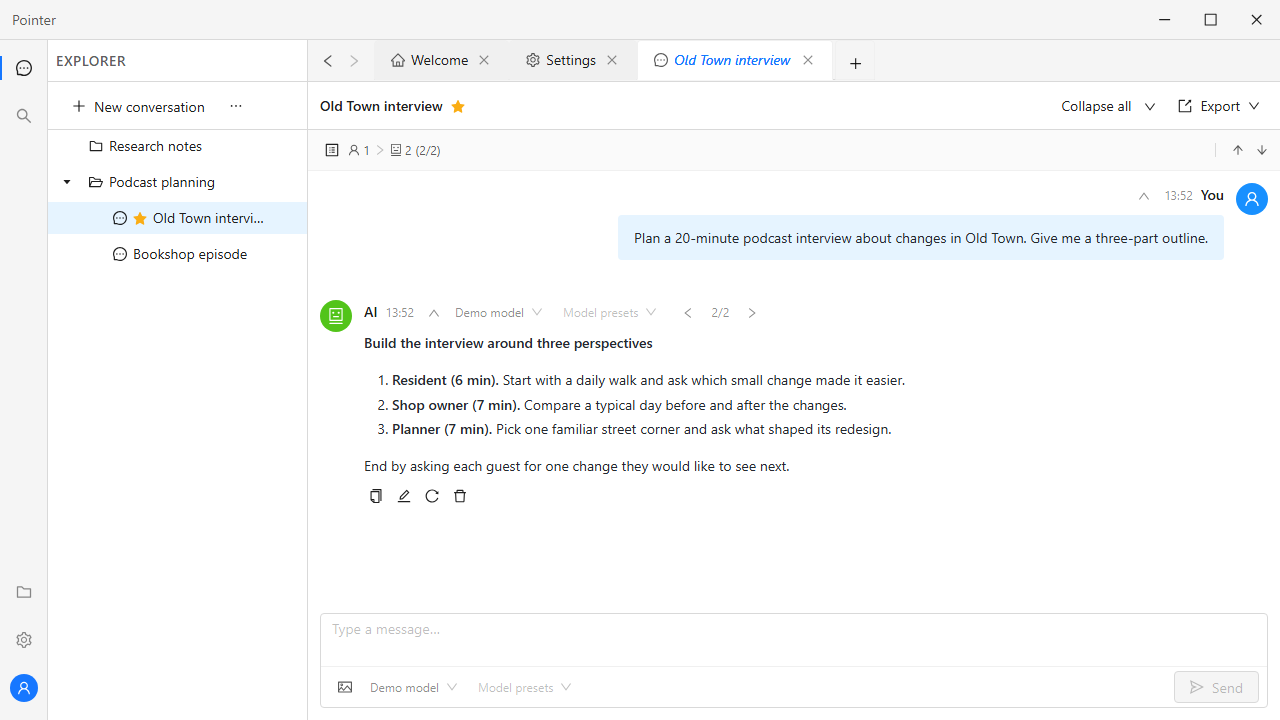
- Find the first AI reply. Select its circular-arrow Retry button, or right-click it and choose Actions → Retry.
- When the answer is ready, look for a counter such as 2/2 in the reply header. The left arrow shows the earlier answer. The right arrow returns to the newer one.
- Select the outline you want to develop. If you choose a different model or preset in the reply header, Pointer generates a sibling reply from that same prompt with the new selection.
An answer can have its own follow-ups. Switching at an earlier fork changes the path displayed below it. The composer sends new prompts with the history along the active path.
Once the interview has several follow-ups, you can return to the first choice without scrolling. Click the count such as (2/2) beside the fork's number in the path bar. The drop-down shows the available answers and their titles or summaries. Select Timeline outline to revisit the first version, or Guest perspectives to return to the branch used for the rest of the tutorial.
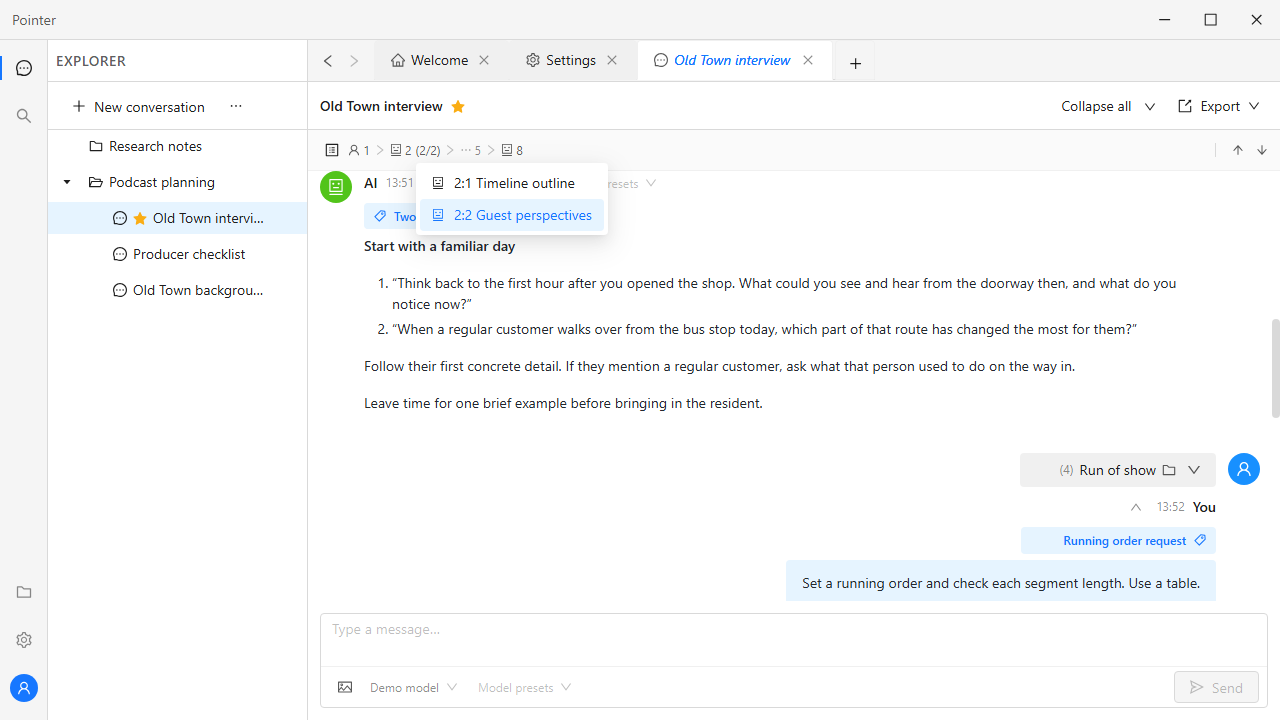
The counter identifies a position among siblings. The up and down arrows at the far right of the bar move among visible messages on the chosen path. Read and navigate a long conversation
- On the guest-perspectives branch, find a user prompt such as Shop owner questions.
- Click its edit icon. Change the prompt to
Give me one opening question about how deliveries changed. - Select Save and resend. The revised question and its reply form another branch. The earlier wording and the responses it led to stay available.
- Use the sibling arrows on the user message or the corresponding path-bar count to return to the branch with two opening questions.
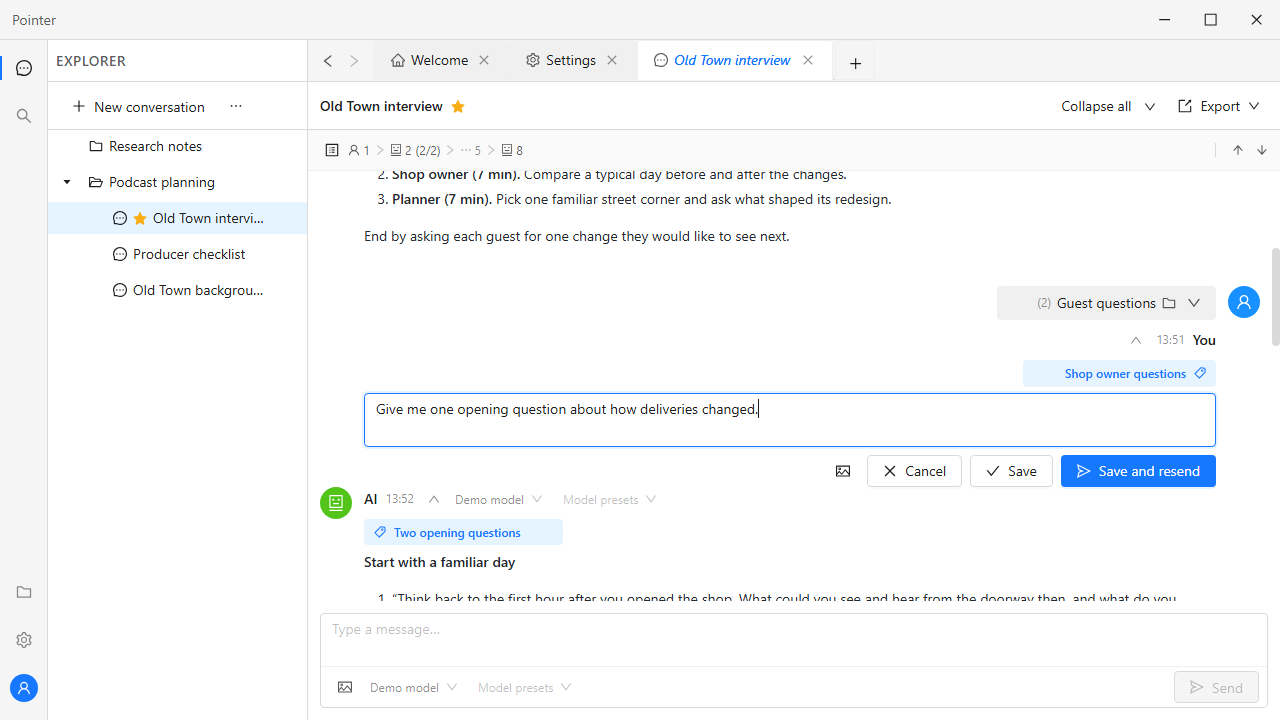
Save updates the chosen message in place. Use Save and resend when you want to compare the wording and results side by side. If the active path ends at a user message, Continue generating below that message asks for a reply from that point.
Next Grow your preferred branch and review it one message at a time