Repository navigation
Import Conversations
Bring earlier research into Podcast planning so you can search it alongside the new interview. Follow the first exercise with the fictional Old Town notes file. Save it as old-town-notes.json.
- Open Settings → Data → Import from another platform.
- Pick or drag in the JSON file. Pointer detects the format and lists the conversations it found.
- Leave Old Town background notes selected. Open Destination folder and choose Podcast planning. Selecting an existing folder keeps related conversations together. You can also enter a name for a new folder.
- Select Import 1 conversation, check the result, and select Done.
- Open the notes in Explorer. Find the phrase
bus stopand keep the notes tab open beside the interview.
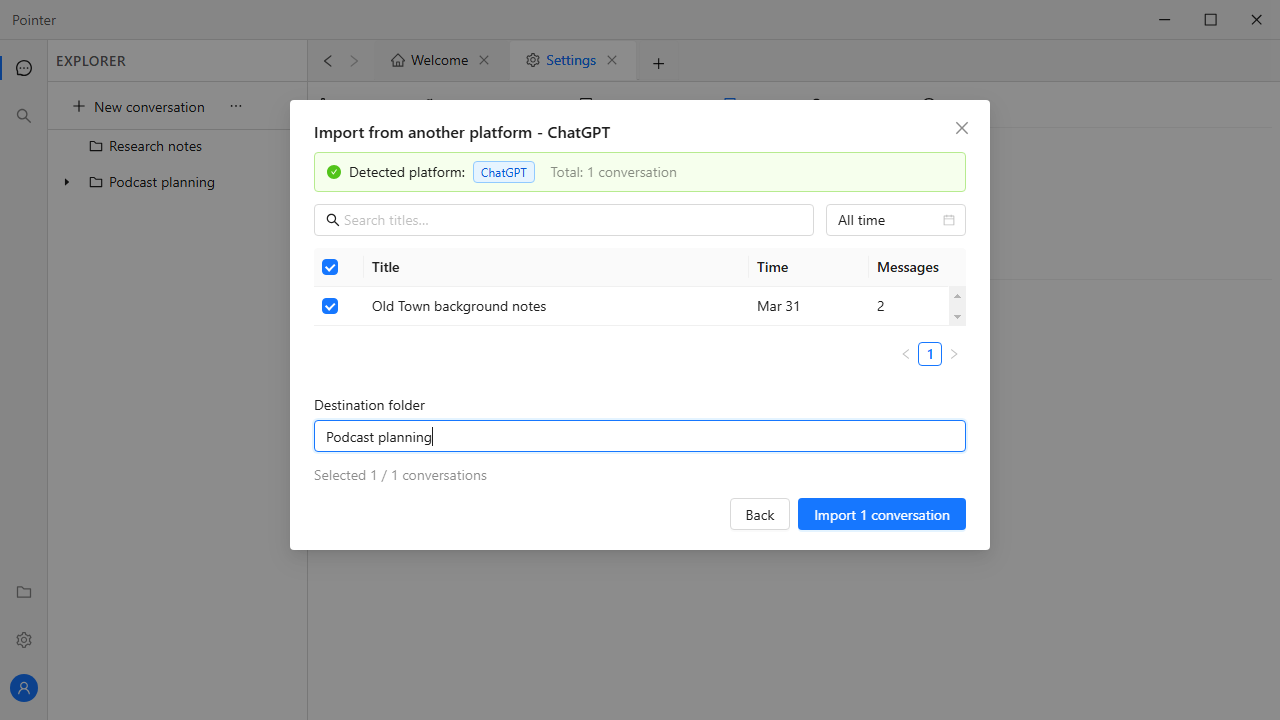
For a larger file, use the title search or date filter in the preview, then review the checkboxes and selected count. The result screen reports imported, skipped, or failed items. Use the details there to inspect any failed file.
| Source | Choose |
|---|---|
| ChatGPT | The conversation JSON from the extracted data export, commonly conversations.json. The preview lists individual chats. |
| DeepSeek conversation export | A supported JSON file containing the conversation data. Choose the conversations you want when the preview lists more than one. |
| DeepSeek export with an index | The extracted chat_session_index.json alongside its chat_sessions folder. |
| Older Pointer chat-only exports | The legacy conversations-only JSON. |
| Pointer JSON backup | Use Settings → Data → Import data for the backup created by Export data. Restore a Pointer backup |
-
Extract the archive. Keep the index and its session files in the same directory layout.
extracted-export/ chat_session_index.json chat_sessions/ <session-id>.json -
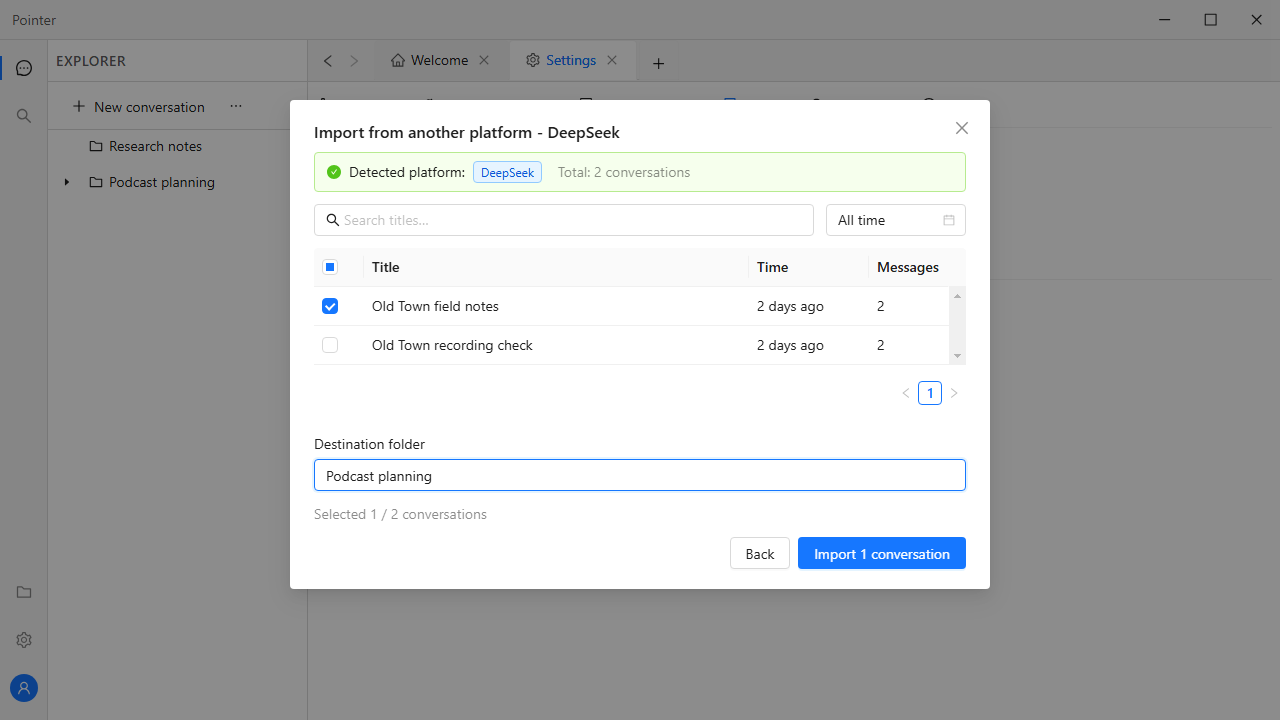
Choose Import from another platform and select chat_session_index.json. Pointer uses the index to show the conversation titles and counts.
-
Select the conversations you need. For example, select Old Town field notes and clear Old Town recording check. Choose Podcast planning as the destination.
-
Select Import. Pointer reads the session files for the chosen entries. If an entry fails because a file is missing, verify that its JSON is still under the sibling chat_sessions folder and retry that selection.