Repository navigation
First Conversation
Set up a model and start the Old Town interview. Have the base URL, API key, and model name for an OpenAI-compatible Chat Completions service.
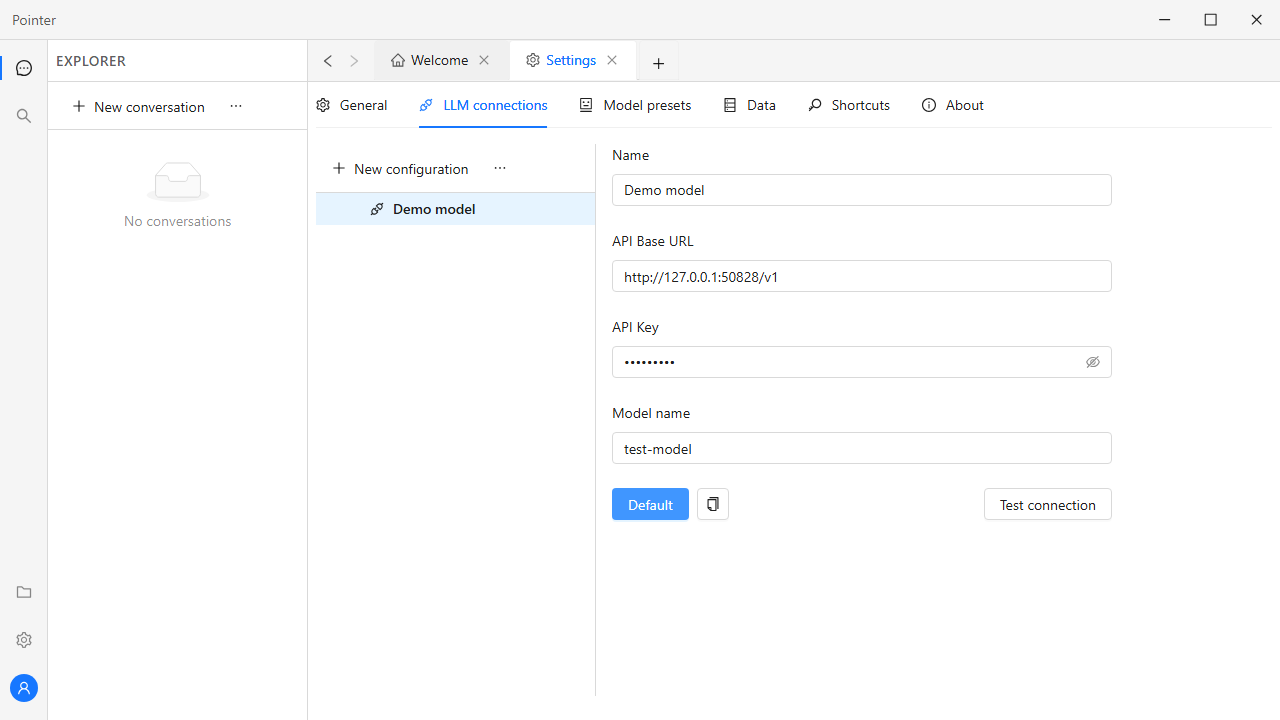
- Select the gear icon in the activity bar to open Settings.
- Open LLM connections and select New configuration.
- Give the connection a recognizable Configuration name, then enter its API Base URL, API Key, and Model name. Use the API base supplied by your provider, such as an address ending in
/v1. Pointer appends/chat/completions. - Select Test connection. When it succeeds, select Set as default. The button changes to Default.
The screenshot shows a local demo service with a sample model. Use the details issued by your own provider.
-
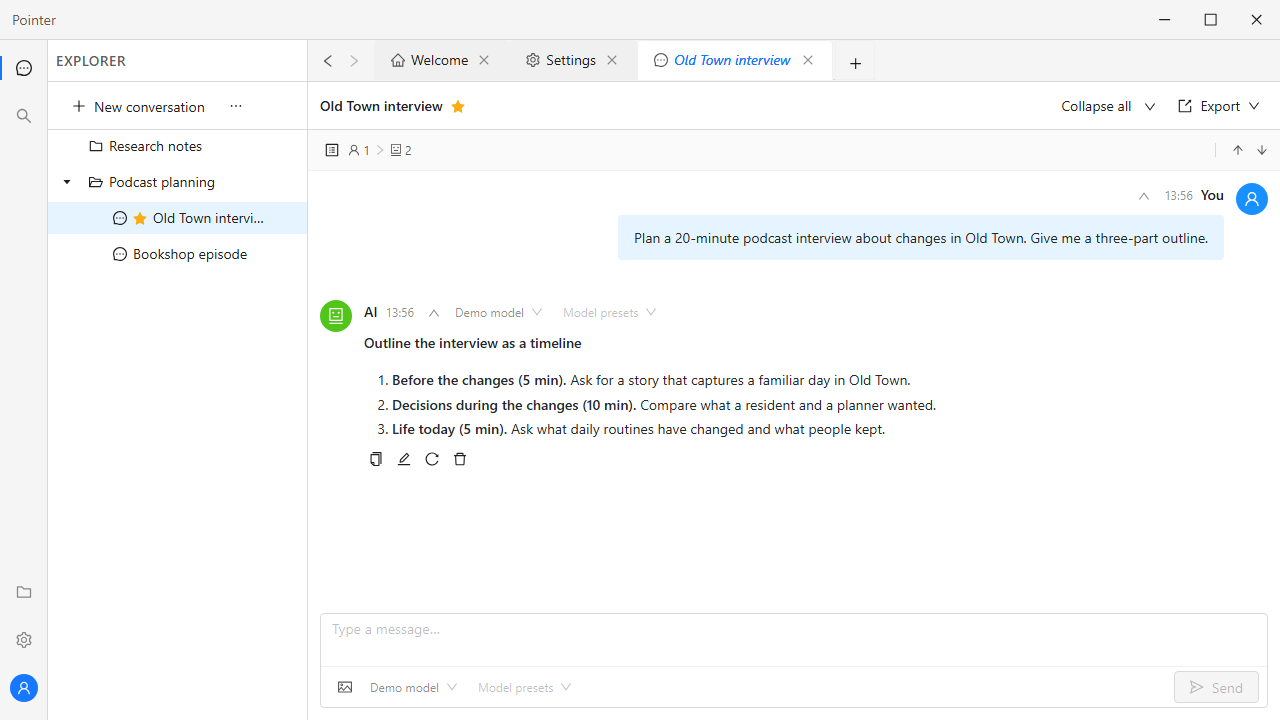
In Explorer, select New conversation. Right-click the new item and choose Rename to name it Old Town interview. If you already created a Podcast planning folder, you can create the conversation there.
-
Enter this prompt in the message box.
Plan a 20-minute podcast interview about changes in Old Town. Give me a three-part outline. -
Select Send or press Enter. The answer appears as it streams. The example answer follows the neighborhood's timeline. Your model may suggest a different outline.