Repository navigation
Outline and Topics
As the Old Town interview grows, use titles and topics to make it easier to navigate. The Outline button is at the left end of the branch path bar above the messages.
- Right-click a message and choose Outline → Add title. Give an important answer a short name, such as Guest perspectives.
- Right-click the prompt where a new section begins and choose Outline → Add group. The group starts with a name taken from the message. From the same menu, choose Edit group and rename it Interview outline.
- Open Outline and select an entry to jump to its message. Use the chevron at a topic heading to collapse or reopen the section in the conversation.
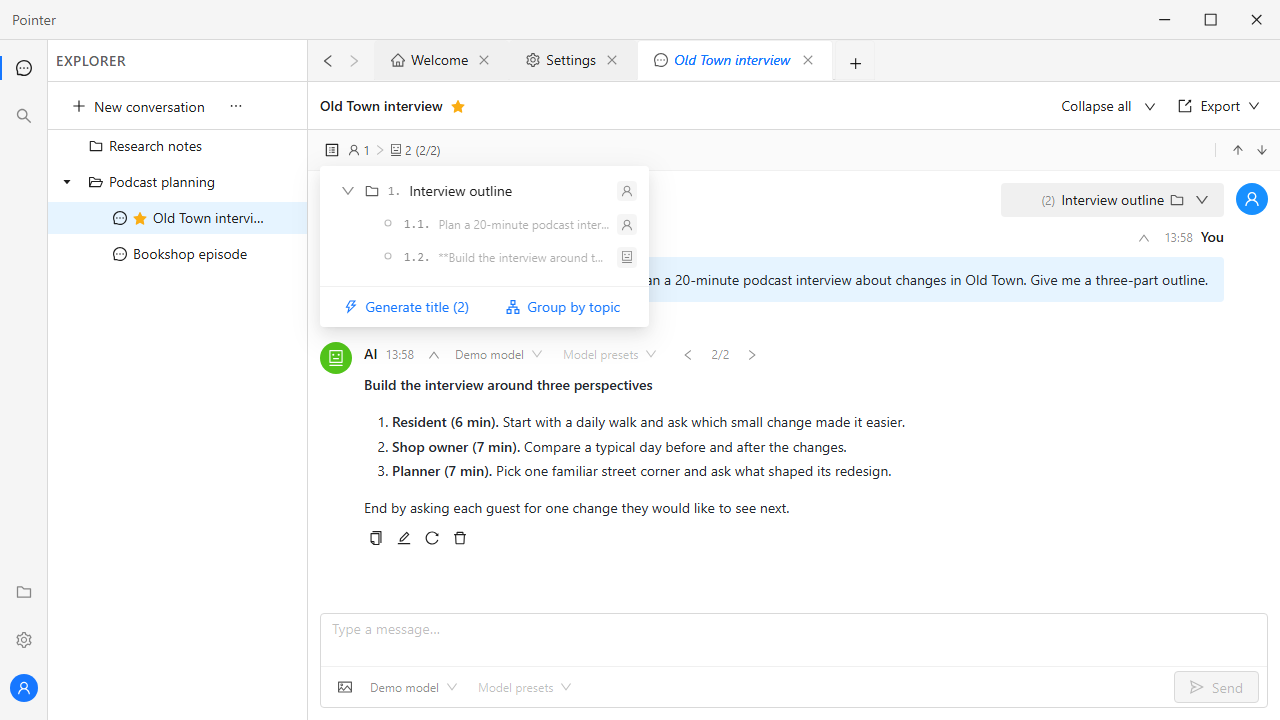
Use Generate title in the outline menu to fill missing titles with your configured model. Group by topic asks the model to find groups in the current conversation path. You can also use the branch path bar to jump to a point in the chat.