Skip to content

InteractiveConsole

Baptiste Lesquoy edited this page Nov 20, 2026 · 13 revisions

The Interactive Console

GAMA ships a view called Interactive console, recognisable to its gaml> prompt. It evaluates GAML expressions and statements directly, which is useful to test an operator, check a value, or look up the documentation of a keyword without leaving the editor.
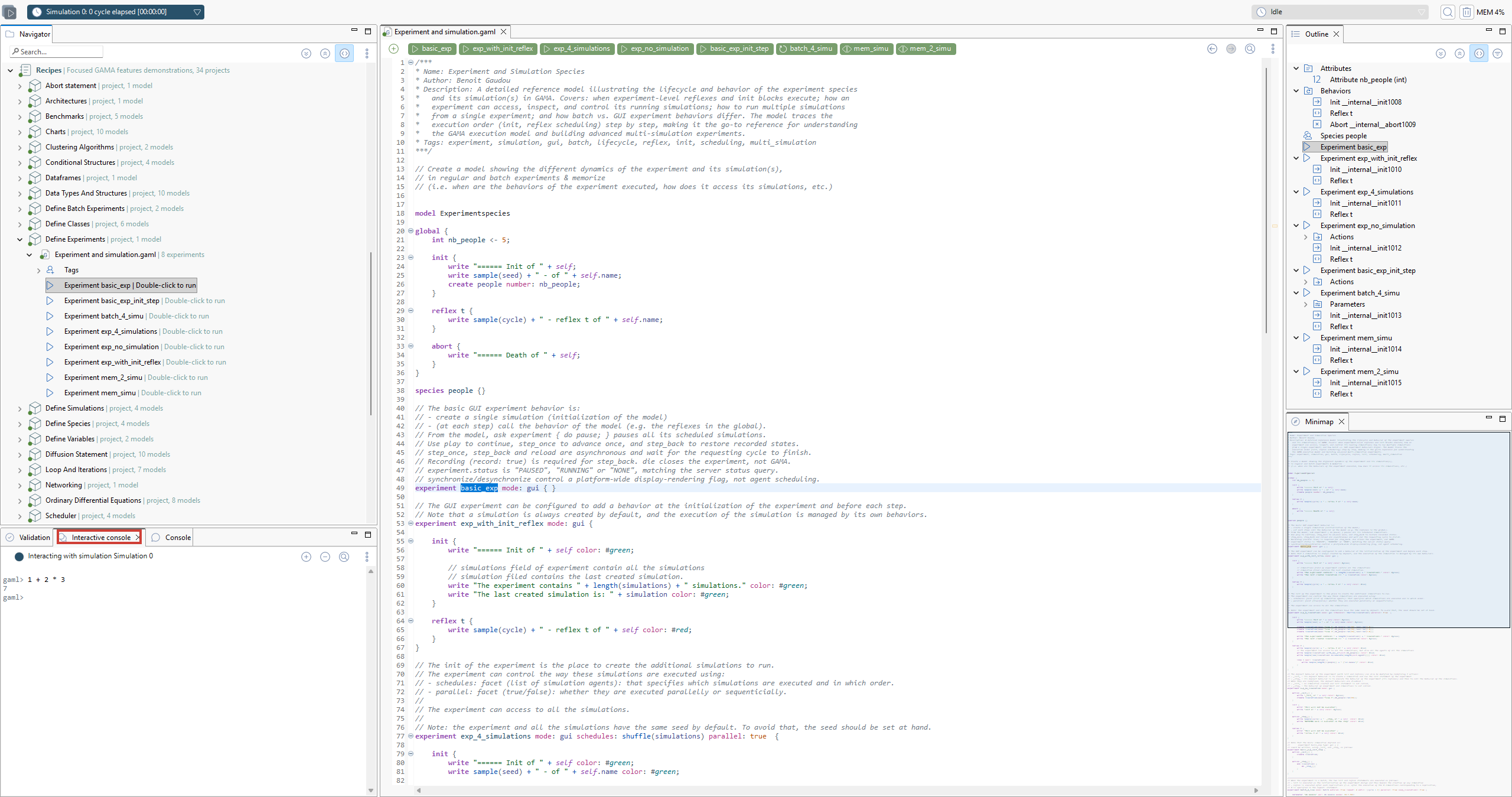
The Interactive console docked below the Navigator in the Modeling perspective and attached to Simulation 0.

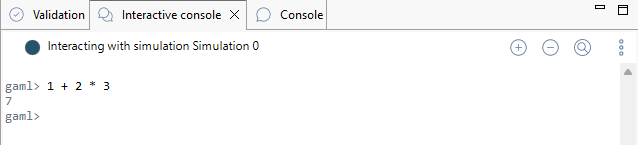
The Interactive console evaluating 1 + 2 * 3 and returning 7.

The view is available from Views > Show View.... When it is attached to a running experiment, the view header names the active simulation (Interacting with simulation Simulation 0); without an experiment the header identifies the platform (Interacting with platform gama). The view does not print the reminder of its three inputs (an expression to evaluate, ?keyword to look up documentation, and the arrow keys to browse the history): it is given as a tooltip on the prompt line, and in the Console help entry of the menu of the view.

The Views > Show... menu with Interactive console highlighted; the Other... shortcut shown applies to Windows.

Evaluating an expression

Type an expression after the prompt and press Enter. The expression is evaluated in the context of the experiment that is currently running, and the result is printed below the prompt:

The Interactive console evaluating 1 + 2 * 3 in a running simulation and returning 7.

In a running experiment, the console has access to the agents, the species and the global variables of the model, as if the expression had been written in the model itself. Variables declared in the console remain available to later commands in the same console session and active experiment:

gaml> int console_value <- 40;
gaml> console_value + 2
42

Changing the active experiment clears these console variables. When no experiment is running, GAML expressions are not evaluated; the console reports that an experiment must be started first. The ?keyword form still works because it reads documentation from the compiler rather than a running agent.

Looking up the documentation

Prefixing a keyword with ? prints the documentation of the corresponding operator, statement, skill or facet, together with its signature and the type of the value it returns:

The Interactive console showing the documentation returned by ?distance_to.

This is the quickest way to check the exact signature of an operator. The same keywords are listed, with links to their documentation, in the exhaustive list of GAMA keywords.

Browsing the history

The up and down arrow keys walk through the expressions already entered, so that a command can be recalled and modified rather than retyped.

  1. About GAMA
  2. What's new (Changelog)
  3. Migration Guide (2025-06 → 2026-11)
  1. Installation and Launching
    1. Installation
    2. Launching GAMA
    3. Updating GAMA
    4. Installing Plugins
  2. Workspace, Projects and Models
    1. Navigating in the Workspace
    2. Changing Workspace
    3. Importing Models
  3. Editing Models
    1. GAML Editor (Generalities)
    2. GAML Editor Tools
    3. Validation of Models
  4. Running Experiments
    1. Launching Experiments
    2. Experiments User interface
    3. Controls of experiments
    4. Parameters view
    5. Inspectors and monitors
    6. Displays
    7. Batch Specific UI
    8. Errors View
    9. Experiment agent: GAML controls and status
    10. Interactive console
  5. Running Headless
    1. Getting Started
    2. Headless Legacy
    3. Headless Batch
  6. Exporting models and projects
    1. Playable models (.gamx)
    2. Editable project archives (.gamp)
  7. Preferences
  8. gama platform agent
  9. Troubleshooting
  1. Introduction
    1. Start with GAML
    2. Organization of a Model
    3. Basic programming concepts in GAML
  2. Manipulate basic Species
  3. Global Species
    1. Regular Species
    2. Defining Actions and Behaviors
    3. Interaction between Agents
    4. Attaching Skills
    5. Inheritance
  4. Defining Advanced Species
    1. Grid Species
    2. Graph Species
    3. Mirror Species
    4. Multi-Level Architecture
  5. Defining GUI Experiment
    1. Defining Parameters
    2. Defining Displays Generalities
    3. Defining Charts
    4. Defining Monitors and Inspectors
    5. Defining Export files
    6. Defining User Interaction
  6. Classes and Objects
    1. Class Definition and Instantiation
    2. Attributes and Actions
    3. Inheritance
    4. Virtual Classes
    5. Advanced Features
  7. Exploring Models
    1. Run Several Simulations
    2. Batch Experiments
    3. Exploration Methods
  8. Optimizing Models
    1. Runtime Concepts
    2. Analyzing code performance
    3. Optimizing Models
  9. Multi-Paradigm Modeling
    1. Control Architecture
    2. Defining Differential Equations
  1. Manipulate OSM Data
  2. Cleaning OSM Data
  3. Diffusion
  4. Using Database
  5. Using Dataframes
  6. Using FIPA ACL
  7. Using BDI with BEN
  8. Using Driving Skill
  9. Manipulate dates
  10. Manipulate lights
  11. Using comodel
  12. Save and restore Simulations
  13. Using network
  14. Writing Unit Tests
  15. Ensure model's reproducibility
  16. Going further with extensions
    1. Calling R
    2. Using Graphical Editor
    3. Using Git from GAMA
  1. Built-in Species
  2. Built-in Skills
  3. Built-in Architecture
  4. Statements
  5. Data Type
  6. File Type
  7. Stats Extension
  8. Sound Extension
  9. BDI Extension
  10. FIPA Skill
  11. Expressions
    1. Literals
    2. Units and Constants
    3. Pseudo Variables
    4. Variables And Attributes
    5. Operators (Definition)
    6. Operators [A-A]
    7. Operators [B-C]
    8. Operators [D-H]
    9. Operators [I-M]
    10. Operators [N-R]
    11. Operators [S-Z]
  12. Exhaustive list of GAMA Keywords
  1. Installing the development version
  2. Introduction to GAMA Java API
    1. Architecture of GAMA
    2. IScope
  3. Developing Extensions
    1. Developing Plugins
    2. Developing Skills
    3. Developing Statements
    4. Developing Operators
    5. Developing Types
    6. Developing Species
    7. Developing Control Architectures
    8. Index of annotations
  4. Using GAMA flags
  5. Export plugin : Technical Documentation
  6. Creating a release of GAMA
  7. Documentation generation
  8. Desktop startup and deferred initialization

  1. Predator Prey
  2. Road Traffic
  3. Incremental Model
  4. Luneray's flu
  5. BDI Agents
  6. Forager RL
  7. SIR Analysis

  1. Team
  2. Projects using GAMA
  3. Scientific References
  4. Training Sessions

Resources

  1. Videos
  2. Conferences
  3. Pedagogical materials

Clone this wiki locally