ADS B Aircraft
Status: Experimental. ADS-B is for receiving aircraft broadcasts on 1090 MHz.
ADS-B receives aircraft broadcasts on 1090 MHz. Set your location in Settings so the radio can calculate range and bearing.
The screenshots use built-in demo aircraft so the pages are easy to understand. Live results depend on a 1090 MHz antenna, local air traffic, and receiver placement.
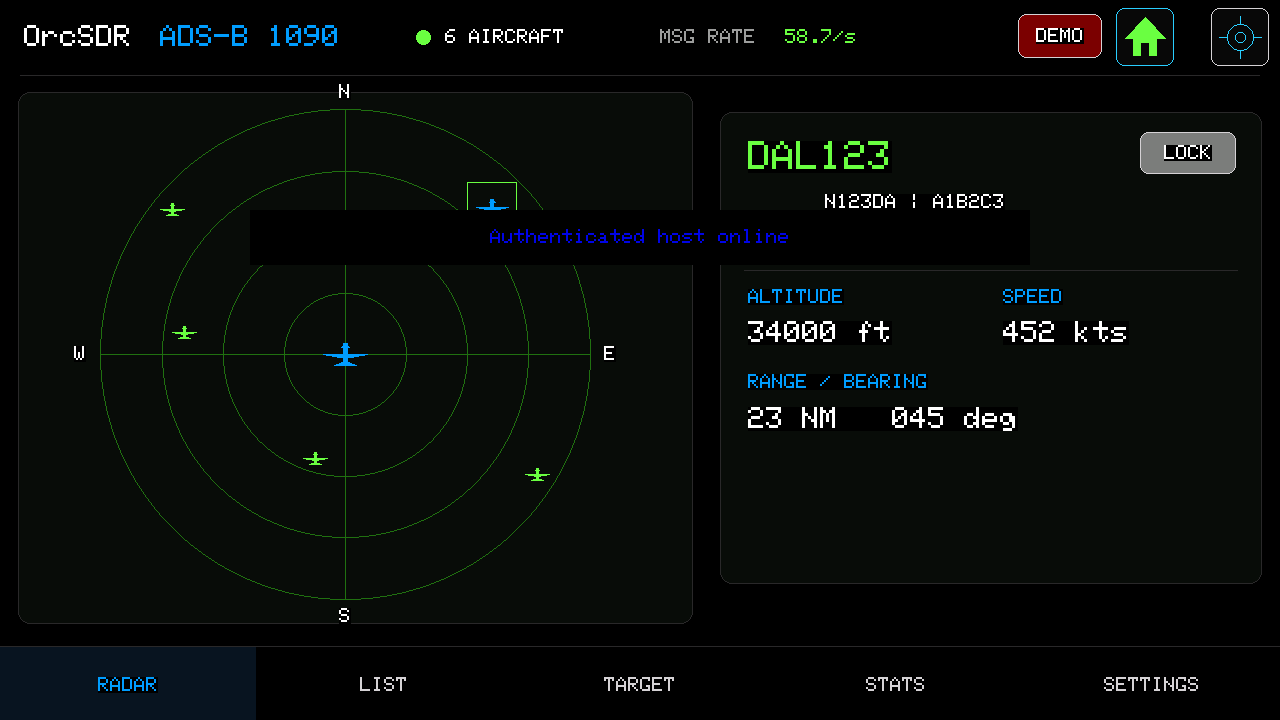
Radar puts your receiver in the center. Tap an aircraft to select it; the card shows its callsign, altitude, speed, range, and bearing.
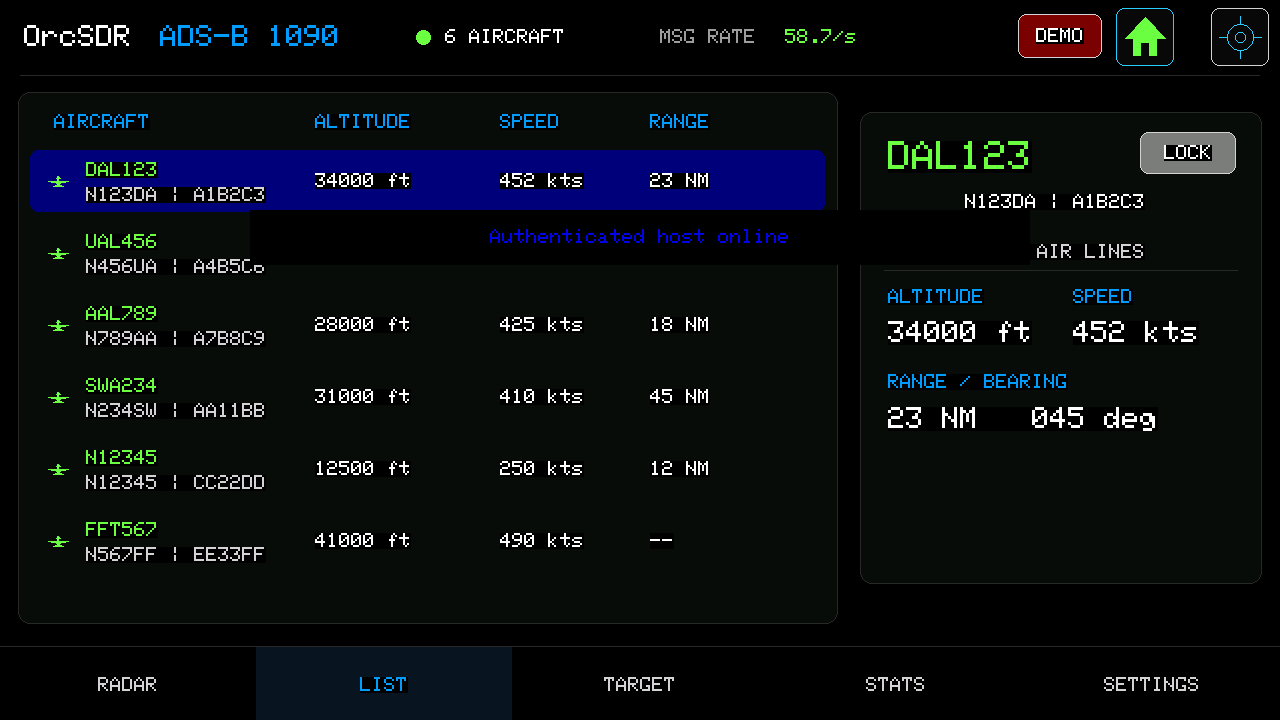
Use List when you want a table of nearby aircraft. Select a row to update the details card. Lock keeps one aircraft selected while others come and go.
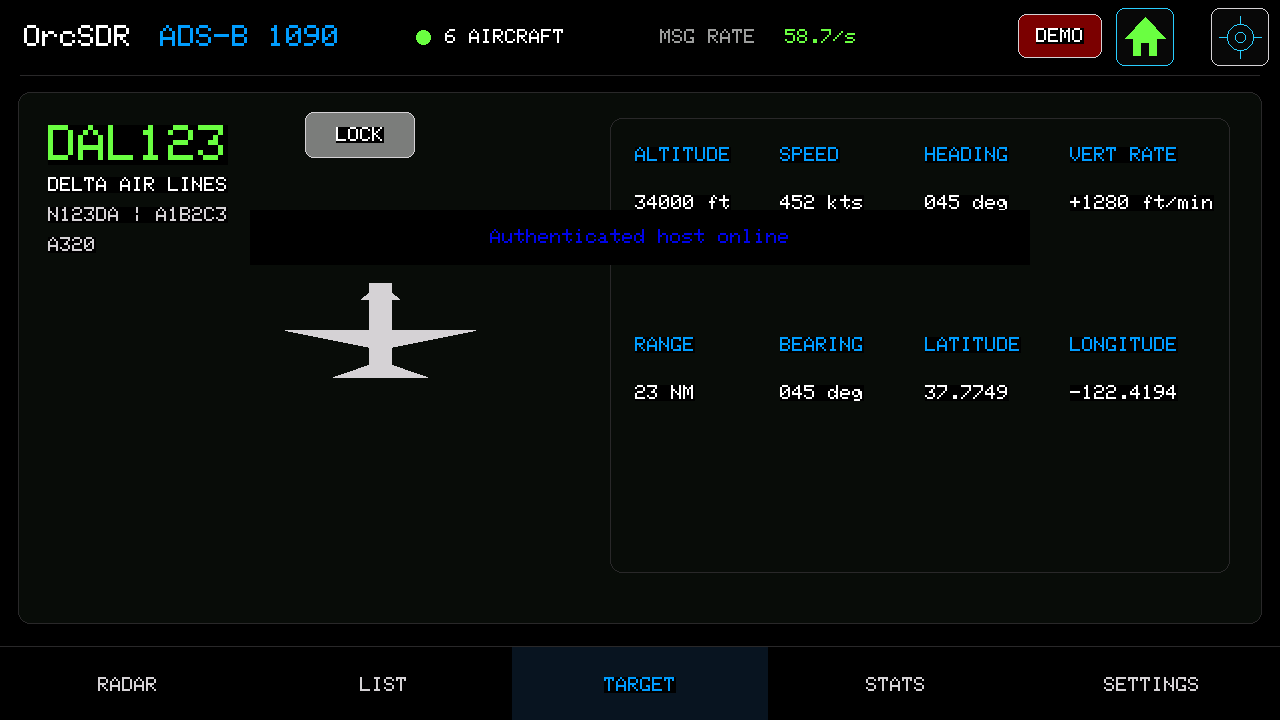
Target shows the currently selected aircraft in more detail: callsign, altitude, speed, heading, vertical rate, range, bearing, and position when available.
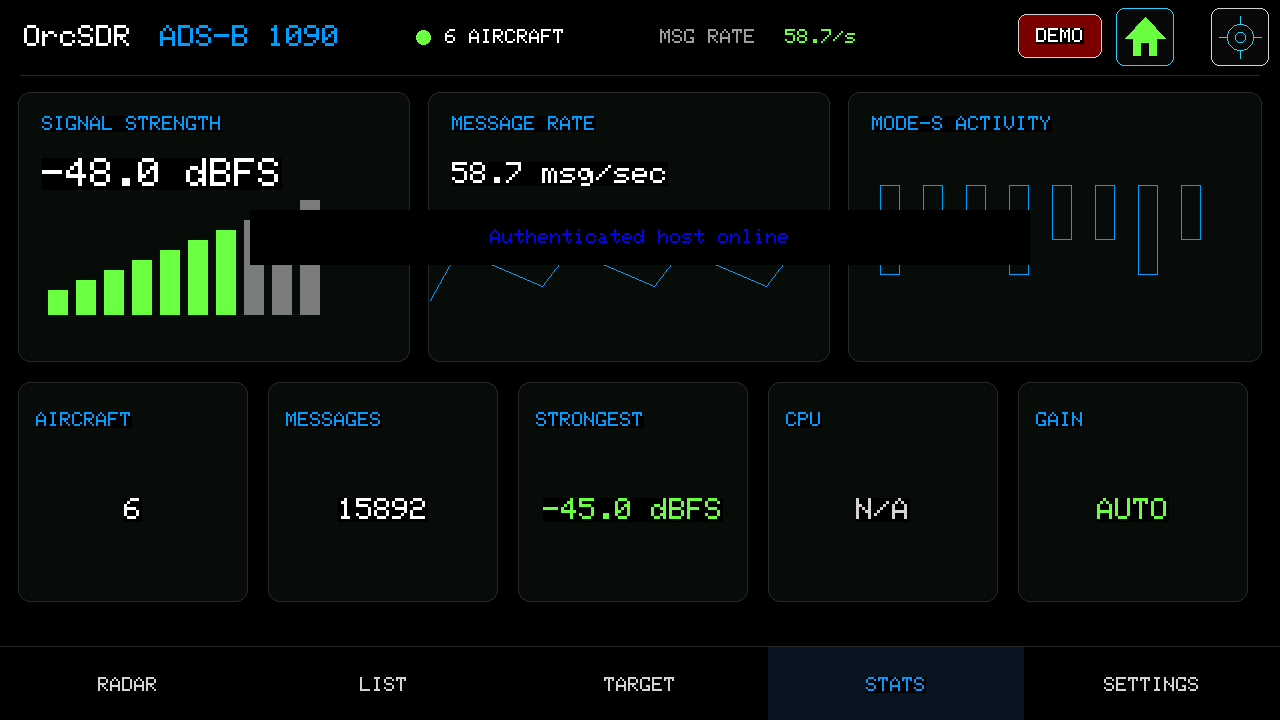
If Radar is empty, check Stats. It tells you whether the receiver is seeing Mode-S activity and how many messages are arriving.
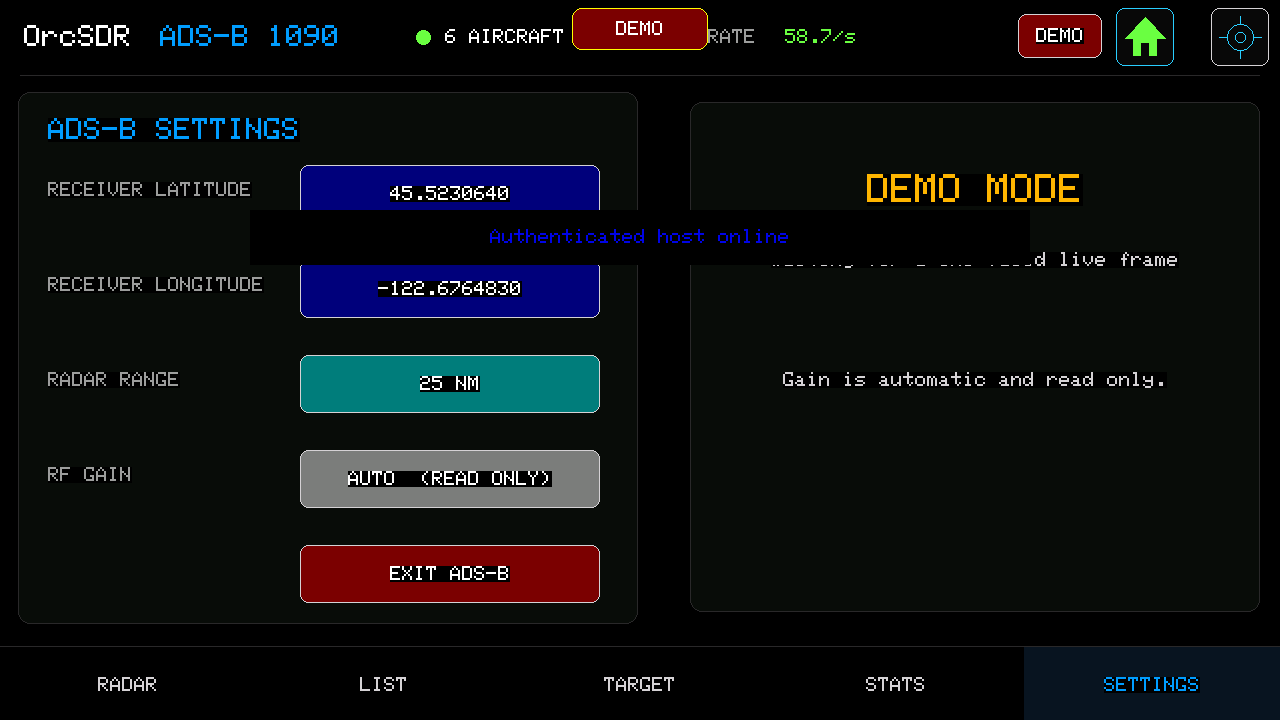
Set receiver latitude, longitude, and radar range here. These settings affect the distance and bearing shown on Radar and Target.
Set your location, use a 1090 MHz antenna, and leave Radar open where it has a clear view of the sky. Share your location, antenna, aircraft count, and a screenshot to help improve the real-world experience.