Hand Tracking
This is the part that makes people gasp in the headset: you reach out, pinch, and a glowing cube sticks to your fingers. Here's how that actually works — and the not-obvious problems we had to solve to make it feel solid.
Credit where due: the pickup system (
pickup/pickup_handler.gd+pickup/pickup_able_body.gd) is the work of Marshall Nowak (Nocxr), from the hand-tracking fork. This page explains how it behaves.
Vision Pro's hand tracking reports the 3D position of every joint of both hands
many times a second. Godot exposes these through XRHandTracker. We only need two
of them: the thumb tip and the index-finger tip.
A pinch is just: how far apart are those two tips?
   index tip  •
               \
                \   ← measure this distance
                 \
   thumb tip  •
- Tips closer than ~1 cm → that's a pinch. Grab.
- Tips farther than ~2.4 cm → hand's open. Let go.
Notice grab and release use different thresholds (1 cm vs 2.4 cm), not one. That gap is called hysteresis, and it's the difference between "magical" and "broken."
If we used a single threshold — say, "grab when closer than 1.5 cm, release when farther" — then a hand hovering right at 1.5 cm would flicker grab/drop/grab/drop as the tracking jitters by a millimeter. By making you clearly open your hand (past 2.4 cm) before letting go, the grab stays stable. Like a thermostat that won't flip the AC on and off every few seconds.
A naive grab snaps the object's center to your hand. That feels wrong: pinch the corner of a panel and the whole panel jumps so its middle is in your fingers.
Instead, the held object anchors to the exact point you pinched and rotates about that point. Grab a flat panel by its edge and the edge stays under your finger. When you flick and release, the object inherits your hand's velocity and flies off — a real throw, not a drop.
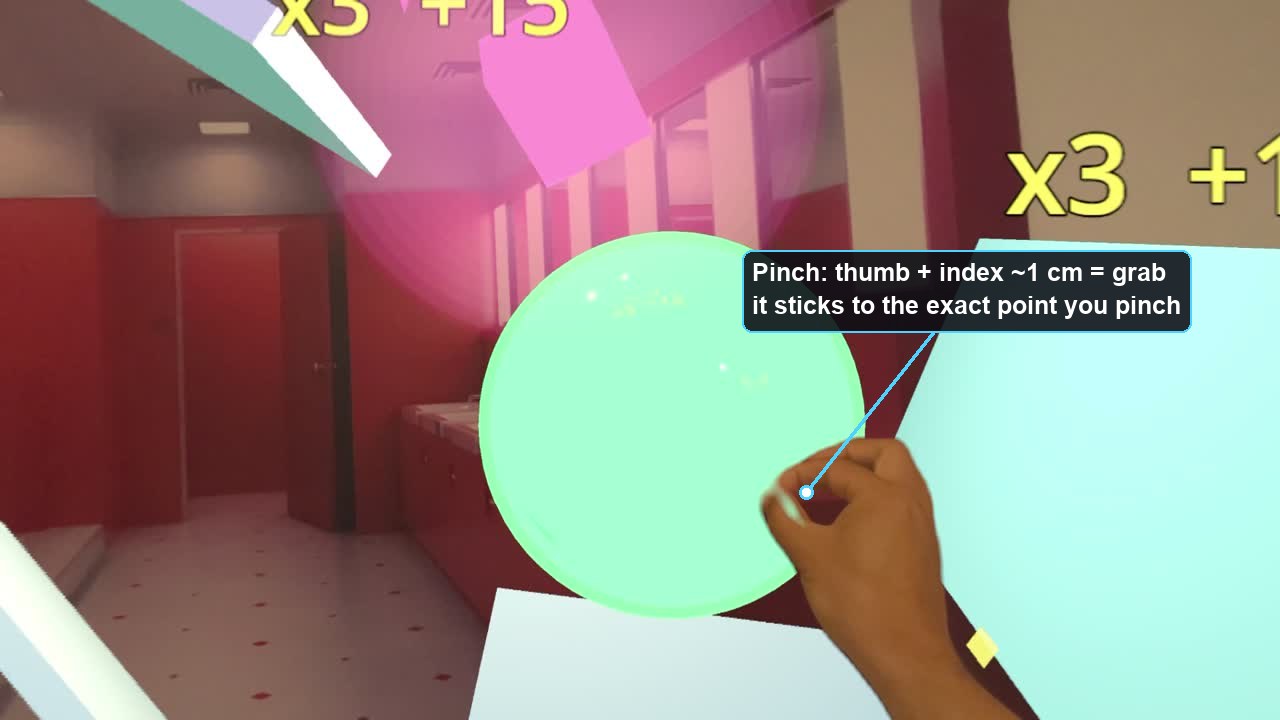 Steps 1–3 in one frame: the pinch is just thumb-tip-to-index-tip distance, and the object anchors to the exact point you pinched.
Optical hand tracking isn't perfect. Fingers get occluded (hidden behind each other), estimates jump, tracking briefly drops out mid-motion. A naive implementation drops your cube constantly. Three fixes, each ELI5:
When a finger is briefly hidden, its reported position can teleport ~8 cm for a single frame while your hand is really moving smoothly. The fix is a median of the last 3 samples: a lone wild value gets outvoted by its two sane neighbors and discarded — with zero lag on real motion. (A normal "smoothing" average can't do this: it would lag everything to hide the one spike.)
The grab anchors to the midpoint between thumb and index tips. Mid-rotation, one tip often drops to "untracked" for a frame. Rather than snapping the anchor onto the one surviving fingertip (a visible 1–2 cm lurch), we remember each tip's offset to the midpoint and reconstruct the same midpoint from whichever tip is still tracked.
Sometimes the thumb-index estimate splays wide open for 1–3 frames (reads "fully open!") even though you're still pinching. So a release isn't trusted instantly: the hand must stay clearly open for a fraction of a second (a debounce) before the grab actually drops. Any frame back inside the pinch resets the timer. Result: a momentary tracking hiccup no longer flings your cube across the room.
Together these are why the grab feels "sticky" in a good way — it holds through the wobble that raw hand data is full of.
There are two things to keep separate:
- The pinch math above — invisible, drives grabbing. Always on.
-
The hand you see — a little 3D hand model posed to match your real hand. That's
hand_mesh_driver.gd(HandMeshDriver3D).
Posing the visible hand means copying each tracked joint's rotation onto the
corresponding bone of a hand model (set_bone_global_pose_override()). Easy in theory
— except the fork delivers joint rotations in one orientation convention and the hand
model's skeleton is rigged in another. Copy them straight across and the fingers point
sideways or curl backwards.
The fix is a fixed rotation correction applied to every bone. It was found the honest way — an on-device sweep of candidate rotations labeled by color until the fingers looked right (the winner: rotate the right hand's bone frame +90° about Y). The left hand is a mirror image of the right, so its correction is the right-hand rotation reflected — which works out to −90° about Y. A tidy bit of symmetry that saved guessing twice.
You choose what your hands look like. The HANDS button (or a middle-finger pinch) cycles three states — and crucially you always see some hands, never empty sleeves:
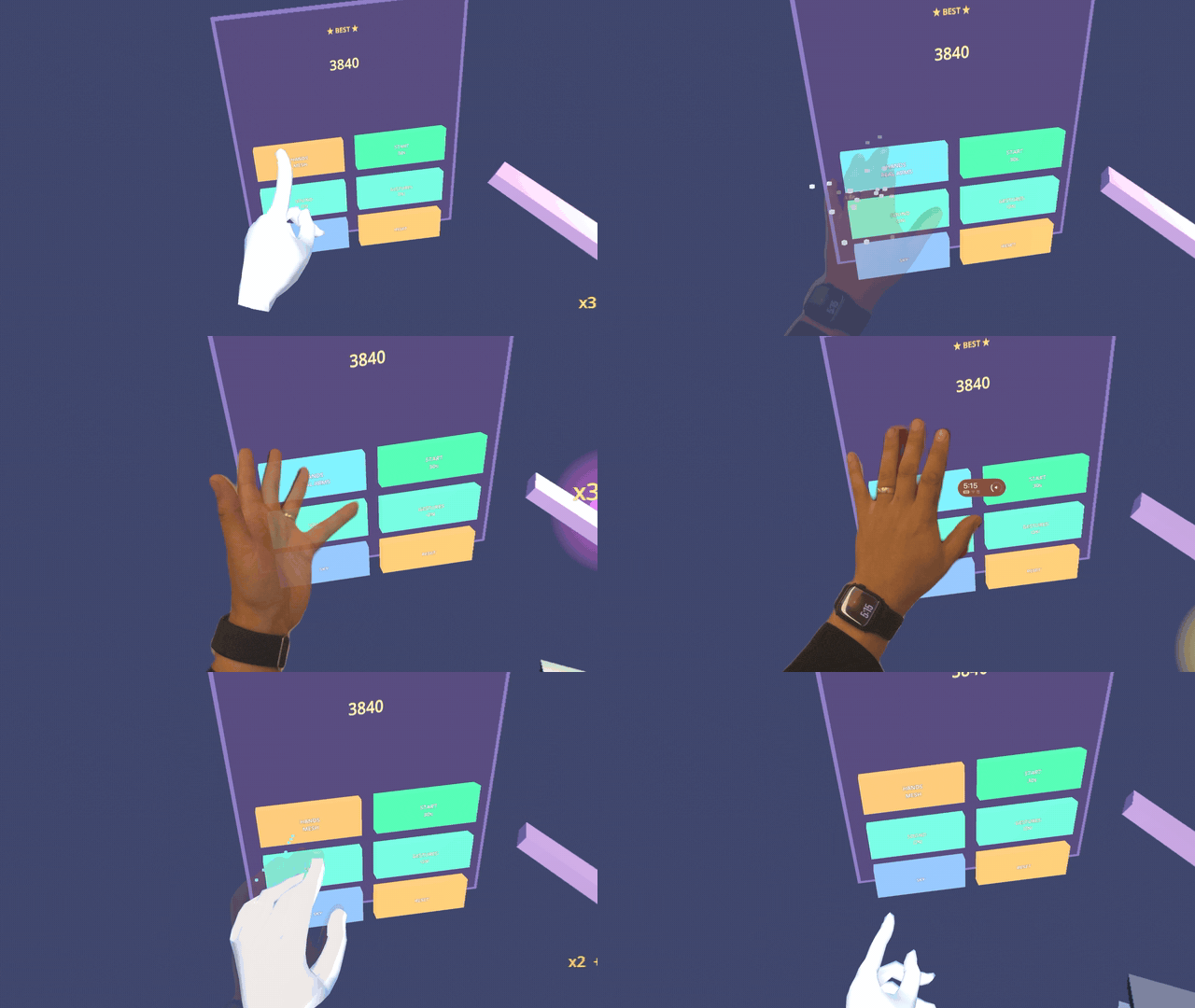 Poking the HANDS button on the control panel swaps the hand model live: white mesh → your real Persona arm → back. (The ★ BEST ★ panel up top shows your high score.)
- MESH — the virtual low-poly GLTF hand model (the one Step 5's math poses). Always available; needs no system support.
- BOTH — the mesh hands and your real arms at the same time.
- REAL — your actual Persona arms, composited into the scene by visionOS.
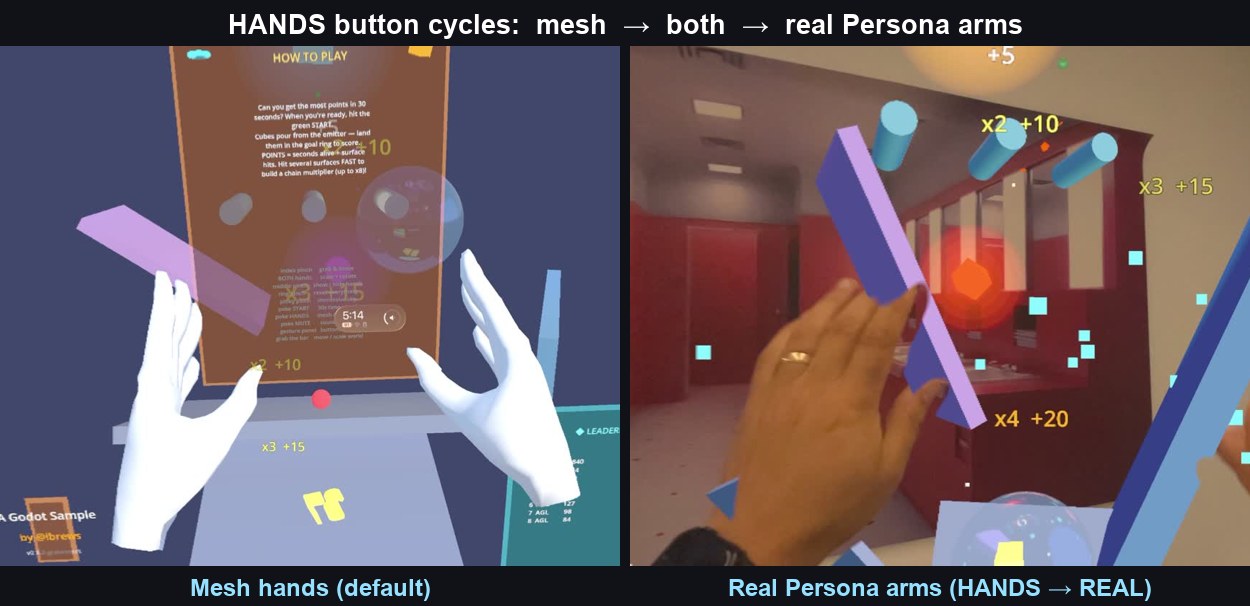 Left: the GLTF mesh hands (default). Right: your real Persona arms (HANDS → REAL).
The dev catch: showing your real arms is controlled by SwiftUI's
.upperLimbVisibility(…) on the immersive space, which visionOS bakes in at build
time from the GodotUpperLimbVisibility key in Info.plist. Flipping it live (so the
in-app button actually reveals your arms) needs a small engine-side change that polls a
file the app writes. On a stock build you'll always see the mesh hands — set the
Info.plist key to choose one mode at build time instead. Full recipe in the
README → Real Persona arms.
Each finger-to-thumb pinch is its own gesture (and each also exists as a poke-button on the control panel, so you're never forced to memorize them):
| Pinch | Does |
|---|---|
| index → thumb | grab / throw (the main one) |
| middle → thumb | cycle the hands: mesh → both → your real Persona arms |
| ring → thumb | reset everything home |
| pinky → thumb | toggle the sky (full immersion ↔ passthrough) |
The missing-permission tell, again: if grabbing does nothing and you never saw a hand-tracking permission prompt, your engine build doesn't have hand tracking compiled in. That's a fork choice, not a bug in this code. Also confirm
NSHandsTrackingUsageDescriptionandNSWorldSensingUsageDescriptionare in the built app'sInfo.plist.
Next: Procedural Audio → how the soundtrack is invented live from the physics.