Repository navigation
Home
Note
3DAndreas is experimental and already runs in production. Its natives may still change from one version to the next. It was made with Claude Opus 5.5, a model by Anthropic.
3DAndreas is an open.mp component that simulates physics on the map of San Andreas with Jolt Physics and answers questions about that map. Physics objects fall, roll, bounce and float, and players see them move. Scripts ask what a ray hits, where the ground is, what a shape overlaps, where the water lies and what a player has on screen.
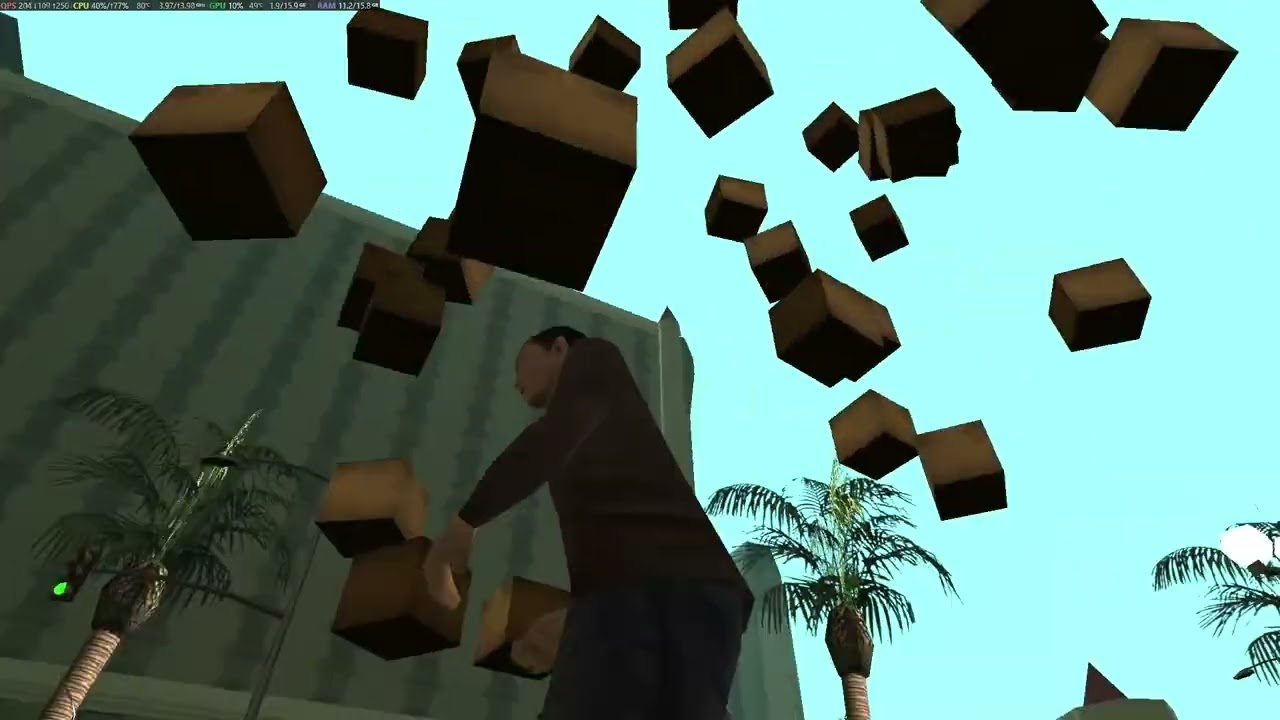
Physics objects moved by 3DAndreas, recorded in the game on an open.mp server. The picture opens the video on YouTube.
This wiki describes version 0.6.3.
- Installation: the files of a release, the include and the first start.
-
Configuration: the settings in
config.jsonand when to change them. - Physics objects: moving objects, static objects and zones, what players see, and how the simulation runs.
-
Model settings:
models.json, the shape and the values each model starts with. - World queries: what rays, sweeps and overlaps see and what they answer.
- The screen: how the camera of a player becomes a screen in text draw units.
-
Map database: what
world.dbholds, how to build it and its format. - Coming from ColAndreas: the differences and the native that replaces each function.
- Performance: what each query and each kind of load costs.
- Functions: every native, the stock and the callbacks, by subject.
- Collision flags, Hit types, Surfaces and Vehicle parts: the constants of the include.
Drops a crate in front of a player and tells them when it lands.
#include <open.mp>
#include <3DAndreas>

public OnPlayerCommandText(playerid, cmdtext[]) {
    if (strcmp(cmdtext, "/crate", true) == 0) {
        new
            Float:x,
            Float:y,
            Float:z,
            Float:angle,
            Physic:crate
        ;

        GetPlayerPos(playerid, x, y, z);
        GetPlayerFacingAngle(playerid, angle);
        crate = A3D_CreateObject(1220, x - 2.0 * floatsin(angle, degrees), y + 2.0 * floatcos(angle, degrees), z + 2.0, 0.0, 0.0, angle, 20.0, GetPlayerVirtualWorld(playerid));
        A3D_SetExtra(crate, 0, playerid);

        return 1;
    }

    return 0;
}

public A3D_OnStopped(Physic:physicid, Float:x, Float:y, Float:z) {
    SendClientMessage(A3D_GetExtra(physicid, 0), -1, "Your crate landed.");

    return 1;
}
examples/playground.pwn in the repository is a filterscript with a command for each kind of feature.