Repository navigation
Settings
Gear icon in the header. Appearance changes apply immediately; save the rest with Save settings.
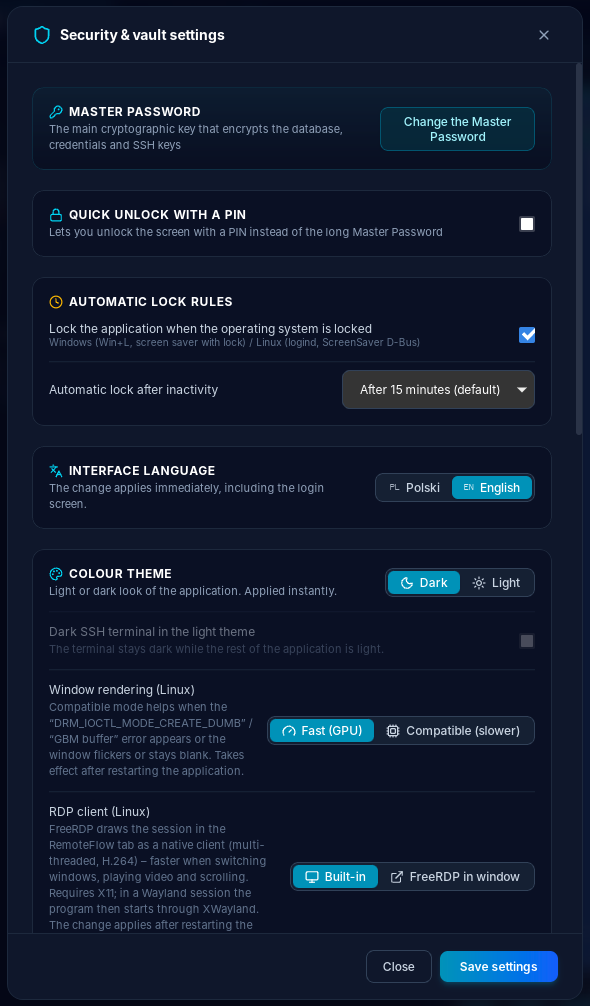
| Section | Options |
|---|---|
| Interface language | English / Polski – applies immediately, also on the login screen |
| Colour theme | Light / dark; Dark SSH terminal in the light theme; Linux: Window rendering (Compatible for a blank or flickering window) |
| RDP client (Linux) | Built-in or FreeRDP in window – see RDP connections |
| SSH terminal | History buffer (lines) (default 10,000, range 100–200,000) |
| Confirmations | Ask before closing a connection; ask before closing the program |
| Updates | Check automatically; Check now; installed version – see Updates |
| Master Password | Change the Master Password (the vault is re-encrypted) |
| Quick unlock with a PIN | Set / change the PIN (4–8 digits) |
| Automatic lock rules | Idle time; lock when the operating system locks |
| Vault backups | Frequency, number of copies, folder, create a backup now, restore |
| Trusted hosts | Remembered SSH keys and RDP certificates – Forget this server |
An information section shows the vault file location and the algorithms used (Argon2id, AES-256-GCM).
Only non-sensitive data is stored unencrypted: window rendering options (display.json next to the vault) and interface preferences (language, theme, panel width, expanded groups, automatic update checks) in the built-in browser storage.