Favorites tab
In one line: everything you've hearted, from every source, in one list that survives restarts.
Browsing four catalogues means constantly finding things you want to come back
to. Click the heart on any item and it lands here. The tab title shows how many
you have saved: 🌍 ♥ Favorites (12).
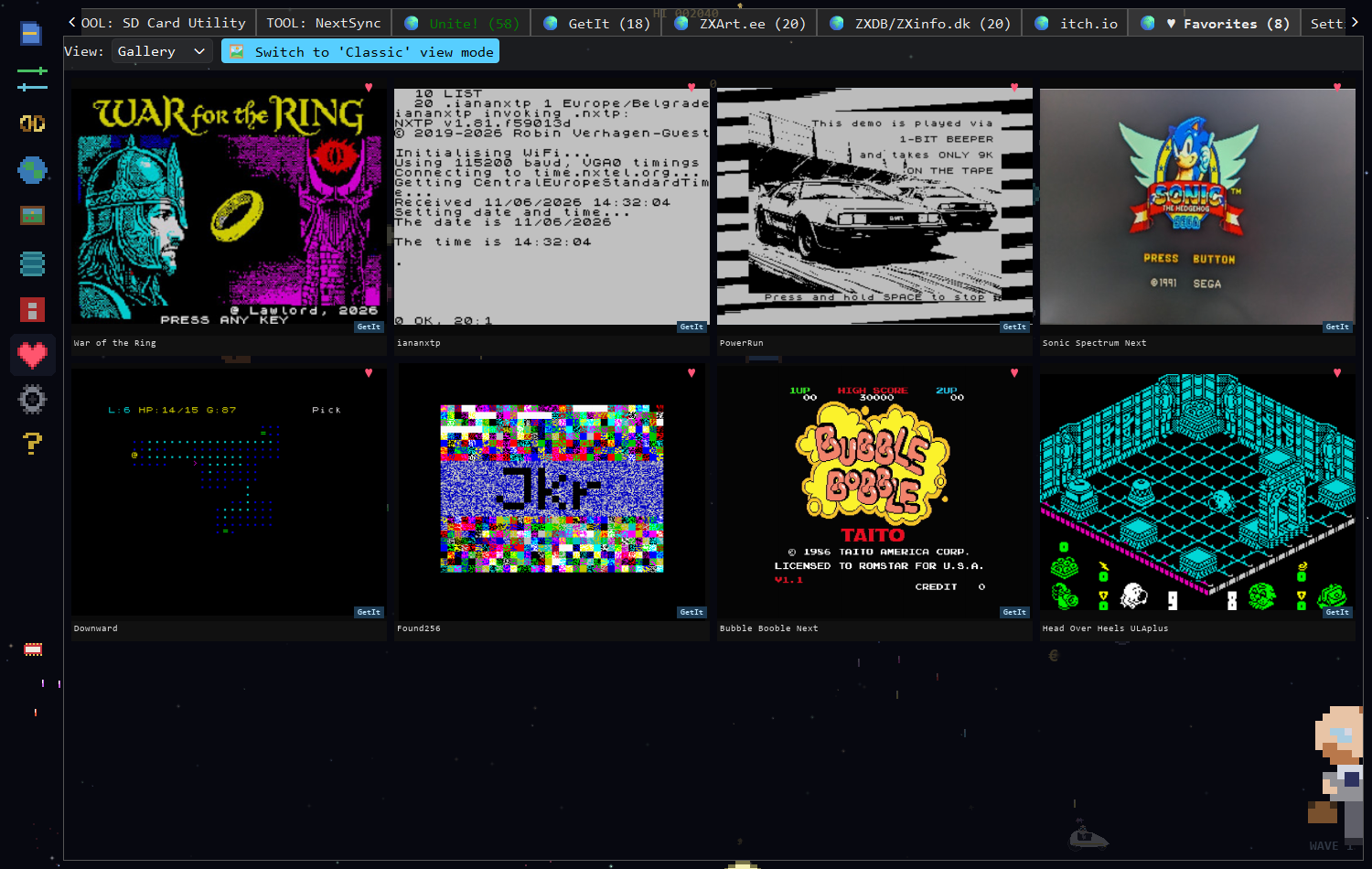
Eight saved items in 🎮 Retro Gallery mode. The hearts are filled (♥) because everything here is, by definition, already a favourite — click one to remove it.
Anywhere you see an item — a gallery tile in GetIt, ZXDB, zxArt, itch.io or Unite!, or the full-screen viewer — there is a heart:
- ♡ — not saved. Click to save.
- ♥ — saved. Click again to remove.
Favorites are written to your configuration file, so they are still there next time you open the app.
| Control | What it does |
|---|---|
| View: | Table or Gallery, same as the other tabs. |
| 🎮 Retro | 8-bit pygame rendering (needs pygame-ce). |
In Table view the columns are Source, Title, Rating, Info and Year — Source being which archive the item came from.
Double-click any entry and the app switches to that item's home tab and opens it there in the full-screen viewer, with that source's actions available — download, send to SD card, send via NextSync, launch an emulator.
Right-click gives you two things:
| Action | |
|---|---|
| Open in |
Jump to the item in its original tab |
| Remove from Favorites | Delete the entry from this list |
- This is a bookmark list, not a download list. Favorites remembers what you liked and where it lives. Nothing is stored on your disk until you download it from its source tab.
- Mixed sources are fine. A GetIt release, a 1985 ZXDB game, a zxArt demo and an itch.io purchase all sit happily in the same list, each keeping its own actions.
- If an item's source tab is hidden — for instance the itch.io tab with no API key set — its entries stay in the list but can't be opened until that tab is available again.
See also: User Manual for how the heart and the viewer work everywhere · Unite! tab