itch io tab
In one line: browse the games you already own or have collected on itch.io, and install them onto your PC ready for your Next.
Plenty of modern Spectrum Next software is sold or given away on itch.io — CSpect itself among it. This tab connects to your own itch.io account so your purchases and collections show up alongside the other catalogues, and installs them with one click.
This tab is optional. It only appears when the
itch-dlpackage is installed:python -m pip install itch-dlIf you don't see the tab, that's why. You can also hide it deliberately with "Show the itch.io tab" in Settings.
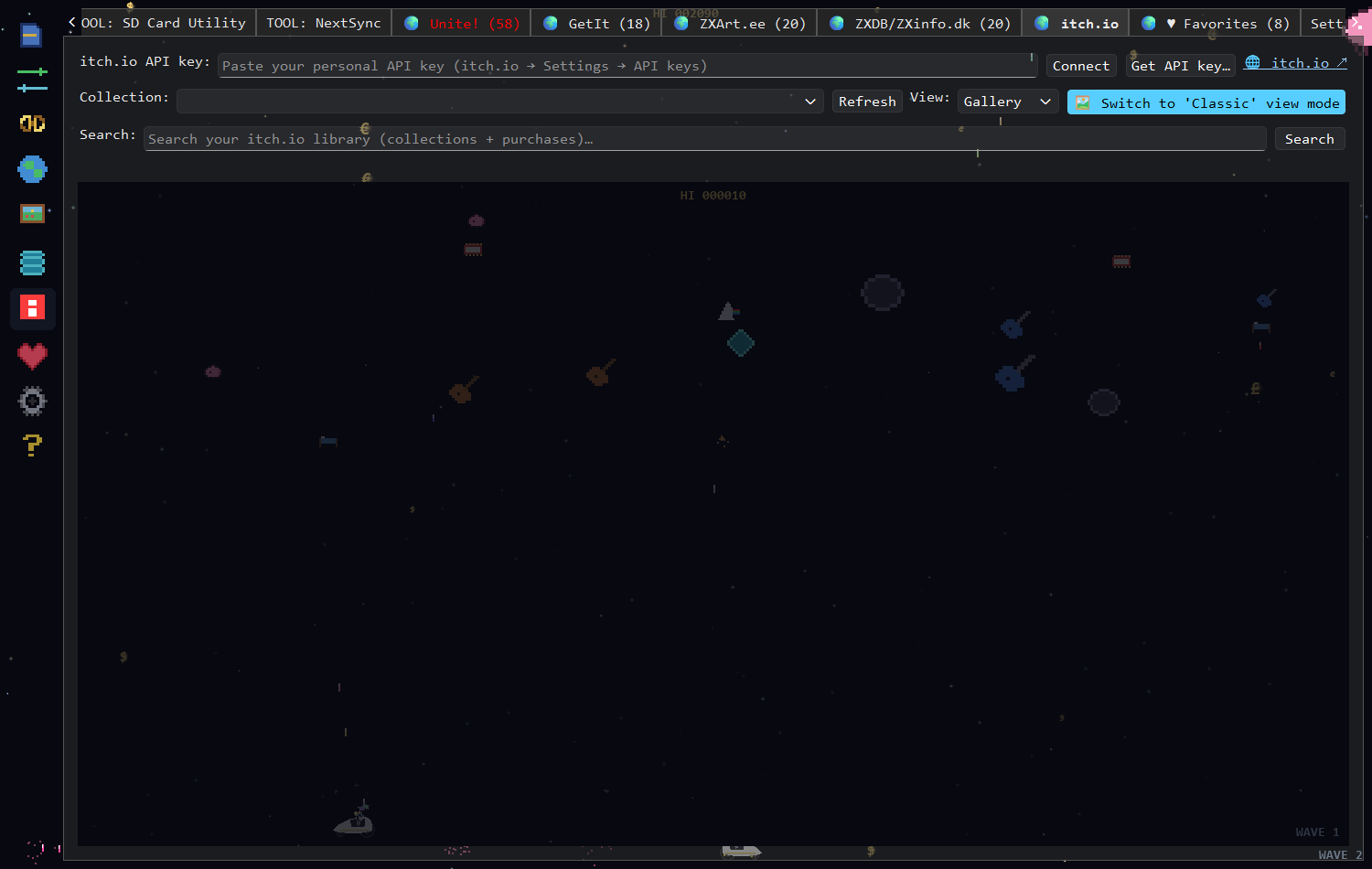
How the tab looks before you connect: the API key row across the top, and an empty library below. Paste a key and press Connect to fill it.
The tab needs a personal API key — a token that lets it read your library. It is not your password.
- Click Get API key…. Your browser opens
https://itch.io/user/settings/api-keys. - Generate a key there and copy it.
- Paste it into the itch.io API key box (it's masked as you type) and click Connect.
The key is saved in your configuration file and reconnects automatically next time you start the app. The status line confirms who you're connected as and how much it found: "Connected as — 4 collection(s), 27 purchased."
| Control | What it does |
|---|---|
| Collection: | Choose what to list. 🛒 Purchased / Owned games comes first and is the default; your own itch.io collections follow, each with its item count. |
| Refresh | Re-fetch from itch.io — use it after buying something new. |
| Search: | Filter across your whole library (collections and purchases) at once. Autocomplete suggests titles you own. |
| View: | Table (Title / Author / Type) or Gallery (cover-art tiles). |
| 🎮 Retro | 8-bit pygame rendering (needs pygame-ce). |
Double-click an item to open the full-screen viewer, then:
| Button | What it does |
|---|---|
| ⬇ Install | Downloads the item via itch-dl into downloads/itchio/. The button shows ⬇ Installing… while it works. |
| 📂 Open install folder | Opens where it landed |
| 🗑 Uninstall | Deletes the local copy |
| 💾 Send to SD card | Copy into the disk image open in the SD Card Utility tab |
| 🔁 Send via NextSync | Send to your Next via the NextSync tab |
| 🌐 Open on website | Open the item's itch.io page |
Send to SD card and Send via NextSync need a local copy first. If you click one before installing, the status line tells you so — install, then send.
Once a key is set, your itch.io library also feeds the Unite! multi-search, so your own purchases turn up next to GetIt, ZXDB and zxArt results. The library is fetched in the background right after connecting, so the first Unite! search doesn't stall.
The tab isn't there. itch-dl isn't installed — see the box at the top — or
the tab is switched off in Settings.
Connect does nothing / reports an error. The key is wrong, revoked, or the network is blocked. Generate a fresh key from the itch.io page and paste it again.
Install fails. Some itch.io pages need a manual download (external links, browser-only builds). The app offers a fallback link in that case — open the page and download it yourself, then point the app at the file.
Nothing in my collections. Check the Collection: dropdown — it defaults to Purchased / Owned games, which is a different list from your collections.
See also: Installation → CSpect emulator, which is itself an itch.io download · Unite! tab · Favorites