User Guide : Creating a Budget
Any action with UnderBudget requires a budget.
Budgets are saved individually in separate files and opened individually. If this is the first time using UnderBudget, then start by creating a new budget. The new-budget button is the right-most button in the toolbar.

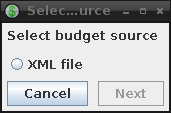
To open an existing budget, use the open-budget button in the toolbar (right of the new-budget button). A dialog will appear prompting for the type and location of the budget file. At this time only XML files are supported.
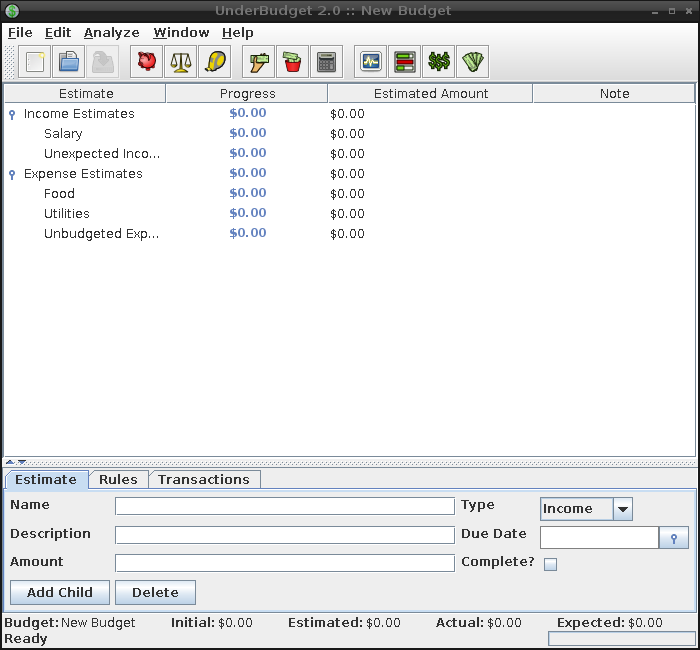
Once the budget file has been selected, all other options in the toolbar will be enabled and the budget's estimates will be displayed in the main window.
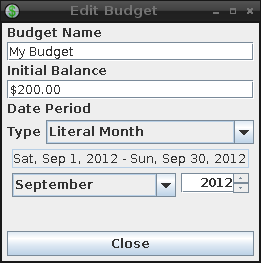
To modify budget parameters, such as the name, initial balance, or budgeting period, click the edit-budget button in the toolbar. This will launch a separate window for editing the budget.

See the estimates and rules sections for instructions on modifying the estimates and rules.
Once all modifications have been made a budget, don't forget to save those changes.

Budgets can be saved to a different file than their original file by selecting the save-as option from the File menu.
When a new budget is created that budget is based on a template budget. This template can be replaced with any customized budget by opening the desired budget and selecting the save-as-template option from the File menu.