en usage platforms qq aiocqhttp llonebot
Connect through the OneBot 11 protocol, you need to select OneBot v11 as the adapter.
- LiteLoaderQQNT's OneBot API plugin injects into the QQ client and converts it to the OneBot 11 protocol
Installation tutorial for LiteLoaderQQNT: https://llonebot.github.io/zh-CN/guide/getting-started
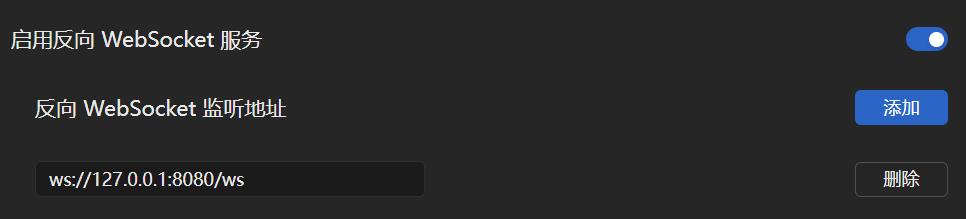
Make sure the IP address in the address is the address of the host running LangBot (if running on the same network, use 127.0.0.1)
Next, open the LangBot configuration page
Click on Bots, then click Add
Select OneBot v11 for Platform/Adapter Selection
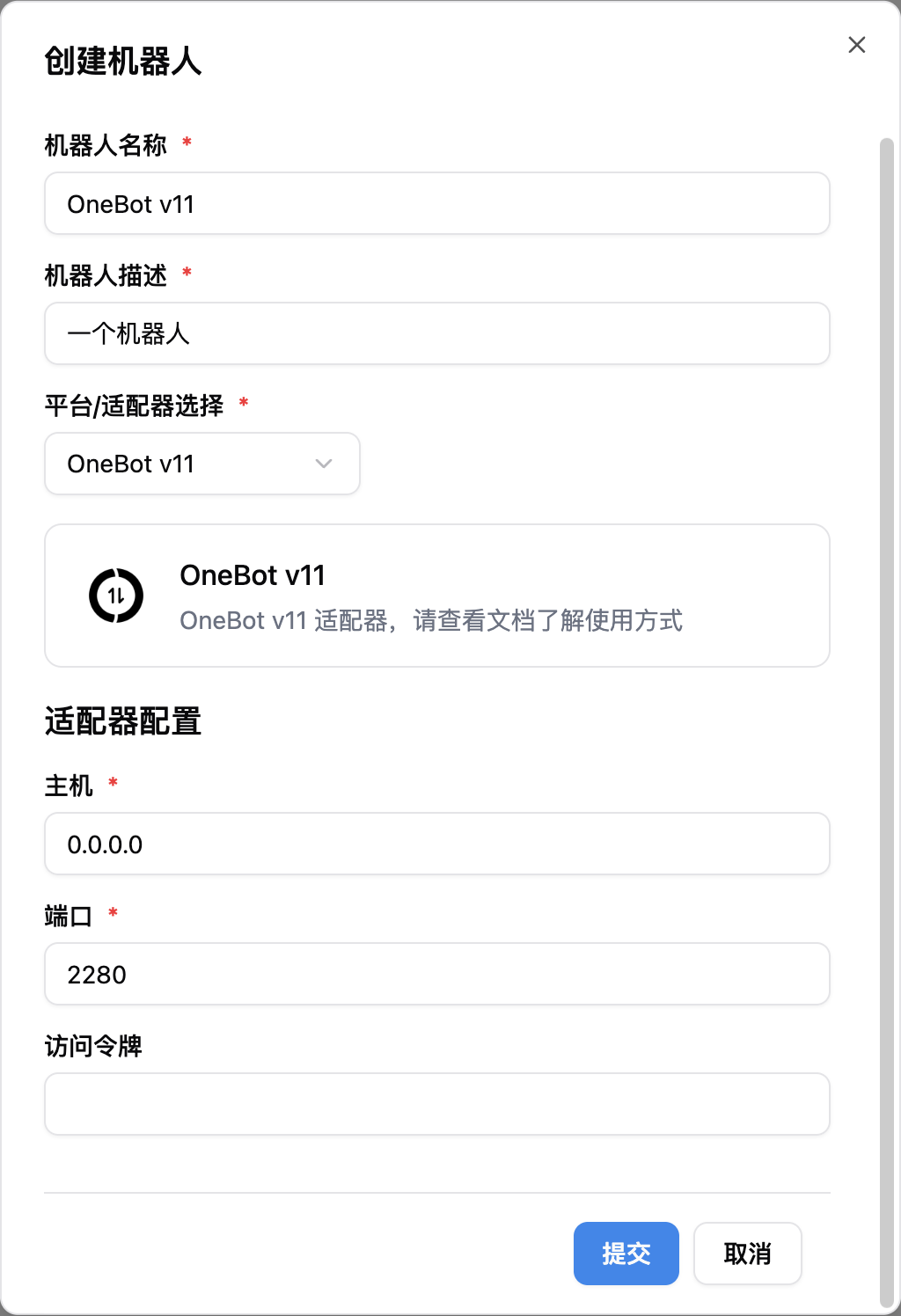
Note
Note, if you have network connection issues involving multiple docker containers, please refer to Network Configuration Details