en usage platforms qq aiocqhttp napcat
Connect through the OneBot 11 protocol, you need to select OneBot v11 as the adapter.
Follow the NapCat official documentation for installation
Only using webui operation as an example, for other configuration methods, please check the NapCat documentation.
After logging in, you can check the logs in the console or Bash, find [NapCat] [WebUi] WebUi Publish Panel Url: http://x.x.x.x:6099/webui?token=xxxxx
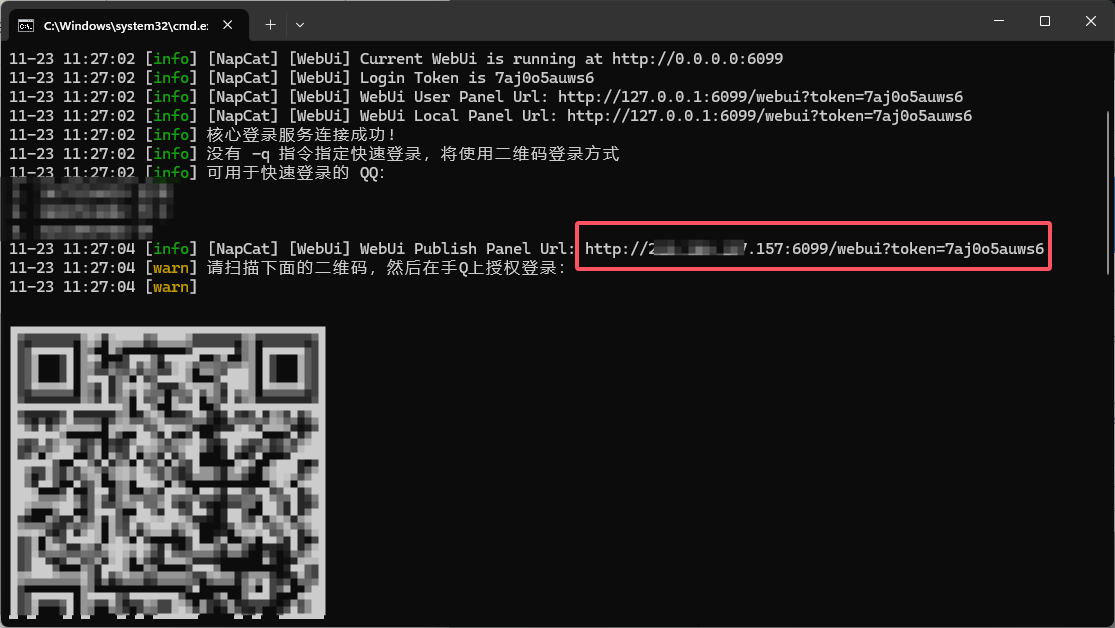
Copy the Url to your browser or on Windows 11, press Ctrl and click the Url. After scanning the QR code to log in, you will enter the network configuration page.
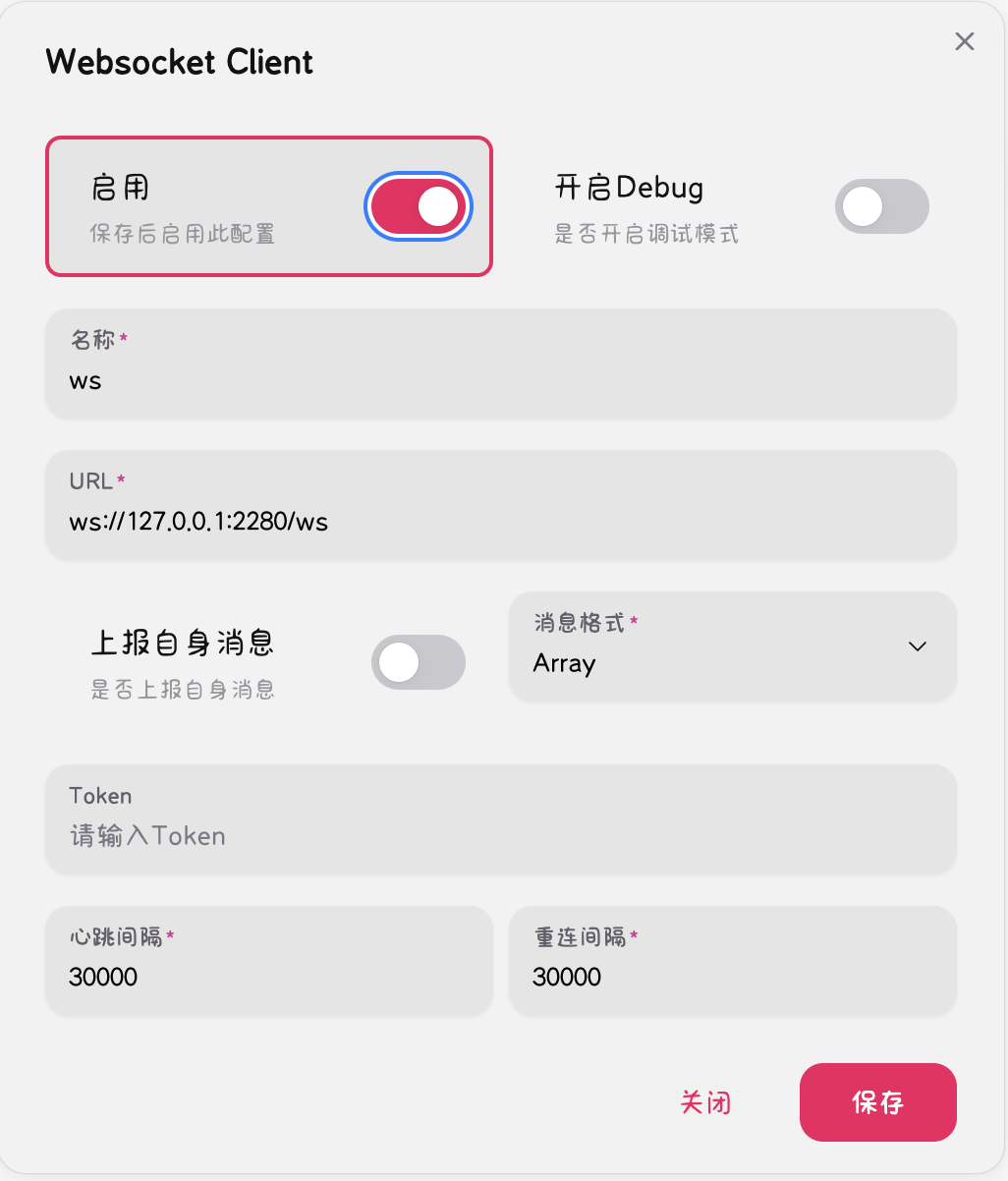
Click Add Network Configuration, select WebSocket Client, click Enable, then fill in ws://127.0.0.1:2280/ws in the Url field and save.
Next, open the LangBot configuration page
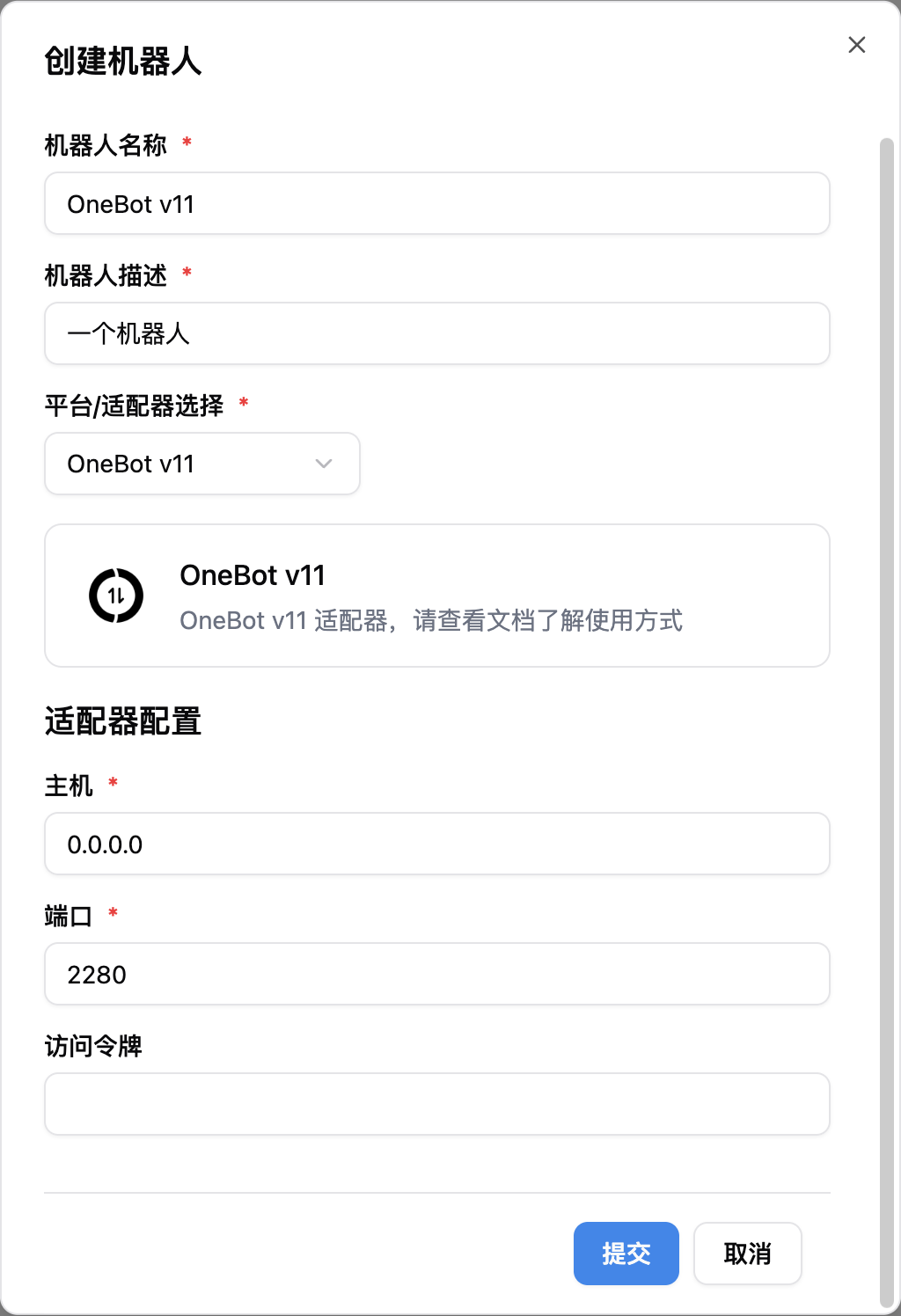
Click on Bots, then click Add
Select OneBot v11 for Platform/Adapter Selection
Note
Note, if you have network connection issues involving multiple docker containers, please refer to Network Configuration Details