zh usage pipelines readme
流水线控制了收到消息之后的处理流程,以及与大模型之间的信息交互。每个机器人可以绑定到一条流水线上,同一条流水线能被多个机器人绑定。
LangBot 首次启动时会自动创建一个默认的流水线。创建机器人时,会自动绑定到默认流水线。创建第一个模型时,会自动将其设置为默认流水线的模型。
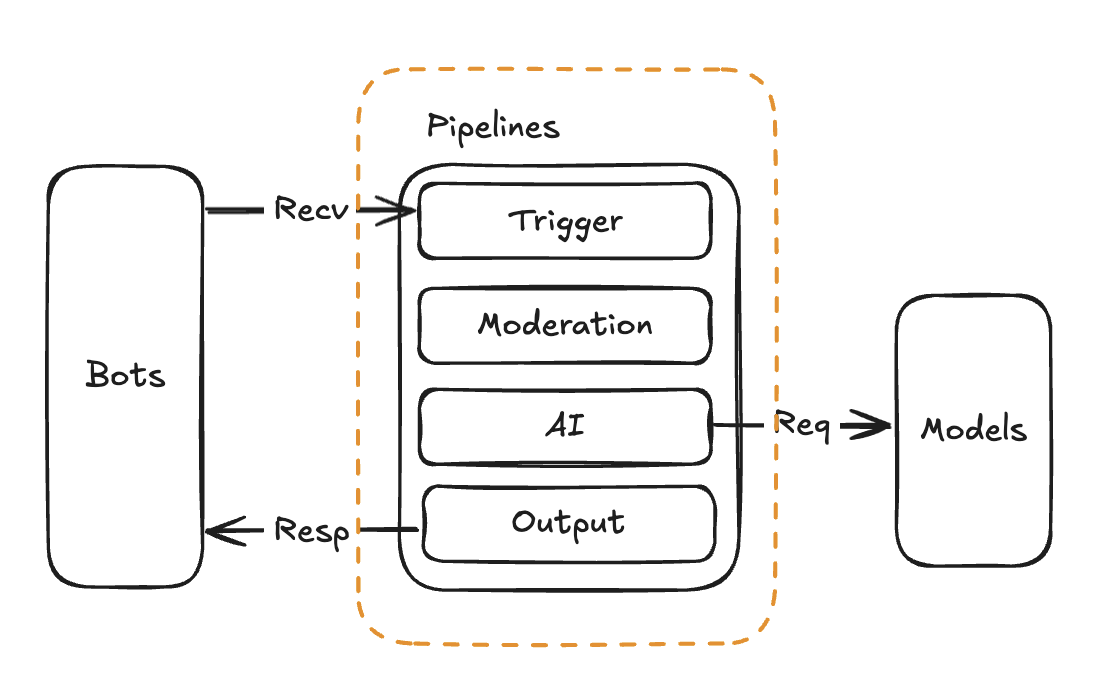
您可以创建多条流水线,用于不同的机器人,适应不同的场景。
当前流水线可以配置以下功能
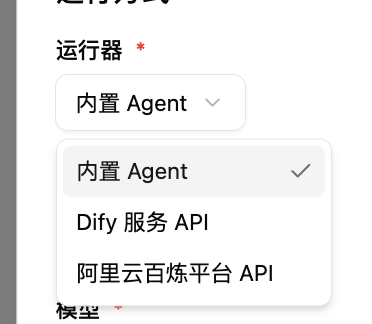
可以选择使用:内置 Agent、Dify、阿里云百炼、n8n、TBox(蚂蚁百宝箱)
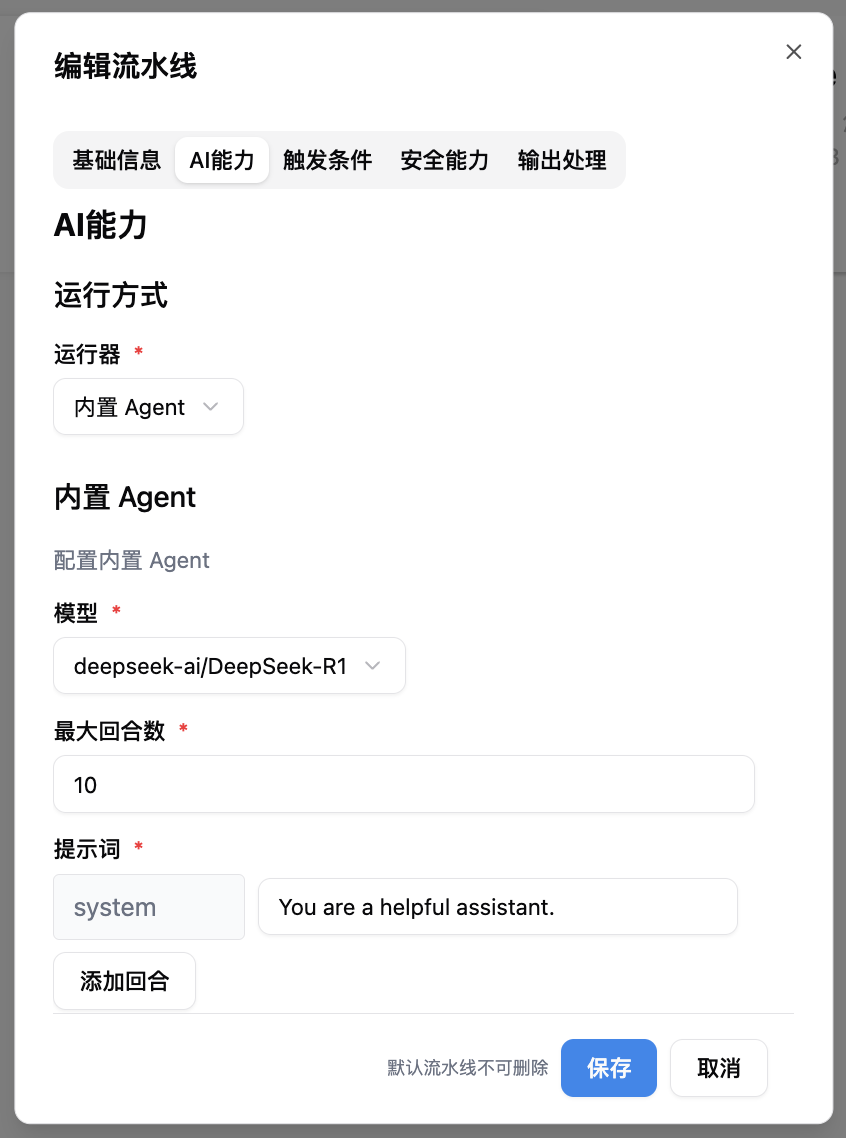
AI 能力主要分为两个部分,选择运行器和配置运行器参数。
运行器定义了如何调度大模型处理消息,默认为内置 Agent,这是 LangBot 实现的一个多回合 Agent 策略,当且仅当选择此运行器时,才会使用 LangBot 内部配置的模型和工具。
{/*  */}
*/}
您也可以选择使用 Dify、 n8n 等外部 Agent 平台,这种情况下所使用的模型和提示词、工具等资源将由 Agent 平台提供。
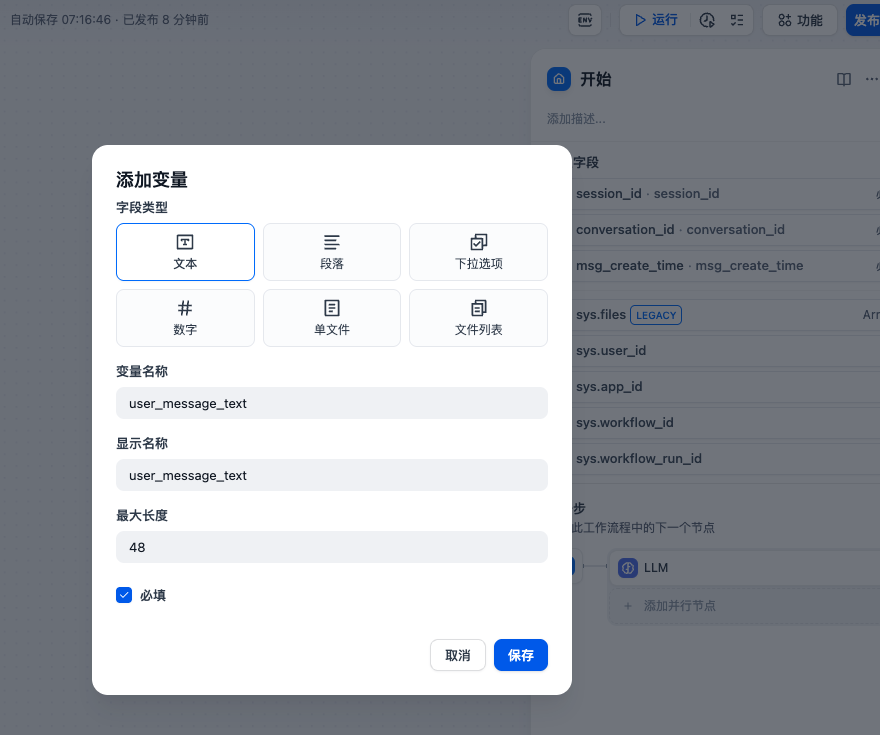
当使用外部 Agent 平台时,LangBot 会显式传入以下参数,您可以自行在 Agent 平台的开始节点中添加(下图以 Dify 为例):
-
launcher_type:发起对象类型,私聊为person,群聊为group -
launcher_id:发起对象ID,私聊为用户ID,群聊为群ID -
sender_id:发送者ID -
user_message_text:用户消息的纯文本 -
session_id:用户会话id,私聊为person_<id>,群聊为group_<id> -
conversation_id:字符串,用户会话id,由 LangBot 生成。用户重置会话后,会重新生成 -
msg_create_time:数字类型,收到此消息的时间戳(秒) -
group_name:群聊名称,仅在群消息事件时设置 -
sender_name:发送者名称
您可以通过插件自定义任何变量。
请参考配置表单中的描述信息。