Card Edition MkII
- Compatibility
- ADS-B Out remark
- Certificates
- Card Mark II vs Card
- Disclaimer
- Bill of materials
- Quick start
- Settings
- LED
- Buzzer
- Button
- Bluetooth LE
- Device Id
- Optional equipment
- Useful links
Card Edition Mark II is a direct successor of SoftRF Card Edition  .
.
It is supposed to require minimal skills from a builder to begin with and gives an opportunity to evaluate if the SoftRF technology is appropriate for your needs.
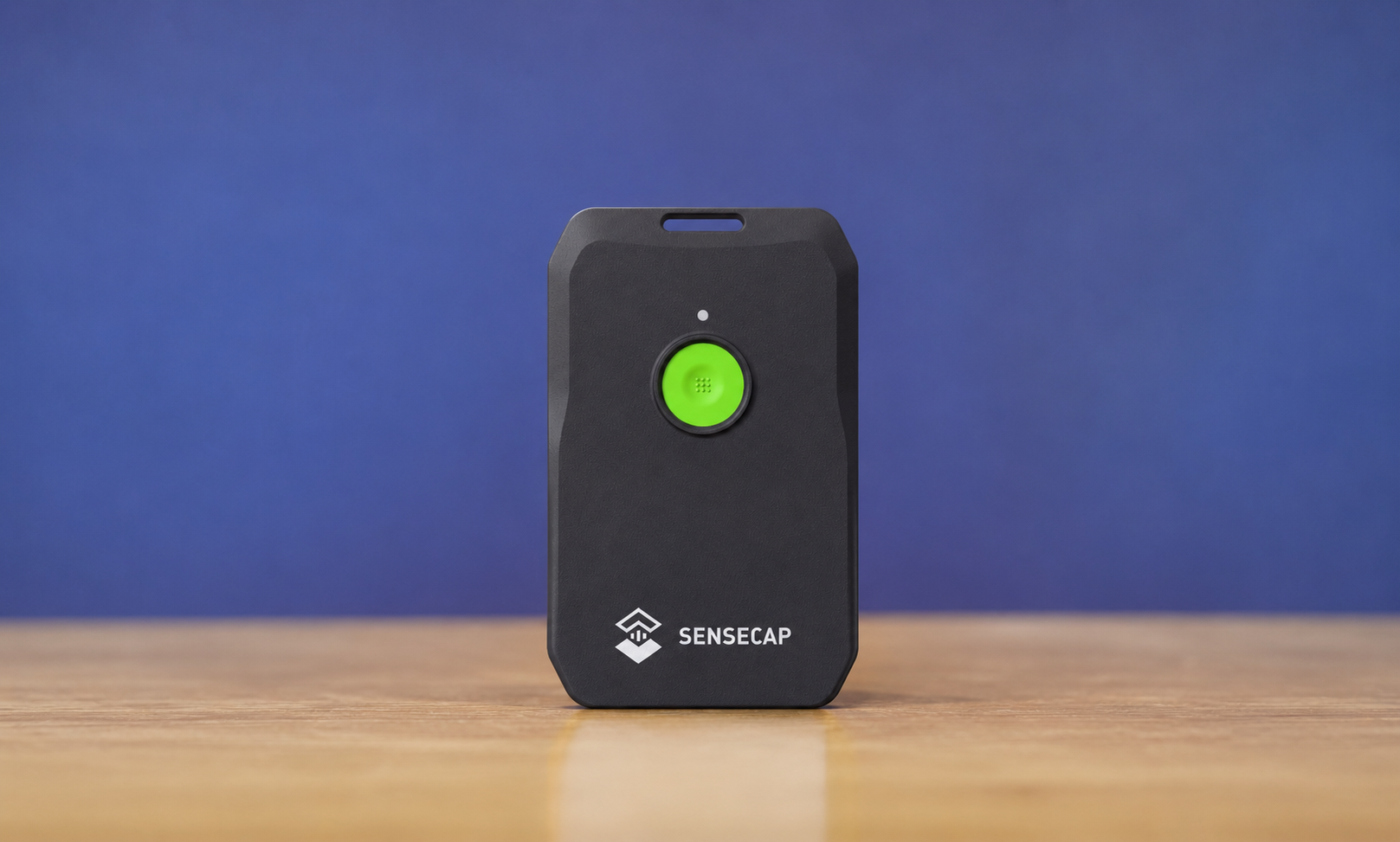
Card Edition Mark II is based upon a partner's hardware - Seeed SenseCAP MeshTracker X1 product, which is available for direct purchase from manufacturer at more or less reasonable price (40+ USD).

Seed® MeshTracker X1 uses he most recent and advanced Semtech LR2021  multi-band radio on the market
- sub-1 GHz band
- 2.1 GHz S-band
- 2.4 GHz ISM band
- OOK modem @ 2 MBPS - ADS-B ES @ 1090 MHz
- FSK modem @ 1041 KBPS - ADS-B UAT @ 978 MHz ( needs for Semtech to fix issue https://github.com/Lora-net/usp/issues/4 )

| Type | Protocol | FLARM | OGN tracker | PilotAware | Skytraxx | SoftRF |
|---|---|---|---|---|---|---|
| Radio | FLARM AIR V7 |
|
|
|
||
OGNTP |
|
|
||||
P3I |
|
|
||||
FANET+ |
|
|
||||
1090 ES |
|
|
||||
SRD 860 |
|
|
||||
| Data | FLARM NMEA |
|
|
|
|
|
| Garmin GDL90 |
|
|
||||
Dump1090 |
|


1 - it is necessary for a reader to distinguish the difference between statement "compatible"
and statement "fully compatible".
SoftRF implements only a reasonable minimum of the protocols specs.
No "bells and whistles" so far.
2 - Reception of DF17 traffic 'downlink' frames only.
No doubts that an amateur-built non-certified low-cost ADS-B transponder is possible.
It was shown to public by our own "proof-of-concept" study for :
- 1090 ES ("ADSB-Out" GitHub project) in 2017, and
- 978 UAT ("UAT-test-signal" GitHub project) in 2018 .
However, as a certified and instrument rated pilot with 20+ years of experience, in no way I will give a tool for every looser in the world, all he/she can afford is to spend 40+ USD for the Seed® MeshTracker X1, to abuse the ADS-B technology and compromise my own flight safety and flight safety of every other air law abiding pilot.
SoftRF firmware does intentionally exclude every possibilities to transmit anything on 1090 MHz radio frequency.
Any attempt to contribute the transmit feature into SoftRF from aside will be blocked at very early stage.
Seed® MeshTracker X1 has the following certificates of compliance :
- (EU) CE : VERIFICATION OF CONFORMITY
- (US) FCC ID : Z4T-TRACKER-X1

It means that this device is approved by corresponding agencies for:
- land use and
- with genuine factory firmware.
This is a ( reposted ) picture of Card Mk.II ( left ) and Card Classic ( right ) Editions, side by side.

| Edition |
Card
|
Card Mk II
|
|---|---|---|
| First appearance | 2024 | 2026 |
| Manufacturer | Seeed Studio | Seeed Studio |
| SoC | Nordic nRF52840 | Nordic nRF52840 |
| QSPI flash memory | not specified 3 | 8 MB |
| sub-1GHz radio | Semtech LR1110 | Semtech LR2021
|
| sub-1GHz antenna | internal, PCB | internal, PCB |
| Battery | Li-Ion 700 mAh | Li-Ion 1100 mAh |
| GNSS receiver | Airoha AG3335 | Airoha AG3335 |
| GNSS band(s) | L1 | L1 + L5
|
| USB | magnet clip 2.0 device |
Type-C 2.0 device |
| LED | green | red green blue |
| Button(s) | 1 pc. | 1 pc. |
| Buzzer | 1 pc. | 1 pc. |
| Haptic | 1 pc. | |
| Sensors | QMA6100P accelerometer light temperature |
air pressure SPA06-003 optional STM LSM6D IMU optional Bosch BMM350 magnetometer |
| Water and dust resistance |
IP65 | IP66 |
| Certificates | FCC CE | FCC CE |
| Weight (g) | 32 | 45 |
| Thickness (mm) | 6.5 | 8 |
3 - QSPI flash memory is not reported in the Seeed T1000-E specs. However, some of the hardware revisions may (or may not) have this feature available ;
New Card Edition Mark II
- can receive ADS-B traffic @ 1090 MHz
- able to receive L5 band from GNSS constellations
- has 1.5 times more of battery capacity than Classic Card does
- built-in air pressure sensor and vibration motor
- standard USB Type-C connector
- more of LED colors
Source code of SoftRF firmware for Card Edition Mark II is distributed in the hope that it will be useful, but WITHOUT ANY WARRANTY; without even the implied warranty of MERCHANTABILITY or FITNESS FOR A PARTICULAR PURPOSE.
Author of SoftRF firmware:
- will reject any hardware related claims associated with Seeed SenseCAP MeshTracker X1. Ask for support from seller or manufacturer ;
- reserves the right to suspend or terminate support of the MeshTracker X1 device in the firmware at any time.
For the time being ( Jul '26 ) there were no critical hardware issues reported for current version of the SenseCAP MeshTracker X1. However things my change over the time...
If you have issues with bringing up your new MeshTracker X1 or just not happy with the device - be prepared to execute your Purchase Protection plan.
| Number | Part | Qty | Picture | Source |
|---|---|---|---|---|
| 1 | Seeed SenseCAP MeshTracker X1 |
1 |  |
Seeed Store |
Use these instructions to start operating with your delivered Card Mk.II device.


Procedure of settings change is explained on this page.
Basic (radio) settings description is located here.
Important
ADS-B and EASA ADS-L radio protocols selection is not applicable with current version of SoftRF Tool app for Android - use Online Tool method instead.
| Protocol | Aircraft type |
|---|---|
| FANET | Paraglider |
If you are an application developer and you think about to add the Card Mk.II configuration menu into your software, please, use:
Green LED indicates unit power on status.
Flashing green LED indicates low battery charge level.
The buzzer makes a four-tone sound at boot time to indicate completion of initialization sequence.
It plays a short melody at very first GNSS fix. A positive GNSS fix is required to start transmitting of radio packets and to decode received ones properly.
When air traffic situation needs attention from a pilot - the Card Mk.II makes one tone beep.
When unit is Off:
- press and release the button to turn the unit On.
When unit is On:
- press, keep holding for 2 seconds then release the button to turn the unit Off.
Important
The Off button function has no effect until completion of boot sequence indicated by the buzzer sound.
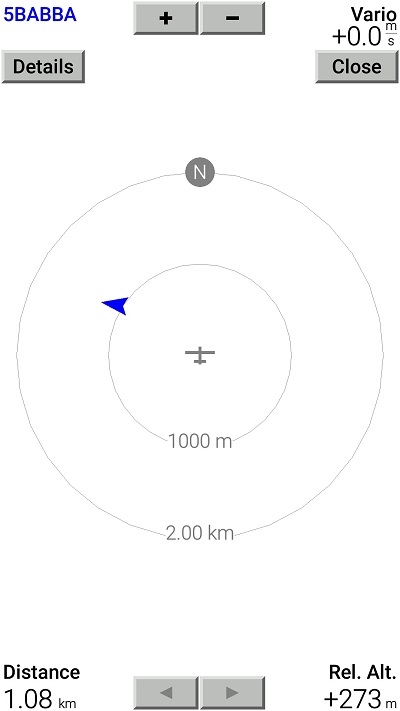
Factory default data output setting is to deliver GNSS and air traffic information over Bluetooth LE in NMEA plain-text format.

This data is sufficient for an app (such as XCSoar) to facilitate a Radar view:
These Bluetooth LE services are available:
- UART
- Battery
- Bluefruit device information
- OTA firmware update

This is a list of mobile applications that are known good to operate with the Card Mk.II over Bluetooth LE:
-
SoftRF Tool
-
SoftRF Configurator
- XCSoar
- LK8000
- Bluefruit Connect
- nRF Connect for Mobile
- Serial Bluetooth Terminal
- FlySkyHy
- XCTrack
- Enroute Flight Navigation
Please, use the Bluetooth LE page for Badge Edition to get more information.
When a user wants to register a SoftRF device in OGN or other aircrafts database - it's Id can be obtained with assistance of SoftRF Tool application.
| Protocol | Id |
|---|---|
| OGNTP Legacy P3I ADS-B ADS-L PRoL |
 |
| FANET |  |
SkyView EZ is a DIY companion device for SoftRF Card Edition Mark II.
Recommended connection method is Bluetooth LE.


SoftRF WebTop USB (USB to Wi-Fi adapter)

SoftRF
-
Standalone

- UAV
-
LoRa module
-
Concorde
-
Retro MkII
-
Prime MkIV
-
Prime MkIII
-
Badge
-
Card MkII
-
Card
-
Airventure
-
Pocket
-
Nano
- Prime MkII
-
Dongle
- Ham
- Handheld
-
Solaris
-
Lyra
-
Labubu
- Eco
- Gizmo
- ES
- Octave
- Duo
- Uni
- Cozy
- Midi
- Mini
- Lego
- Balkan
-
Academy
- Raspberry
- Bracelet
- Retro
SkyView
Flight Recorder
Adapters
Firmware
Tools
Protocols