Retro Edition MkII

Retro Edition Mark II is a successor of SoftRF Retro Edition.
The Mark II uses the same STMicroelectronics® MCU ( STM32F103 ) that older Retro Edition does. The STM32F103 microcontroller was very popular between 2010 and 2020. That's why we call the design as Retro.
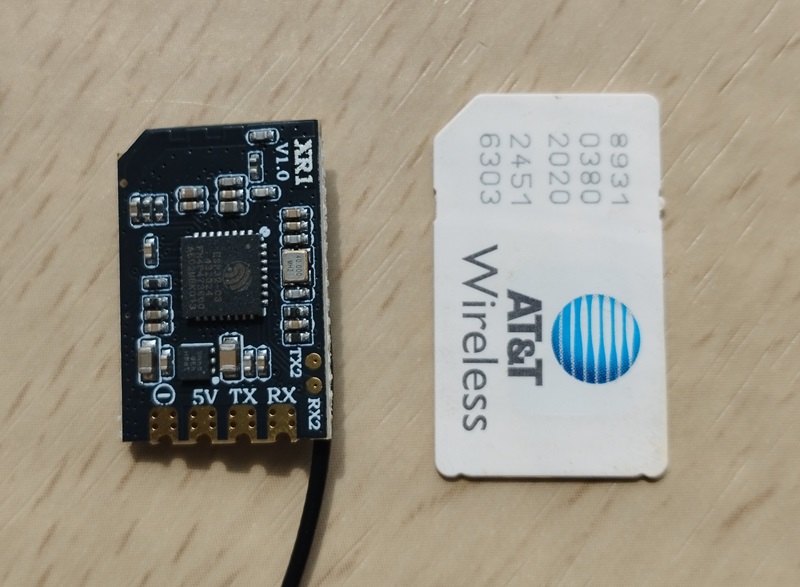
The Retro MkII is based on third-party's hardware - Ebyte® E80-900MBL-02 product, which is available for direct purchase from manufacturer at more or less reasonable price ( 10+ USD ).

Ebyte® E80-900MBL-02 uses the most recent and advanced Semtech LR2021  multi-band radio on the market
- sub-1 GHz band
- 2.1 GHz S-band
- 2.4 GHz ISM band
- OOK modem @ 2 MBPS - ADS-B ES @ 1090 MHz

- FSK modem @ 1041 KBPS - ADS-B UAT @ 978 MHz ( needs for Semtech to fix issue https://github.com/Lora-net/usp/issues/4 )

| Type | Protocol | FLARM | OGN tracker | PilotAware | Skytraxx | SoftRF |
|---|---|---|---|---|---|---|
| Radio | FLARM AIR V7 |
|
|
|
||
1090 ES |
|
|
||||
| Data | FLARM NMEA |
|
|
|
|
|
| Garmin GDL90 |
|
|
||||
Dump1090 |
|


1 - it is necessary for a reader to distinguish the difference between statement "compatible"
and statement "fully compatible".
SoftRF implements only a reasonable minimum of the protocols specs.
No "bells and whistles" so far.
2 - Reception of DF17 traffic 'downlink' frames only.
Important
Ebyte® E80-900MBL-02 has very limited internal flash memory space - 128K bytes only.
Due to this constraint, default build of SoftRF firmware binary for Retro Mark II includes
- 1090ES ( ADS-B @ 1090 MHz ) and
- Legacy ( AIR V7 )
radio protocols only.
Users who need other protocols should build a custom firmware from source code.
Warning
For the Legacy ( AIR V7 ) radio protocol to function properly it is required to connect the Retro Mk.II board with
- ( NMEA ) GNSS module or
- ( MAVLINK ) UAV autopilot
No doubts that an amateur-built non-certified low-cost ADS-B transponder is possible.
It was shown to public by our own "proof-of-concept" study for :
- 1090 ES ("ADSB-Out" GitHub project) in 2017, and
- 978 UAT ("UAT-test-signal" GitHub project) in 2018 .
However, as a certified and instrument rated pilot with 20+ years of experience, in no way I will give a tool for every looser in the world, all he/she can afford is to spend 10 USD for the Ebyte® E80-900MBL-02, to abuse the ADS-B technology and compromise my own flight safety and flight safety of every other air law abiding pilot.
SoftRF firmware does intentionally exclude every possibilities to transmit anything on 1090 MHz radio frequency.
Any attempt to contribute the transmit feature into SoftRF from aside will be blocked at very early stage.
| Edition | Retro | ES |
Nano
|
Retro Mk.II
|
|---|---|---|---|---|
| Picture | 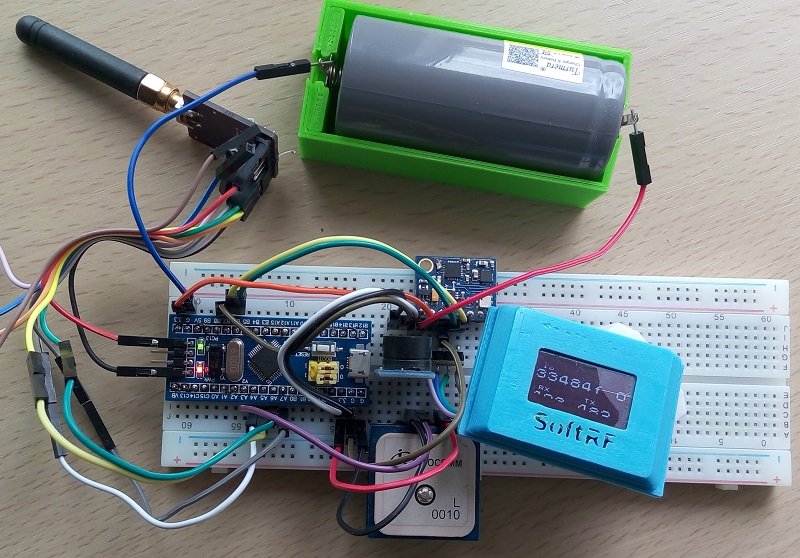 |
 |
 |
|
| First appearance | 2019 | 2022 | 2025 | 2026 |
| Manufacturer | you | Great Scott Gadgets |
RadioMaster RC |
Ebyte |
| SoC | STMicro STM32F103 |
NXP LPC4320 |
Espressif ESP32-C3 |
STMicro STM32F103 |
| sub-1GHz radio | Semtech SX1276 |
Maxim Integrated MAX2837 and MAX5864 |
Semtech LR1121
|
Semtech LR2021
|
| Protocols | AIR V6 OGNTP FANET P3I |
ADS-B
|
AIR V7 OGNTP FANET P3I ADS-L
|
ADS-B AIR V7 |
| Wi-Fi | 2.4 GHz 802.11bgn |
|||
| USB | 2.0 device | 2.0 device | CH340 USB to UART |
New Retro Edition Mark II
- uses the same SoC as Retro Edition ;
- can receive ADS-B traffic @ 1090 MHz like ES Edition does ;
- compact enough to operate together with a UAV autopilot. This makes the device to be a good ADS-B receive add-on for Nano Edition
Follow these instructions to install SoftRF firmware binary into your Retro Edition Mark II.
The minimum list of hardware to start using the Retro Mk.II is:
- Ebyte E80-900MBL-02 ;
- USB OTG cable for your smartphone ;
- 1090 MHz antenna
Default setting is to output air traffic over USB in Garmin GDL90 data format.
One can see GDL90 "Heartbeat" message on this screenshot right after completion of the boot sequence:

Important
Be aware, that when a GNSS module is not connected to Ebyte E80-900MBL - the SoftRF is unable to supply GDL90 OwnShip Location Report message. Your EFB software should use some other GNSS source to locate itself.
This is an example of settings for Avare application

When USB connection to EFB software is unwise or impossible - one can use this LilyGO® T-Dongle as a bridge from USB into Wi-Fi:
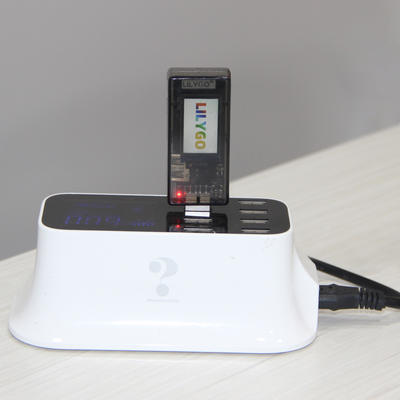
This Espressif ESP32-S2 SoC based device contains a Type-A connector that can operate in USB-OTG mode:

When LilyGO® T-Dongle is driven by SoftRF WebTop USB firmware - it takes GDL90 messages from Retro Mk.II over USB, then transfers the data through Wi-Fi to a connected EFB software client, such as Avare application:


Ebyte® E80-900MBL-02 does not have any of 5V power pins exposed to the header(s).
You need to solder this pin by yourself.

Put a jumper between GND and PC13 pins in order to enforce the Retro Mk.II device to enter into UAV mode on every boot.

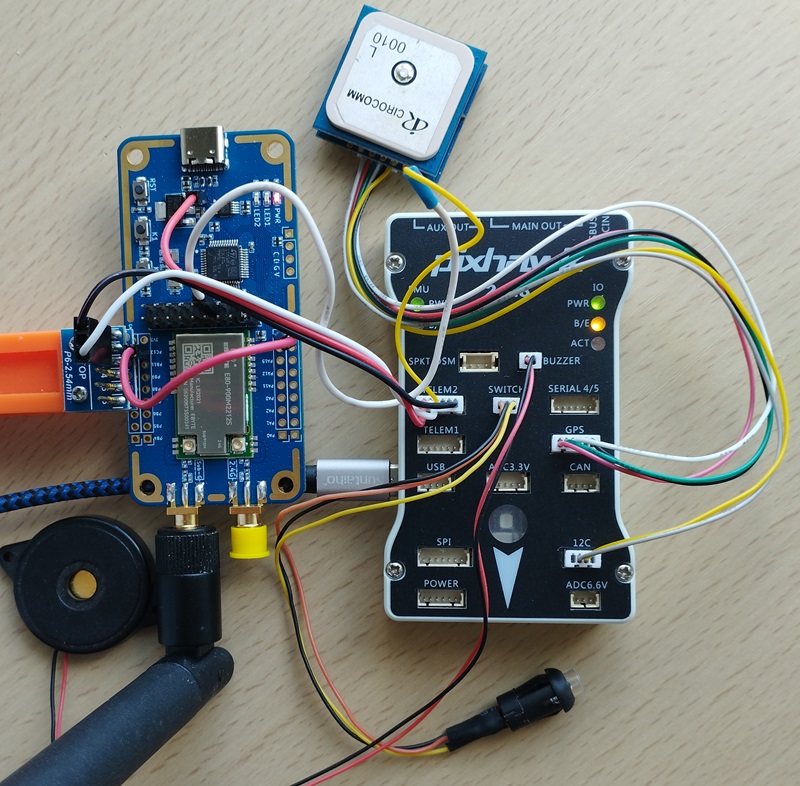
Apply the following wiring scheme
| Autopilot TELEM2 |
Ebyte® E80-900MBL-02 |
|---|---|
| VCC | 5V |
| TX (OUT) | PB11 |
| RX (IN) | DIO7 (PB10) |
| GND | GND |
One can use this picture as an example.
| Data protocol | Baud rate |
|---|---|
| MAVLink 1.0 | 57600 |
Important
In order to succeed, your autopilot (AP) has to be configured in Mission Planner as explained on this page:
http://ardupilot.org/copter/docs/common-ads-b-receiver.html#setup-through-the-ground-station
MAVLINK_MSG_ID_HEARTBEAT
MAVLINK_MSG_ID_SYSTEM_TIME - accurate GNSS time for Air V7 / ADS-L / OGNTP frequency hopping
MAVLINK_MSG_ID_GPS_RAW_INT - own aircraft position
MAVLINK_MSG_ID_SYS_STATUS - AP battery charge level
MAVLINK_MSG_ID_VFR_HUD - barometric altitude
MAVLINK_MSG_ID_ATTITUDE - pitch, roll, yaw
MAVLINK_MSG_ID_ADSB_VEHICLE - traffic from other connected ADS-B receivers (if any)
MAVLINK_MSG_ID_ADSB_VEHICLE - air traffic received by SoftRF sub-1GHz radio
request for MAV_DATA_STREAM_EXTENDED_STATUS
request for MAV_DATA_STREAM_EXTRA3
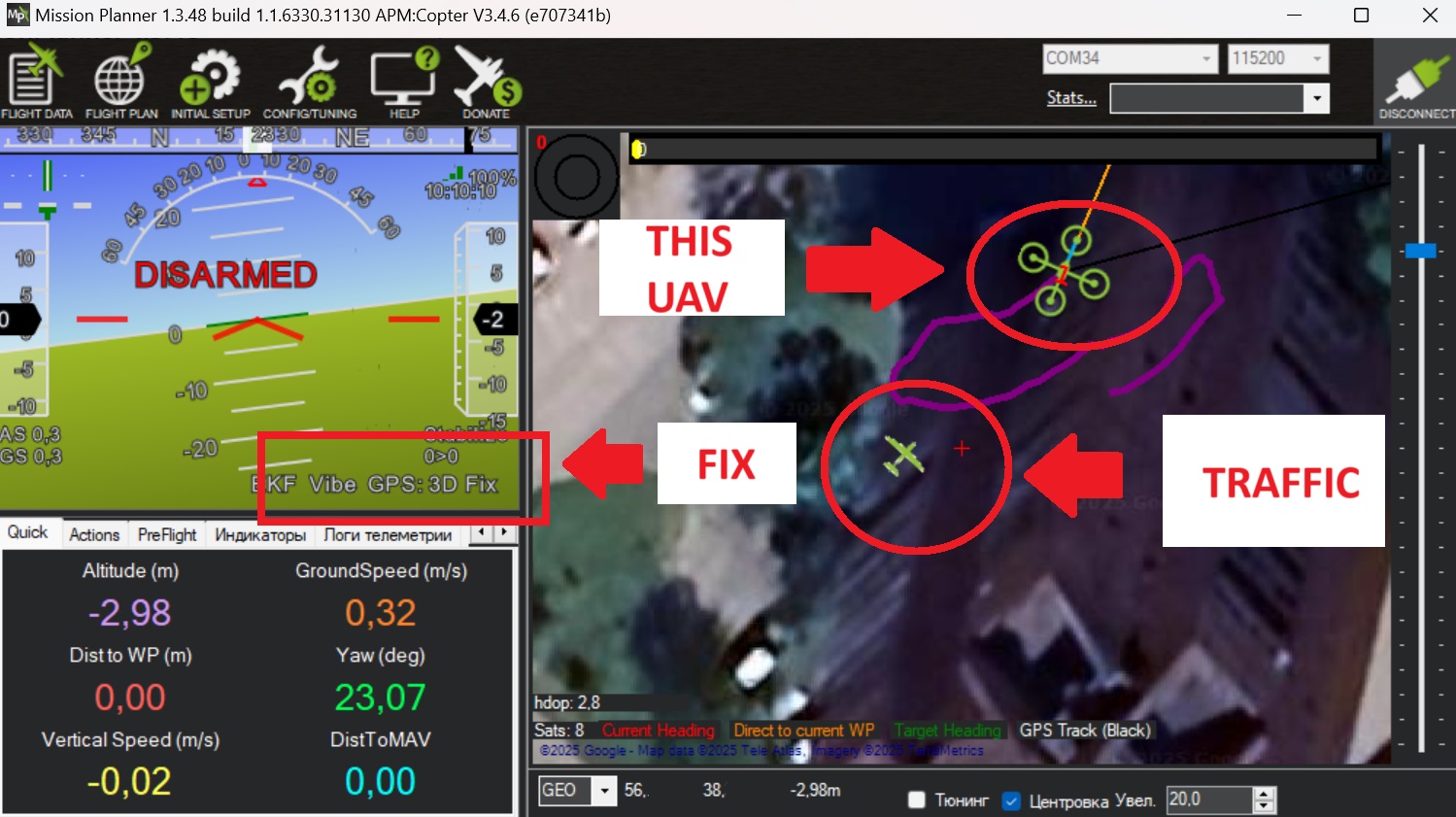
When a signal is received from local air traffic, a corresponding icon is displayed in the Mission Planner:
The Retro Mark II can supply data to private or public Live Traffic resources.
Most widely used data format for this purpose is D1090, also known as AVR or "raw ADS-B".
One needs to change the device settings to select D1090 as data output format.
Next boot of the Retro Mk.II produces the following output over USB
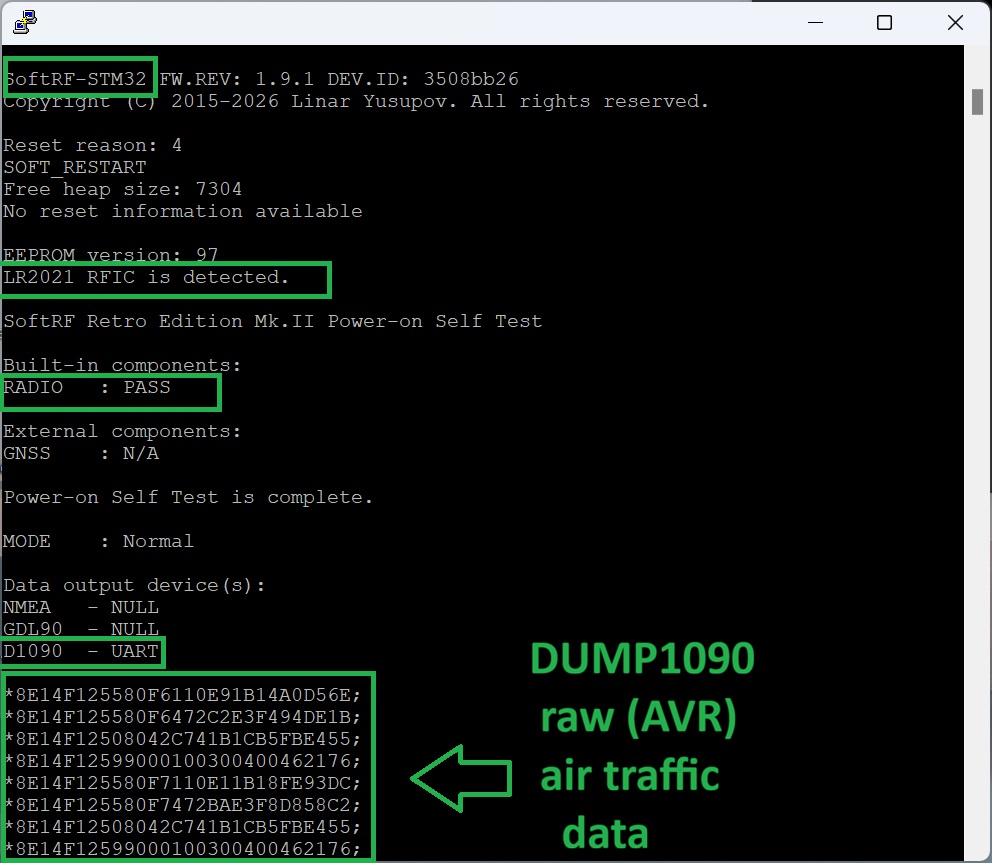
This is an example of instructions for Raspberry Pi
$ dump1090 --net-only --interactive
$ stty -F /dev/ttyUSB0 38400 raw
$ cat /dev/ttyUSB0 | tee log.txt | nc -N localhost 30001
This is how Live Traffic Map looks in a web browser

SoftRF firmware for Retro Edition Mark II is distributed in the hope that it will be useful, but WITHOUT ANY WARRANTY; without even the implied warranty of MERCHANTABILITY or FITNESS FOR A PARTICULAR PURPOSE.
In general a lot of Chinese DIY electronics manufacturers are known to behave this way:
- sometimes they may not apply necessary Q.C. before releasing of a product from factory ;
- they may arbitrary change schematics and electronic components from one batch to the next one.
Author of SoftRF firmware:
- will reject any hardware related claims associated with Ebyte® E80-900MBL-02 product. Ask for support from seller or manufacturer ;
- reserves the right to suspend or terminate support of Ebyte® E80-900MBL-02 in the firmware at any time.
For the time being ( June'26 ) there were no critical hardware issues reported for current version of the Ebyte E80 product. However things my change over the time...
If you have issues with bringing up your new Ebyte® E80-900MBL-02 or just not happy with the product - be prepared to execute your Purchase Protection plan.
| Number | Part | Qty | Picture | Source |
|---|---|---|---|---|
| 1 | Ebyte® E80-900MBL-02 | 1 |  |
Ebyte Store AliExpress |
Important
Make sure that you are ordering -02 variant of Ebyte® E80-900MBL device.
Earlier made -01 variant uses previous Semtech LR1121 radio which is not able to receive ADS-B @ 1090 MHz. Driver for LR1121 radio is NOT included into SoftRF firmware for Retro Edition MkII.
| Number | Part | Qty | Picture | Source |
|---|---|---|---|---|
| 2 | Antenna 1090 MHz |
1 |  |
TBD |
| 3 | Test Stand PCB Clip 2.54mm Spacing | 1 | 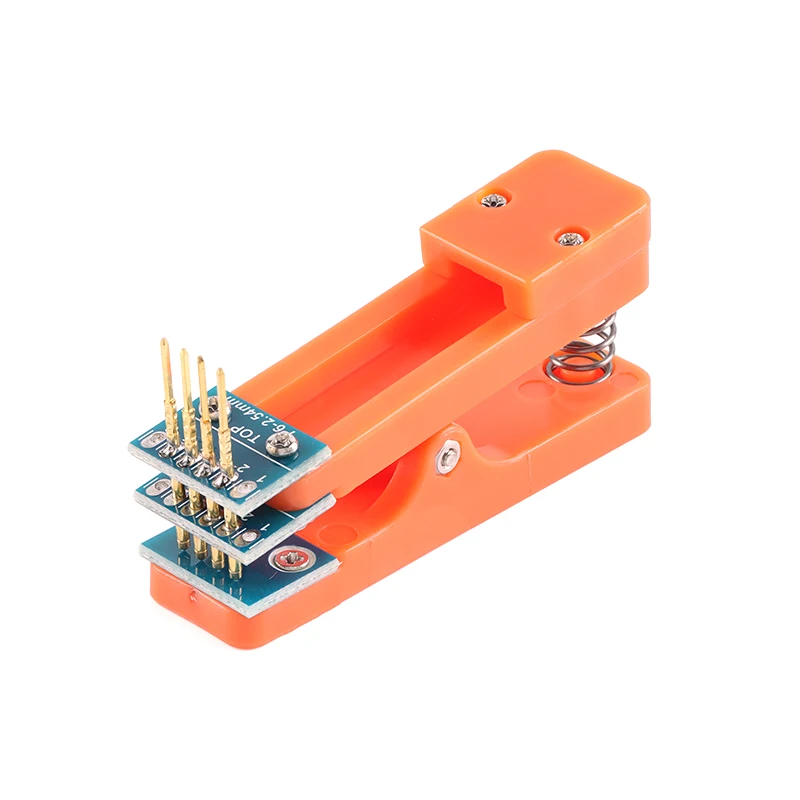 |
AliExpress |
| 4A | ST-LINK V2 adapter | 1 | 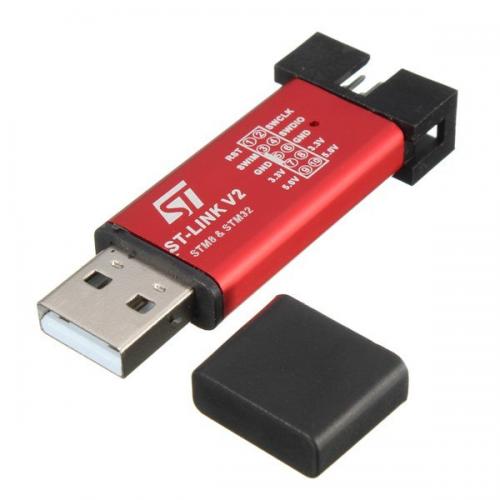 |
AliExpress |
| 4B | DAPLink adapter | 1 |  |
AliExpress |

Procedure of settings change is explained here.
Settings description is located there.
Important
Default build of SoftRF firmware binary for Retro Mark II includes
- 1090ES (ADS-B @ 1090 MHz) and
- Legacy (AIR V7)
radio protocols only.
If you are an application developer and you think about to add the Retro configuration menu into your software, please, use:
| Protocol | Aircraft type |
|---|---|
| 1090ES (ADS-B) | Glider |
Important
Default radio protocol setting for the Retro Edition Mk.II is ADS-B.
However, most of other SoftRF devices use OGNTP protocol as the default one.
Devices can "see" each other when they operate on the same radio protocol only !

915 MHz and 2.4 GHz antennas that come with the Ebyte® E80-900MBL-02 are quite good for their original purpose.


However, an ADS-B antenna ( purchased separately ) performs much better for the 1090 MHz band.

- steady red PWR LED indicates unit power on status ;
- blue LED1 blinks when the Retro MkII transmits a radio packet ;
- blue LED2 blinks when device receives a radio packet.
Average current from 5 Volt source is 50 mA.
When a basic cover from moisture, grease and dust is sufficient for you - it is quite typical to use a heat shrink tube for this purpose. Matching diameter of the tube for Ebyte E80 board is 35-40 mm.
This is an example of Dongle Edition - Retro will have a quite similar look.

SoftRF WebTop USB (USB to Wi-Fi adapter)

SoftRF
-
Standalone

- UAV
-
LoRa module
-
Concorde
-
Retro MkII
-
Prime MkIV
-
Prime MkIII
-
Badge
-
Card MkIII
-
Card MkII
-
Card
-
Stylus
-
Airventure
-
Pocket
-
Nano
- Prime MkII
-
Dongle
- Ham
- Handheld
-
Solaris
-
Lyra
-
Labubu
- Eco
- Gizmo
- ES
- Octave
- Duo
- Uni
- Cozy
- Midi
- Mini
- Lego
- Balkan
-
Academy
- Raspberry
- Bracelet
- Retro
SkyView
Flight Recorder
Adapters
Firmware
Tools
Protocols