Month Detection
Detects if the current date falls within specified months.
A month sensor is ON when the current date is in one of the selected months, OFF otherwise.
- Select "Month Detection"
- Configure:
- Calculation Name: A friendly name
- Months: Comma-separated month numbers (1-12)
- Icon: Optional custom icon
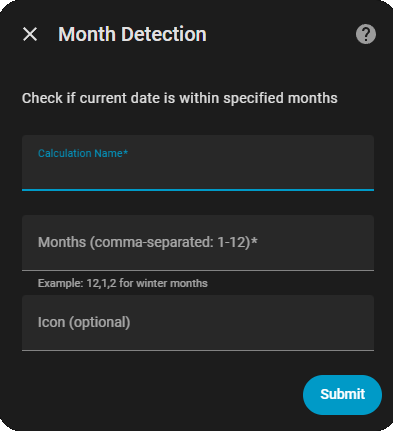
- 1 = January, 2 = February, 3 = March
- 4 = April, 5 = May, 6 = June
- 7 = July, 8 = August, 9 = September
- 10 = October, 11 = November, 12 = December
{
  "type": "month",
  "name": "Winter Months",
  "months": "12,1,2"
}{
"type": "month",
"name": "Summer Vacation",
"months": "7,8"
}{
"type": "month",
"name": "School In Session",
"months": "1,2,3,4,5,9,10,11,12"
}{
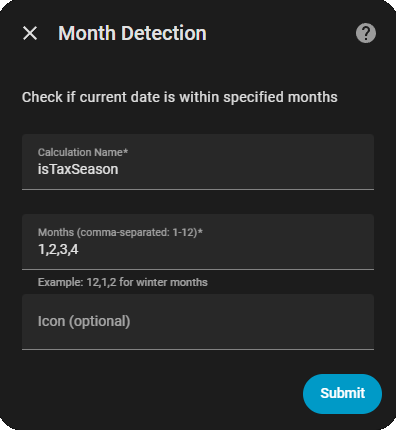
"type": "month",
"name": "Tax Season",
"months": "1,2,3,4"
}
automation:
  - alias: "Summer mode lighting"
    trigger:
      platform: state
      entity_id: binary_sensor.summer_months
      to: "on"
    action:
      service: light.turn_on
      data:
        brightness: 255

  - alias: "Winter extended heating"
    condition:
      - condition: state
        entity_id: binary_sensor.winter_months
        state: "on"
    trigger:
      platform: time
      at: "05:00:00"
    action:
      service: climate.set_temperature
      data:
        temperature: 72