AFM Support
Beyond electron microscopy, FermiViewer imports Bruker Nanoscope atomic
force microscopy files (.spm and the numbered .000–.nnn family) and
treats them as fully calibrated height images — so every viewing,
measurement, and export tool works on them unchanged.
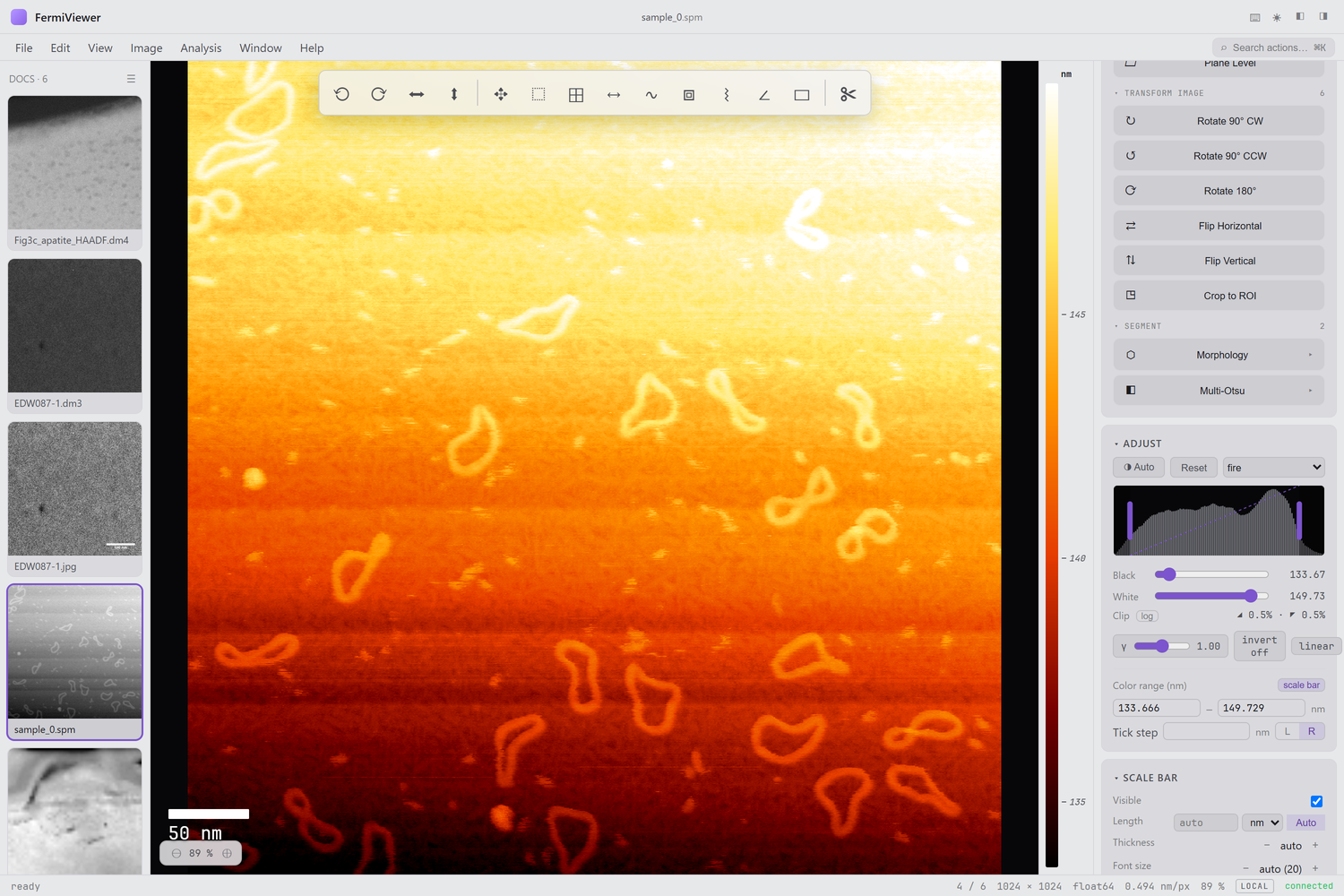
- Lateral calibration — x/y pixel pitch in nm, from the scan size, so distances and the scale bar are correct.
- Height (Z) calibration — the pixel value is the physical height (nm), via Bruker's hard-scale × sensitivity chain (both the modern and legacy conventions are handled).
- Channels — the Height/ZSensor channel opens by default; other channels (amplitude, phase, stiffness, …) are available too.
The Z-height calibration is cross-validated exactly against the pySPM reader on a real Bruker v9.3 scan.
AFM height is best read as false color with a calibrated scale. In the Adjust → Color range controls you can:
- Auto-scale the color range to the data, or type fixed min/max in nm to compare scans on a common scale,
- set a tick step for the labeled height scale, and
- place the color bar on the left or right — it sits in its own gutter with nm tick labels, beside the lateral scale bar.
So one figure shows both length scales: the lateral scale bar (x/y) and the height color bar (z).
Use the Line profile tool (L) to take a height cross-section — the
dock plot shows height (nm) vs distance (nm). See
Measurements.
Next: Supported Formats.