Repository navigation
Releases: ricercar-player/ricercar
Release list
ricercar 0.10.0

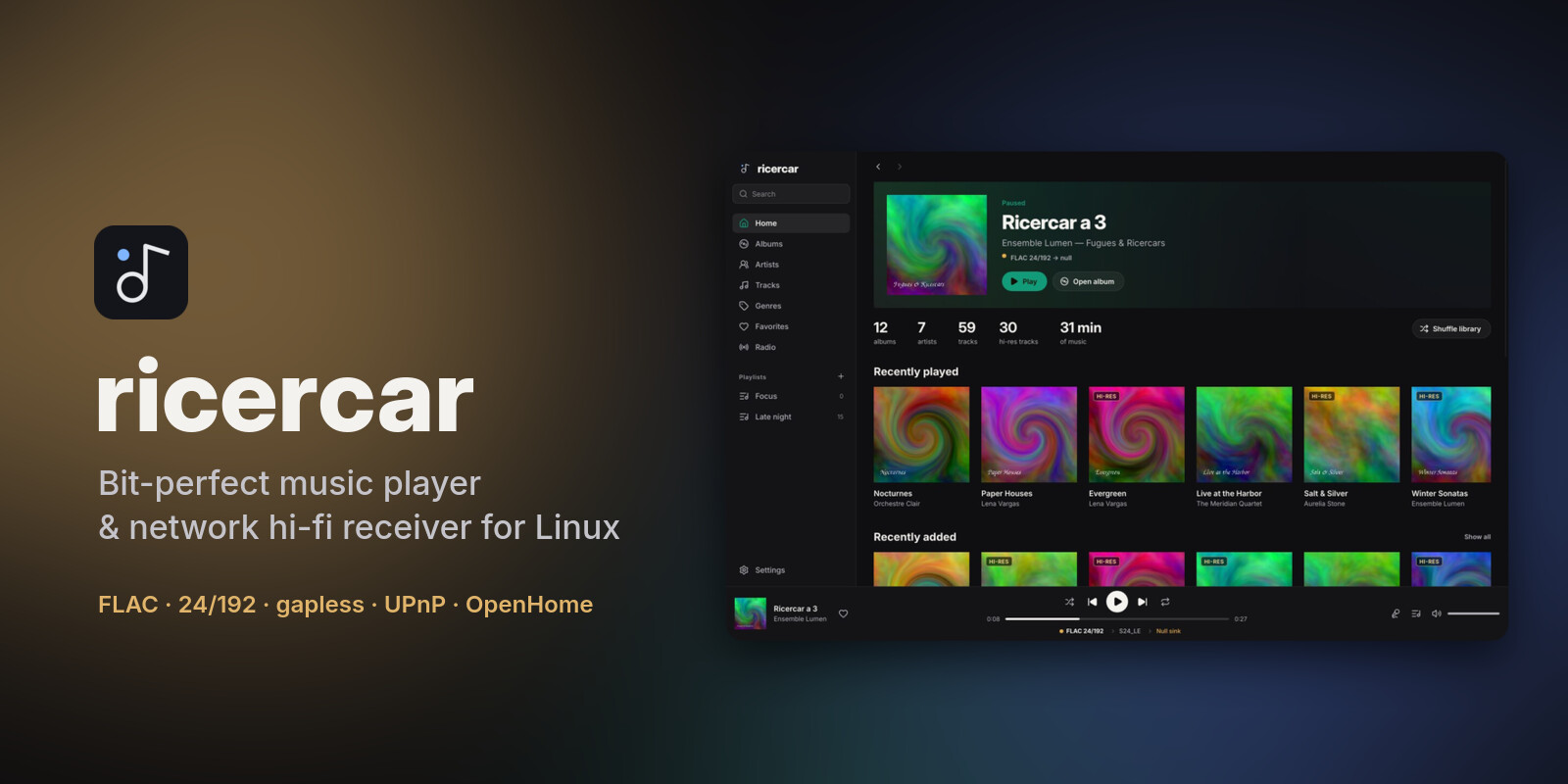
ricercar 0.10.0 lets you browse your library by composer, helps you set up your audio output on first launch, highlights synced lyrics word by word and sorts your playlists.
Downloads
| Your system | File | Install |
|---|---|---|
| Debian 12+, Ubuntu 22.04+, Mint, Pop!_OS, Zorin, elementary | ricercar_0.10.0-1_amd64.deb / _arm64.deb |
sudo apt install ./ricercar_*.deb |
| Fedora, openSUSE Tumbleweed / Leap 16, RHEL / Alma / Rocky 10+ | ricercar-0.10.0-1.x86_64.rpm / .aarch64.rpm |
sudo dnf install ./ricercar-*.rpm (zypper install on openSUSE) |
| Arch, Manjaro, EndeavourOS, CachyOS, Omarchy | ricercar-0.10.0-1-x86_64.pkg.tar.zst |
sudo pacman -U ricercar-*.pkg.tar.zst |
| Any distribution (portable) | ricercar-0.10.0-x86_64.AppImage / -aarch64.AppImage |
chmod +x ricercar-*.AppImage && ./ricercar-*.AppImage |
| Any distribution (plain binaries) | ricercar-0.10.0-linux-x86_64.tar.gz / -aarch64 |
unpack, run bin/ricercar |
The packages need glibc 2.35 or newer. Verify a download with
minisign and the project key:
minisign -Vm SHA256SUMS -P RWSLPLWZ/M4/9X1orGjyBkKYA7BmzgxxI8dveJ8YVcSQVrOpjinxS9fV
sha256sum --check --ignore-missing SHA256SUMS
What's new
- Composers. A Composers page in the sidebar lists everyone found in the COMPOSER tag of your files. A composer's page shows their albums and their works, grouped by album, with Play, Shuffle and Add to queue. A track's menu has Go to composer, and search shows matching composers. UPnP control points also get a Composers folder.
- Setup assistant. On a fresh install, an assistant walks through the interface language, your music folders, plugins from the catalogue (installed after you confirm what is downloaded and from where, with their sign-in right there), then an output (hardware
hw:outputs first, named by their card), what your DAC plays natively, and fixed volume. Later skips it at any step. Your music is scanned once you finish or skip it; until then it comes back at each start. It does not appear on upgrades; Settings → Setup assistant opens it again. - Word-by-word lyrics. When synced lyrics time each word (enhanced LRC,
<mm:ss.xx>inside a line), the current line lights up word by word. Line-by-line lyrics work as before; Estimate word timing in Settings → Appearance (off by default) lights up their words at an estimated pace. - Resizable sidebar. Drag its right edge (180 to 480 px); double-click the edge for the default width. The width is kept between runs.
- Sorted playlists. A playlist's page, local or from a plugin, has a sort menu: the playlist's own order, Recently added, title, artist, album or length. The choice applies to every playlist and is kept between runs; Play, Shuffle and Add to queue follow it. The playlist itself is not reordered. Tracks added to local playlists from now on remember when; older ones count as added in their playlist order.
- Fixes.
- Playlists and favourites changed on a plugin's service while ricercar runs (a playlist made on the service's website) now show up: plugin libraries are read again when the window gets the focus back (at most every 5 minutes), with the new refresh button next to Playlists, or when the plugin reports a change.
- Long sign-in addresses no longer push the plugin sign-in dialog off screen.
- A few interface strings (the search scopes, System) now show translated.
For plugin authors
lyrics.get: a synced line may carry an optionalwordslist ({"time_ms": …, "text": "…"}). Older versions ignore it. Seedocs/plugins.md.- Tracks listed by a playlist may carry
added_at(Unix seconds, or an RFC 3339 date) for Recently added. Without it, the host takes the end of the playlist as the most recent. Older versions ignore it. - New notification
library.changed(plugin → host, no params): the user's library changed outside ricercar; thelibrary.*lists are read again. Older versions ignore it.
From 0.6.0 or later, Update now in Settings → About installs this version, checked against the signed
SHA256SUMS.
Plugins are written by third parties and are not reviewed by the ricercar project. They run with your permissions: install only plugins you trust, and check that they respect the terms of the service they use.
From source: cargo build --release with Rust 1.92 or newer (see the README for per-distro dependencies).
ricercar 0.9.0
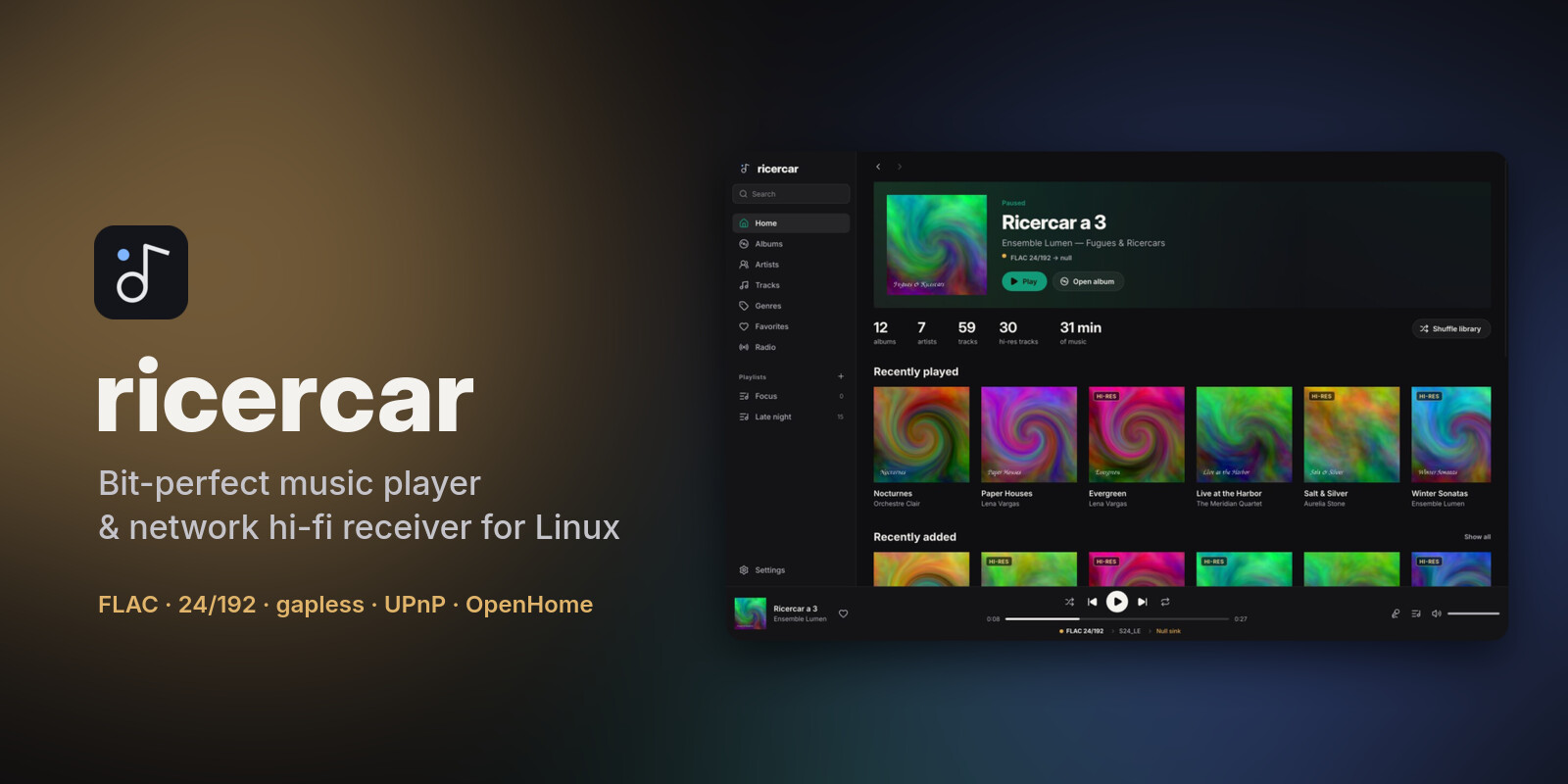
ricercar 0.9.0 plays DSD files and SACD images, adds plugins from anywhere, gives every album, playlist and artist page the same actions, and shows when a network stream is loading.
Downloads
| Your system | File | Install |
|---|---|---|
| Debian 12+, Ubuntu 22.04+, Mint, Pop!_OS, Zorin, elementary | ricercar_0.9.0-1_amd64.deb / _arm64.deb |
sudo apt install ./ricercar_*.deb |
| Fedora, openSUSE Tumbleweed / Leap 16, RHEL / Alma / Rocky 10+ | ricercar-0.9.0-1.x86_64.rpm / .aarch64.rpm |
sudo dnf install ./ricercar-*.rpm (zypper install on openSUSE) |
| Arch, Manjaro, EndeavourOS, CachyOS, Omarchy | ricercar-0.9.0-1-x86_64.pkg.tar.zst |
sudo pacman -U ricercar-*.pkg.tar.zst |
| Any distribution (portable) | ricercar-0.9.0-x86_64.AppImage / -aarch64.AppImage |
chmod +x ricercar-*.AppImage && ./ricercar-*.AppImage |
| Any distribution (plain binaries) | ricercar-0.9.0-linux-x86_64.tar.gz / -aarch64 |
unpack, run bin/ricercar |
The packages need glibc 2.35 or newer. Verify a download with
minisign and the project key:
minisign -Vm SHA256SUMS -P RWSLPLWZ/M4/9X1orGjyBkKYA7BmzgxxI8dveJ8YVcSQVrOpjinxS9fV
sha256sum --check --ignore-missing SHA256SUMS
What's new
- DSD. DSF and DFF files (DST-compressed DFF too), DSD64 and up, stereo.
- By default they are converted to 24-bit PCM, which plays on any DAC. This path is not bit-perfect, and the signal path says so. The SACD reference level sits 6 dB below full scale, so DSD sounds quieter than most PCM masters.
- DoP and native DSD (experimental) send the DSD bits untouched to a
hw:DAC, at fixed volume. Pick them per output in Settings → Audio output. They have not been tested on a DSD-capable DAC yet; reports are welcome. A DAC without DSD support plays DoP as loud noise, so keep the volume down the first time.
- SACD images. An
.isoSACD image in your library shows as its album, one track per track of its stereo area, plain or DST-compressed. Tracks play gapless, through the same DSD path. - Plugins from anywhere. Besides the community hub, the Plugins page adds a plugin from a link to its program, a GitHub repository (the right binary of its latest release), another index, or a file. Nothing runs before you confirm what will be installed and from where.
- The same actions everywhere. Album, playlist (local or from a plugin) and artist pages share one bar: Play, Shuffle, Add to queue and a menu with Play next, Add to playlist, Start radio and the page's own entries. Queueing a plugin playlist or album takes all its tracks. Play and Shuffle on an artist known only through a plugin now work.
- Loading indicator. When a network stream is slow to start, or to continue after a seek, the play button shows a spinner. The seek bar shows the parts already received.
- Shuffle.
- Turning shuffle off brings the queue back to its own order: the album's or playlist's, with your additions where you made them.
- Shuffle on a page turns shuffle on in the player bar.
- No more freezes under heavy disk writes. Saving the interface state, the session and the settings no longer runs on the interface thread. The window stays responsive when another program writes a lot.
- Fixes.
- Hardware outputs show their card's name (BIG KNOB STUDIO rather than
hw:3,0). - The signal path popover fits its text.
- Hardware outputs show their card's name (BIG KNOB STUDIO rather than
For plugin authors
- Users can install your plugin from a link to its release binary or from your GitHub repository; publish a
.sha256(or aSHA256SUMSin the release) so the download is checked. - The player shows a loading state and the received parts of a stream: relays should start sending quickly and honour
Rangerequests.
From 0.6.0 or later, Update now in Settings → About installs this version, checked against the signed
SHA256SUMS.
Plugins are written by third parties and are not reviewed by the ricercar project. They run with your permissions: install only plugins you trust, and check that they respect the terms of the service they use.
From source: cargo build --release with Rust 1.92 or newer (see the README for per-distro dependencies).
ricercar 0.8.0
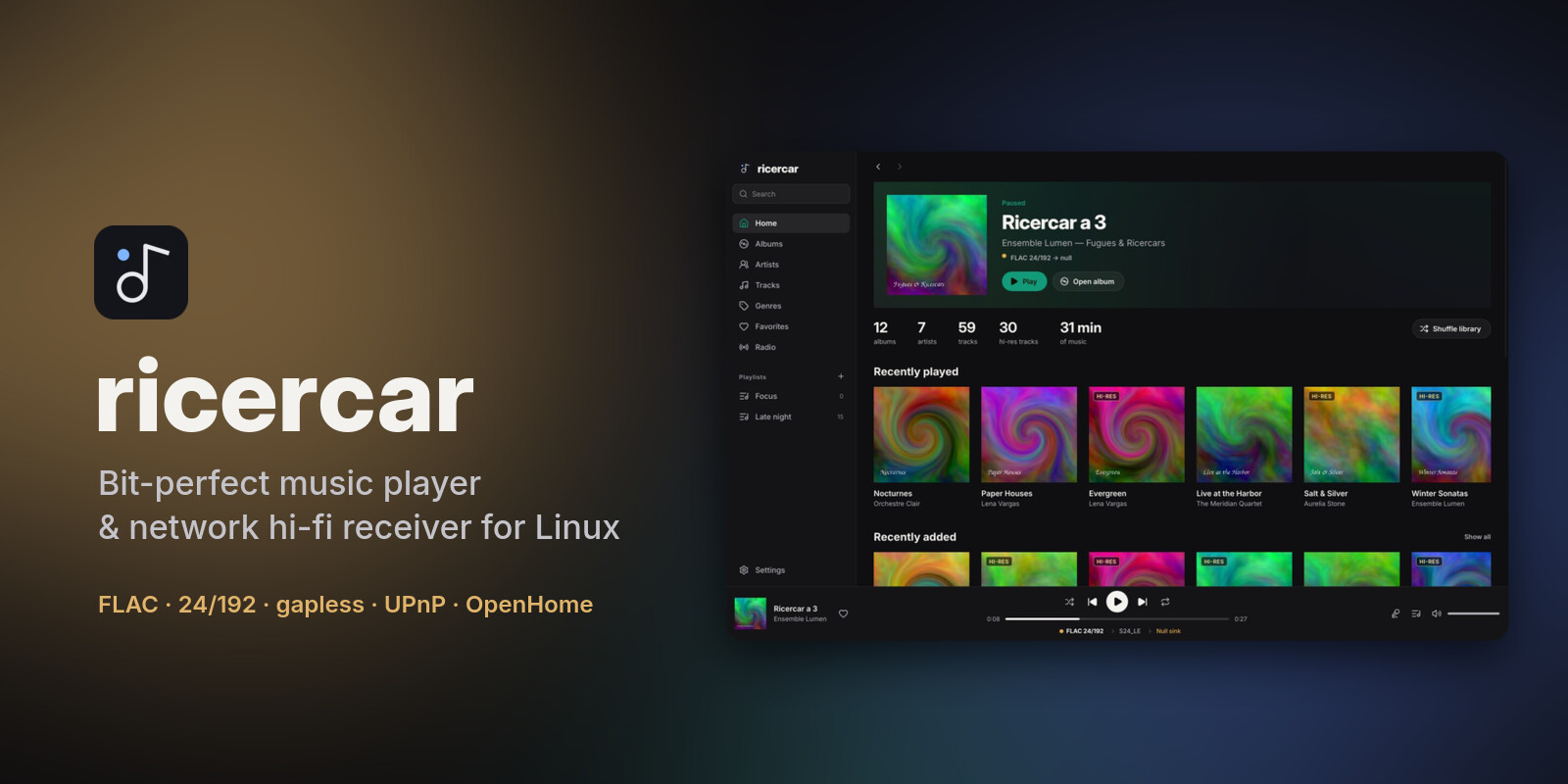
ricercar 0.8.0 adds a fixed volume for bit-perfect listening and plays albums ripped as one file with a CUE sheet as their separate tracks, gapless.
Downloads
| Your system | File | Install |
|---|---|---|
| Debian 12+, Ubuntu 22.04+, Mint, Pop!_OS, Zorin, elementary | ricercar_0.8.0-1_amd64.deb / _arm64.deb |
sudo apt install ./ricercar_*.deb |
| Fedora, openSUSE Tumbleweed / Leap 16, RHEL / Alma / Rocky 10+ | ricercar-0.8.0-1.x86_64.rpm / .aarch64.rpm |
sudo dnf install ./ricercar-*.rpm (zypper install on openSUSE) |
| Arch, Manjaro, EndeavourOS, CachyOS, Omarchy | ricercar-0.8.0-1-x86_64.pkg.tar.zst |
sudo pacman -U ricercar-*.pkg.tar.zst |
| Any distribution (portable) | ricercar-0.8.0-x86_64.AppImage / -aarch64.AppImage |
chmod +x ricercar-*.AppImage && ./ricercar-*.AppImage |
| Any distribution (plain binaries) | ricercar-0.8.0-linux-x86_64.tar.gz / -aarch64 |
unpack, run bin/ricercar |
The packages need glibc 2.35 or newer. Verify a download with
minisign and the project key:
minisign -Vm SHA256SUMS -P RWSLPLWZ/M4/9X1orGjyBkKYA7BmzgxxI8dveJ8YVcSQVrOpjinxS9fV
sha256sum --check --ignore-missing SHA256SUMS
What's new
- Fixed volume (bit-perfect). Settings → Audio output → Fixed volume keeps the volume at 100 % and unmuted. Volume and mute changes are then ignored wherever they come from: the app's slider and shortcuts, phone apps over UPnP or OpenHome, media keys and MPRIS,
ricercar-cli, plugins. Phone apps get a normal answer and see the volume stay at 100. Use your amplifier's volume. The signal path shows Volume fixed at 100 %. - CUE sheets. An album ripped as one audio file (FLAC, WAV, AIFF, ALAC) with a
.cuesheet now shows as its separate tracks, with titles, numbers and durations from the sheet.- Each track plays exactly its part of the file.
- Consecutive tracks are gapless to the sample, so live albums flow as recorded.
- Seeking, position and duration are relative to the track.
- Favourites, play counts, playlists, scrobbling and search work as for any track; the media server shares the tracks too.
- Sheets in UTF-8 or Windows encodings, several files per sheet and pregaps are handled.
- Outputs that are not connected. When the output you picked is gone (a Bluetooth speaker that is off), ricercar shows its name with (not connected). The signal path names what really plays: PipeWire's default output.
- Readable network errors. An error from ListenBrainz, Last.fm, radio or lyrics services reads like HTTP 502 Bad Gateway instead of showing the server's whole page.
- Fixes. Long text, a token or a path, stays inside its field instead of covering the button next to it.
This version updates the library database. Going back to 0.7 afterwards is not supported: it does not understand the tracks of CUE sheets.
From 0.6.0 or later, Update now in Settings → About installs this version, checked against the signed
SHA256SUMS.
For plugin authors
player.set_volumeandplayer.set_muteare ignored while the user has fixed the volume; the nextplayer.statereports 100.
From source: cargo build --release with Rust 1.92 or newer (see the README for per-distro dependencies).
ricercar 0.7.1
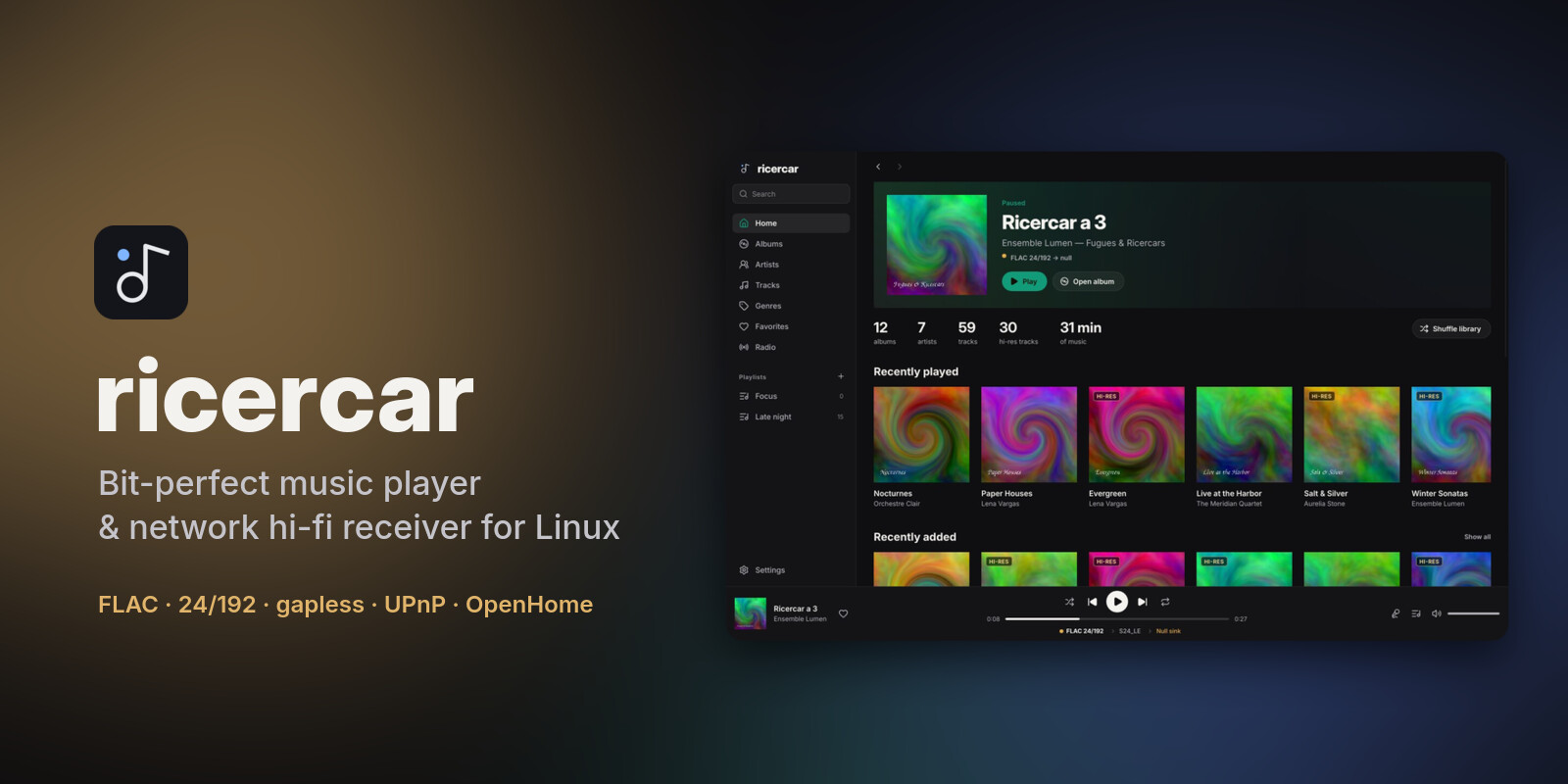
ricercar 0.7.1 fixes network streams that some servers refused to deliver, and marks the playing track on plugin pages.
Downloads
| Your system | File | Install |
|---|---|---|
| Debian 12+, Ubuntu 22.04+, Mint, Pop!_OS, Zorin, elementary | ricercar_0.7.1-1_amd64.deb / _arm64.deb |
sudo apt install ./ricercar_*.deb |
| Fedora, openSUSE Tumbleweed / Leap 16, RHEL / Alma / Rocky 10+ | ricercar-0.7.1-1.x86_64.rpm / .aarch64.rpm |
sudo dnf install ./ricercar-*.rpm (zypper install on openSUSE) |
| Arch, Manjaro, EndeavourOS, CachyOS, Omarchy | ricercar-0.7.1-1-x86_64.pkg.tar.zst |
sudo pacman -U ricercar-*.pkg.tar.zst |
| Any distribution (portable) | ricercar-0.7.1-x86_64.AppImage / -aarch64.AppImage |
chmod +x ricercar-*.AppImage && ./ricercar-*.AppImage |
| Any distribution (plain binaries) | ricercar-0.7.1-linux-x86_64.tar.gz / -aarch64 |
unpack, run bin/ricercar |
The packages need glibc 2.35 or newer. Verify a download with
minisign and the project key:
minisign -Vm SHA256SUMS -P RWSLPLWZ/M4/9X1orGjyBkKYA7BmzgxxI8dveJ8YVcSQVrOpjinxS9fV
sha256sum --check --ignore-missing SHA256SUMS
What's fixed
- Streams from servers that send many headers play again. Some content delivery networks answer with more than 100 HTTP headers, which the previous HTTP library refused, so those tracks were skipped as unplayable, now and then. Streams now go through ricercar's own HTTP client, which accepts up to 512 headers and keeps everything that worked: seeking with Range requests, internet radio titles, streams of unknown length, redirects.
- Clearer errors. A stream that fails now says why (too many headers, malformed response, TLS error, timeout) instead of "unsupported source".
- No secrets in the log. Stream addresses in the log, in error messages and in the diagnostic report keep their host and path but not the values of their query (
?token=…), which often carry account identifiers or signatures. - The playing track is marked on plugin pages. Album and playlist pages from a plugin now highlight the track being played, like local ones.
For plugin authors
- Stream URLs are fetched over HTTP/1.1 without compression; redirects are followed (at most 5, never from https to http); responses may carry up to 512 headers. See docs/plugins.md.
- Lines your plugin writes to stderr are logged with the query values of any URL masked.
From 0.6.0 or later, Update now in Settings → About installs this version, checked against the signed
SHA256SUMS.
From source: cargo build --release with Rust 1.92 or newer (see the README for per-distro dependencies).
ricercar 0.7.0
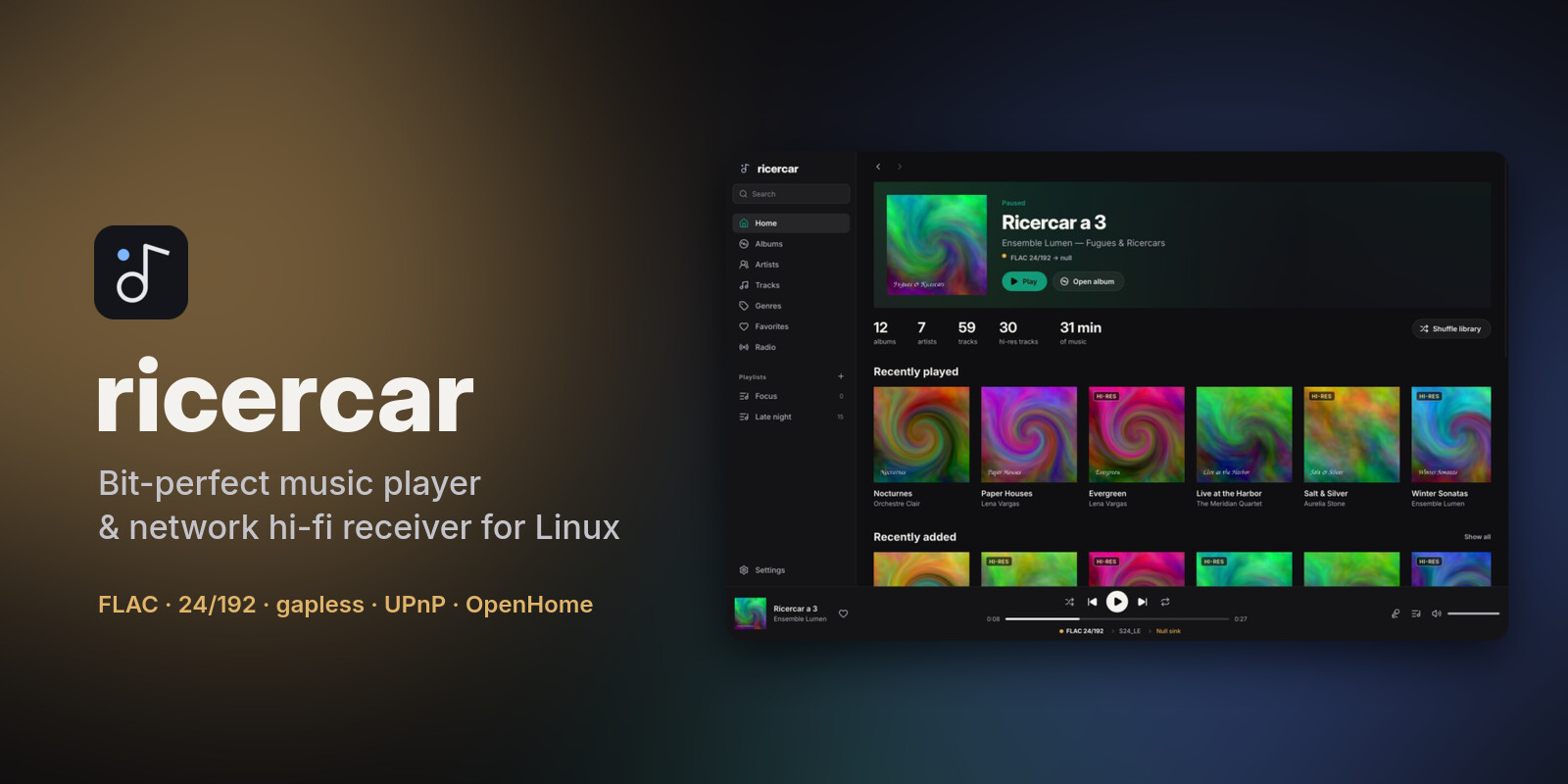
ricercar 0.7.0 makes source plugins first-class: they bring their own settings, lyrics, favourites, playlists you edit on the service, artist biographies and radios. The app now speaks six languages and lets you choose the network it serves on.
Downloads
| Your system | File | Install |
|---|---|---|
| Debian 12+, Ubuntu 22.04+, Mint, Pop!_OS, Zorin, elementary | ricercar_0.7.0-1_amd64.deb / _arm64.deb |
sudo apt install ./ricercar_*.deb |
| Fedora, openSUSE Tumbleweed / Leap 16, RHEL / Alma / Rocky 10+ | ricercar-0.7.0-1.x86_64.rpm / .aarch64.rpm |
sudo dnf install ./ricercar-*.rpm (zypper install on openSUSE) |
| Arch, Manjaro, EndeavourOS, CachyOS, Omarchy | ricercar-0.7.0-1-x86_64.pkg.tar.zst |
sudo pacman -U ricercar-*.pkg.tar.zst |
| Any distribution (portable) | ricercar-0.7.0-x86_64.AppImage / -aarch64.AppImage |
chmod +x ricercar-*.AppImage && ./ricercar-*.AppImage |
| Any distribution (plain binaries) | ricercar-0.7.0-linux-x86_64.tar.gz / -aarch64 |
unpack, run bin/ricercar |
The packages need glibc 2.35 or newer. Verify a download with
minisign and the project key:
minisign -Vm SHA256SUMS -P RWSLPLWZ/M4/9X1orGjyBkKYA7BmzgxxI8dveJ8YVcSQVrOpjinxS9fV
sha256sum --check --ignore-missing SHA256SUMS
What's new
- Plugin settings. A plugin can declare its own options (switches, choices, numbers, text). A gear button on the Plugins page opens them; changes apply without restarting the plugin.
- More from your plugins, for plugins that offer it:
- Lyrics from the plugin, with lrclib.net as the fallback. The lyrics view says where they come from.
- Favourites: filled or empty hearts on tracks, albums and artists, kept in sync with the service.
- Go to album, artist or label from any plugin track: lists, the queue and the player bar.
- Extra actions in the context menus, such as an artist's radio or similar albums.
- Playlists on the service: create, rename, delete (with confirmation), add and remove tracks, reorder. Add to playlist lists them next to your local playlists.
- Artist and album details: biography, facts, and shelves of related artists and albums.
- Radio: Start radio from a track, album or artist. Continuous playback (Settings, off by default) keeps playing similar tracks when the queue ends on a plugin track.
- A plugin that relays the stream says so in the signal path ("relayed locally, original codec unchanged").
- Six languages. English, French, German, Spanish, Italian and Japanese. Plugins receive the language you pick, so their pages follow it.
- Choose the network interface the renderer and media server use (Settings → Network, or
--interface). With a VPN, Docker or virtual machines, ricercar announces itself on your home network only; if that interface goes away, sharing waits for it to come back. - Faster seeking in network streams. When the server allows it, a seek far ahead fetches from that point at once instead of downloading everything before it.
- Fixes and polish.
- The Lyrics tab opens on the current line.
- The source line no longer overlaps the lyrics.
- The queue's remove button is easier to hit.
- Long playlist names in the sidebar show whole on hover.
- Home names Bluetooth and other PipeWire outputs by their name.
- Home's Lyrics button opens the Lyrics tab.
For plugin authors
Everything is additive to protocol 1: a plugin that uses none of it works as before. See docs/plugins.md.
- Settings:
settingsininitialize,settings.changed,settings.declared. - New capabilities:
lyrics(lyrics.get),details(item.details),radio(radio.next),playlist_edit(playlists.*). - New item fields:
album_ref,artist_ref,label_ref,actions,favorite,entry_id,editable;deliveryontrack.resolve. localeis now the language chosen in ricercar, andlocale.changedfollows switches.- Methods that change something (
playlists.*,favorites.set) are never retried after anetworkerror. playback.endednow reportsendedwhen the queue stops at the end of a track.
From 0.6.0, Update now in Settings → About installs this version, checked against the signed
SHA256SUMS.
Plugins are written by third parties and are not reviewed by the ricercar project. They run with your permissions: install only plugins you trust, and check that they respect the terms of the service they use.
From source: cargo build --release with Rust 1.92 or newer (see the README for per-distro dependencies).
ricercar 0.6.0
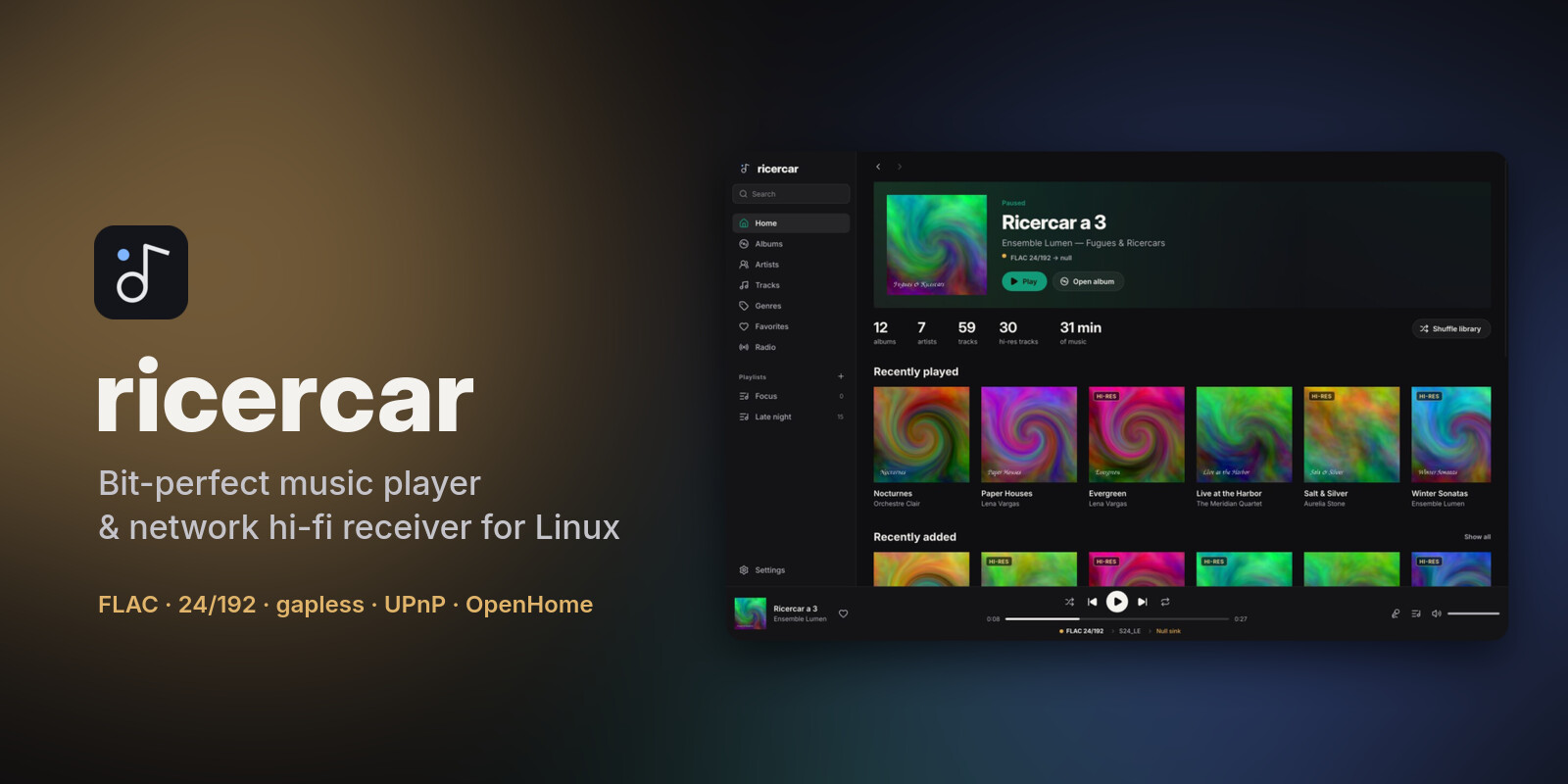
ricercar 0.6.0 is a hardening release: the network receiver no longer trusts what the LAN sends it, updates are signed, playback holds up better over the network, and the whole app can be used from the keyboard.
Downloads
| Your system | File | Install |
|---|---|---|
| Debian 12+, Ubuntu 22.04+, Mint, Pop!_OS, Zorin, elementary | ricercar_0.6.0-1_amd64.deb / _arm64.deb |
sudo apt install ./ricercar_*.deb |
| Fedora, openSUSE Tumbleweed / Leap 16, RHEL / Alma / Rocky 10+ | ricercar-0.6.0-1.x86_64.rpm / .aarch64.rpm |
sudo dnf install ./ricercar-*.rpm (zypper install on openSUSE) |
| Arch, Manjaro, EndeavourOS, CachyOS, Omarchy | ricercar-0.6.0-1-x86_64.pkg.tar.zst |
sudo pacman -U ricercar-*.pkg.tar.zst |
| Any distribution (portable) | ricercar-0.6.0-x86_64.AppImage / -aarch64.AppImage |
chmod +x ricercar-*.AppImage && ./ricercar-*.AppImage |
| Any distribution (plain binaries) | ricercar-0.6.0-linux-x86_64.tar.gz / -aarch64 |
unpack, run bin/ricercar |
The packages need glibc 2.35 or newer. SHA256SUMS is now signed; verify a download with
minisign and the project key:
minisign -Vm SHA256SUMS -P RWSLPLWZ/M4/9X1orGjyBkKYA7BmzgxxI8dveJ8YVcSQVrOpjinxS9fV
sha256sum --check --ignore-missing SHA256SUMS
What's new
- Signed updates. Each release's
SHA256SUMSis signed with the project's minisign key, whose public half is built into ricercar. The in-app updater checks the signature and the version it names before installing anything, and re-checks the package as root right before the package manager reads it. - A safer network receiver.
- Control points can only queue
http(s)streams, or local files that are already in your library. - Album art is only served for library tracks.
- Malformed or oversized requests are refused instead of crashing or stalling the receiver.
- Event subscriptions must point back at the subscriber.
- Discovery only answers the local network.
- Control points can only queue
- Steadier playback.
- The next track is opened ahead of time on a separate thread, so slow NAS or network sources no longer cause a dropout at track changes.
- A damaged file ends with an error instead of silencing the player.
- A network failure mid-track is reported, not taken for the end of the track.
- Pausing on devices without hardware pause no longer skips a fraction of a second.
- Search one plugin at a time. The search scope switch lists each signed-in plugin after Everything and My library.
- Keyboard and screen readers.
- Buttons, the seek bar and the volume slider are reachable with Tab and work with Space, Enter and the arrow keys.
- Screen readers get roles and values.
- First run.
- Without a file-picker portal, Add folder lets you type the path.
- Startup errors are shown as a notification and written to the log.
- Clean shutdown.
systemctl --user stop ricercarand closing the session save the queue and say goodbye on the network.ricercar --versionworks. - Library safety.
- A second music folder whose name starts like the first (
MusicandMusic-hires) is no longer emptied from the index while it is unmounted. - Folders that can't be read during a scan keep their tracks.
- A failed playlist save leaves the playlist as it was.
- A second music folder whose name starts like the first (
- Privacy. The settings file, which holds your scrobbling keys, is now readable by you only.
- Packages.
- AppStream metadata, so software centres show ricercar.
- PNG icons.
- Third-party licences under
/usr/share/licenses/ricercar/. - openSUSE-friendly
.rpmdependencies. - Made with Slint attribution in About.
- Fixes.
- Artist pages with many albums no longer scroll sideways.
- Show-in-folder and playlist export no longer freeze the window, and export goes to your XDG music folder.
For plugin authors
- Plugins now start with a cleared environment. Only
HOME,USER,LOGNAME,PATH,LANG,LANGUAGE,LC_*,TZ,XDG_*,TMPDIR, the proxy variables,SSL_CERT_FILE,SSL_CERT_DIRandDBUS_SESSION_BUS_ADDRESSare passed on. - A plugin runs in its own process group, which is killed as a whole when it stops.
retry_afteris capped at one hour.- The hub only offers strictly newer versions. The app asks again when a plugin's download host changes.
See docs/plugins.md.
For packagers
- Building from source now needs Rust 1.92.
- The release packages install
/usr/share/ricercar/self-update, which allows in-place updates. Distribution packages should not ship it;RICERCAR_NO_SELF_UPDATE=1also turns in-place updates off.
From 0.5.2, Update now in Settings → About installs this version. From 0.5.1 or older, install it by hand once.
Plugins are written by third parties and are not reviewed by the ricercar project. They run with your permissions: install only plugins you trust, and check that they respect the terms of the service they use.
From source: cargo build --release (see the README for per-distro dependencies).
ricercar 0.5.2
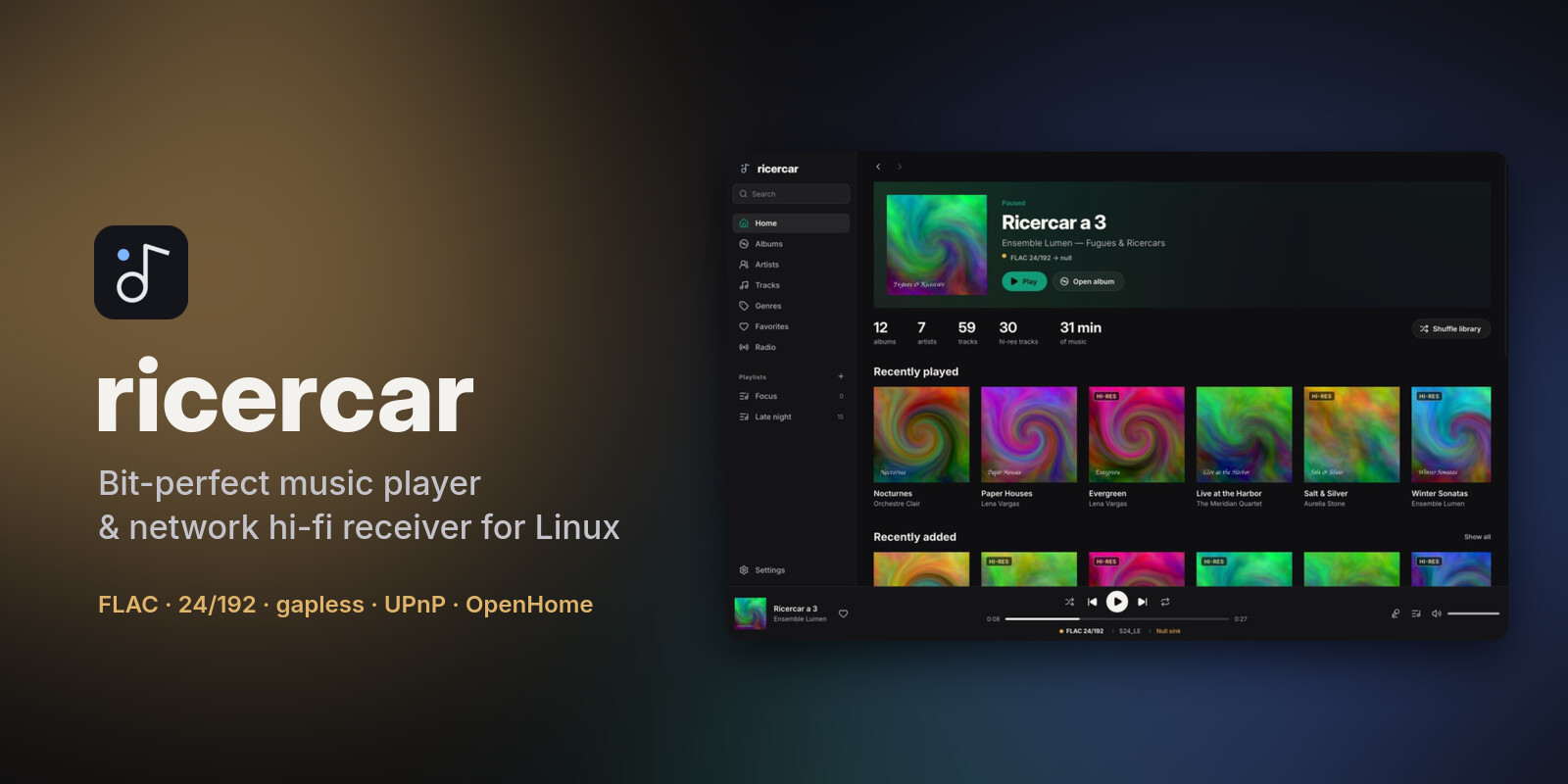
ricercar 0.5.2 updates itself: check for a new version from Settings → About and install it in place, verified against the release checksums.
Downloads
| Your system | File | Install |
|---|---|---|
| Debian 12+, Ubuntu 22.04+, Mint, Pop!_OS, Zorin, elementary | ricercar_0.5.2-1_amd64.deb / _arm64.deb |
sudo apt install ./ricercar_*.deb |
| Fedora, openSUSE, RHEL / Alma / Rocky 9+ | ricercar-0.5.2-1.x86_64.rpm / .aarch64.rpm |
sudo dnf install ./ricercar-*.rpm |
| Arch, Manjaro, EndeavourOS, CachyOS, Omarchy | ricercar-0.5.2-1-x86_64.pkg.tar.zst |
sudo pacman -U ricercar-*.pkg.tar.zst |
| Any distribution (portable) | ricercar-0.5.2-x86_64.AppImage / -aarch64.AppImage |
chmod +x ricercar-*.AppImage && ./ricercar-*.AppImage |
| Any distribution (plain binaries) | ricercar-0.5.2-linux-x86_64.tar.gz / -aarch64 |
unpack, run bin/ricercar |
Verify downloads with sha256sum -c SHA256SUMS --ignore-missing.
What's new
- Update from the app. Settings → About has a Software update row: Check for updates asks GitHub at once, then Update now downloads the release file that matches your install and checks it against the release's
SHA256SUMSbefore touching anything. An AppImage is replaced in place; the release's own.deb,.rpmor pacman package goes to your package manager through your desktop's password prompt. Builds from source, tarballs and distribution packages get the release page instead. Restart starts the new version. The sidebar notice now leads to About. - Fix: plugin shelves on Home no longer keep empty covers when you navigate or scroll while they load (#1).
Updating from the app needs this version first: from 0.5.1 or older, install 0.5.2 by hand once.
Plugins are written by third parties and are not reviewed by the ricercar project. They run with your permissions: install only plugins you trust, and check that they respect the terms of the service they use.
From source: cargo build --release (see the README for per-distro dependencies).
ricercar 0.5.1
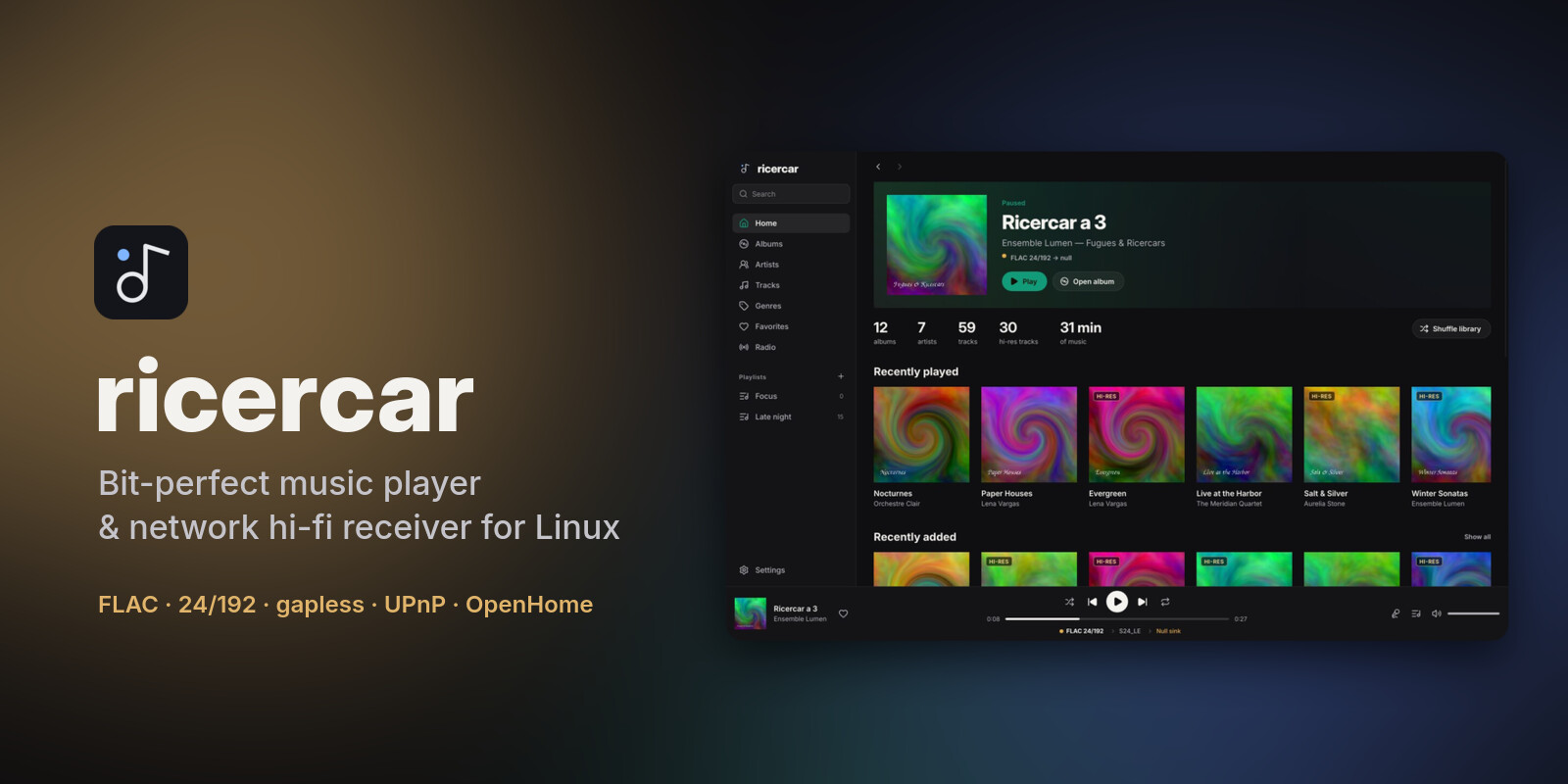
ricercar 0.5.1 smooths the everyday: one click plays, the player bar leads to albums and artists, and search puts your own music first.
Downloads
| Your system | File | Install |
|---|---|---|
| Debian 12+, Ubuntu 22.04+, Mint, Pop!_OS, Zorin, elementary | ricercar_0.5.1-1_amd64.deb / _arm64.deb |
sudo apt install ./ricercar_*.deb |
| Fedora, openSUSE, RHEL / Alma / Rocky 9+ | ricercar-0.5.1-1.x86_64.rpm / .aarch64.rpm |
sudo dnf install ./ricercar-*.rpm |
| Arch, Manjaro, EndeavourOS, CachyOS, Omarchy | ricercar-0.5.1-1-x86_64.pkg.tar.zst |
sudo pacman -U ricercar-*.pkg.tar.zst |
| Any distribution (portable) | ricercar-0.5.1-x86_64.AppImage / -aarch64.AppImage |
chmod +x ricercar-*.AppImage && ./ricercar-*.AppImage |
| Any distribution (plain binaries) | ricercar-0.5.1-linux-x86_64.tar.gz / -aarch64 |
unpack, run bin/ricercar |
Verify downloads with sha256sum -c SHA256SUMS --ignore-missing.
What's new
- One click plays. A single click on a track, a queue row or a radio station starts it; buttons in a row keep their own action.
- The player bar leads somewhere. Its title opens the album and its artist opens the artist page, for plugin tracks too.
- Artist pages for any artist. An artist page now also lists the artist's albums from your plugins' catalogues, not only from your favourites there.
- Your library first in search. Results start with your own music: local files and playlists, then the playlists and favourites your plugins hold for you, then the catalogues. A switch next to the kind filter searches My library only.
- Fixes:
- notifications show the cover of plugin tracks;
- the signal path names PipeWire and Bluetooth outputs by their name, and long device names no longer spill out of the player bar;
- in the expanded now-playing view, the Queue button opens its Queue tab.
- in a narrow window, the descriptions of the plugin catalogue no longer overlap.
Plugins are written by third parties and are not reviewed by the ricercar project. They run with your permissions: install only plugins you trust, and check that they respect the terms of the service they use.
Coming from 0.4? See also the 0.5.0 notes.
From source: cargo build --release (see the README for per-distro dependencies).
ricercar 0.5.0
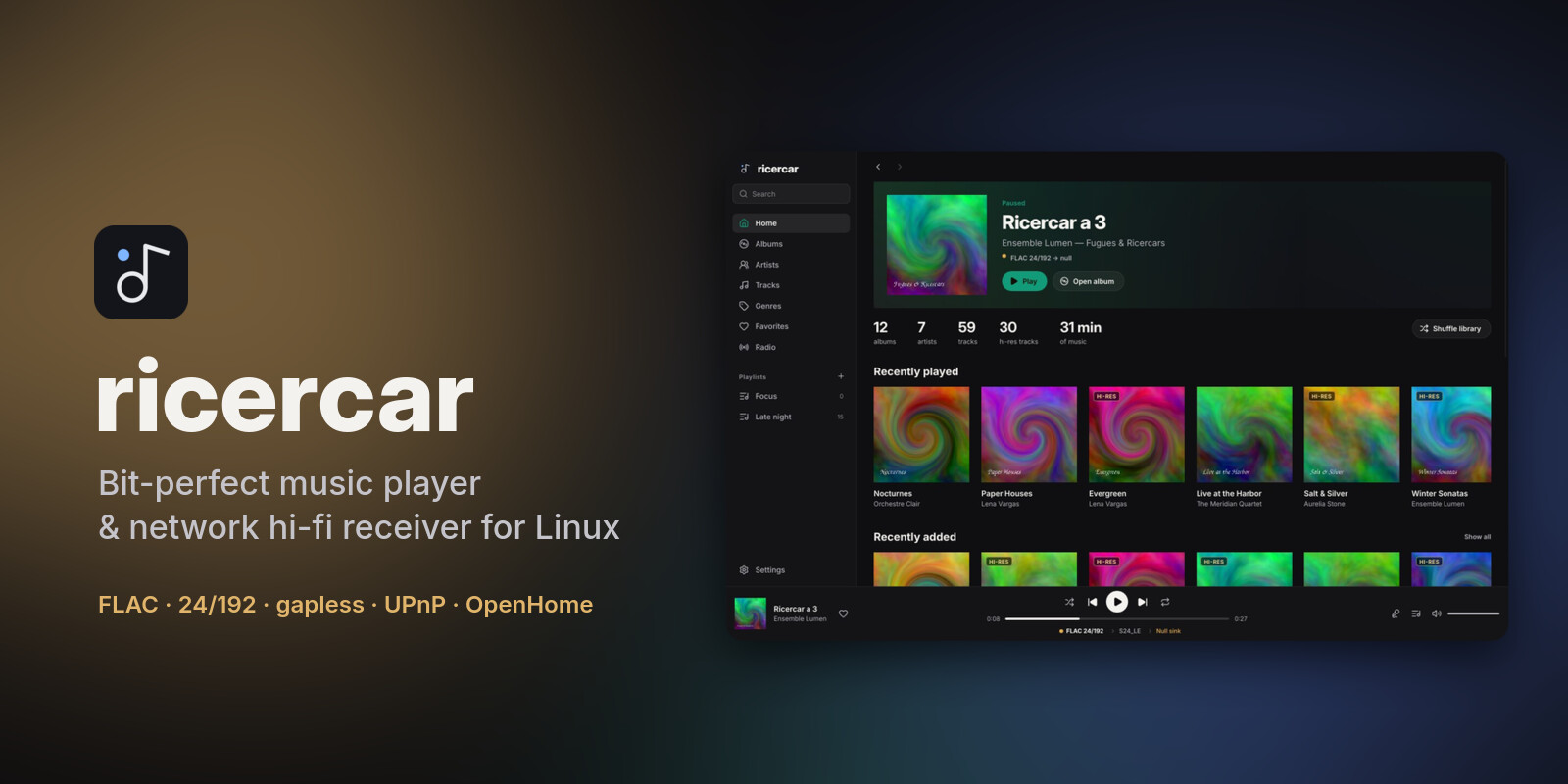
ricercar 0.5.0 makes plugin catalogues feel at home: their playlists sit with yours, their picks show on Home, search sorts everything by kind, and Bluetooth headphones appear in the outputs.
Downloads
| Your system | File | Install |
|---|---|---|
| Debian 12+, Ubuntu 22.04+, Mint, Pop!_OS, Zorin, elementary | ricercar_0.5.0-1_amd64.deb / _arm64.deb |
sudo apt install ./ricercar_*.deb |
| Fedora, openSUSE, RHEL / Alma / Rocky 9+ | ricercar-0.5.0-1.x86_64.rpm / .aarch64.rpm |
sudo dnf install ./ricercar-*.rpm |
| Arch, Manjaro, EndeavourOS, CachyOS, Omarchy | ricercar-0.5.0-1-x86_64.pkg.tar.zst |
sudo pacman -U ricercar-*.pkg.tar.zst |
| Any distribution (portable) | ricercar-0.5.0-x86_64.AppImage / -aarch64.AppImage |
chmod +x ricercar-*.AppImage && ./ricercar-*.AppImage |
| Any distribution (plain binaries) | ricercar-0.5.0-linux-x86_64.tar.gz / -aarch64 |
unpack, run bin/ricercar |
Verify downloads with sha256sum -c SHA256SUMS --ignore-missing.
What's new
- Plugins with a library leave the sidebar. A plugin that shares its library no longer keeps a block of its own: its playlists join your Playlists list, marked with its name, and its picks (new releases, editorial selections) become shelves on Home. Plugins without a library keep their sidebar section as before.
- Search by kind. Results now include playlists, yours and those of your plugins, and a filter under the title narrows them to artists, tracks (then all of them), albums or playlists.
- Recently played on Home, from every source: plugin tracks are now counted when you play them, and Home lists the last tracks you played with their source badge.
- Bluetooth and other PipeWire outputs. Headphones and speakers that only exist in PipeWire are listed in the outputs, marked as shared (not bit-perfect), next to the bit-perfect
hw:devices. - Choose the language. Settings → Appearance → Language: System, English or Français, applied at once.
- Smoother touchpad scrolling. A two-finger swipe no longer runs away; mouse wheels keep their smooth scroll.
- Fixes: one notification per track (plugin tracks showed two); e-mail addresses are masked in the diagnostic report's log lines.
- For plugin authors: two optional additions to the protocol,
library.playlistsand ahomelist inbrowse.root(see docs/plugins.md). Plugins written for 0.4 keep working unchanged.
Plugins are written by third parties and are not reviewed by the ricercar project. They run with your permissions: install only plugins you trust, and check that they respect the terms of the service they use.
Coming from 0.4.0? See also the 0.4.1 notes: plugin libraries in the main pages, one search for everything, update notices.
From source: cargo build --release (see the README for per-distro dependencies).
ricercar 0.4.1
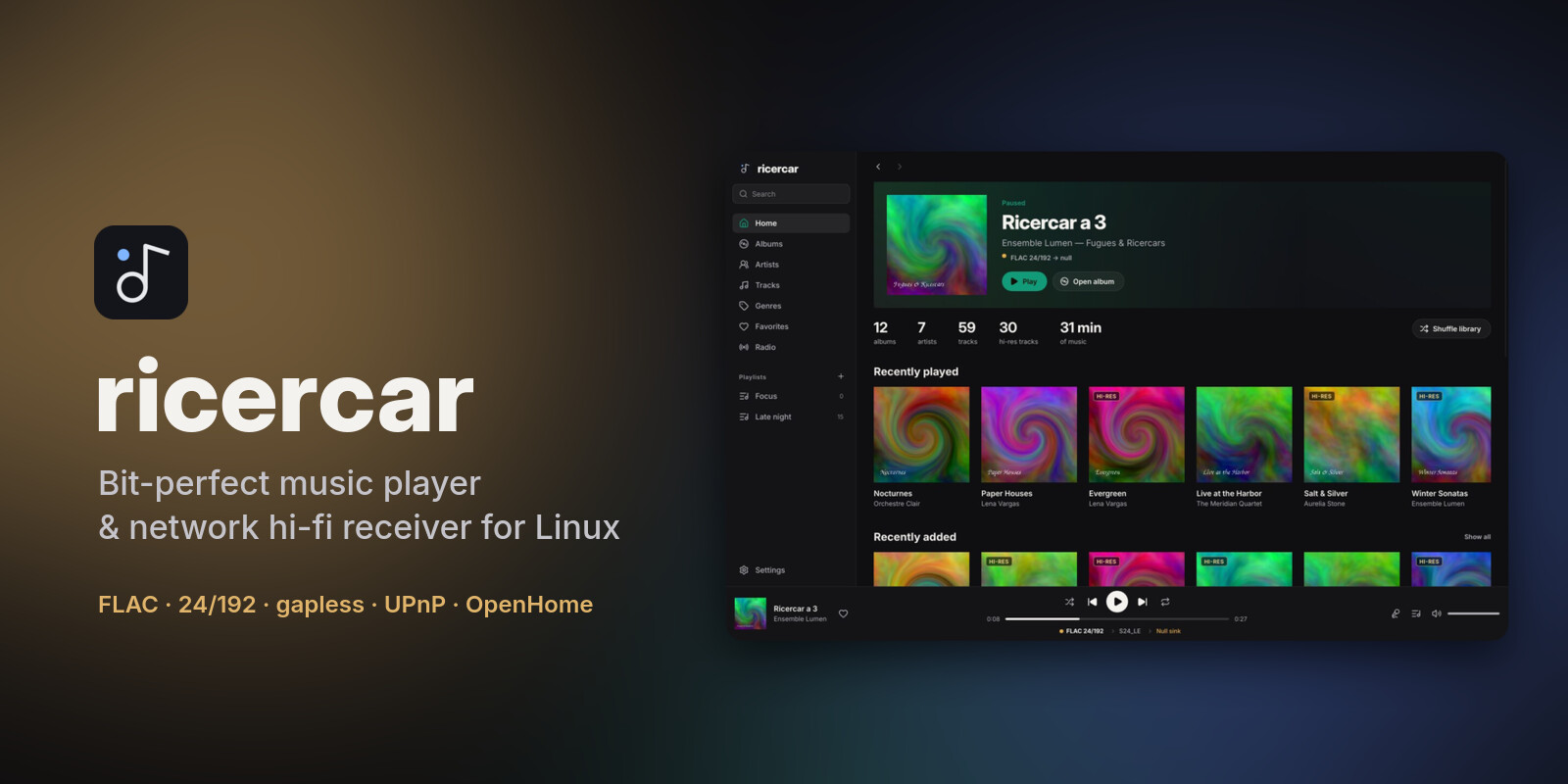
ricercar 0.4.1 brings plugin catalogues into your library: their albums, artists and tracks sit next to your own files, and one search covers everything.
Downloads
| Your system | File | Install |
|---|---|---|
| Debian 12+, Ubuntu 22.04+, Mint, Pop!_OS, Zorin, elementary | ricercar_0.4.1-1_amd64.deb / _arm64.deb |
sudo apt install ./ricercar_*.deb |
| Fedora, openSUSE, RHEL / Alma / Rocky 9+ | ricercar-0.4.1-1.x86_64.rpm / .aarch64.rpm |
sudo dnf install ./ricercar-*.rpm |
| Arch, Manjaro, EndeavourOS, CachyOS, Omarchy | ricercar-0.4.1-1-x86_64.pkg.tar.zst |
sudo pacman -U ricercar-*.pkg.tar.zst |
| Any distribution (portable) | ricercar-0.4.1-x86_64.AppImage / -aarch64.AppImage |
chmod +x ricercar-*.AppImage && ./ricercar-*.AppImage |
| Any distribution (plain binaries) | ricercar-0.4.1-linux-x86_64.tar.gz / -aarch64 |
unpack, run bin/ricercar |
Verify downloads with sha256sum -c SHA256SUMS --ignore-missing.
What's new
- Plugins in your library. Plugins that share their library (the new optional
librarycapability, see docs/plugins.md) now fill the Albums, Artists and Tracks pages, merged with your files in the page's order. A badge tells where each item comes from, and a filter in the page header shows everything, only your library, or one plugin. Plugin albums open on the regular album page, and an artist's page also lists their albums from plugins. - One search for everything. The search page no longer has a tab per plugin. Your library's results show at once; each signed-in plugin is searched at the same time and its results join the lists as they arrive, with their badge.
- Update notices. Once a day at startup, ricercar asks GitHub whether a newer version is out and shows it at the bottom of the sidebar, with a link to its notes. Plugins installed from the hub are checked too: the Plugins entry shows how many have an update, which you install from the Plugins page. Nothing is downloaded or installed without you. Turn it off in Settings → Online extras → Updates.
- Easier to play from a list. On track rows, the whole number column and the cover start the track with one click. Buttons that appear on hover (play, favourite, remove from the queue, play a station) no longer flicker when you point at them.
- Fixes: clicking the cover also closes the now-playing view; the controls of plugin rows are centred; the track menu hides "Go to album", "Go to artist" and "Show in folder" for plugin tracks in every list.
Plugins are written by third parties and are not reviewed by the ricercar project. They run with your permissions: install only plugins you trust, and check that they respect the terms of the service they use.
From source: cargo build --release (see the README for per-distro dependencies).