Repository navigation
Board and Projects
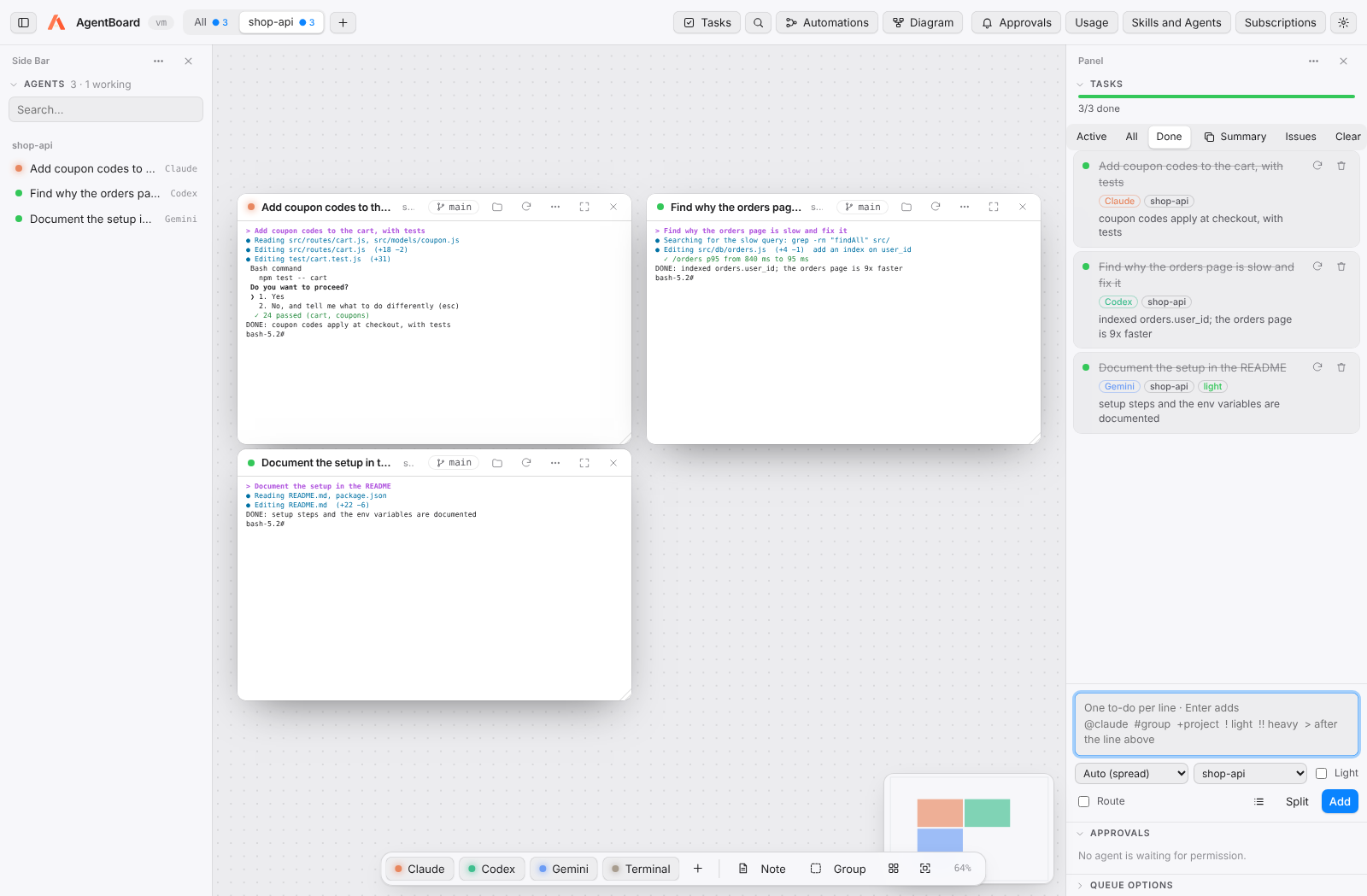
Each card is a real terminal (PTY) that opens an agent (or a plain shell) in the project folder. A card shows:
- its status — working, waiting or stopped (estimated from recent output),
- the git branch and number of uncommitted changes; click the branch to switch or create one,
- buttons to open the folder, restart, options, focus and close.
The options menu (three dots) lets you rename the card, change its agent, project or arguments (e.g. --model opus), duplicate it or Send to… another agent a piece of the conversation.
Drag the title bar to move, the bottom-right corner to resize, double-click the title to rename.
Closing several cards: ⌘/Ctrl or Shift + click title bars (or names in the agent list) to select them and press Close in the bar that appears. The palette (⇧⌘P) has Close Cards of Finished Tasks, Close Stopped Cards and Close All Cards in This View; a group's menu has Close Its Cards. A card that printed an error has a red mark; clicking it clears the mark.
The toolbar shows All plus one tab per project, with its number of agents and a dot when any is working. Each tab remembers its own view. Agents in every project keep working while you look at another. + adds a folder; ⌘⌥→ / ⌘⌥← switch tabs, ⌘⌥0 shows all.
Frames that gather a team of agents (Backend, Frontend…). Moving the frame moves its cards. A task written with #Backend opens its agent inside that group (creating it if needed). Arrange (⇧⌘O) lays everything out while keeping the groups.
Sticky notes live on the same board; the minimap (bottom right) and the agent list (⇧⌘A, left) help you move around.
The left and right bars work like VS Code's. Each holds views: Agents, Tasks, Approvals and Queue Options.
| To… | Do this |
|---|---|
| Collapse or expand a view | Click its title. |
| Reorder a view, or move it to the other side | Drag its title. |
| Hide a view | Its ⋯ → Hide, or uncheck it in the bar's ⋯. |
| Show a hidden view, or bring one from the other side | The bar's ⋯ → pick it. |
| Resize a bar | Drag its inner edge; double-click the edge for the default width. |
| Share the height between two views | Drag the line between them. |
| Start over | The bar's ⋯ → Reset Layout (or Reset Side Bar Layout in the palette). |
The Tasks button and ⇧⌘A open the bar where Tasks or Agents live, wherever you moved them. The layout is saved with your board.
Closing the window keeps AgentBoard running in the background (menu-bar / tray icon). Quitting with ⌘Q asks for confirmation. When you reopen, each Claude card resumes its own conversation (--resume <id>), even with several in the same project.