Repository navigation
Token Generation
Selldone gives third-party software such as ERPs a simple way to get a secure, per-shop personal token without any server-side code. This page shows how to build the token link, which scopes you can request and how to manage tokens.
Important: The user must be logged in to Selldone.
Create a link with the following format:
https://selldone.com/auth/erp?scopes[]=selldone:identification&scopes[]=backoffice:shop:read&scopes[]=backoffice:order:read&scopes[]=backoffice:order:write&scopes[]=backoffice:product:read&scopes[]=backoffice:category:read
Each requested permission is one scopes[] query parameter. Request only what your integration needs.
Localized URLs are supported:
https://zh.selldone.com/auth/erp?scopes[]=backoffice:order:read&scopes[]=backoffice:order:write
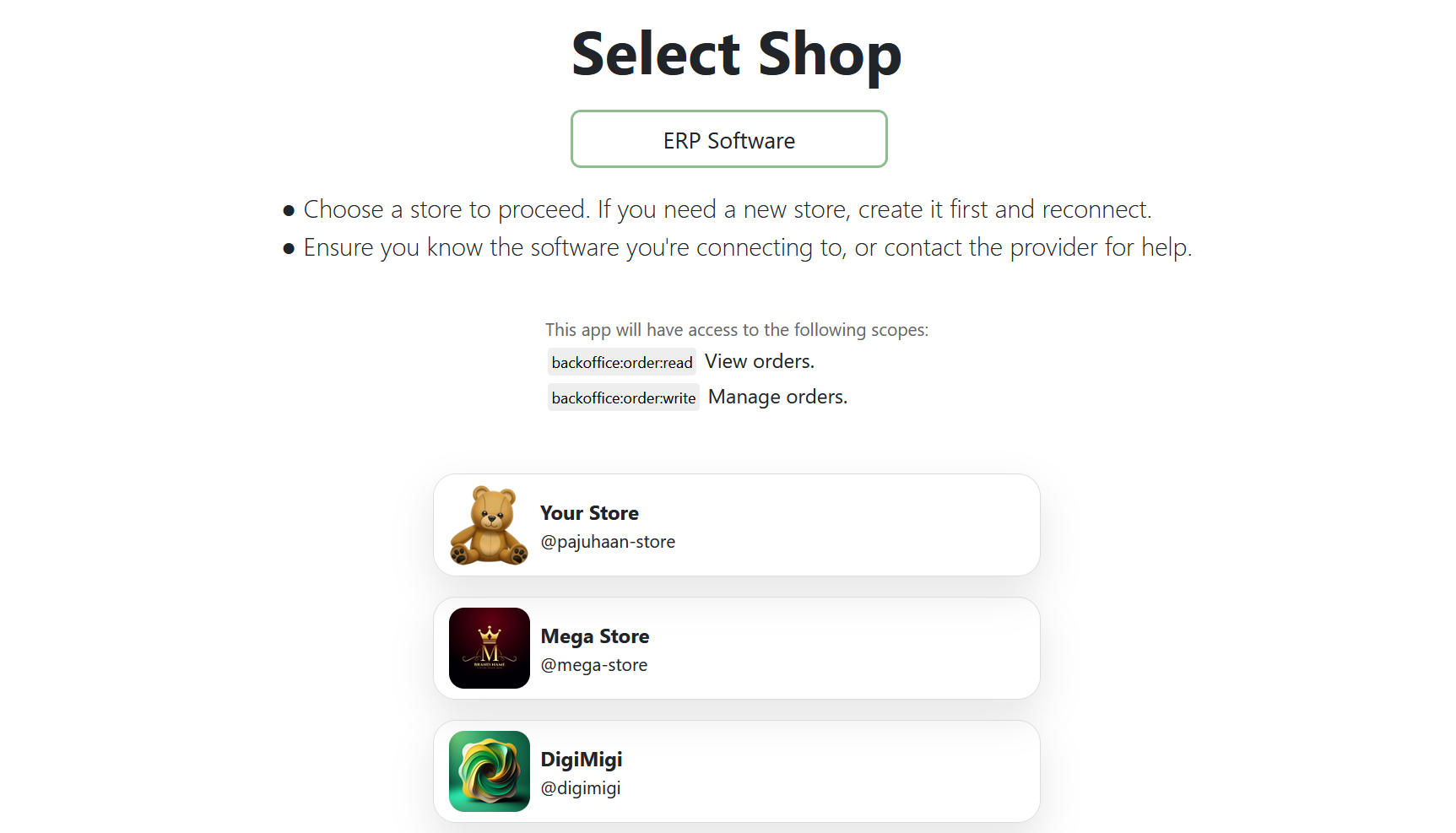
When the user accesses this link, they can select their shop from the page:
After selecting the shop, the user is redirected to a page displaying the token:
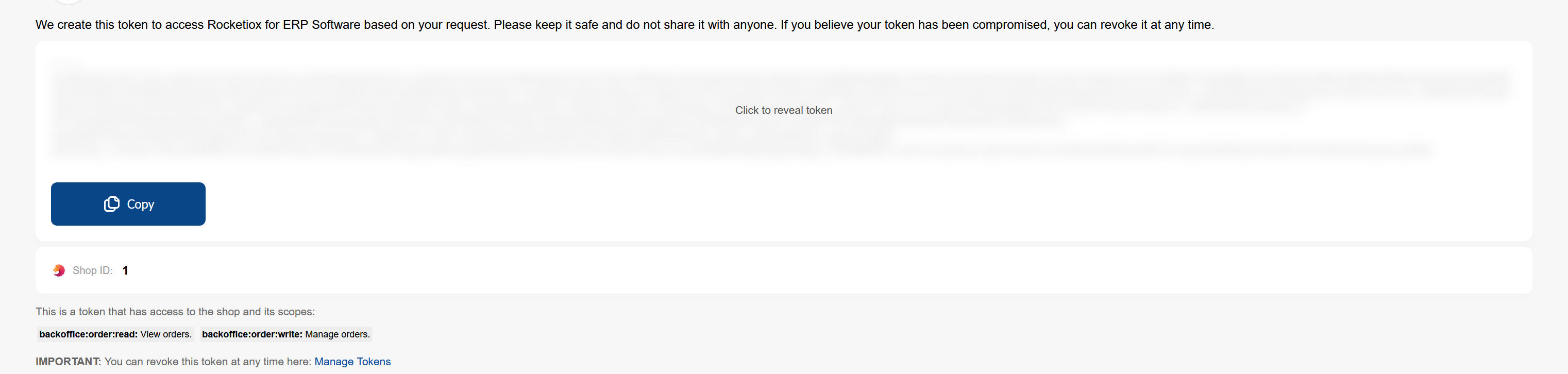
Copy the token into your ERP and send it with every request:
Authorization: Bearer <token>
const scopes = [
  "selldone:identification",
  "backoffice:shop:read",
  "backoffice:order:read",
  "backoffice:order:write",
];

const link =
  "https://selldone.com/auth/erp?" +
scopes.map((s) => `scopes[]=${encodeURIComponent(s)}`).join("&");| Scope | Why |
|---|---|
selldone:identification |
Included in the default link; identifies the Selldone user. |
backoffice:shop:read |
Read shop details. |
backoffice:order:read |
Fetch orders. |
backoffice:order:write |
Update fulfillment state and tracking. |
backoffice:product:read |
Read products referenced by order items. |
backoffice:category:read |
Read categories. |
| Scope | Description |
|---|---|
backoffice:order:read |
Read orders |
backoffice:order:write |
Modify orders |
backoffice:support-tickets |
Access support tickets |
backoffice:shop:read |
Read shop details |
backoffice:shop:write |
Modify shop details |
backoffice:shop:add |
Add a new shop |
backoffice:shop:delete |
Delete a shop |
backoffice:giftcard:write |
Create/edit gift cards |
backoffice:giftcard:read |
Read gift cards |
backoffice:faq:write |
Create/edit FAQ entries |
backoffice:faq:read |
Read FAQ entries |
backoffice:category:write |
Create/edit categories |
backoffice:category:read |
Read categories |
backoffice:product:write |
Create/edit products |
backoffice:product:read |
Read products |
backoffice:report:read |
Read reports |
backoffice:finance:write |
Manage financial records |
backoffice:finance:read |
Read financial records |
backoffice:page:write |
Create/edit pages |
backoffice:page:read |
Read pages |
backoffice:logistic:write |
Manage logistics |
backoffice:logistic:read |
Read logistics details |
backoffice:staff:write |
Manage staff accounts |
backoffice:staff:read |
Read staff details |
backoffice:business-profile:write |
Edit business profile |
backoffice:business-profile:read |
Read business profile |
backoffice:discount-code:write |
Manage discount codes |
backoffice:discount-code:read |
Read discount codes |
backoffice:wallet:write |
Manage user wallets/accounts |
backoffice:wallet:read |
Read user wallets/accounts |
backoffice:notifications |
Access notifications |
backoffice:coupon:write |
Manage coupons |
backoffice:coupon:read |
Read coupons |
backoffice:offer:write |
Manage offers |
backoffice:offer:read |
Read offers |
backoffice:cashback:write |
Manage cashback programs |
backoffice:cashback:read |
Read cashback programs |
backoffice:lottery:write |
Manage lottery programs |
backoffice:lottery:read |
Read lottery programs |
backoffice:community:write |
Manage community posts |
backoffice:community:read |
Read community posts |
backoffice:customer:write |
Manage customer data |
backoffice:customer:read |
Read customer data |
backoffice:ribbon:write |
Manage ribbons |
backoffice:ribbon:read |
Read ribbons |
backoffice:ai:write |
Manage AI settings |
backoffice:ai:read |
Read AI settings |
backoffice:vendor-payment:write |
Manage vendor payments |
backoffice:vendor-payment:read |
Read vendor payments |
backoffice:company:write |
Manage company data |
backoffice:company:read |
Read company data |
backoffice:note:write |
Manage notes |
backoffice:note:read |
Read notes |
backoffice:affiliate:write |
Manage affiliates |
backoffice:affiliate:read |
Read affiliates |
backoffice:print:write |
Manage print-related settings |
backoffice:print:read |
Read print-related settings |
backoffice:reviews:write |
Manage reviews |
backoffice:reviews:read |
Read reviews |
backoffice:property-set:write |
Manage property sets |
backoffice:property-set:read |
Read property sets |
You can view and revoke created tokens at https://selldone.com/developer/access. Revoke a token when an ERP installation is retired or when you suspect it was exposed.
- Orders API
- Getting Started
- Clone Sheet uses the same token link to copy shop data locally.