Repository navigation
About
Home / User Manual / About
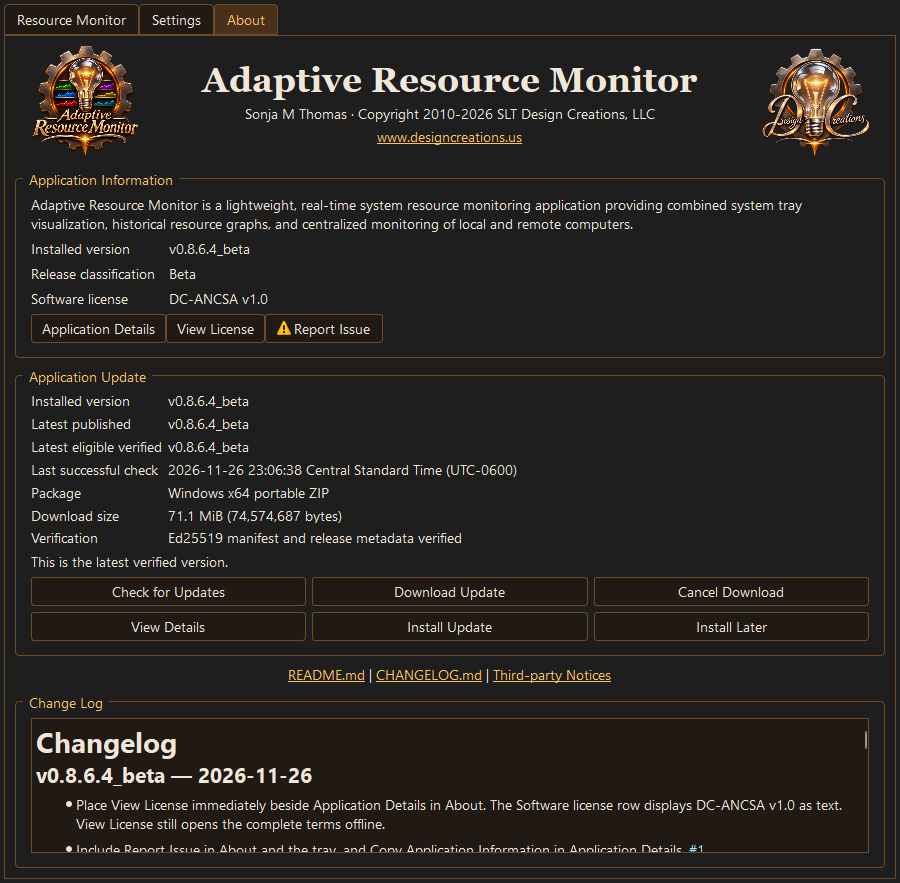
About shows the installed version, release classification and software license. Application Details includes the running build, platform and installation type. Its Copy Application Information button copies a short sanitized summary. The dialog itself contains local paths; review screenshots separately before sharing.
View License sits immediately to the right of Application Details and opens the complete bundled license offline. Report Issue opens the public issue list in your default browser. The Application Update section shows published and eligible verified versions and actions for checking, downloading and managing releases.
README.md, CHANGELOG.md and Third-party Notices switch the bundled documentation in the viewing pane. Use Reporting Issues for the clipboard and reporting workflow.

Original application developed by Sonja M Thomas, SLT Design Creations, LLC. Copyright 2010-2026 SLT Design Creations, LLC. Design Creations