Repository navigation
Hover Monitor
Home / User Manual / Hover Monitor
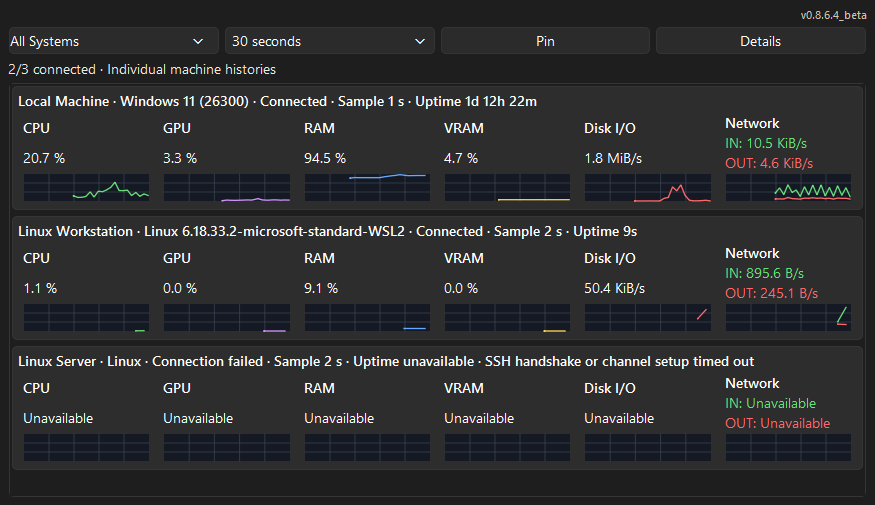
Hover over a live tray icon to see recent readings. The popup normally closes after the cursor leaves the icon and popup, with the configured dismissal delay. Pin keeps it open until Unpin. Clicking the icon can open the popup, while the popup's button changes its pin state. Details opens the expanded view.
The top-right version label helps identify the running build. Use the machine and history selectors above the graphs. A single selection shows the resource grid. Several selected systems show separate cards, each with its own connection status, interval, uptime when available and graphs. Scrolling keeps a larger machine list accessible.
An update message opens About when a verified release is available or ready. See Update Notifications and Machine Selection.
Previous · System Tray Context Menu · Next · Machine Selection

Original application developed by Sonja M Thomas, SLT Design Creations, LLC. Copyright 2010-2026 SLT Design Creations, LLC. Design Creations