Repository navigation
Reporting Issues
Home / Support and Troubleshooting / Reporting Issues
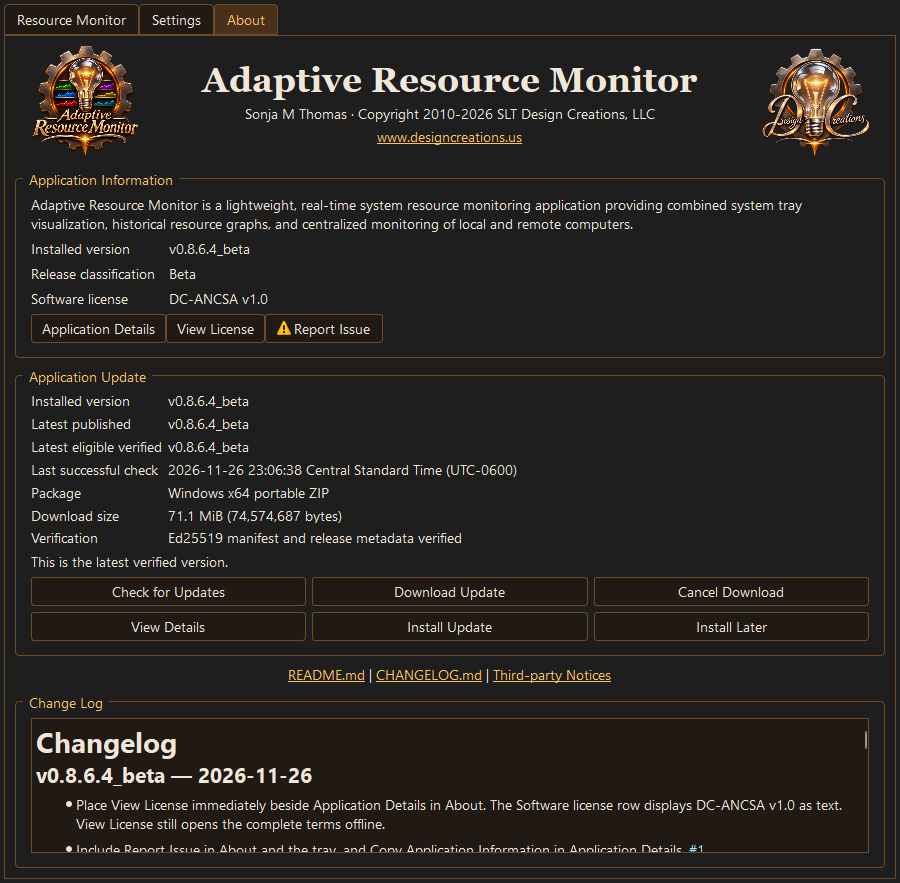
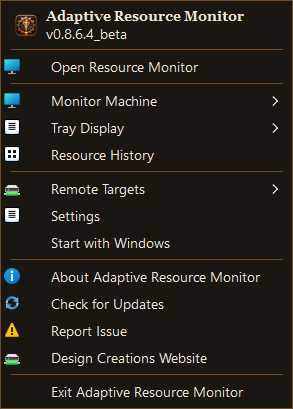
Choose Report Issue on About or directly below Check for Updates in the tray menu. In the current ARM release both open the Gitea issue index. To report from GitHub, use its public issue index. Browse reports anonymously; a GitHub account is sufficient to create a report there.
- Search open and closed issues for the affected feature, error text and version.
- Open the form chooser. Choose the form below that fits best.
- Give the report a short title. State what you expected, what happened, how to reproduce it and how often it occurs.
- In About → Application Details, choose Copy Application Information. Review and paste the version, classification, OS, architecture, distribution and Qt fields if useful. ARM sends only the public tracker URL when opening the browser.
- Review screenshots and logs before attaching them. Crop unrelated content and redact personal or system details. Use Diagnostic Logs for what to share.
- Follow the issue for maintainer questions. Add reproducible updates as comments, particularly when a newer build changes the result.
| Form | Use it for |
|---|---|
| Bug Report | Reproducible unexpected behavior. |
| Feature Request | A proposed capability or change. |
| Hardware Compatibility | Missing or incorrect device counters. |
| Remote Monitoring Issue | SSH, telemetry or connection problems. |
| Installation or Update Issue | Setup, verification, shutdown, restart or rollback. |
| Performance Issue | Measured resource use or responsiveness. |
| Documentation Issue | Missing or inaccurate instructions. |
| General Support | Help with an official release. |
| Derivative Distribution Inquiry | Optional public, non-confidential questions. Use Register Derivative for formal requests and confidential details. |
| Security Reporting Instructions | A private report via the security procedure. |

Original application developed by Sonja M Thomas, SLT Design Creations, LLC. Copyright 2010-2026 SLT Design Creations, LLC. Design Creations