Repository navigation
Checking for Updates
Home / Application Updates / Checking for Updates
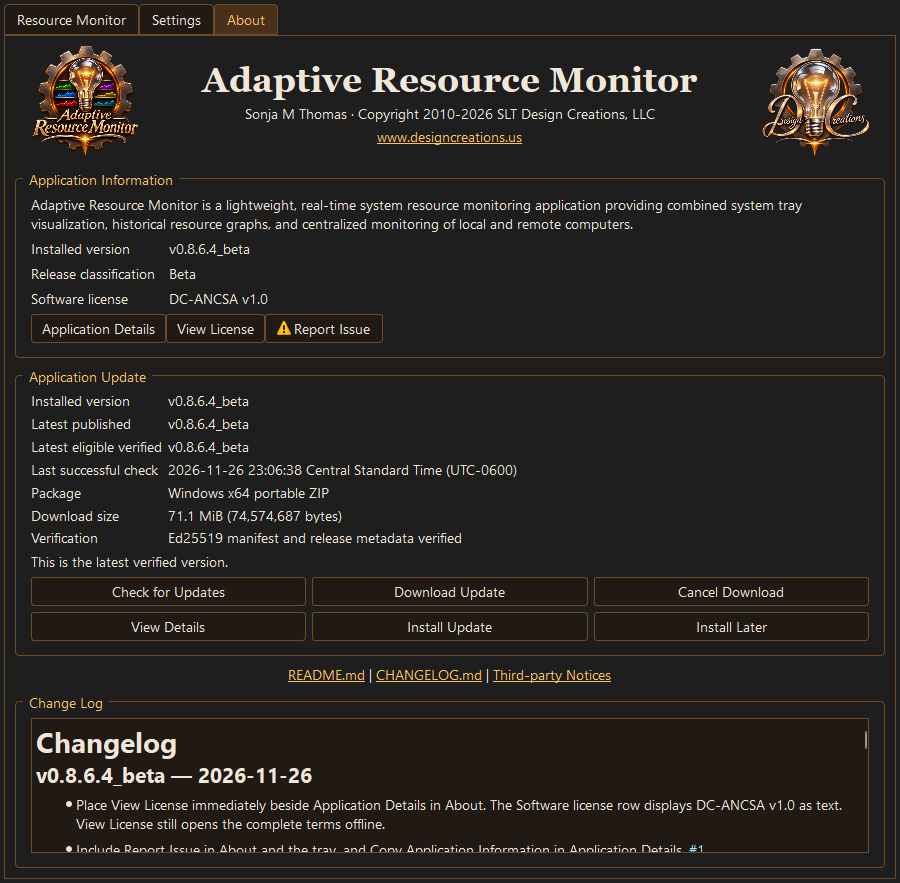
Open About → Check for Updates, or choose Check for Updates from the tray. Compare Latest published with Latest eligible verified and the installed version. The last successful check uses your local timezone. A server listing alone does not establish that an artifact is eligible or authentic.
Under Settings → General, enable optional startup checks or choose periodic checks every 4 hours, 12 hours, daily or weekly. Default settings use manual checks. The Windows-notification toggle controls transient Windows messages separately from in-app update actions. Checks and downloads run without stopping telemetry collection.

Original application developed by Sonja M Thomas, SLT Design Creations, LLC. Copyright 2010-2026 SLT Design Creations, LLC. Design Creations