Repository navigation
System Tray Icon
Home / User Manual / System Tray Icon
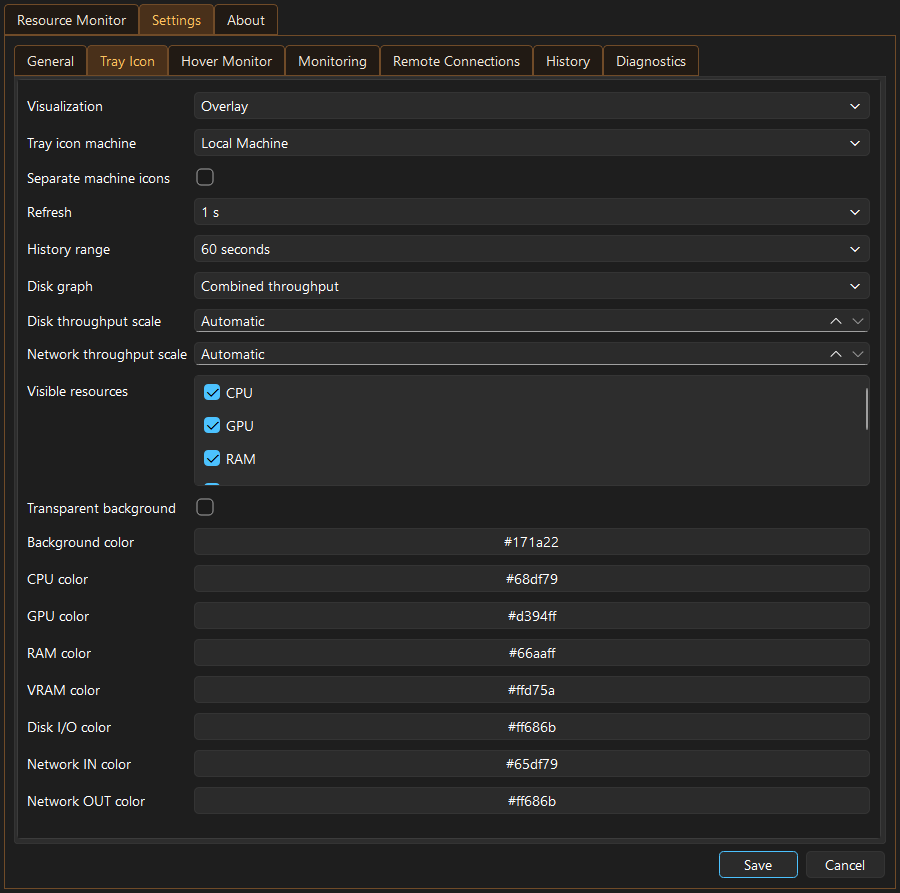
A dynamic icon draws recent history from the selected machine. Change it under Settings → Tray Icon → Tray icon machine. The display selection in either monitor stays independent of this setting. Enable Separate machine icons for eligible targets and use their Include in separate tray icons option to control which get an additional icon.
| Visualization | Meaning |
|---|---|
| Overlay | Selected resource traces share the small icon area. |
| Stacked | Traces occupy separate horizontal bands. |
| Composite | A compact strongest-normalized-resource trace, with network directions kept visible when selected. Each icon represents one machine. |
| Application Icon | The branded static icon. ARM also uses it while starting up. |
If the icon is hidden, open the Windows overflow menu or enable ARM under Settings → Personalization → Taskbar → Other system tray icons. Windows taskbar help


Original application developed by Sonja M Thomas, SLT Design Creations, LLC. Copyright 2010-2026 SLT Design Creations, LLC. Design Creations