Repository navigation
Installing Updates
Home / Application Updates / Installing Updates
- Check for and download the update in About. Confirm the verified target version and review the signed release notes.
- Choose Install Update and approve the confirmation. If the license changed, ARM retrieves the matching source-license text, checks its signed hash and requests acceptance before shutting down.
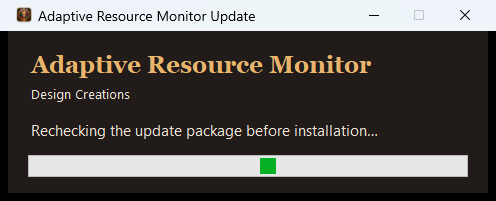
- The independent maintenance program waits for ARM to save its state and exit. It re-verifies the package and displays progress while the installer or portable replacement runs.
- The launcher checks installed files and build identity, then restarts ARM in the same user session. Enabled monitoring connections restore according to their profiles.
- The restarted process acknowledges readiness. View Changelog opens the release notes path and clears the success notice while the completion record remains available.
See Recovery and Rollback if the process reports a failure or an interruption.

Original application developed by Sonja M Thomas, SLT Design Creations, LLC. Copyright 2010-2026 SLT Design Creations, LLC. Design Creations