AM32 Configuration
English | Deutsch
Read, change and write an AM32 ESC's settings over the same signal wire, with no laptop and no configurator.
This writes to your ESC's flash. Everything here is reversible while you are still on the screen, and nothing reaches the ESC until you have held a button down for a full second. But a written setting is written.
CFG → AM32.
The screen hands the signal pin over from the DShot pump to the bootloader transport, then starts looking for an ESC.
Then power-cycle the ESC. This is not optional and it is not the tester being awkward: the AM32 bootloader only listens for a brief window at power-up. Unplug the ESC battery and plug it back in while this screen is showing. The firmware repeats its handshake as fast as it can so that it is transmitting when that window appears.
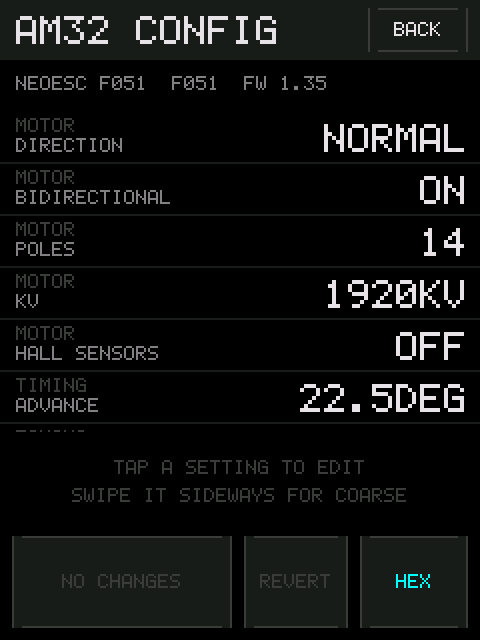
You will see SEARCHING... and a spinner. When it catches the window, the list
appears and the strip under the title names the ESC and its firmware revision.
If bytes come back that cannot be parsed, the screen says so explicitly —
REPLY NOT UNDERSTOOD with the first few bytes and the baud rate. That is a
different problem from silence, and worth knowing apart: it means the wire is
fine and the framing is not.
The list scrolls by dragging. It follows your finger from the moment the drag is recognised, and a drag never selects anything — so you can flick through without lighting up rows you did not mean to touch.
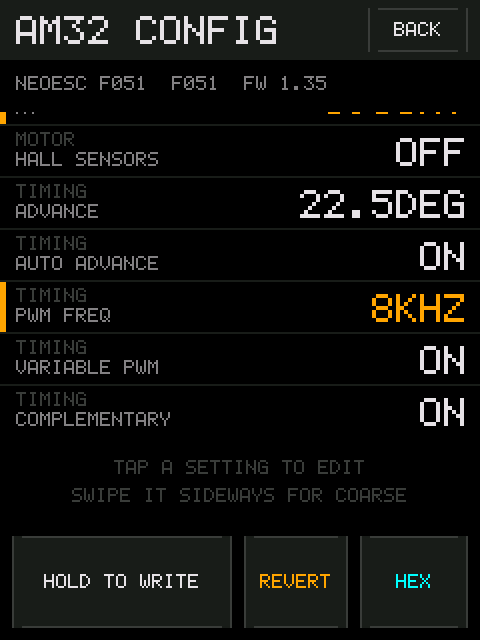
A tap that goes nowhere selects the row under it. The editor bar at the bottom then shows that field's name and value.
Rows are grouped, with the group name above each one in grey. Which fields exist depends on the ESC's layout revision — the firmware only shows the ones that apply to the version it read.
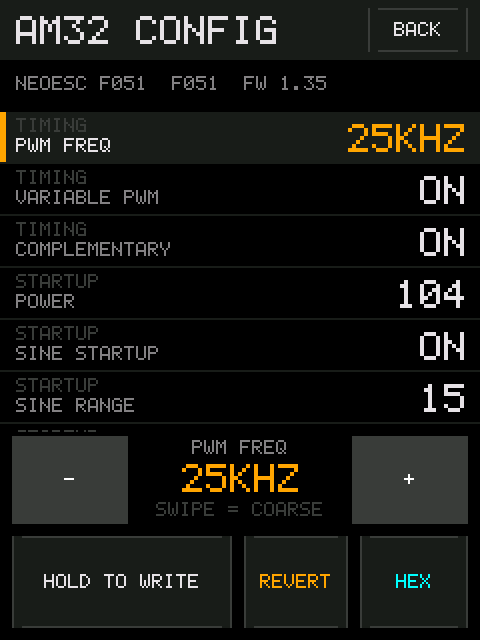
| Gesture | Effect |
|---|---|
| Tap a row | Select it |
- / + in the editor bar |
Fine — one step per press. Hold to repeat, accelerating |
| Swipe a row sideways | Coarse — one full-width swipe covers the field's entire range |
| Drag up / down | Scroll |
A gesture is either a scroll or an edit, never both: the axis is decided in the first few pixels of travel and then locked.
Coarse swipes respect each field's own step, so values that must stay legal do — motor poles stay even, for instance. They also re-anchor at the ends, so overshooting the top and swiping back a little responds immediately instead of having to unwind however far past the end you went.
Changed rows are marked amber down the left edge, and their values turn amber too. Nothing has reached the ESC yet.
REVERT throws away every unsaved change and restores what was read.
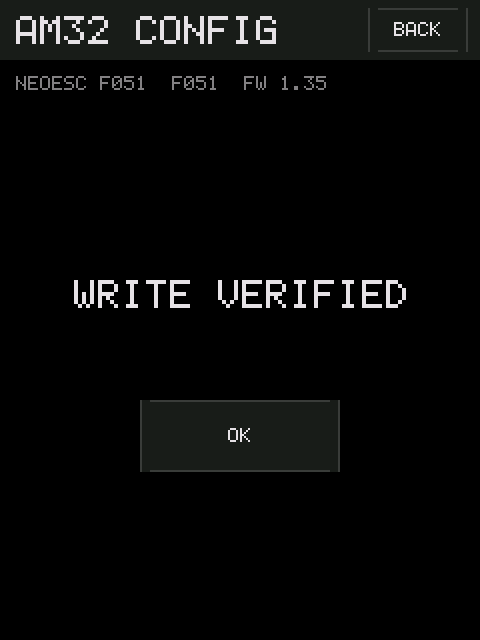
HOLD TO WRITE for a full second. A progress bar fills as you hold, and the
button reads NO CHANGES when there is nothing to write.
The firmware then reads the settings back and compares them, rather than
trusting the ESC's acknowledgement — a write that reports success but lands
wrong is worse than one that fails loudly. You get WRITE VERIFIED, or the
exact byte that disagreed and what it should have been.
Most AM32 settings take effect on the next ESC power-up.
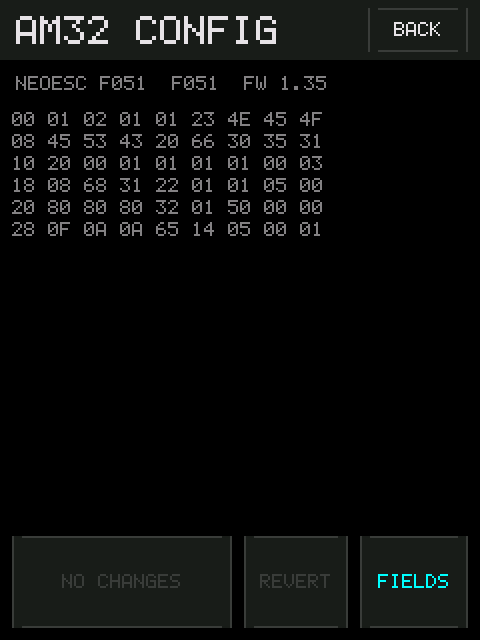
HEX shows the raw settings bytes. It is the escape hatch: if a field is not
offered for your layout revision, or you want to check what a change actually
did at the byte level, it is here. Read-only.
BACK hands the signal pin back to the DShot pump and returns to the settings
screen. The pump restarts disarmed.
-
SEARCHING...forever. The power-cycle window is the whole game. Unplug and replug the ESC battery while the screen is showing. Doing it before entering the screen does not work. -
REPLY NOT UNDERSTOOD. The link is alive; the framing is off. Usually a non-AM32 ESC, or one running a bootloader this transport does not speak. -
NO VALID SETTINGS. Something answered and the settings block did not look plausible. Do not write anything.
More in Troubleshooting.