SD Logging
English | Deutsch
Every frame of telemetry, written to microSD in Betaflight blackbox format, so a bench run can be plotted rather than remembered.
Any microSD card, FAT32. Insert it before powering the board on if you can — the
card is mounted once at boot, and there is no card-detect pin on either board,
so a card inserted afterwards needs the RETRY MOUNT button.
Files land in the card's root as LOG00001.BFL, LOG00002.BFL, and so on. The
number goes up; nothing is ever overwritten.
Automatically: arming starts a log, disarming stops it. That is the normal case and needs no interaction at all.
Manually: START on the SD LOG screen begins one whenever you like, and a
log you started by hand survives the arm and disarm that would otherwise have
controlled it. STOP ends it.
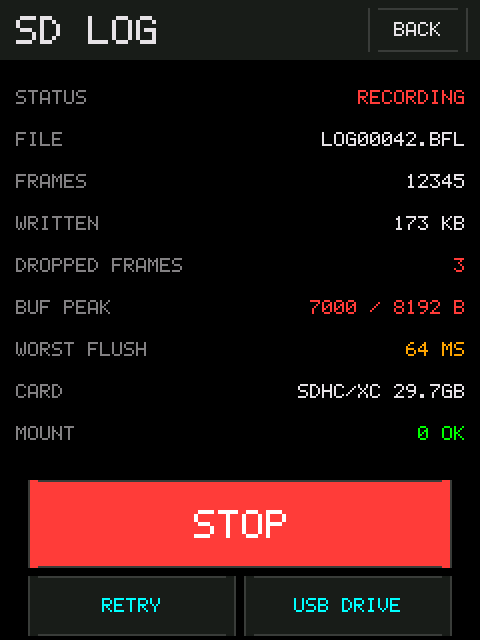
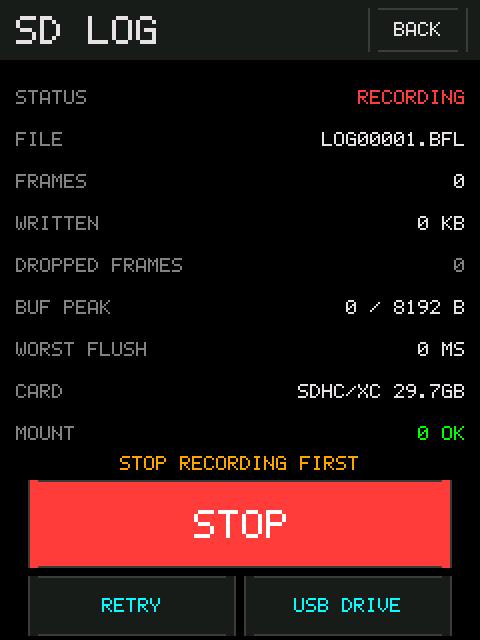
The tester screen shows the state in its top row: REC in red while recording,
SD while idle, SDERR if the card is faulty, NOSD if there is none.
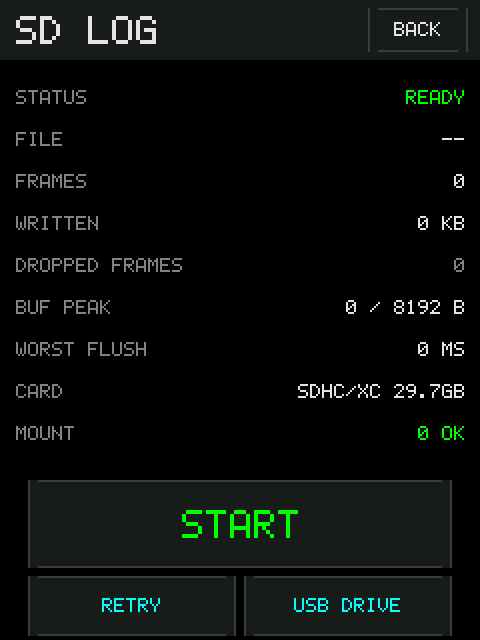
| Row | Meaning |
|---|---|
| STATUS |
NO CARD, READY, RECORDING, or CARD ERROR
|
| FILE | The file currently open |
| FRAMES | Telemetry frames written so far |
| WRITTEN | Kilobytes on the card |
| DROPPED FRAMES | Frames the buffer could not hold. Should be zero |
| BUF PEAK | High-water mark of the write buffer, against its size |
| WORST FLUSH | The longest single write to the card, in milliseconds |
| CARD | What the card reports about itself: type and size |
| MOUNT | The filesystem result. 0 OK is what you want |
The bottom four are diagnostics, and the interesting one is the pair. BUF PEAK
approaching the buffer size, or a WORST FLUSH longer than the buffer can cover,
is the warning that the card is too slow for the buffer it has. DROPPED FRAMES
above zero says it already was — the log has holes.
A slow card is the usual cause. Try another one before anything else.
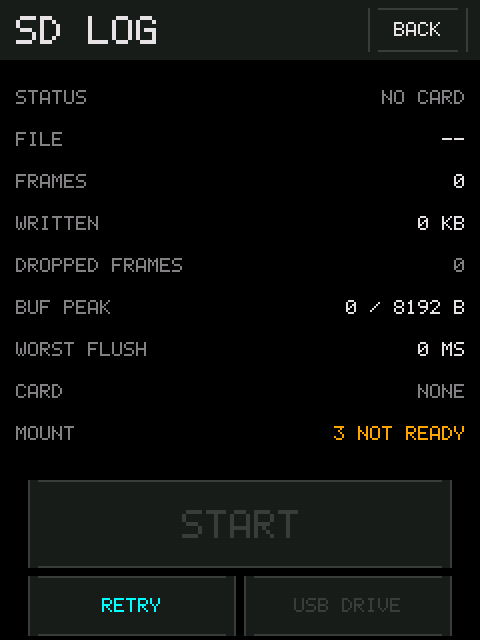
NO CARD with MOUNT 3 NOT READY means nothing answered on the bus at all —
no card, or not seated. MOUNT 13 NO FILESYSTEM with a size shown under CARD
is the opposite and much more useful: the card is present and talking, and the
problem is the filesystem. Reformat it as FAT32.
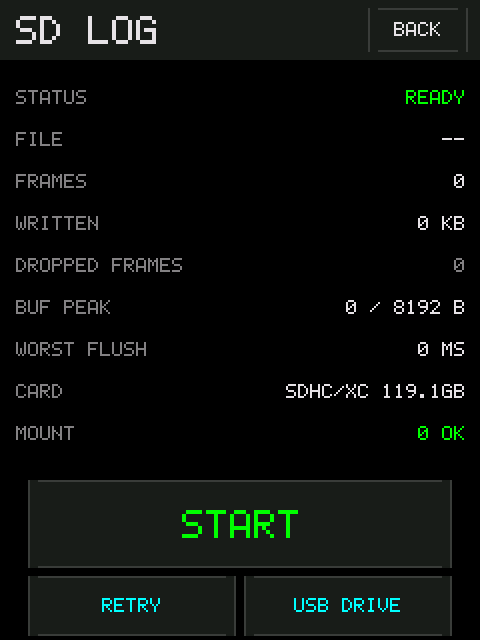
RETRY MOUNT. Without it, a card put in after power-up is indistinguishable
from a card the firmware cannot read.
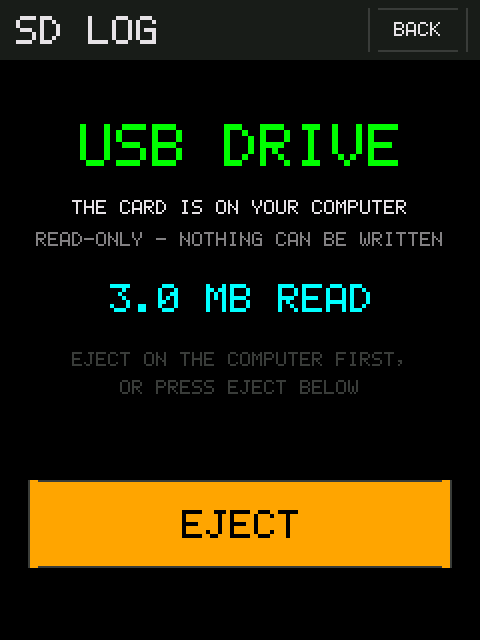
USB DRIVE on the SD LOG screen hands the card to whatever the USB cable is
plugged into. It appears as an ordinary removable drive; copy the .BFL files
off, eject it on the computer, and the tester takes the card back.
The board is always a USB device — that is how it gets power and how the serial port works — so this adds a card reader to the same cable rather than needing anything new.
It is read-only. The computer can copy files off and nothing else. That is deliberate: it means a host filesystem driver cannot corrupt a card full of measurements, and the log numbering cannot change under the firmware's feet. If your computer says the disk is write protected, that is this, working.
The card is handed over, not shared. A FAT filesystem has no way to arbitrate between two writers, and the firmware and your computer cannot see each other's caches. So the logger flushes, closes and unmounts before the drive appears, and touches nothing until you eject. While that is true, the SD LOG screen shows the handover instead of its counters — they would be frozen, and a frozen counter that looks live is the one thing this firmware tries never to show you.
The button refuses, and says why:
| Caption | What to do |
|---|---|
DISARM FIRST |
A motor is spinning. The handover pauses the logger for seconds |
STOP RECORDING FIRST |
Ending your run is your decision, not the firmware's |
NO CARD TO SHARE |
Nothing is mounted |
Arming is blocked while a computer holds the card. You can leave the screen —
BACK does not cancel a copy in progress — so the tester screen is reachable
with the card gone, and it will not arm until you eject.
Eject from the computer, or press EJECT on the screen. Both do the same thing.

logwiju — the intended viewer
Browser-based, nothing to install, and it does not upload anything: the file is
read locally. Drop a .BFL file on it and you get the traces plotted against
time — RPM, voltage, current, temperature, stress, throttle.
That is the tool these logs were shaped for, and it is the one to reach for first.
The files are ordinary Betaflight blackbox logs, so
Blackbox Explorer opens them too, as does
the blackbox_decode command-line tool. Some fields are named for a flight
controller rather than a bench tester, which is the price of using a format that
already has tooling.
Per frame: time, RPM and eRPM, throttle, voltage, current, ESC temperature, stress, the ESC status byte, arm state, and the packet/error counters.
Where a KISS telemetry wire is fitted, both sources are recorded separately as well as merged, so a log can be used to check one against the other rather than having to trust the merge.
Logging is a compile-time feature and is on by default. If you built the
firmware yourself with SD_LOG_ENABLE=0, the screen still exists and will
always report NO CARD.