The Screens
English | Deutsch
Five screens. The tester is the root; everything else is reached through CFG
and returns with BACK.
Tester ──CFG──> Settings ──┬── AM32     ──BACK──> Settings
                           ├── SD LOG   ──BACK──> Settings
                           └── SETUP    ──BACK──> Settings
                     └─────BACK──> Tester
BACK is always in the same place: top right, in the header band, on every screen that has one. The tester has none, because it is the root and there is nowhere to go back to.
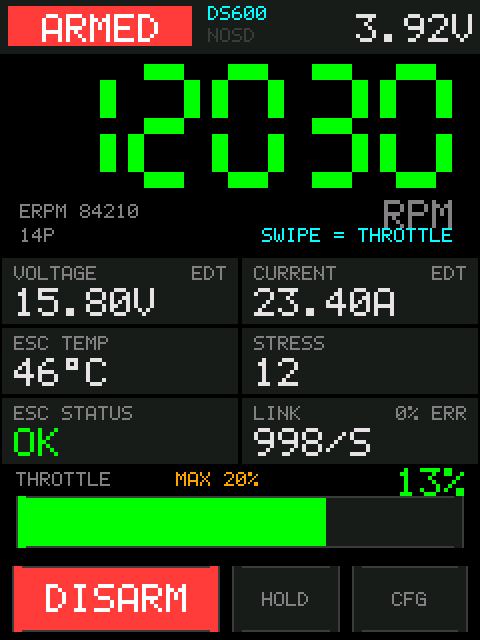
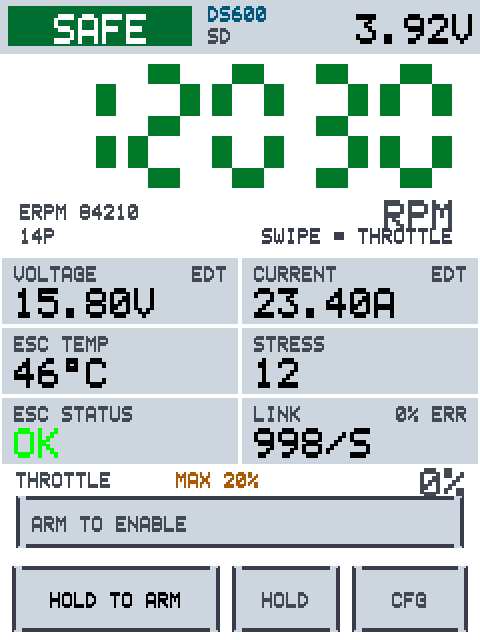
Top row. The arm badge (SAFE green / ARMED red), the DShot bitrate —
which turns cyan once an EDT enable has gone out — the recording state, and the
pack voltage measured by the board's own divider. While the idle timer is about
to disarm you, the countdown replaces the voltage.
RPM. Mechanical RPM, derived from the eRPM the ESC reports and your pole
count. ERPM and the pole count sit below it. Green digits mean the link is
live; dark red digits mean nothing has arrived recently.
Six tiles. Voltage, current, ESC temperature, stress, ESC status and link quality. See Telemetry.
Throttle. The gauge, the ceiling, and the commanded percentage. The
percentage is of the real 0–100 % DShot range, so it never flatters you: at a
20 % ceiling, a full-width drag reads 20%.
Buttons. HOLD TO ARM / DISARM, HOLD (latching throttle), CFG.
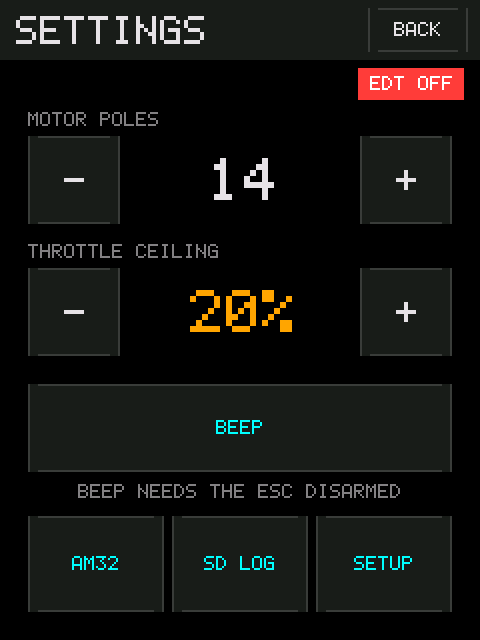
Reached with CFG, which force-disarms on the way in.
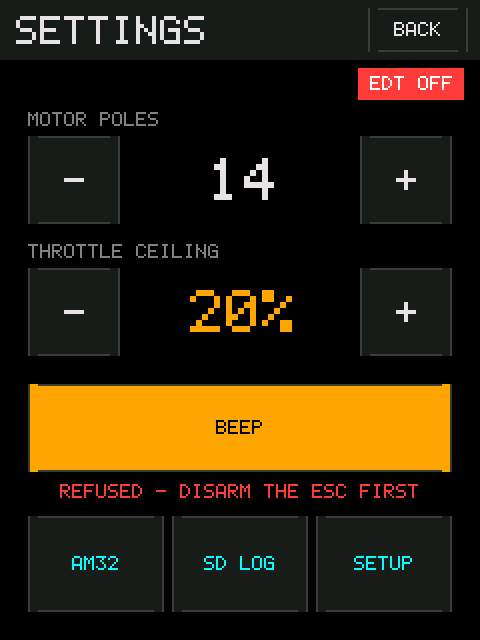
- EDT ON / EDT OFF — a read-only chip under the title. Green while Extended DShot Telemetry frames are actually arriving, red while they are not. There is no enable button: the firmware asks every ESC as it appears, and keeps asking while an ESC is answering but not sending EDT. The chip follows received frames, not whether a request was sent — the request is fire-and-forget and the ESC never acknowledges it.
- MOTOR POLES and THROTTLE CEILING — steppers; hold to repeat.
- BEEP — makes the motor sing, which is how you find out which ESC you are actually plugged into. It needs the ESC disarmed; a refused press flashes amber and the caption tells you why.
- AM32 / SD LOG / SETUP — the three sub-screens.
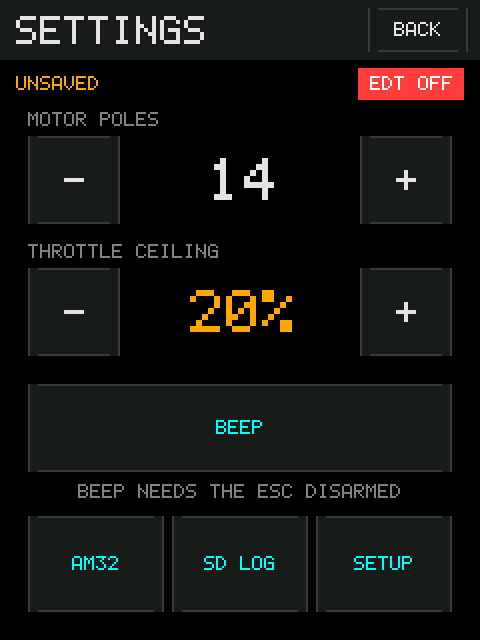
UNSAVED appears under the title when something here or on SETUP differs from
what is stored in flash. The button that stores it is on SETUP.
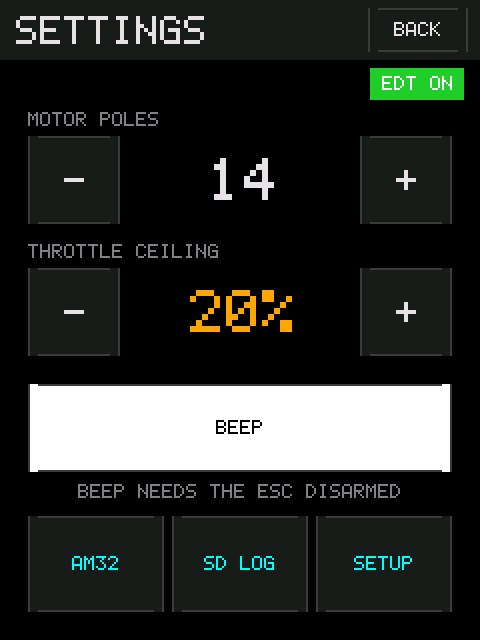
A press of BEEP is acknowledged on screen, because the command itself is over
in about six milliseconds against a 40 Hz repaint and the button would otherwise
look dead. White means it went out; amber means it was refused, and the caption
turns into the reason.
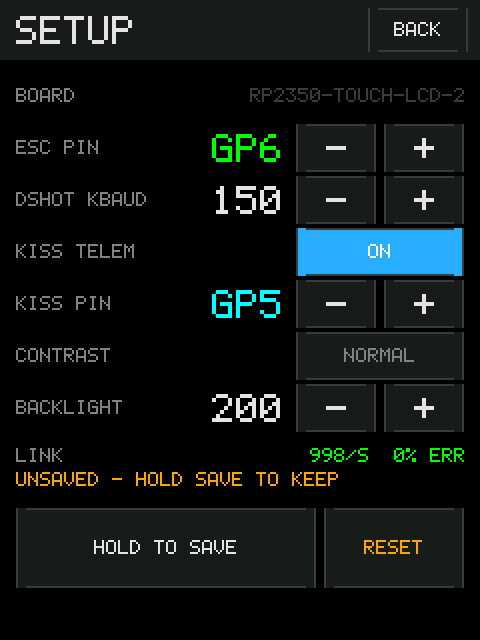
Wiring and display, plus the one button that writes any of it to flash.
| Row | What it does |
|---|---|
| BOARD | Read-only. What the hardware answered at boot. Not a choice — see below |
| ESC PIN | Which GPIO the signal wire is on. Only pins that are actually free on your board are offered |
| DSHOT KBAUD | 150 / 300 / 600 / 1200. Drop it if telemetry is unreliable |
| KISS TELEM | Whether to expect the optional third telemetry wire |
| KISS PIN | Which GPIO that wire is on. Steps past the ESC pin, so the two can never collide |
| CONTRAST |
NORMAL or HIGH. High contrast is for daylight |
| BACKLIGHT | 0–255 |
LINK underneath is live: packets per second and error rate, straight from the ESC. It is there so that changing the ESC pin is verifiable without walking back to the tester screen — green means frames are coming back, which means the pin is right.
Changes apply immediately; only keeping them needs the hold. Turn the
bitrate down and the frame pump rebuilds this frame. HOLD TO SAVE for one
second writes to flash. RESET restores the compiled defaults into the live
settings only — walk away without saving and nothing was lost.
The board is detected, not chosen. It was briefly a picker, and that was a mistake: choosing wrongly and saving built the next boot's display and pin map for hardware that was not there, and the screen you would have used to undo it was the screen that no longer came up.
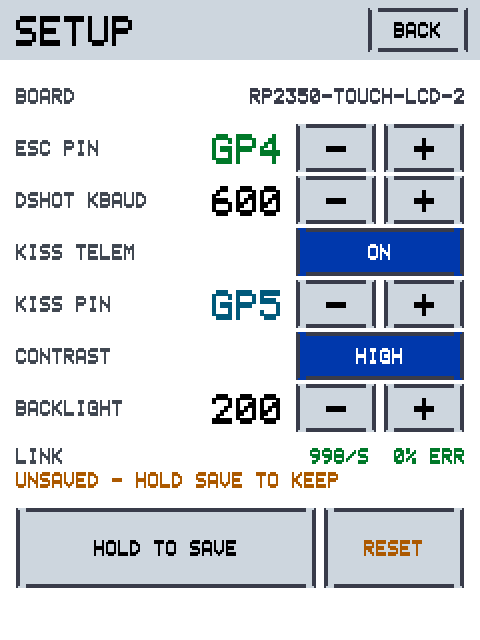
High contrast, for working outdoors. It applies to every screen, not just this one, and overrides the backlight to full while it is on.
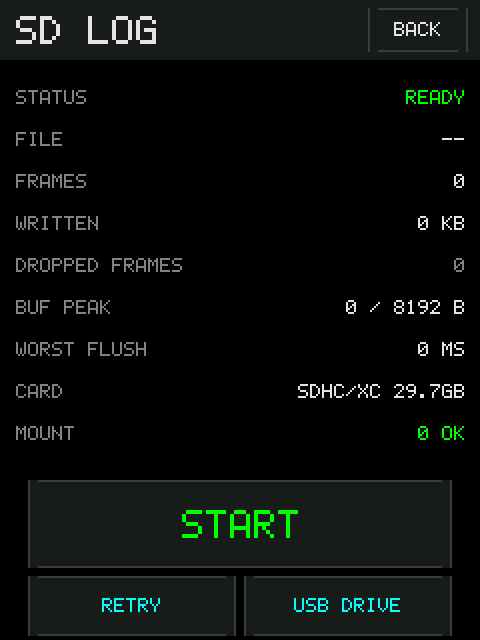
Recording state and counters. See SD Logging.
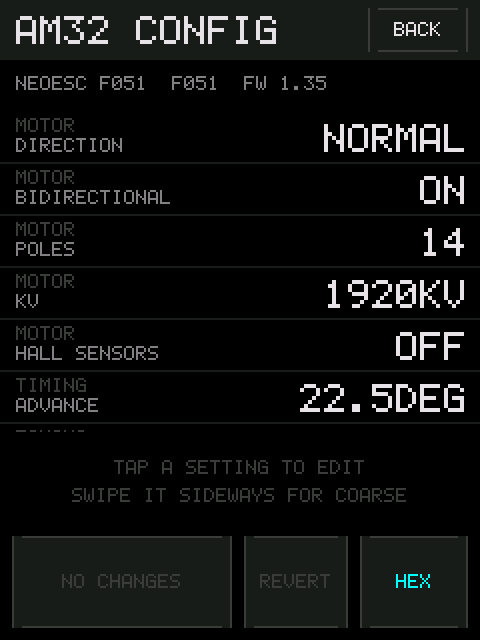
Reads, edits and writes the settings of an AM32 ESC over the same signal wire. See AM32 Configuration.
-
A tap fires when you lift your finger, not when you touch. Slide off a
button you did not mean to press and nothing happens. The one deliberate
exception is
DISARM, which acts on touch, because the control whose job is "stop the motor now" cannot wait for a release. - A button under your finger looks like it. If a control does not react, it did not register the touch.
-
-/+repeat while held, and accelerate. Three speeds: stepping, moving, spinning. - Anything destructive is a one-second hold, with a progress bar: writing settings to the board's flash, and writing settings to an ESC.