Repository navigation
dc1, dc2
The following configuration is for two domain controllers, named dc1 and dc2. dc1 is the primary domain controller for the domain bestteam.local while dc2 is a secondary domain controller. ADDS data is replicated between the two machines meaning that if one domain controller is shut down, the other will provide AD services for the domain.
Both domain controllers were initially configured with the basicSetup.ps1 script, then ADDS was installed and configured via the redundantAD.ps1 script. A physical USB was also used to run these scripts.
dc1 is the primary domain controller for the bestteam.local domain
| User | PW | Local or Domain |
|---|---|---|
| Administrator | Bestteam23 | Local |
| bestteam\Administrator | Bestteam23 | Domain |
Both of the above accounts were created automatically: the local administrator created upon first login, and the domain administrator upon installing AD.
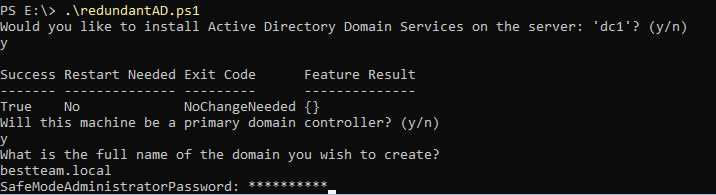
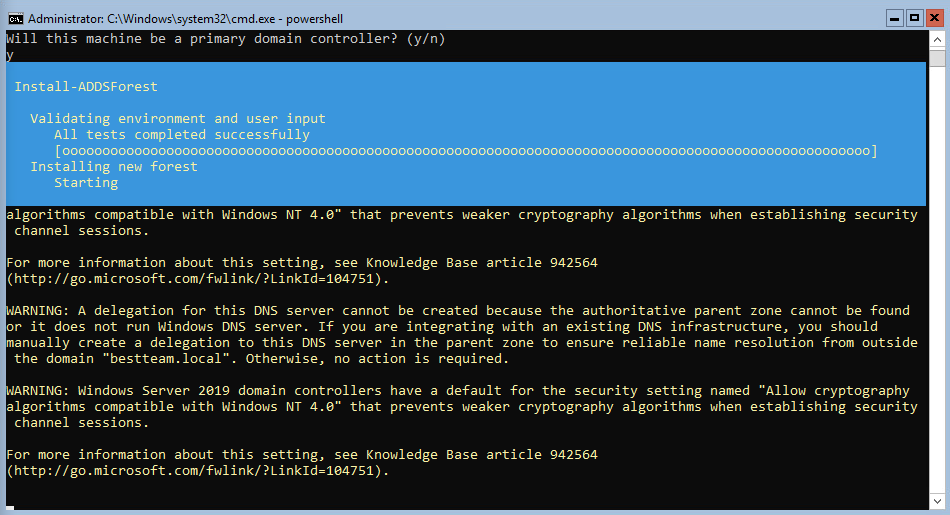
After configuring the network information with the aforementioned script, the second PowerShell script installed ADDS and created the domain
Because the script can be run on servers intending to be both primary and secondary domain controllers, it asks for clarification regarding the type of DC it will be. ADDS is installed, then the user is prompted for the domain name they want to create. This process includes a prompt for a SafeModeAdministratorPassword which is used to log-in to safe mode, and then a reboot. Afterwards, the user is prompted to log in as the new domain administrator.
dc2 is the secondary domain controller for the bestteam.local domain
| User | PW | Local or Domain |
|---|---|---|
| Administrator | Bestteam23 | Local |
| bestteam\Administrator | Bestteam23 | Domain |
When running the PowerShell script to install ADDS and join the existing domain, simply answer n when asked if the server will be primary domain controller and y when asked if it will be a secondary one.
The only big difference between the commands for a secondary DC compared to those used to set up a primary DC is the fact that the DNS server of the secondary DC needs to be the primary DC. The script includes this functionality then adds a secondary DNS server of itself.
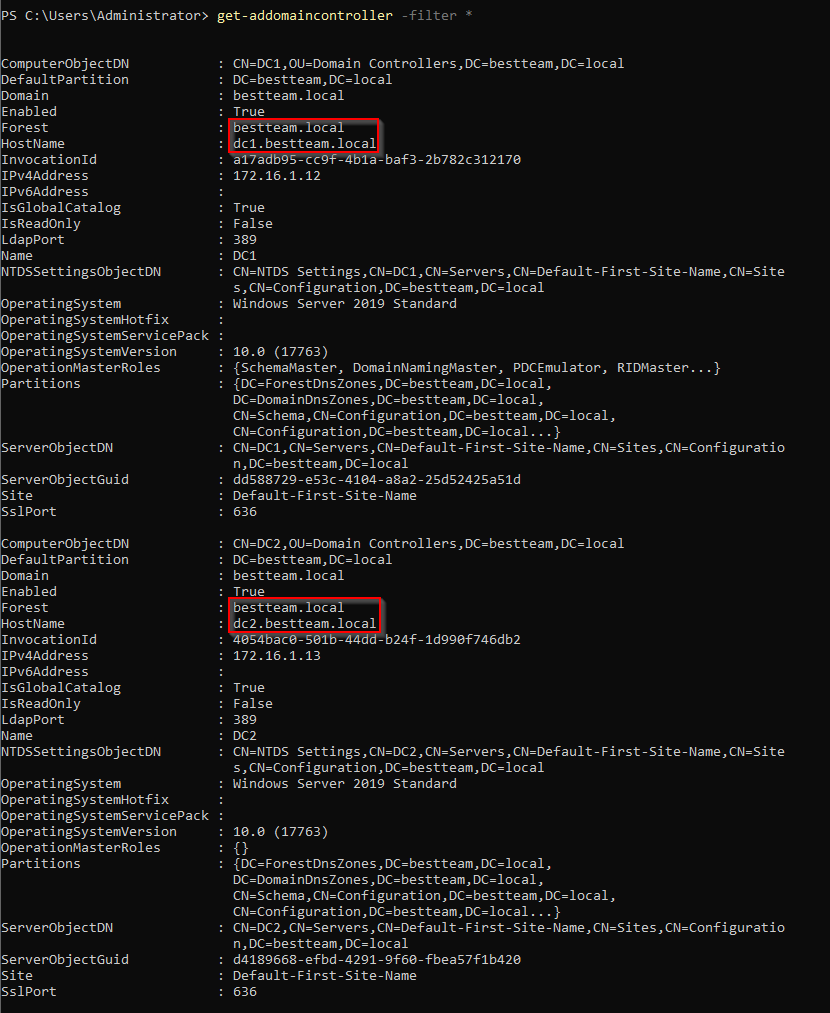
dc1 and dc2 are now both domain controllers for the bestteam.local domain, with Active Directory data being replicated between the two. The amount of domain controllers on a given domain can be checked with the following command:
Get-ADDomainController -Filter *
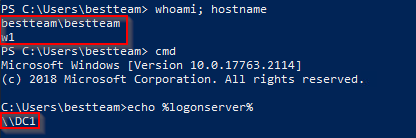
Upon shutting down dc1, the primary domain controller, I was still able to log-in to both existing domain users on w1 and verify that dc2 was the domain controller I was using:
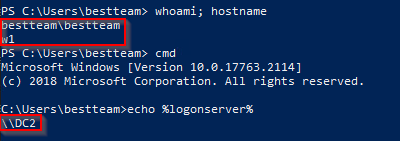
Below is a similar screenshot logged in as bestteam\bestteam when dc2 has been shut down: