Repository navigation
docker
Add docker config file to GH
The following configuration is for an Ubuntu 20.04 Docker server with an Nginx web server running within a Docker container. The machine is consequently named docker.
The network was configured as follows with netplan.
sudo nano /etc/netplan/00-installer-config.yaml
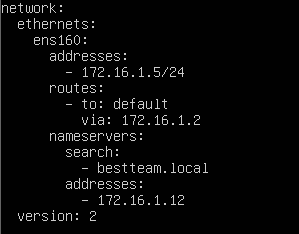
sudo netplan apply
The below steps detail a connection to the official Docker repository by adding a new package source, adding the Docker GPG key for a valid download, and a package installation.
sudo apt update
sudo apt install apt-transport-https ca-certificates curl software-properties-common
curl -fsSL https://download.docker.com/linux/ubuntu/gpg | sudo apt-key add -
sudo add-apt-repository "deb [arch=amd64] https://download.docker.com/linux/ubuntu focal stable"
sudo apt install docker-ce
An official Docker NGINX image exists and can be pulled from the remote Docker Hub. To start an NGINX server on port 8080 with the image, run:
docker run -it --rm -d -p 8080:80 --name web nginx
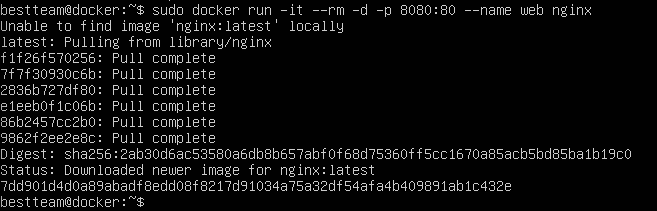
Now the NGINX test page should appear in the browser on port 8080. Here is the linked index.html config file.
We will be creating a bind mount to mount a local directory containing the desired HTML files to the NGINX container. We first need to stop Docker container with:
docker stop web
Because NGINX refers to the /usr/share/nginx/html directory for files to be hosted, we need to mount existing local directories to this directory. In my home directory, we created another directory called site-content and added a custom index.html file within it.
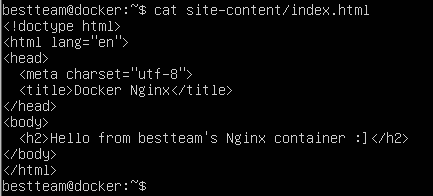
Mount the site-content directory with:
$ docker run -it --rm -d -p 8080:80 --name web -v ~/site-content:/usr/share/nginx/html nginx
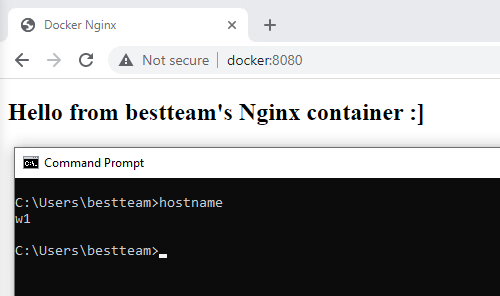
Now the custom index.html should appear on port 8080 from w1's browser.