meetup.20260907
A 3h57m TiXL developer meet-up: a first look at the 4.3 CPU geometry nodes (Voronoi fracture, bevel, deferred C# scalar fields, mesh chunks), the rebuilt output-management board with reference-image straightening and manual projector calibration, an Evoke attractor demo, a long tour of the Supercluster demo project with timeline clips, auto-pin, letterboxing and a live sprite-text bug hunt, community laser and AI nodes, and how to pull pitch and velocity out of a loaded MIDI clip.
🆕 new feature · 🛠️ improvement · 📘 operator · 📝 walkthrough · 🧠 deep dive · 🍿 showcase · 🎯 planned · 💬 discussion ·
Chapters
- 0:00 💬 Intro and OBS frame-rate woes
- 4:26 🆕 First look at the 4.3 geometry-node system
- 7:36 🧠 Why triangle meshes can't be bevelled (CubeMesh)
- 9:29 📝 Voronoi fracture from scattered seed points
- 12:06 📝 Extruded meet-up text and its fragments
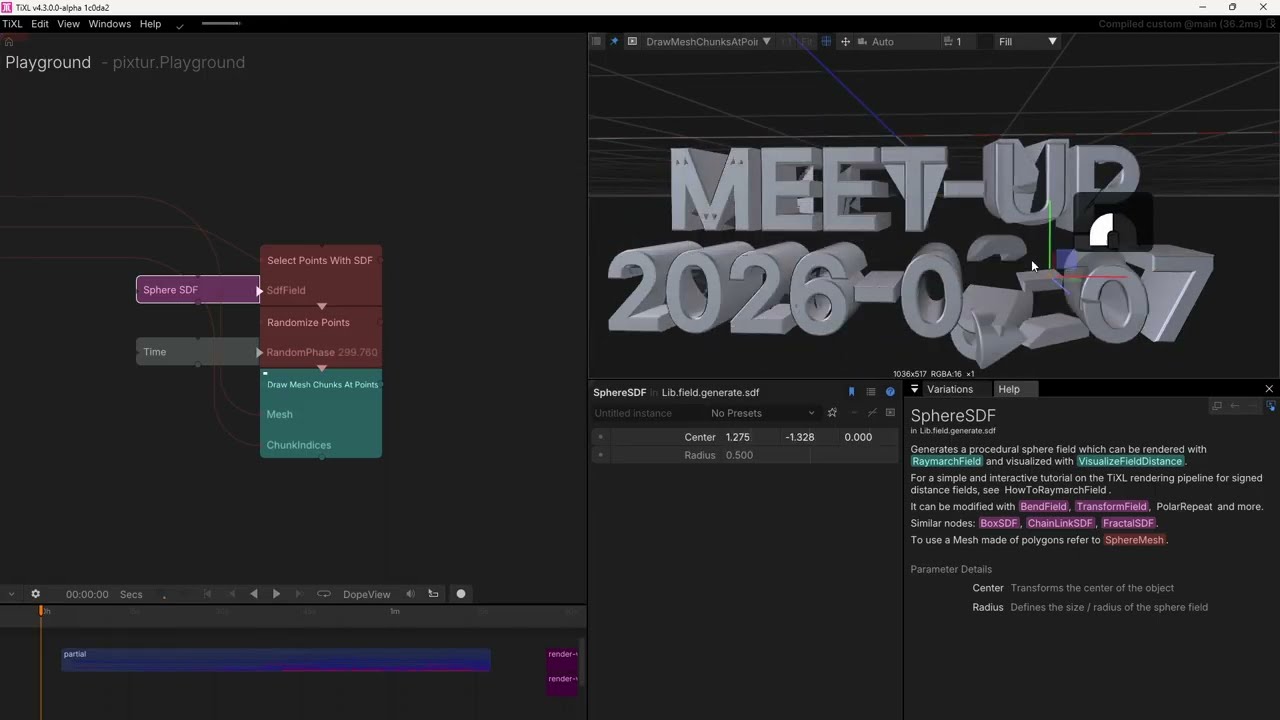
- 16:01 📘 Fragments as GPU chunks (DrawMeshChunksAtPoints)
- 16:59 📝 Scattering chunks and a localized SDF explosion
-
19:52
⚠️ Vertex order when converting text curves to meshes - 23:04 🆕 Per-part attributes and custom C# scalar fields
- 28:42 🧠 Deferred CPU functions and the operators they unlock
- 34:47 📝 RadialPoints as seeds; fracturing a loaded OBJ
- 40:50 💬 Which geometry operators to build first
- 44:52 🆕 Output management rebuilt from scratch
- 46:17 🆕 Outputs, slices and binding to physical displays
- 48:47 🆕 Straightening a venue photo into a to-scale wall
- 53:09 📝 Surfaces, regions and projector anchor points
- 1:01:14 💬 Camera auto-calibration with structured light
- 1:10:43 🛠️ Pixel-accurate surface layouts, snapping, Resolume XML
- 1:15:25 🎯 Multiple setups, machine bindings, Spout and NDI
- 1:17:13 🧠 Bound outputs keep evaluating; slicing one wide output
- 1:20:57 💬 A 16-output analog splitter box for CRT walls
- 1:26:04 🍿 An Evoke demo from chaotic attractors and feedback
- 1:31:41 💬 Camera keyframing pains: Damp, PerlinNoise, BlendCameras
- 1:33:35 📘 MoveToSDF before and after the simulation
-
1:35:25
⚠️ An animator that seemed frozen — how to report it - 1:44:12 🍿 Supercluster: opening a huge demo project in 4.3
-
1:48:13
⚠️ Custom-shader compile times and the shader-cache fix - 1:55:57 🆕 Soundtracks become audio clips with a waveform
- 1:58:34 📝 Touring the demo's left-to-right structure
- 2:03:38 🛠️ Shift+K auto-pin and curves below the dope sheet
- 2:07:00 📘 SliceViewPort as a cheap letterbox
- 2:11:18 📝 Camera shake on the camera; Paste Values pitfalls
- 2:18:05 📝 Wiring the 4.3 glTF skinning chain (LoadGltfScene)
- 2:25:04 🍿 The Supercluster logo as a modeled 3D SDF scene
- 2:27:17 📝 Wrapping an animation into a TimeClip and retiming it
-
2:33:06
⚠️ TextSprites drops the last character — a live bug hunt - 2:40:36 🛠️ Symbol aliases, Shift+L slow play, bar-snapped loops
- 2:45:16 📘 CustomPixelShader with an environment-map input
- 2:47:08 🍿 Inside the Cube-inspired raymarched rooms
- 2:50:23 🛠️ Hold T to scrub; blend chains and retained buffers
- 2:54:03 🆕 Exporting the player: title, author and fast startup
- 2:59:26 🍿 SDF modeling in Blender with a modified Chisel plugin
- 3:03:19 🍿 Laser output: treating the laser as a camera
- 3:13:28 🍿 AI nodes: StreamDiffusion, depth and mesh-to-SDF
- 3:18:06 🆕 Locking nodes for unattended installations
- 3:22:25 🛠️ Restoring a project from automatic backups
- 3:24:19 🍿 An AI agent driving TiXL over the debug port
- 3:30:05 🧠 MidiClip: one channel per note, and remapping a range
- 3:38:16 📝 Simulating MIDI clip data into MidiInput
- 3:47:03 💬 Clip data as a float list; Max MSP dictionaries