Repository navigation
Plugins Clock
A sidebar clock with live weather. Shows the current time, date, temperature, and weather condition for your location.
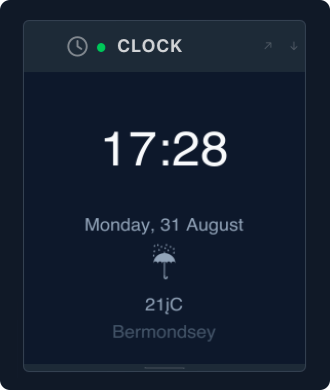
mado plugin install clockRestart Mado to activate the panel.
Config lives at ~/.config/mado/plugins/clock.toml:
time_format      = "24h"         # "12h" or "24h"
date_format      = "%A, %-d %B"  # strftime format
location         = ""            # city name e.g. "London" — empty = auto-detect from IP
temperature_unit = ""            # "C", "F", or "" (auto-detect from system locale)
All fields are optional — the plugin works out of the box with no config file.
Weather isn't showing. The plugin fetches weather from wttr.in on startup. If your network blocks it or the request times out, the weather area will be blank. It retries on the next Mado launch.
The wrong city is showing.
Set location explicitly in clock.toml:
location = "Tokyo"I want 12-hour time.
time_format = "12h"How do I change the date format? Use any strftime format string:
date_format = "%d/%m/%Y"