The almanac
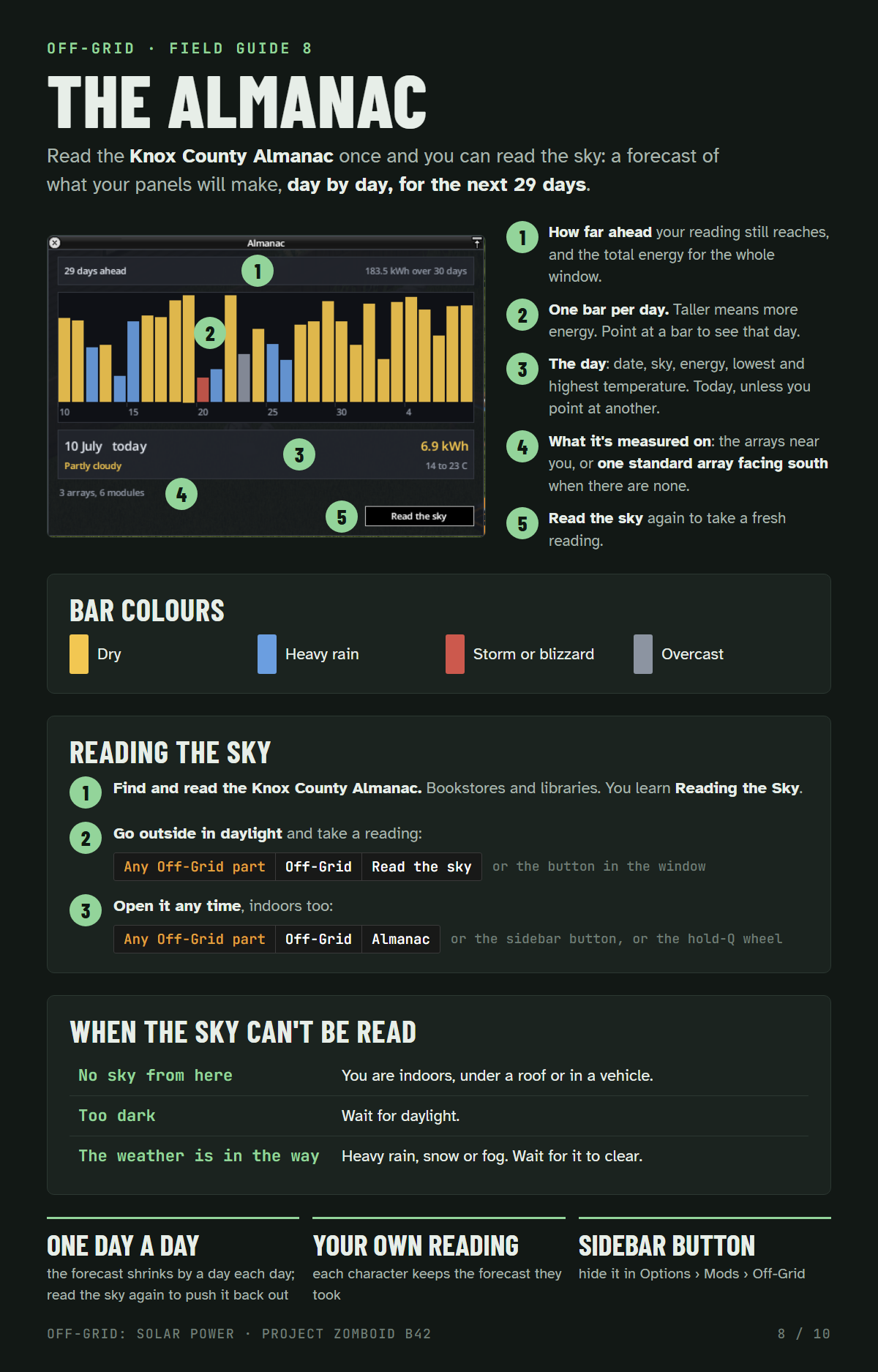
Read the Knox County Almanac once and you can read the sky: a forecast of what your panels will make, day by day, for the next 29 days.
- How far ahead your reading still reaches, and the total energy for the whole window.
- One bar per day. Taller means more energy. Point at a bar to see that day.
- The day: date, sky, energy, lowest and highest temperature. Today, unless you point at another.
- What it's measured on: the arrays near you, or one standard array facing south when there are none.
- Read the sky again to take a fresh reading.
Bar colours: yellow dry, blue heavy rain, red storm or blizzard, grey overcast.
- Find and read the Knox County Almanac (bookstores and libraries). You learn Reading the Sky.
- Go outside in daylight and take a reading: right-click any Off-Grid part, Off-Grid › Read the sky, or press the button in the window.
- Open it any time, indoors too: right-click any Off-Grid part, Off-Grid › Almanac, or use the sidebar button or the hold-Q wheel.
| Message | Why |
|---|---|
| No sky from here | You are indoors, under a roof or in a vehicle. |
| Too dark | Wait for daylight. |
| The weather is in the way | Heavy rain, snow or fog. Wait for it to clear. |
- The forecast shrinks by a day each day. Read the sky again to push it back out.
- Each character keeps the forecast they took.
- The sidebar button can be hidden in Options › Mods › Off-Grid.