Repository navigation
Getting Started
This page takes you from a fresh install to your first working phrase in a few minutes.
xpando has two parts:
- The app: the window where you manage your phrases.
- The engine: a background program that watches what you type. When you type a trigger, it types your phrase instead.
When you open xpando, it starts the engine for you. You can close the window and your phrases keep working, because the engine keeps running in the background.
- Open xpando from the Start menu (or your Applications folder, or your app launcher).
- If you used espanso before, xpando may show Bring your espanso phrases to xpando? Choose Import to copy them over. Nothing in espanso's own folder is changed. See Migrating from espanso.
- You land in the phrase manager. See The Phrase Manager for a tour of the window.
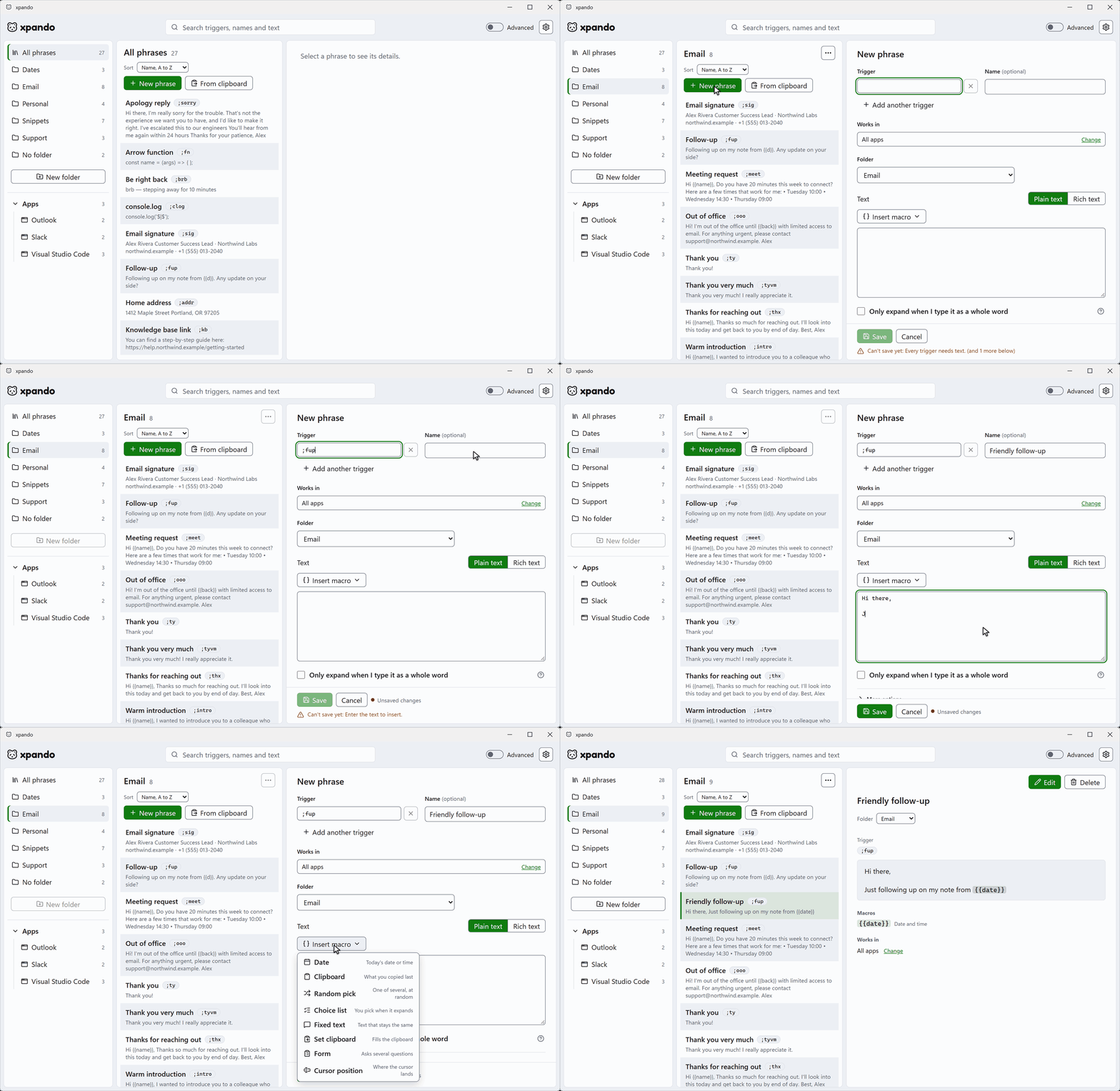
- Click New phrase (in the middle pane).
- Under Trigger, type the short text you will type to get the phrase. For example
;sig. Start triggers with a symbol such as;or:so they do not appear in normal words by accident. - Optional: give it a Name, for example "Email signature". The name is what the list shows.
- Under Text, type what you want xpando to put in. Several lines are fine.
- Optional: click Insert macro to add today's date or other changing pieces. See Macros.
- Click Save (or press Ctrl+S).
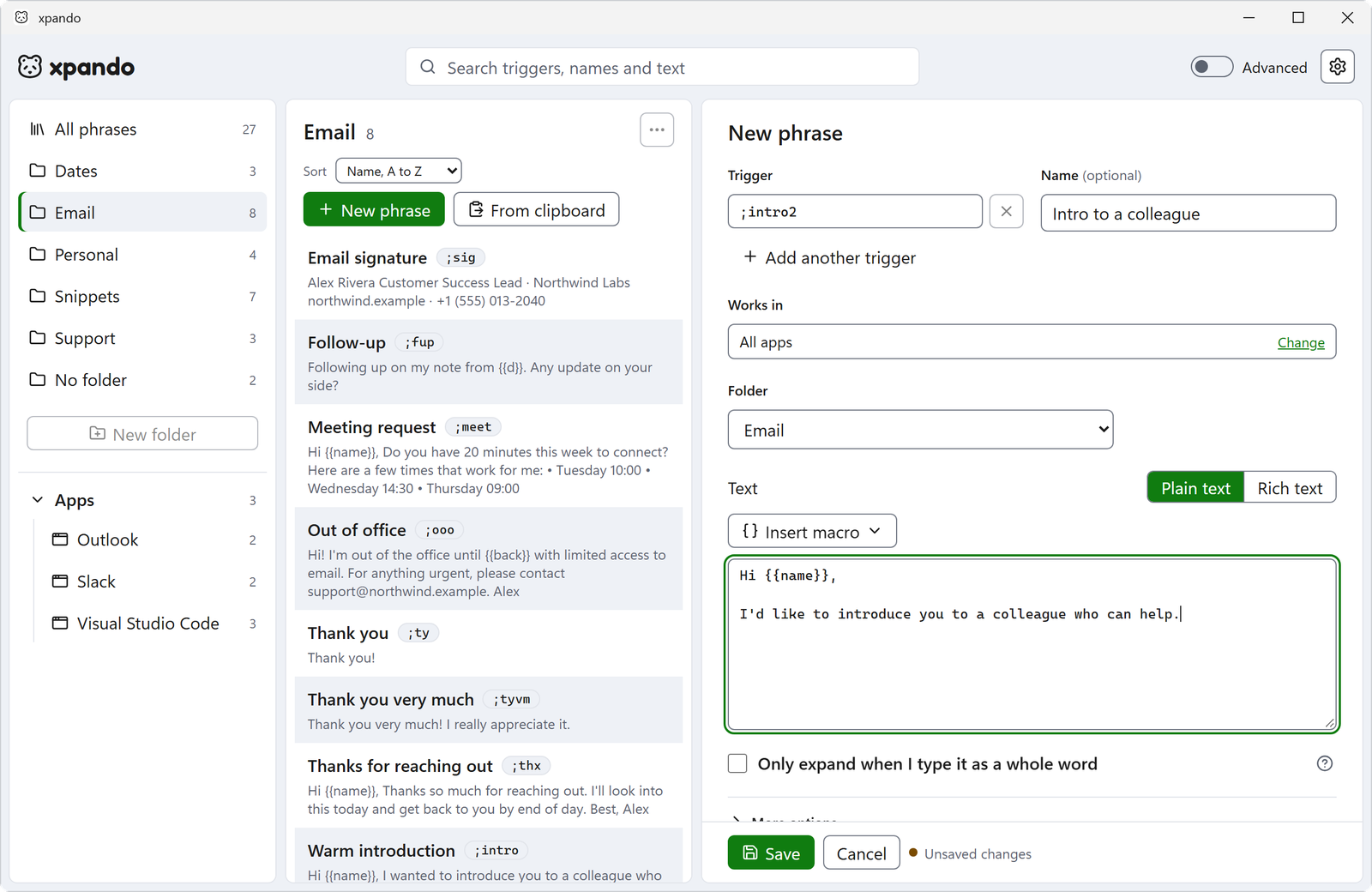
If Save is greyed out, a message next to it says what to fix, for example "Can't save yet: Every trigger needs text."
- Click in any program: a text editor, an email, a web page.
- Type your trigger, for example
;sig. - The trigger is replaced by your text.
If nothing happens, see Troubleshooting. The most common causes are an unsaved phrase, a typo in the trigger, or a phrase that is set to work only in another program.
- Change how and when a phrase expands: Writing Phrases.
- Make a phrase look good: Rich Text.
- Add the date, the clipboard and more: Macros.
- Keep things tidy: Folders and Apps.
- Find phrases quickly: Search.
- Put your phrases in OneDrive, Google Drive or Dropbox: Settings and Data Folder.
Related pages: Installation | The Phrase Manager | Writing Phrases | Troubleshooting