Repository navigation
Concepts
Each idea here is what it is, then what it is for. The other pages show you how.
A character you wear in place of the citizen. It can come from the game, from sbox.game or from a game you have mounted. Any rigged humanoid works: the addon poses it from Sandbox's own animation every frame, so it walks, crouches, swims, holds weapons and ragdolls like the citizen. See Models.
Everything you changed on a model: skin, colors, finishes, body shape, body groups, morphs, items, effects and weapon designs. A look is what other players receive, so they see what you see. See Customize.
A cosmetic worn on your model: a hat, glasses, hair, clothes. Up to 8 at a time. It is used to dress any model with things it didn't come with. See Items.
Which bone of a model is its head, hand, foot and so on. The addon finds these by itself. When it can't find one, you give that body part a bone by hand. See Armature.
Something you wear that isn't a model: glowing eyes, fire in your hands, a halo. You can wear up to 8 at once. Everyone sees them. See Effects.
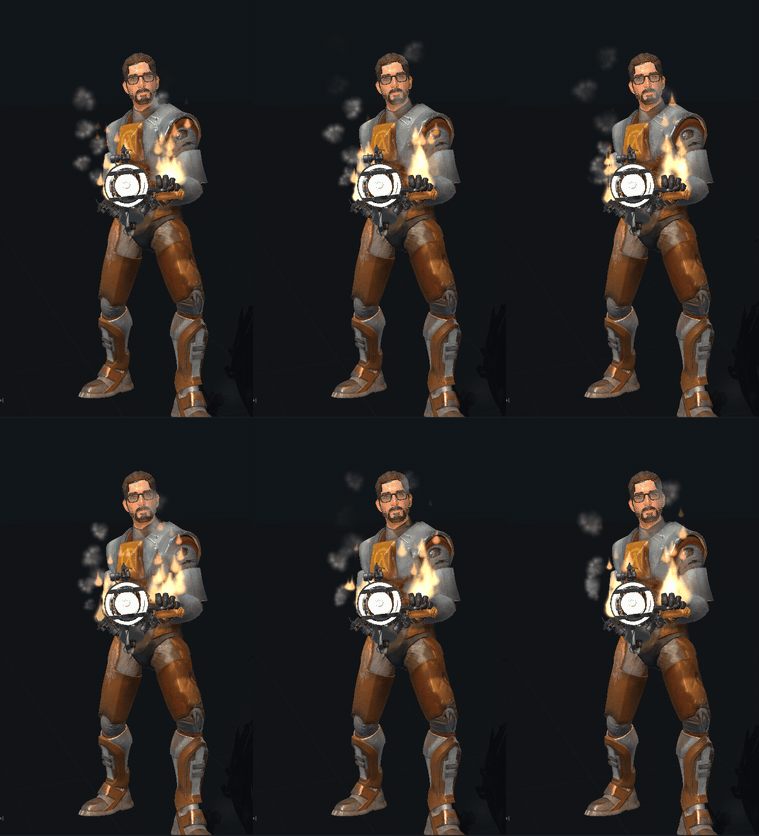
An effect is made of layers, and each layer is one thing:
- Sprites: little pictures that appear, move and fade, like flames or sparks.
- A light that shines on what is around it.
- A trail left behind as it moves.
Fire hands is flames, smoke and a light in each hand. Layers are how you build your own effect or change one part of an existing one.
Scripts add two more kinds, beams and ghosts. See Scripting.
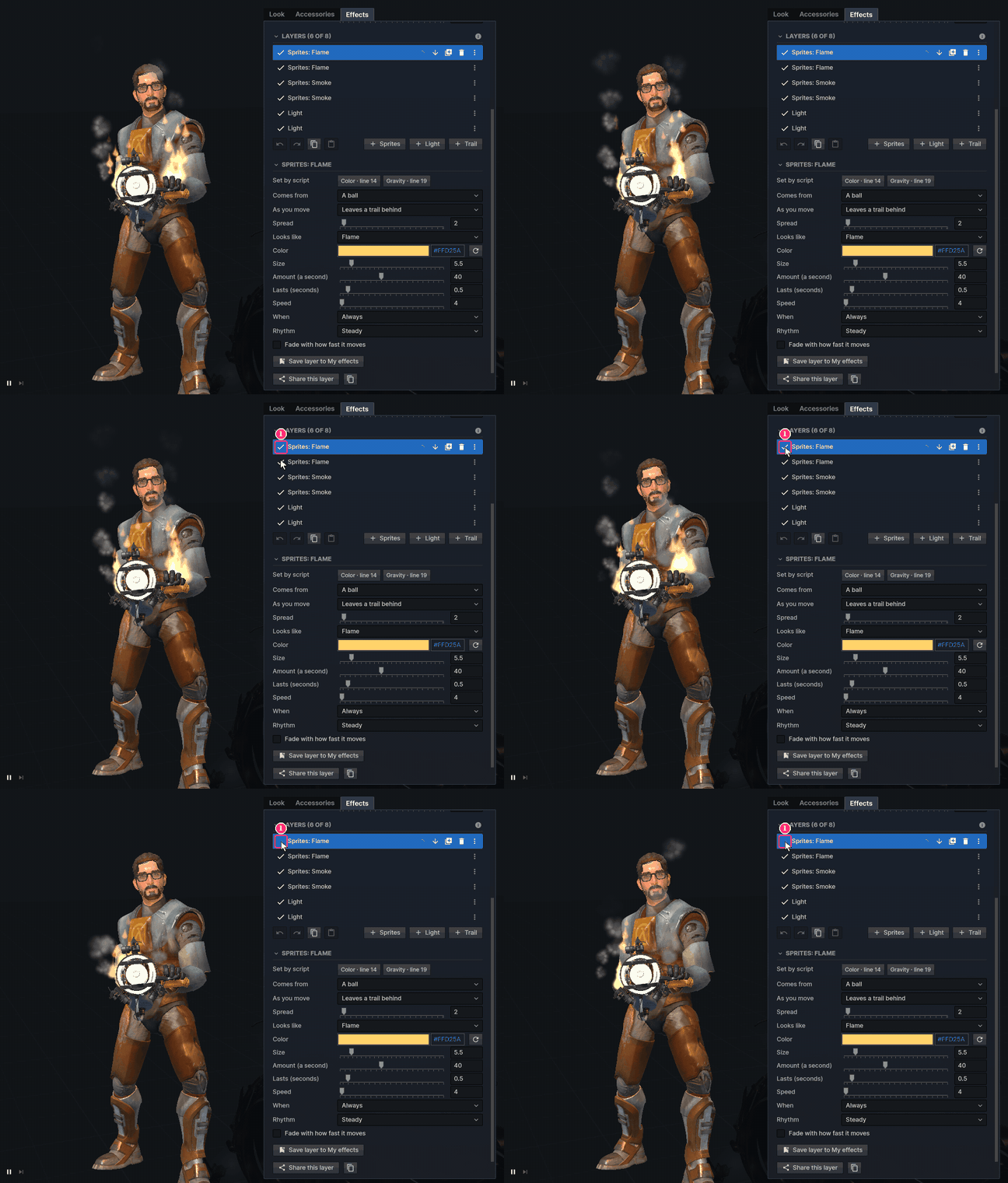
Where on you an effect sits. It can be a joint (head, eyes, chest, hands, feet, the ground under you and more), an item you wear, or the tip of the weapon you hold. If that thing isn't there, like a hat you took off or no weapon in hand, the effect shows on the joint it was on.

A layer's Comes from is the shape its sprites appear in: a point, a ball, a ring, a box, a cone, a line or any shape. Looks like is the picture each sprite is: a glow, a flame, a heart or any shape. A ring of hearts and a heart made of sparkles use the same two settings.

How a layer changes over time: steady, pulsing, flickering, going through every color, turning round its place, or jiggling. It is used to make an effect feel alive without any code.

When a layer shows. It can always show, show while something is true (moving, in the air, crouching, holding a weapon), or show for a moment when something happens (a jump, a landing, a shot, a reload). This is what makes an effect react to you.

A key makes an effect show only when you press it, for everyone. You choose what it does: show for 10 seconds, switch on and off, or show while held.
Starting an effect with a key works once every 2 minutes for each player, whichever effect it is for. This is fixed in the addon so nobody can flood a server. Nothing changes it: not the host, not a setting and not a script. Switching an effect off, or letting go of a held key, is always free.
One plain outline. It can be one of 40 standard shapes, or one you made: drawn with the mouse, written as text, put together from others, cut with the eraser. Sprites can come from a shape, or each sprite can look like it, in the layer's color. See Shapes and stickers.
A picture made of layers, like an emblem in a shooter. Each layer is a shape, text or a drawing with its own place, color, outline and opacity. A sticker keeps its colors, and it can be pressed onto a weapon or be what sprites look like. It is printed on a finish: paper, holo, foil, glitter, gold or lenticular.
A shape takes the color it is given. A sticker brings its own.

A way of coloring a layer's sprites one by one, the way World at War's clan tags did. Rain scrolls the colors along, Cycle wipes one color across them and Scanner sweeps a highlight back and forth. Mixed gives each sprite one of the colors for its life, like confetti. Use the game's colors or your own.

How one weapon looks on you: a finish and tint, a skin painted over it, stickers, props, hidden parts and effects like a tracer when you shoot. It is kept with your look for that weapon, so it shows on that weapon in any game, for everyone, and on your weapon in first person. See Weapons.

Every effect is also a short script. Edit as code opens it, and changing the code or the sliders changes the other. Code adds what sliders can't: values that follow what you do, something on every jump or key, each sprite moving on its own, and options of your own. Scripts run on every player's machine within limits no script can get past, and the host can switch them off. See Scripting.
An option a script offers. It shows under the effect's sliders as a slider, check mark, color, palette, key or list, so anyone can change the effect without reading the code. See Scripting.
The Workshop lists what players shared. Use gives you a copy to wear or keep. Fork opens a copy in an editor, to change and share as your own. Both remember the original: "Based on" its name and author shows with it. See Workshop.
Unfinished work kept on your machine to come back to. A draft shows with a pencil in the top left corner. It isn't worn, shared or published until you finish it.
How much of their effects each player can show on a server: so many layers, lights and sprites at once. Past that, your last layers wait, marked Over this server's budget, until you remove or switch off some. Nothing is lost. The host sets the budget, and you can lower what you see on your own screen. See Server settings.
