Repository navigation
Settings Reference
This is the control-by-control reference for the Settings page. Changes are saved automatically unless an action opens a confirmation or file picker.
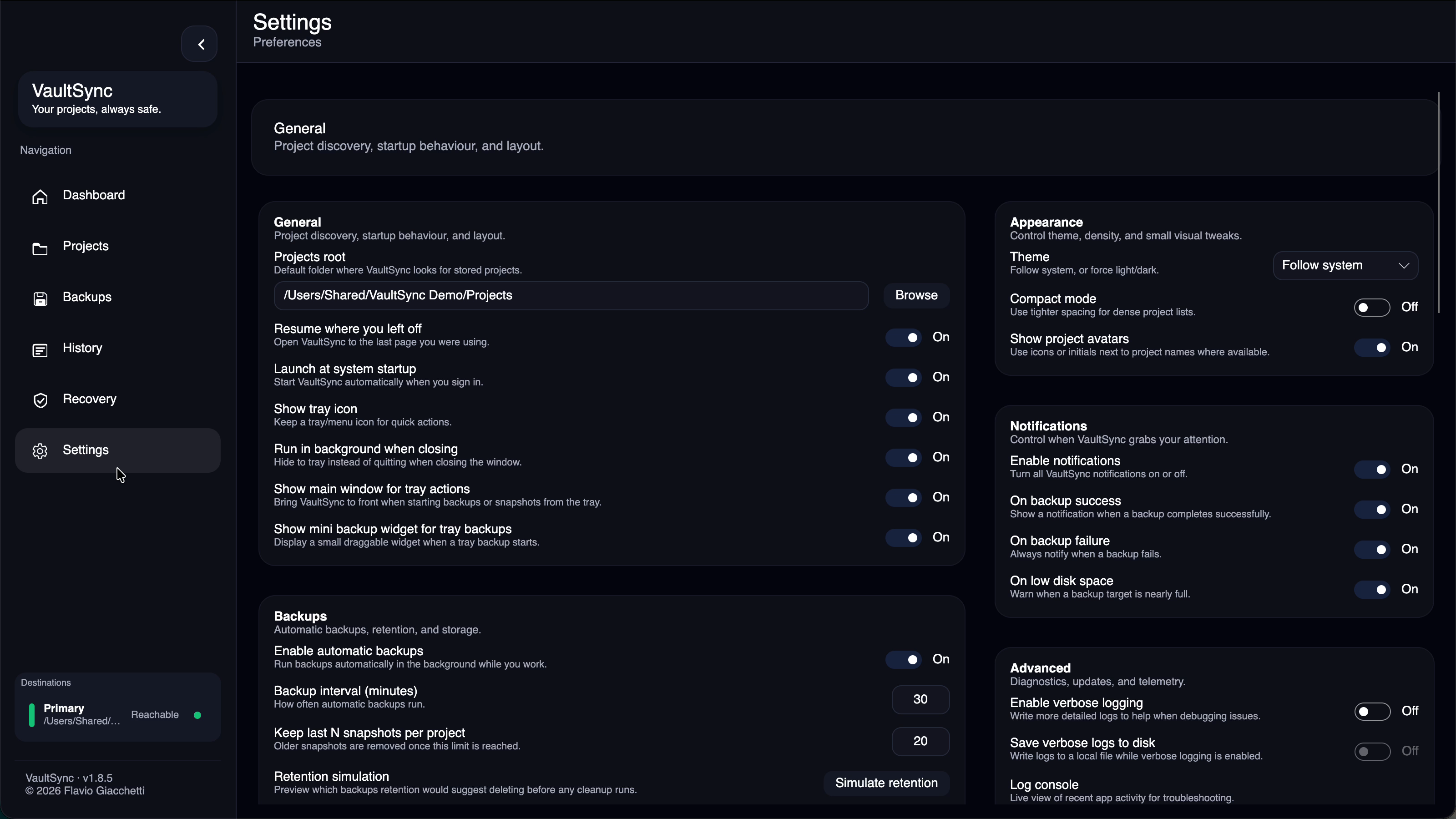
| Control | What it does |
|---|---|
| Projects root | Default parent folder used to discover project candidates. It does not back up every child automatically. |
| Resume where you left off | Opens the page that was active when VaultSync last closed. |
| Launch at system startup | Starts VaultSync when you sign in. |
| Show tray icon | Keeps the tray/menu icon available for quick actions. |
| Run in background when closing | Closing the window hides VaultSync instead of ending it. |
| Show main window for tray actions | Brings the app forward for tray-started snapshots or backups. |
| Show mini backup widget for tray backups | Displays a small draggable progress window for tray-started backups. |
| Control | What it does |
|---|---|
| Enable automatic backups | Allows background scheduled backups. |
| Backup interval | Minutes between automatic-backup checks. |
| Keep last N snapshots per project | Retention cap for ordinary restore points. Protected points and proof floors can prevent deletion. |
| Simulate retention | Previews suggested deletions and reclaimable space without deleting anything. |
| Confirm before deleting backups | Requires confirmation before destination data is removed. |
| Sync backup history across devices | Exports portable, non-secret metadata to .vaultsync/meta/. |
| Auto-import history when found | Merges metadata when a destination becomes reachable. |
| Prompt to restore after import | Offers the latest imported restore point before new local work creates another history branch. |
| Bandwidth limit | Caps network transfer speed. The value is in megabits per second. |
| Quiet hours | Defers automatic backups inside the entered 24-hour HH:mm window. Manual runs remain available. |
| Refresh history now | Immediately scans reachable destinations for metadata to import. |
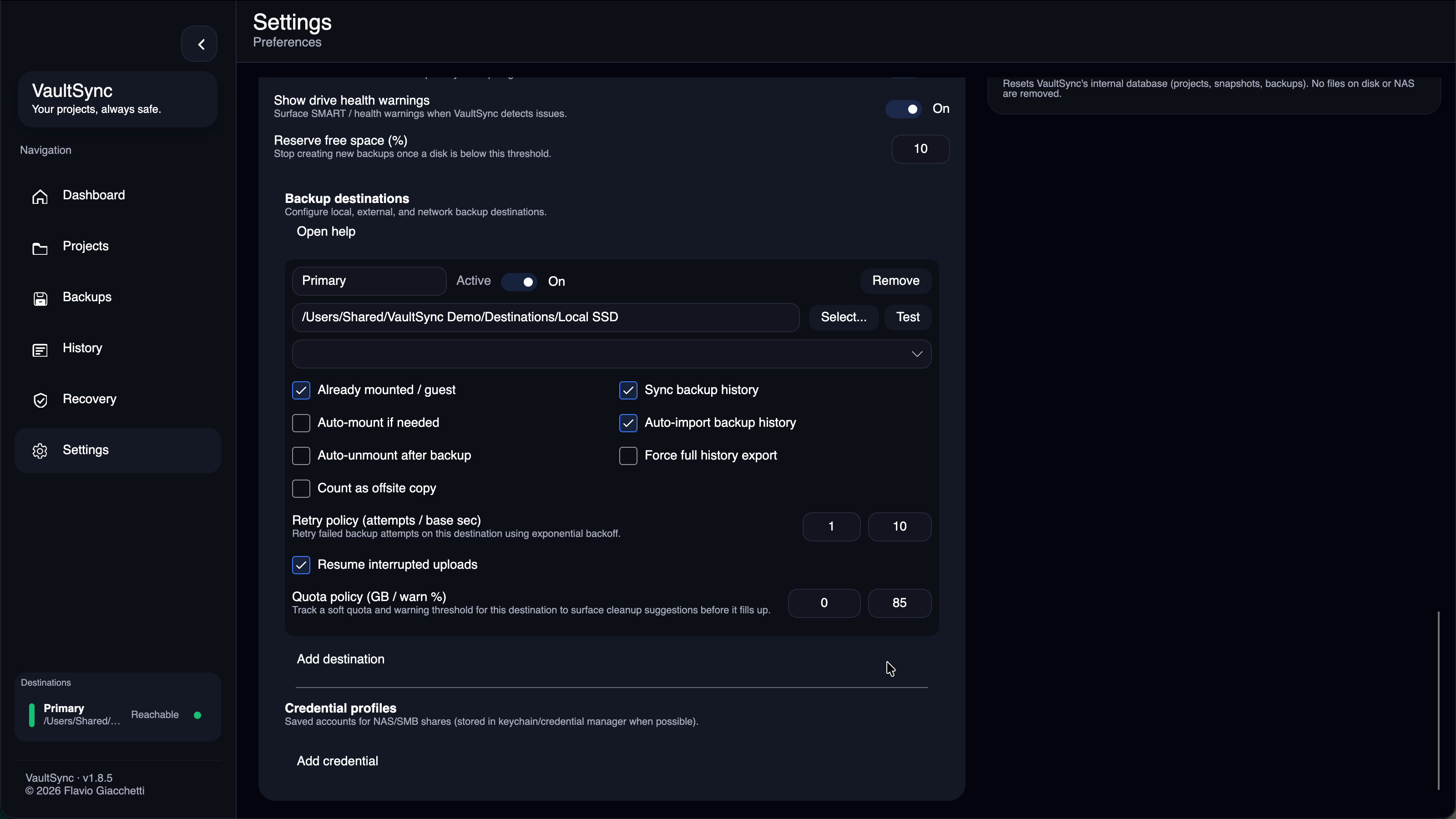
| Control | What it does |
|---|---|
| Fallback backup location | The single destination used in simple mode, or when no advanced destination is configured. Never place it inside the protected project. |
| Advanced destinations | Enables multiple independently configured local, external, or network targets. |
| Encrypt archive backups | Encrypts compressed archives locally before upload. Destinations receive data.vse. |
| Allow session-only password fallback | Keeps a password only in memory if secure OS credential storage is unavailable. It is lost when VaultSync exits. |
| Open-unlock timeout | Minutes a decrypted open workspace may remain available before it is locked. |
| Set/Clear password | Stores or removes the global encryption secret through the OS credential service where possible. |
| Enroll project passwords | Applies the configured secret to projects that require encryption enrollment. |
| Rotate encrypted backups | Re-encrypts eligible archives under the current credential through the guided rotation flow. |
| Lock opened encrypted backups now | Removes temporary decrypted open workspaces immediately. |
VaultSync cannot recover a forgotten encryption password. Read Backup encryption before enabling encryption.
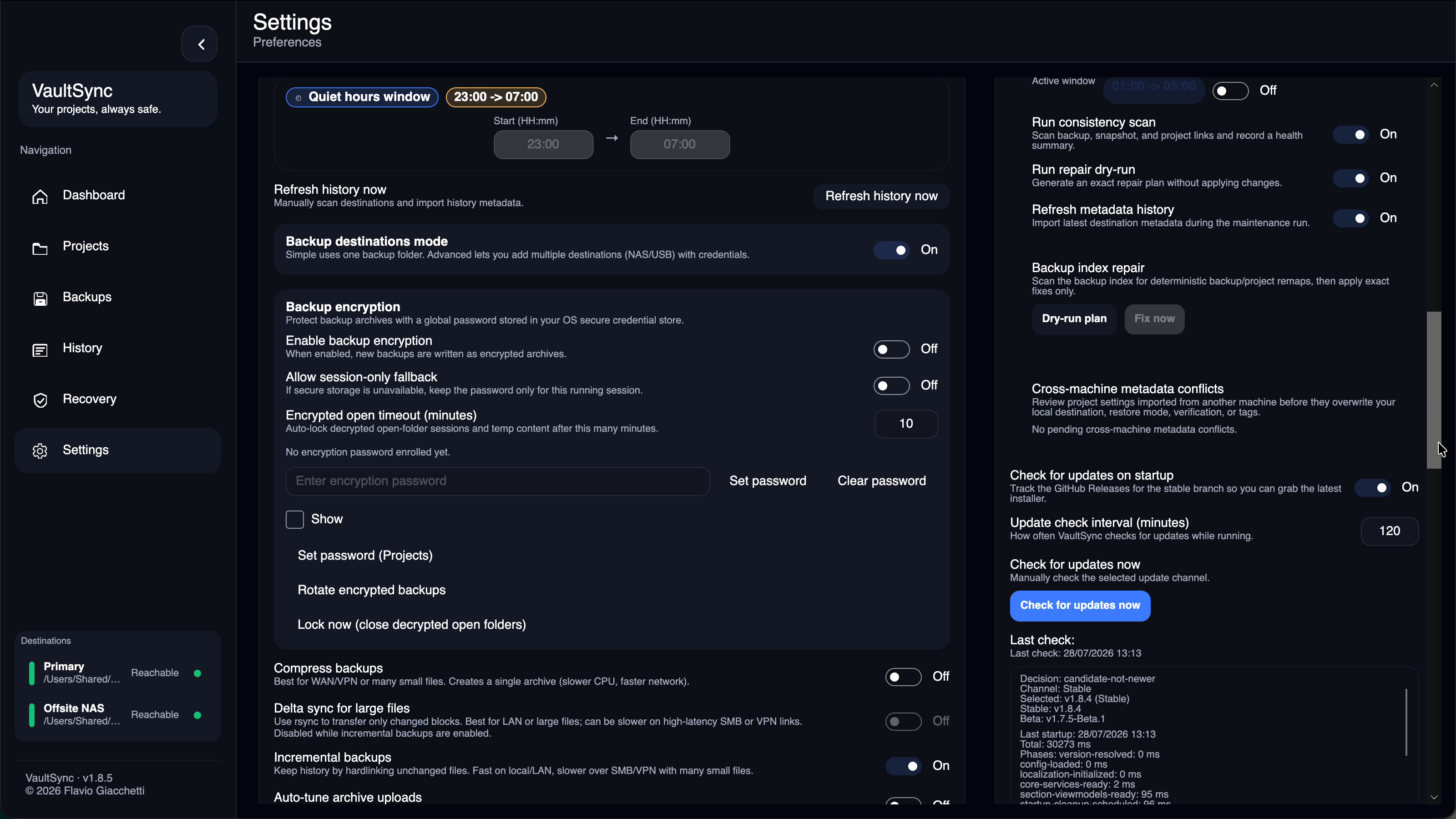
| Toggle | What it does and when to use it |
|---|---|
| Compress backups | Creates a single archive. Useful for WAN/VPN links or many small files; costs CPU and removes folder-level incremental behavior. |
| Delta sync for large files | Uses rsync block deltas. Best for large files on LAN; it is disabled when incremental backups are enabled. |
| Incremental backups | Hardlinks unchanged files to preserve history efficiently on compatible local/LAN storage. |
| Auto-tune archive uploads | Briefly measures the destination and chooses an archive upload buffer. |
| Parallel archive uploads | Uses multiple writers. It may be faster, but some SMB servers are less reliable with it. |
| Verify backups after creation | Runs an integrity check after each backup. Recommended. |
| Full snapshot hashing | Hashes every file. Safest change detection, but slower for large trees. |
| Use scan cache for snapshots | Skips folders known to be unchanged. |
| Aggressive scan cache | Trusts matching folder timestamps and skips deeper checks. Fastest, but less safe. |
| Pause auto-backups on battery | Avoids heavy automatic disk work while unplugged. |
| Control | What it does |
|---|---|
| Prefer external drives | Favors removable/external destinations when selection is otherwise equivalent. |
| Show drive health warnings | Surfaces health and availability warnings for destination drives. |
| Reserve free space | Minimum percentage VaultSync should leave free before starting or continuing a backup. |
| Control | What it does |
|---|---|
| Alias | Friendly name shown throughout the app. Keep aliases unique. |
| Active | Includes or excludes the destination without deleting its configuration. |
| Path / Select | Folder, mounted share, or network target used for backups. |
| Test | Checks reachability and the configured access path. Test after any mount, path, or credential change. |
| Credential | Saved credential profile used when VaultSync must mount or authenticate. |
| Pre-mounted | Tells VaultSync the OS or user already mounted the share. |
| Auto-mount if needed | Attempts to mount an unreachable destination with the selected credential. |
| Auto-unmount after backup | Unmounts only when VaultSync performed the mount. |
| Count as offsite copy | Gives offsite credit in the 3-2-1 advisor. Enable only when the storage is physically elsewhere. |
| Sync backup history | Exports portable metadata to this destination. |
| Auto-import backup history | Imports metadata when this destination is found. |
| Force full history export | Backfills the full project history on the next backup, then clears the request. |
| Retry attempts / backoff | Number of transfer retries and seconds between retries. |
| Checkpoint resume | Saves transfer progress so an eligible interrupted upload can resume. |
| Soft quota / warning percent | Plans against a destination-specific capacity limit and warns before it is exhausted. Zero quota means no explicit soft cap. |
| Control | What it does |
|---|---|
| Name | Unique label selected by a destination. |
| Use keychain/credential manager | Stores the secret through Windows Credential Manager/DPAPI, macOS Keychain, or Linux Secret Service when available. |
| Username | Account name, including DOMAIN\\user where required. |
| Password / Show | Secret used for mount or login. Showing it affects only the editor. |
| Control | What it does |
|---|---|
| Theme | Follow system, Dark, Light, or Custom. |
| Custom theme | Starts from a base theme or preset and edits stable palette slots such as accent, surfaces, text, success, warning, and danger. |
| Compact mode | Reduces spacing in dense views. |
| Show project avatars | Displays icons or initials beside project names. |
Theme presets include VaultSync Midnight, Deep Blue, OLED Black, Ember, Fjord, Forest, Neon Dusk, Orchid, Aurora Glass, Paper & Ink, Porcelain Glass, and Studio Light.
The Enable notifications master toggle controls all notifications. The success, failure, and low-disk toggles select which events are allowed. Turning off the master does not erase those individual choices.
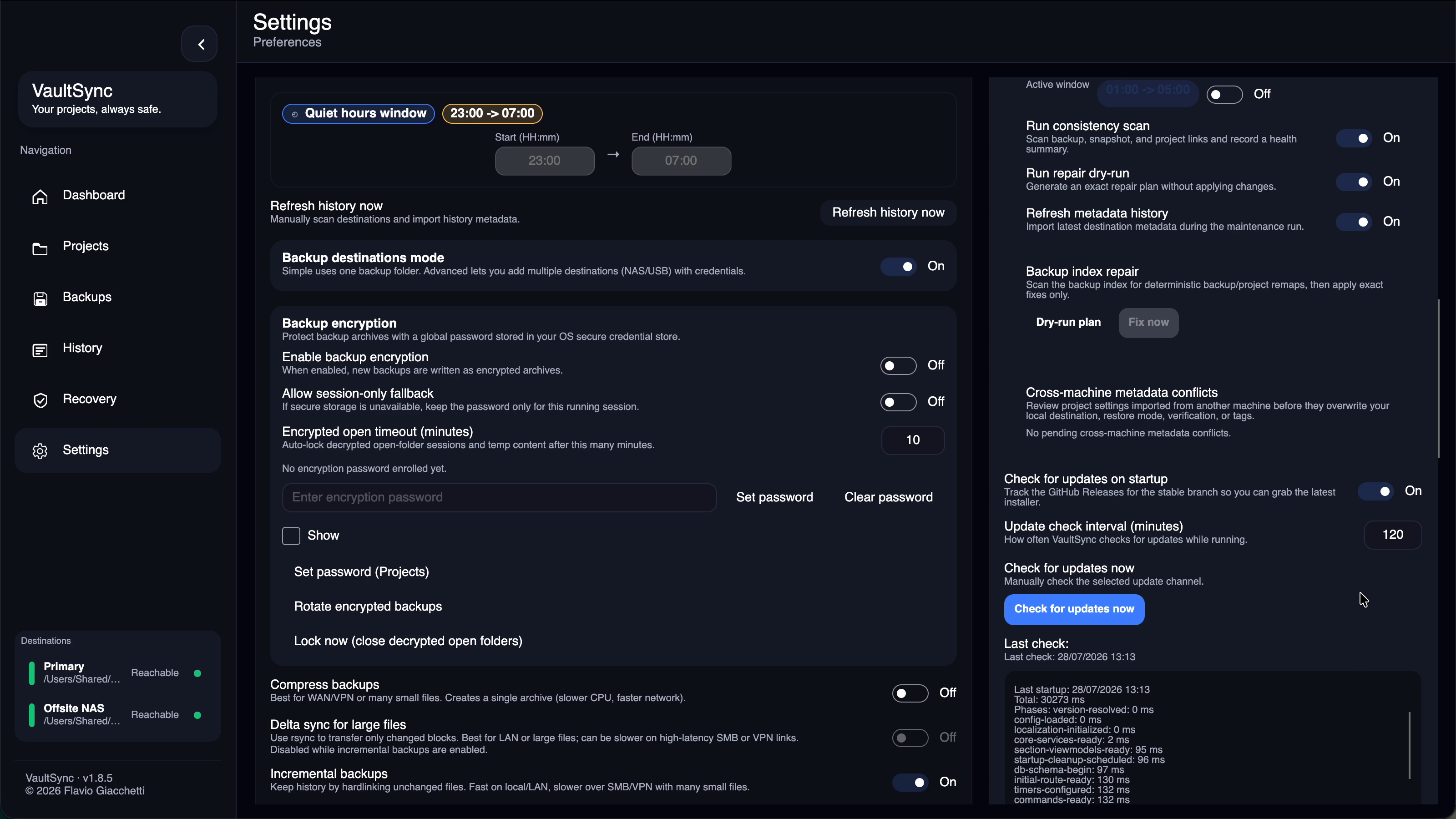
| Control or action | What it does |
|---|---|
| Enable verbose logging | Adds troubleshooting detail to the live log. |
| Save verbose logs to disk | Persists that detail locally while verbose logging is enabled. |
| Open console / Export logs | Views recent activity or exports it for support. |
| Export support bundle | Shows every generated file before export. Required report/manifest files stay included; optional sanitized diagnostics and anonymized telemetry can be removed or the export can be cancelled. |
| Import support bundle | Imports supported configuration from a bundle; diagnostics are not applied as settings. |
| Crash report assistance | Creates a strictly allowlisted local report after a crash. Nothing is sent automatically. |
| Maintenance window | Allows selected once-per-day health jobs inside an HH:mm window. |
| Run consistency scan | Checks project, snapshot, and backup linkage. |
| Run repair dry-run | Produces an exact repair plan without applying it. |
| Refresh metadata history | Imports current reachable destination metadata during maintenance. |
| Backup index: Dry-run plan | Scans for deterministic remaps. Review this before repair. |
| Backup index: Fix now | Applies only exact actions from the current plan. |
| Metadata conflict: Keep local | Keeps local destination, restore, verification, and tag choices. |
| Metadata conflict: Accept imported | Applies the shown values imported from another machine. |
| Control | What it does |
|---|---|
| Check for updates on startup | Enables update checks for direct-distribution builds. Store builds remain Store-managed. |
| Update check interval | Minutes between checks while VaultSync is running. |
| Check for updates now | Checks the selected channel immediately. |
| Preview updates | Follows prerelease development builds. These may be unstable. |
| Language | Changes the language used throughout the UI. |
| Reset to defaults | Restores settings defaults after confirmation. It is not the same as forgetting projects. |
- Clear local cache removes cached metadata and transient state, not project or destination files.
- Forget all projects resets VaultSync's internal project, snapshot, and backup records. It does not delete source or backup files, but the local index cannot be undone. Export anything you need first.
The Backups page can override global behavior per project:
- automatic backup enabled;
- preferred destination;
- encryption policy;
- restore mode;
- verification policy; and
- backup-now action.
Use global Settings for the normal policy, and project overrides only when a project genuinely needs different storage or safety behavior.