Repository navigation
API and AI Assistants
Your website pages do not need the API, so BizzCMS keeps it closed: every request to /api needs a signed-in user or an API key. Health checks (/api/health) always answer, for uptime monitoring.
Change it under Settings › API:
- Closed (recommended): only signed-in users and API keys.
- Open: anyone can read published content. Drafts, media and admin routes still need a login.
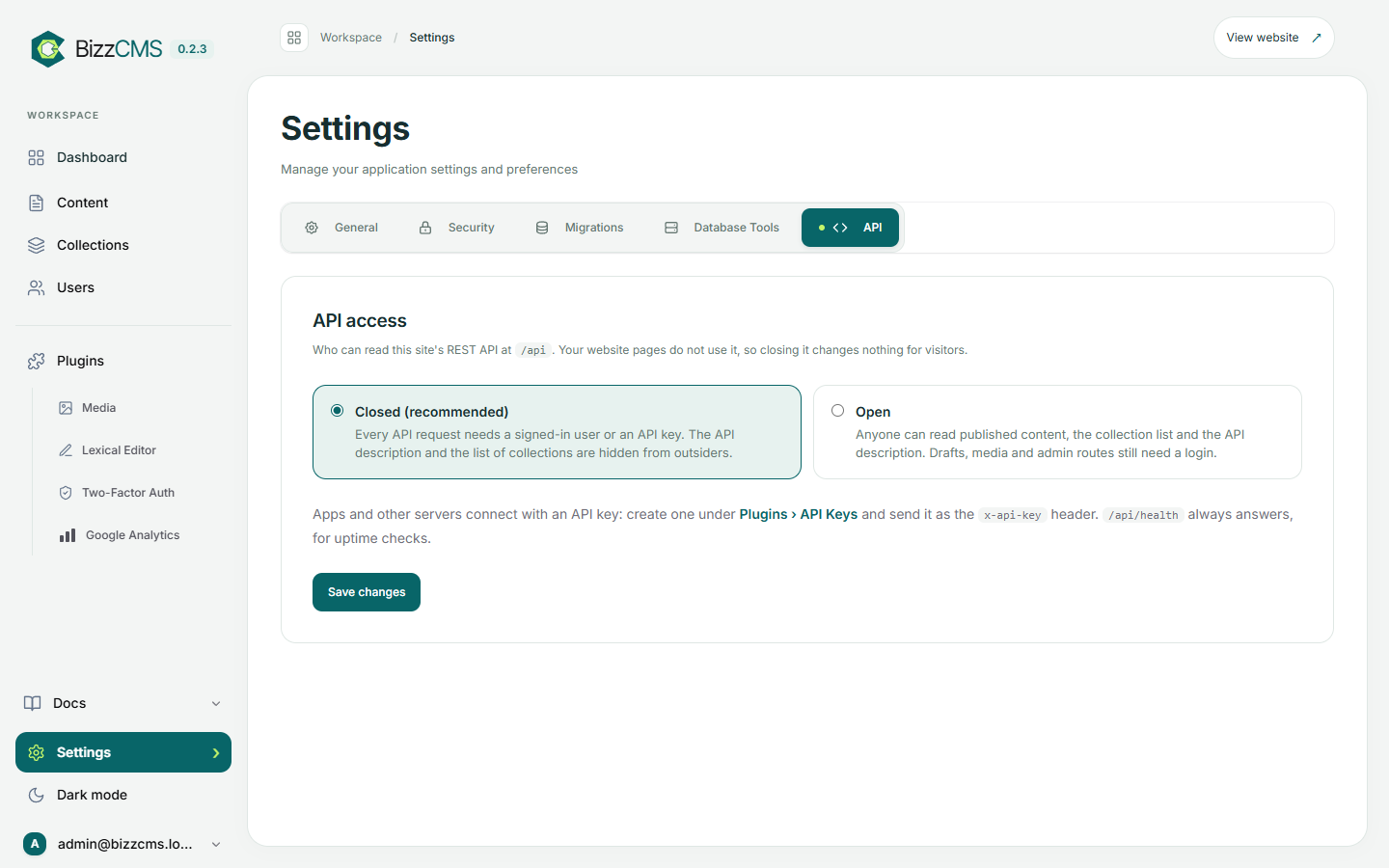
Create keys under Plugins › API Keys and send them as the x-api-key header. Give each app its own key, and delete keys you no longer use.
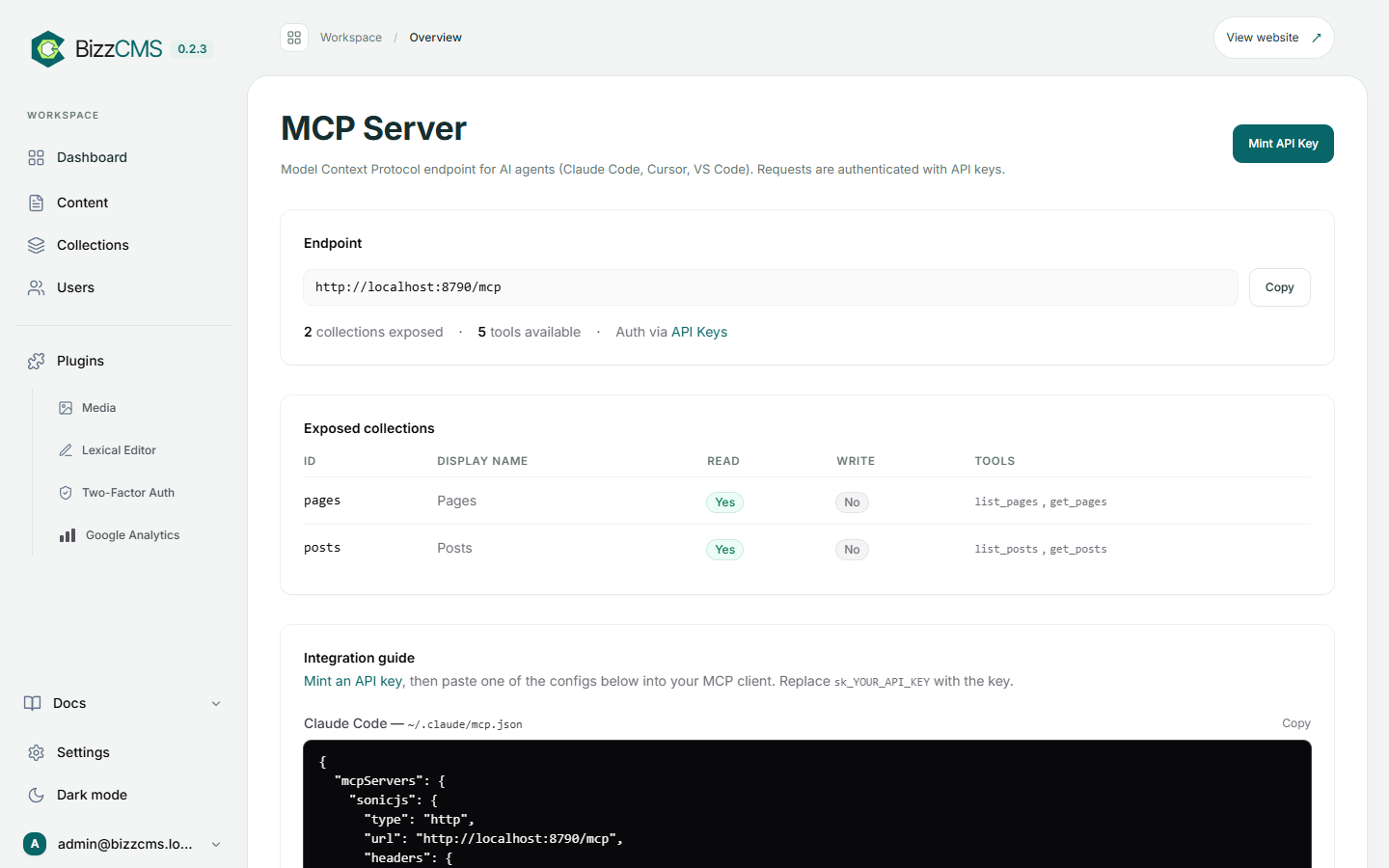
Every BizzCMS site has an MCP server (Model Context Protocol) at /mcp. AI assistants can list and read your pages, posts and categories. By default they can only read.
Let an assistant write (optional). On the MCP page, under Collection write access, tick Write enabled for the collections it may change, then save. The assistant can then:
- create, update, publish and delete items in those collections (a new item cannot reuse a slug that is already taken);
- give an item its original publish date, for example when moving old articles;
- upload images into the media library (
upload_media, from an https link) and use them as featured images. Each image gets alt text and a note on where it came from and its licence.
Changes from an assistant show on the site right away, like a save in the admin. Details for developers: docs/mcp.md.
- In the admin, open MCP and click Mint API Key.
- Add the server to your assistant with the address
https://your-site.com/mcpand the key.- Claude Code and Cursor: the MCP page has ready-to-copy settings.
-
Lucy: Connectors › Add custom, enter the address and the key (just
sk_…).