Using the Campsite
- Put the Reusable Campsite Kit in your selected hotbar slot.
- Face the direction the tent should open. Facing is snapped to the nearest 90 degrees.
- Use the kit on the ground. The clicked block is the support under the center of the tent floor. The tent builds on top of that block.
- Keep the kit selected until deployment completes.
The kit is consumed on a successful deploy. A chat message confirms the camp is up and tells you how to pack it later.
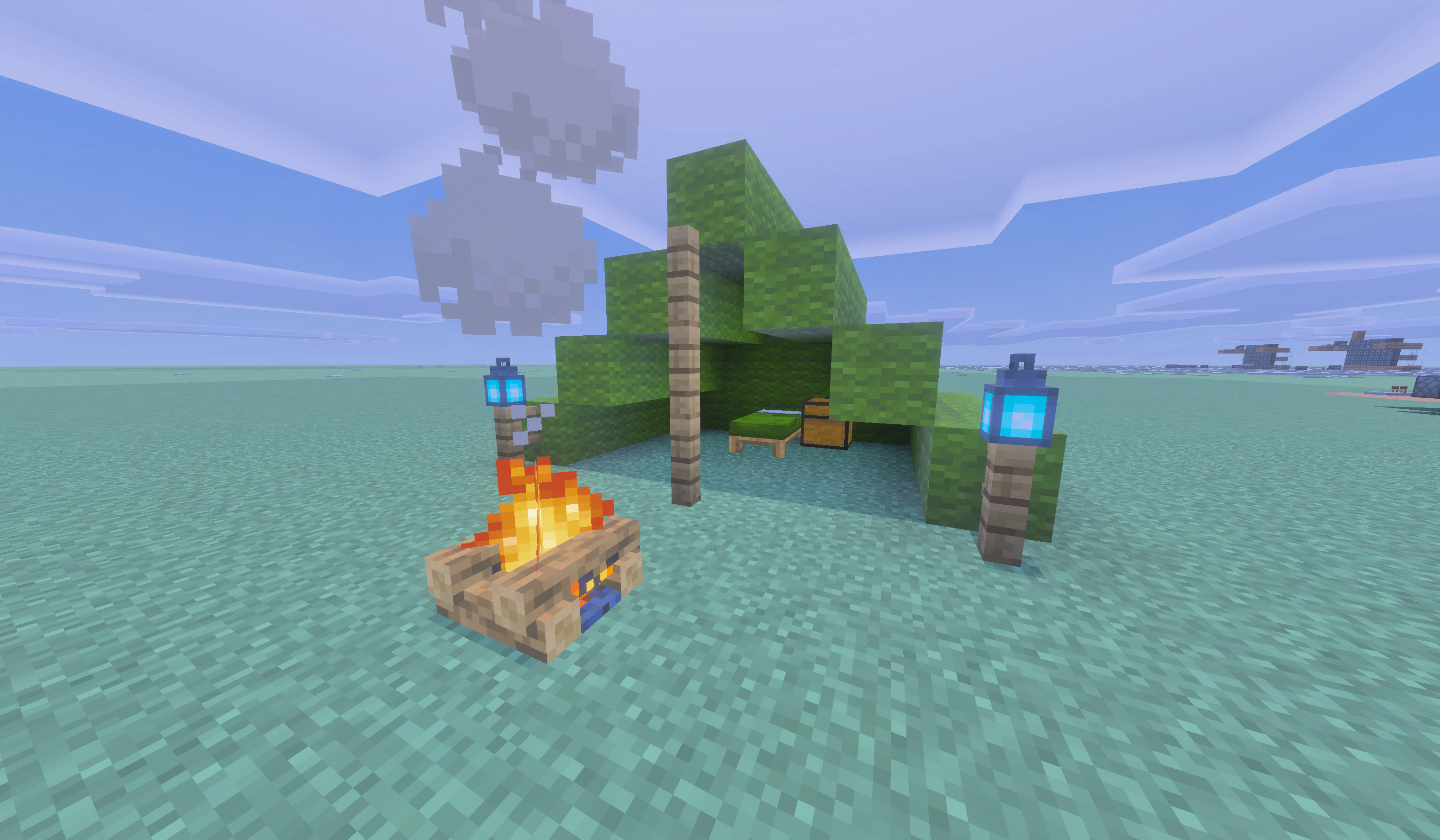
The camp is built from native Minecraft blocks:
- A tall stepped wool tent, five blocks long, with an open front
- A functional vanilla bed inside the tent
- A vanilla chest beside the bed
- Two lantern posts outside the entrance
- One hanging lantern inside the rear of the tent
- An oak-fence center support at the entrance
- A campfire two blocks in front of that center support
Version 1.3.2 places the center support on the first floor block inside the opening and retains saved head/foot structures so the colored bed sits correctly and matches the kit.
Minecraft remains responsible for normal bed rules: night, nearby monsters, dimension restrictions, spawn setting, and multiplayer sleep.
Each player may have only one actively deployed campsite. If you try to place a second kit while your campfire still exists, the add-on tells you to pack up the active campsite first.
- The owner can sleep in the bed and open the chest normally.
- Temporary camp blocks cannot be harvested. Breaking them is cancelled for everyone, including the owner. Pack up through the campfire instead.
- Other players cannot pack up your camp, break its blocks, or use its protected chest and other camp blocks.
For a regular or Soul Campfire campsite, interact with the campsite's campfire (not the lanterns or tent wool). Only the owner gets the pack-up prompt.
For a campsite crafted with an optional Comforting Campfire or Hearthfire, interact with the bottom center oak fence support at the tent opening instead. This leaves the hearth's normal cooking and crouch + interact information menu available.
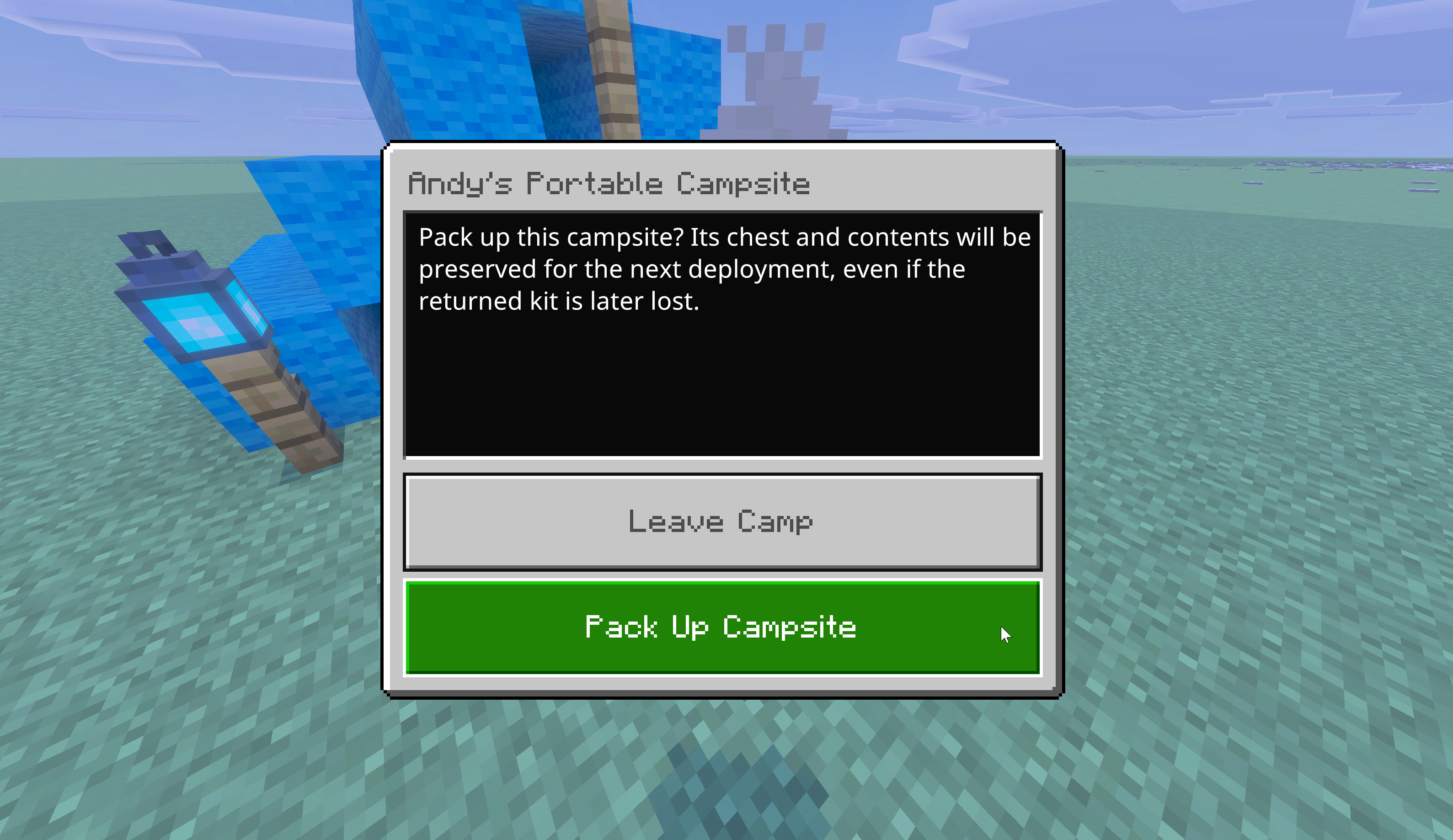
- Leave Camp closes the prompt and leaves the tent in the world.
- Pack Up Campsite archives the chest, removes the temporary camp, and returns the reusable kit.
The kit goes into your inventory. If inventory is full, it drops safely at your feet.
Chest contents stay linked to you. They come back the next time you deploy. See Persistent Chest.
Pack-up is refused if:
- You are not the owner
- A camp block has been replaced with a different non-air block
- The chest could not be secured
If a pack-up is refused, restore the tent to its placed blocks and try the usual pack-up control again. Missing (air) blocks are allowed; extra or swapped blocks are not.
If cleanup is interrupted, try the campfire again. The add-on stops safely rather than deleting the kit.
If placement cannot finish, already-placed tent blocks are rolled back to air and the kit is returned. Check the action bar for the short failure reason, then try a clearer spot.