Repository navigation
Media Demo
Open Demo worlds → Media suite from the pause menu, or launch the desktop demo with --demo=media. The lab contains a Plex stack, a Jellyfin stack, and monitoring. Each app has a simulated screen. Aim at a machine and press V, or open it from the LiveView dashboard directory.
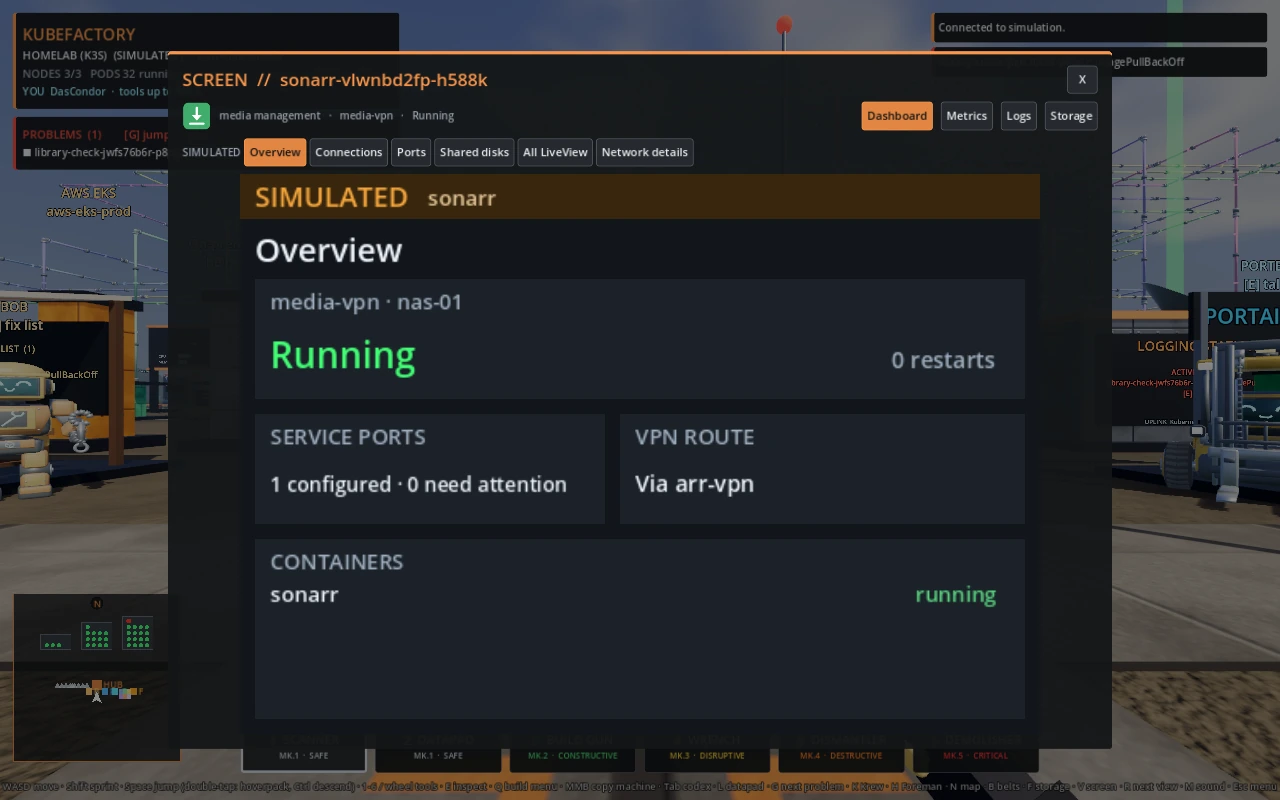
- Open Sonarr in the
media-vpnnamespace. Overview shows its status, service port count, containers, and VPN route. - Open Ports and check
8989/TCP. Then open Network and Shared Data → Ports and readiness for the cluster view. The deliberatelibrary-checkimage failure leaves its9101/TCPservice with zero ready pods. - Switch to Shared disks and choose Mount details. Deluge writes to
/downloads, Sonarr and Radarr read from it, and either importer can write to/media. Jellyfin reads/media. - In VPN tunnels, select
arr-vpnto follow the shared route used by Sonarr, Radarr, and Prowlarr, or select Deluge to compare its dedicated tunnel.
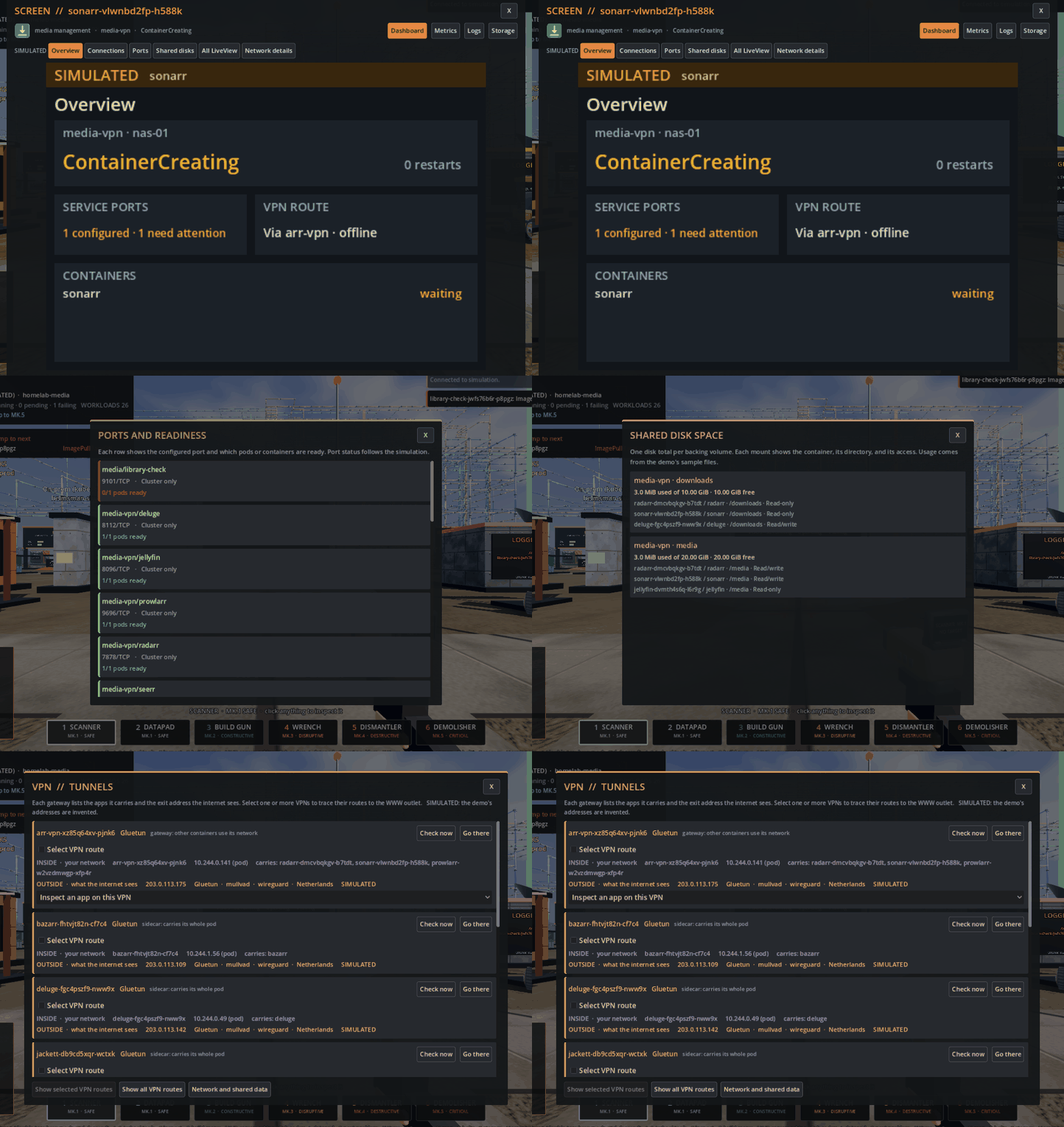
Watch the dashboard and storage walkthrough (MP4)
-
Heimdall opens the app directory and links recent failures to Bob's diagnosis. Image Updater lets you review a simulated fix for
library-check. - Tautulli shows simulated playback activity. In Network and Shared Data, follow Tautulli's API calls to Plex and Prometheus's scrape of the Tautulli exporter. Grafana reads from Prometheus.
- Files isolates the simulated import pipes. The source and destination volumes have separate used and free space totals.