Repository navigation
Overview
Documentation snapshot from README.md at commit
20d7c81. Check the current source for updates.
- 🛠️ It manages the real thing. Every action goes to your cluster with your own kubeconfig, or to your own
docker, as you: logs, events, rolling restarts, scaling, cordon and drain, deleting pods and workloads, deploying and removing complete stacks. Nothing sits in between and no credentials are stored. - 🏠 Made for your own gear. Point it at a homelab cluster, a cloud cluster, Docker on your PC or several Docker hosts, or your Komodo servers. Compose projects show up as namespaces, and Porter deploys ready-made stacks: a media server, a monitoring dashboard, WordPress, databases.
- 🔒 Look without handing over root. Other Docker hosts open read-only, a ready-made proxy makes each host refuse changes on its own, and Komodo connections only ever read.
- 🗺️ See the whole cluster at a glance. Nodes are platforms, pods are machines, services are pipelines into them. A failing pod throws a red light column you can see from anywhere.
- 🔧 Six tools, five tiers. From a harmless scanner to the Mk.5 Demolisher. Stronger actions take a longer hold, and the worst ones make you type the target's name.
- 👴 Bob, the pod fixer. An old hand with a repair stand, a live fix list, a diagnosis for every failure, and a zinger for every operator.
- 🤖 The Krew watches for you. Sentinel (security), Scout (network), Scrappy (cleanup), Archie (storage), Forge (build), Blueprint (drift) and Gauge (resources) report findings with evidence, a proposed fix and its risk. Nothing changes until you approve it.
- 🧑
✈️ Foreman, with or without AI. He groups the Krew's findings into incidents with no AI at all; add Ollama, LM Studio, OpenAI, Claude or your own endpoint to ask in plain words. What an AI proposes is checked and still needs your approval. - 🤖 Porter, the dock worker. Asks what you want built and cranes a complete app setup onto the cluster.
- 🧯 Guard rails on the dangerous parts. Read-only mode, tool tiers, hold-to-confirm, typed confirmation for the worst actions, and an audit log of everything you do.
- 👥 Use it as a team. Colleagues on the same cluster show up as avatars, each held to the tool tier the admin allows. Or run one KubeFactory server and let everyone connect to it with a token, holding no credentials of their own.
- 🧩 Extend it. Backend plugins add new kinds of sources in any language; they run only once you trust them.
- ⚙️ Play it your way. Rebind every key, use a controller, set the field of view and interface size, and pick a colour-blind palette, all in the game. A minimap shows where everything is.
- 🧪 Try it safely first. Four simulated demo worlds let you use every tool without touching anything real.
- 📺 Screens that show the real thing. Each machine's screen steps through its application's own page, its metrics, its log and its storage. Click it to open it full size.
- 💻 Windows, Linux, macOS and the browser. Built with Godot 4.3. Every release package carries a checksum and a signed record of how it was built.
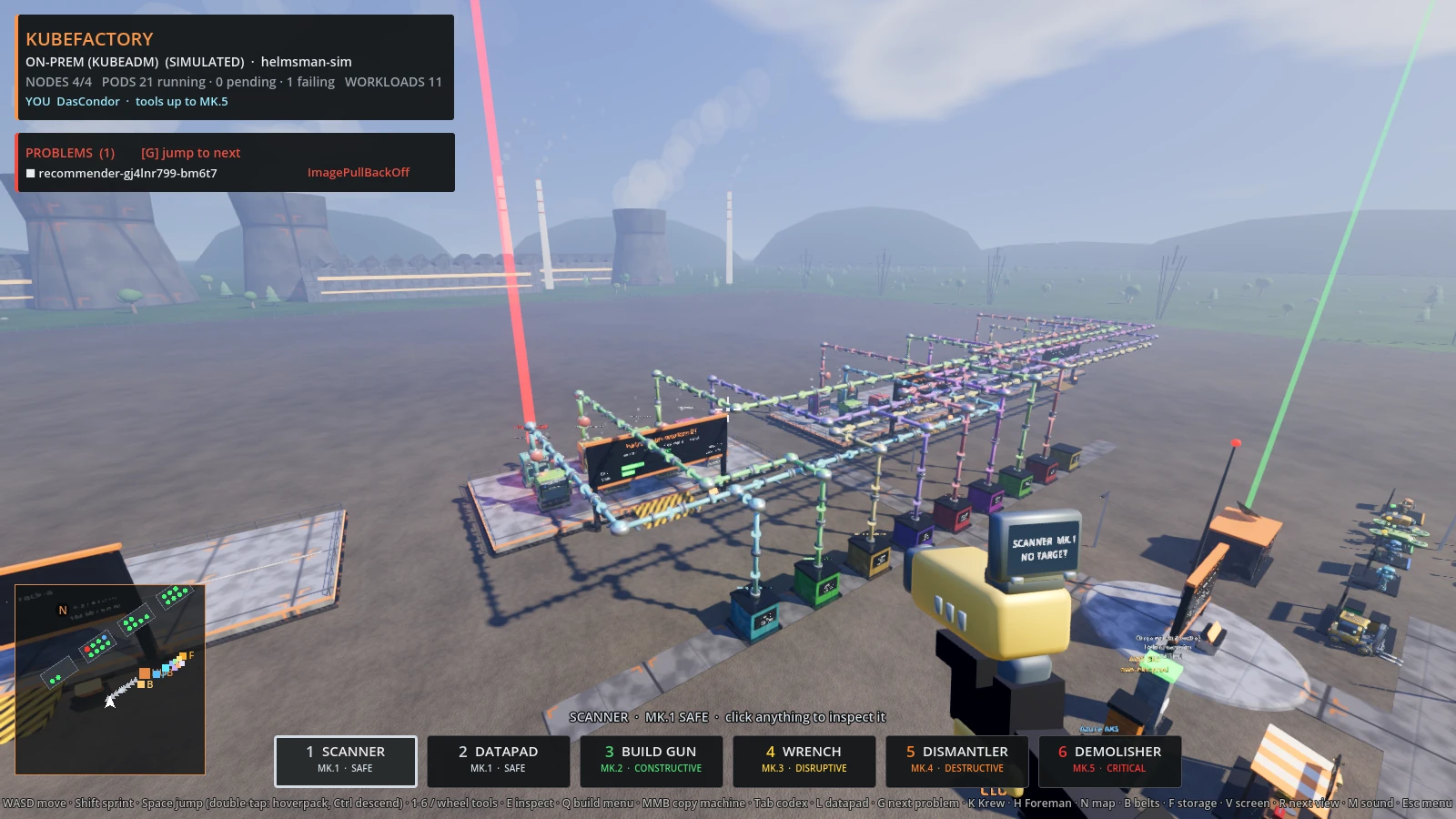
Nodes are platforms, pods are machines; a red beam marks a failing pod from anywhere in the yard.
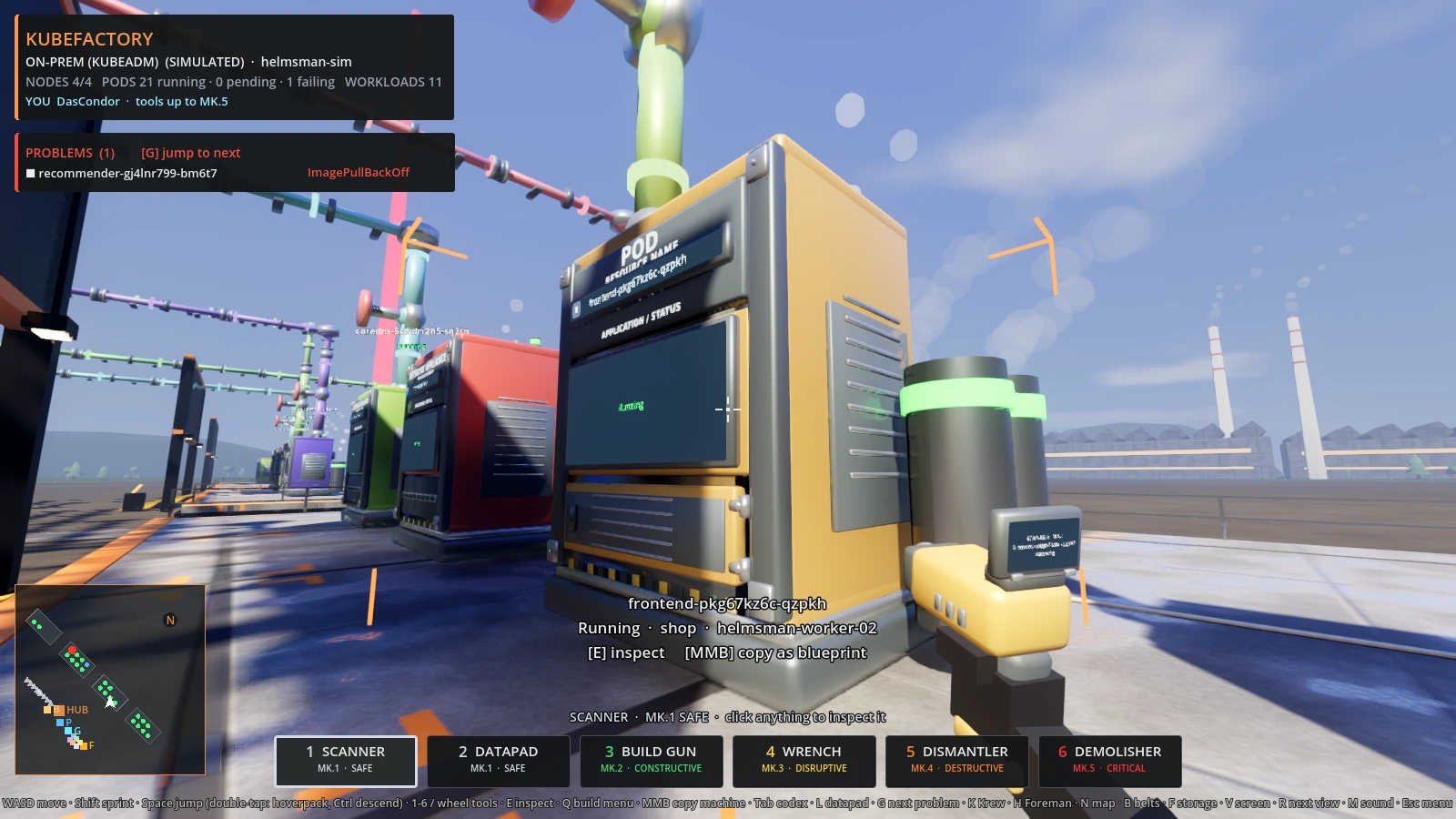
Every machine says what it is: a type plate, the real pod name with an icon for what it runs, and a screen.
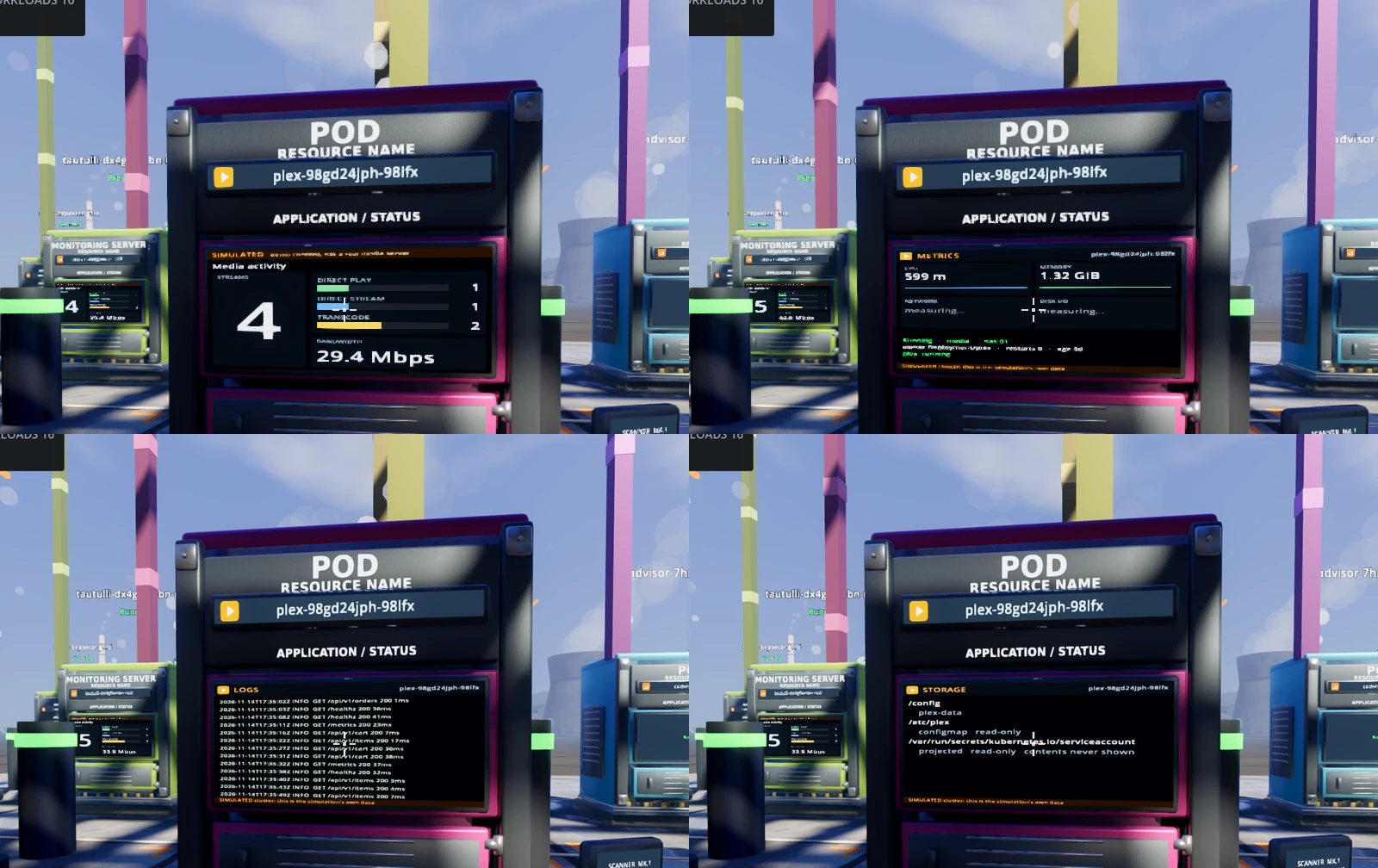
One screen, four views: dashboard, metrics, logs and storage. R steps through them.
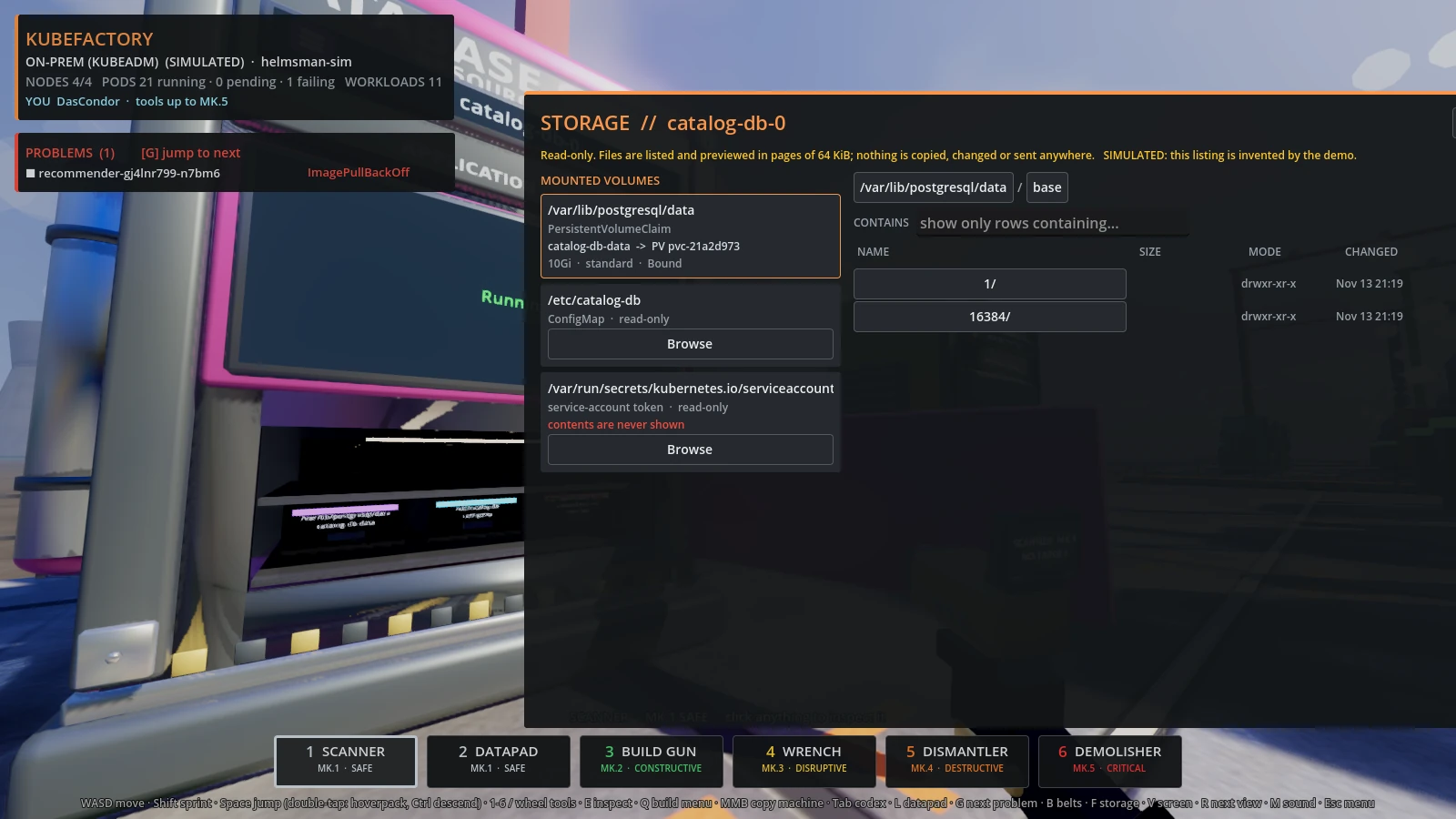
Open a machine's door (F) to browse its volumes, read-only.
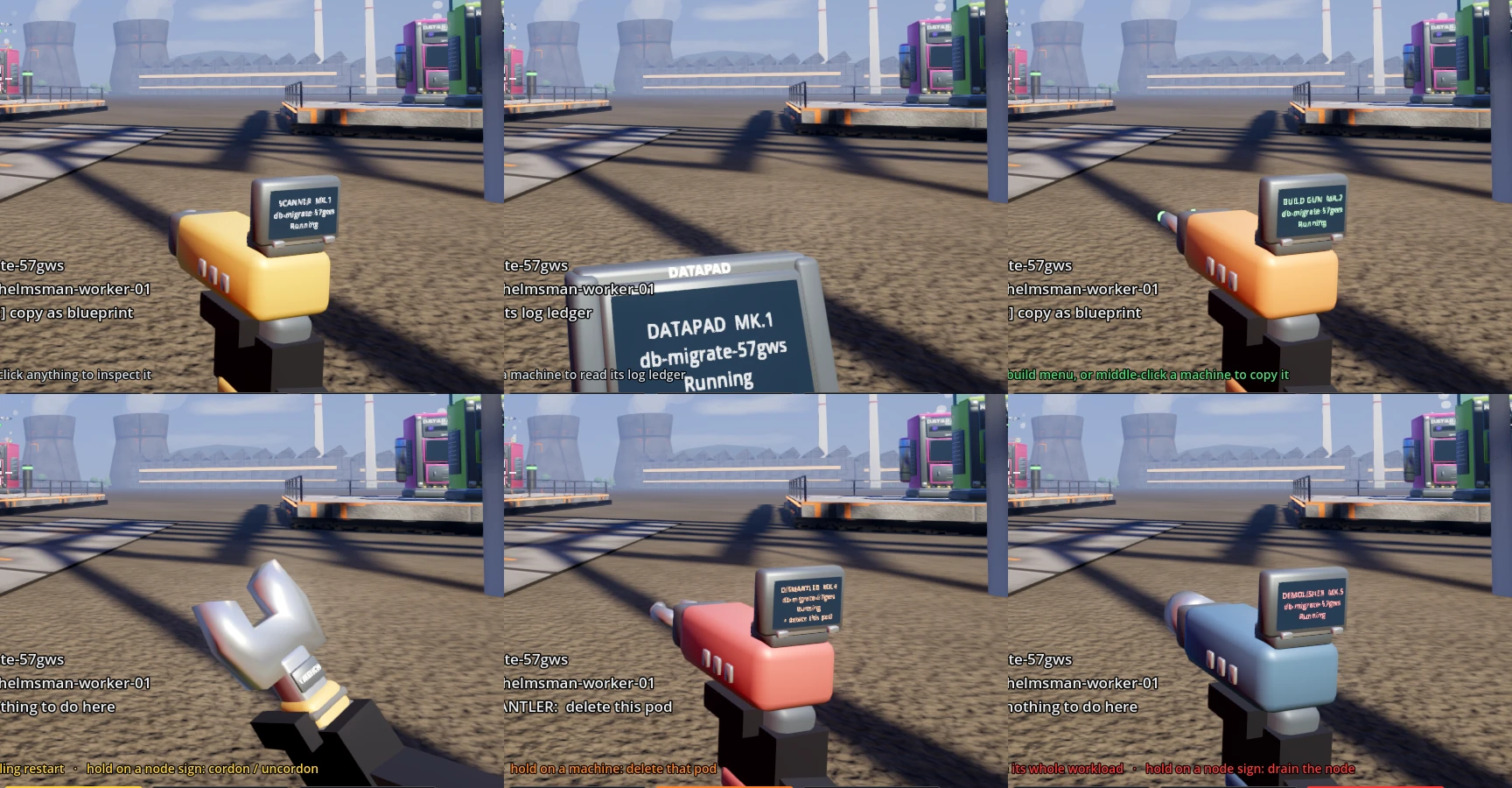
Six tools, five tiers. Each one's display shows what it is pointed at and what the trigger would do.
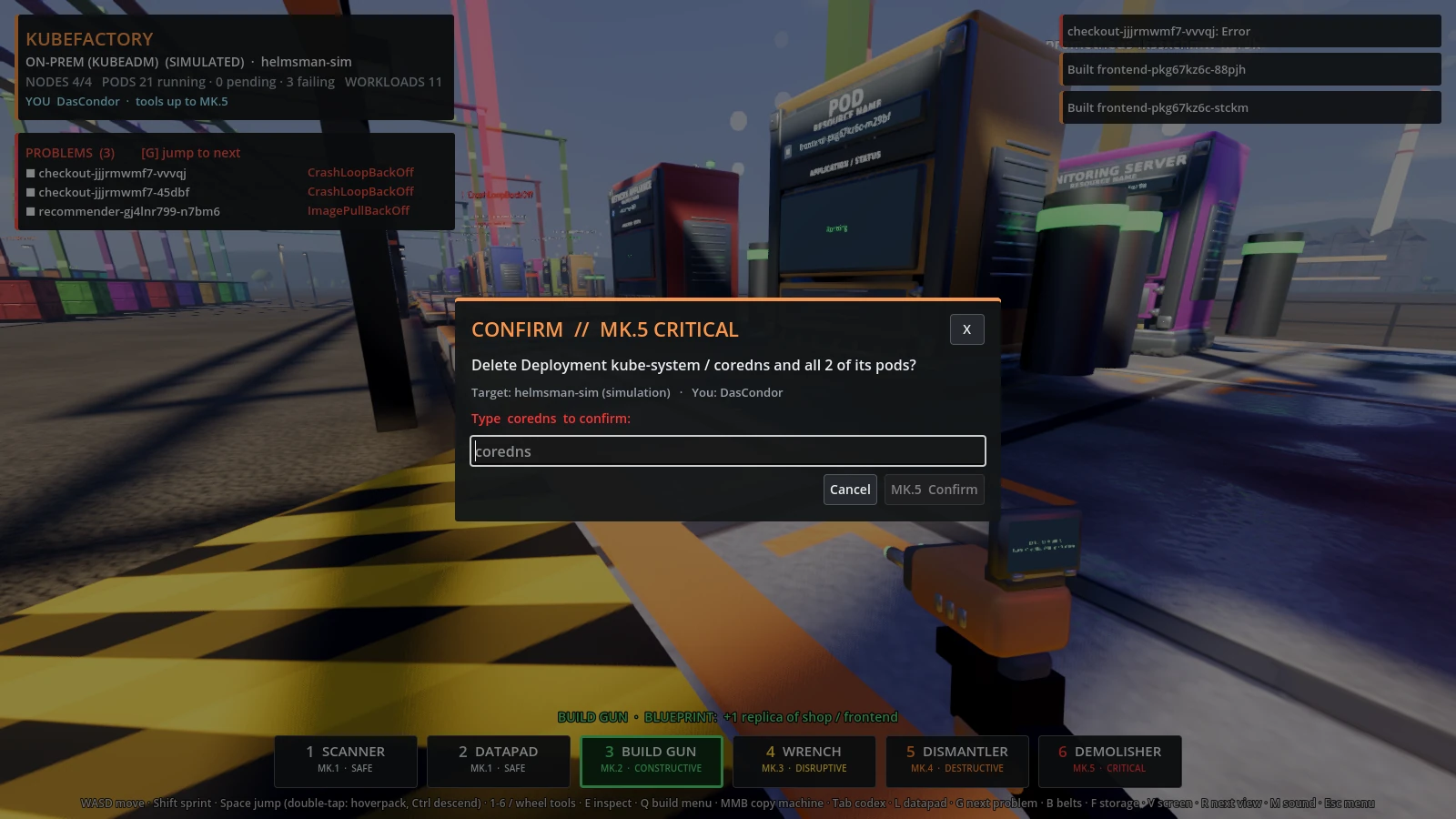
The strongest actions make you type the target's name.
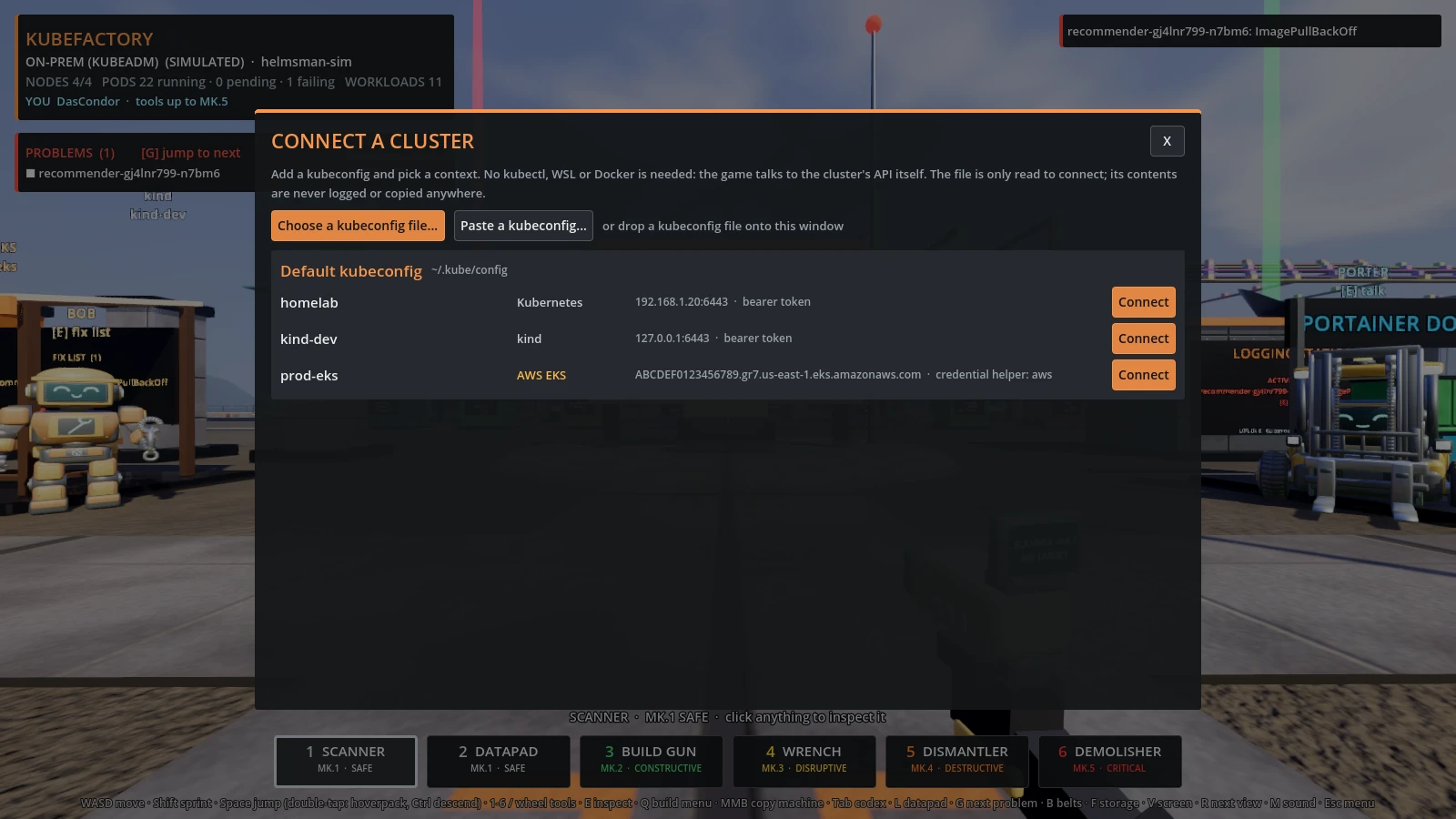
Connect with a kubeconfig, no kubectl needed.
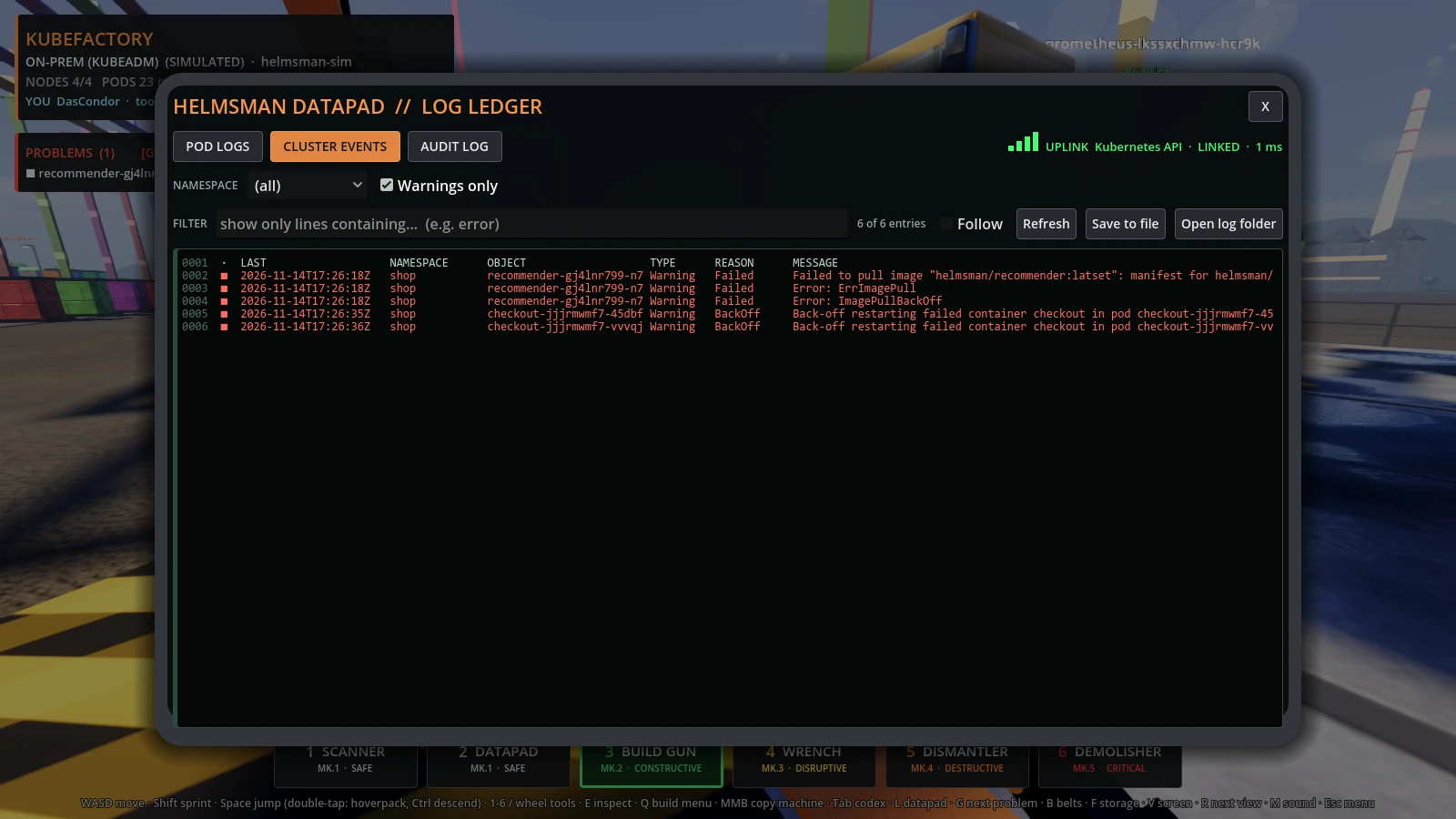
The datapad: pod logs, cluster events and the audit ledger.
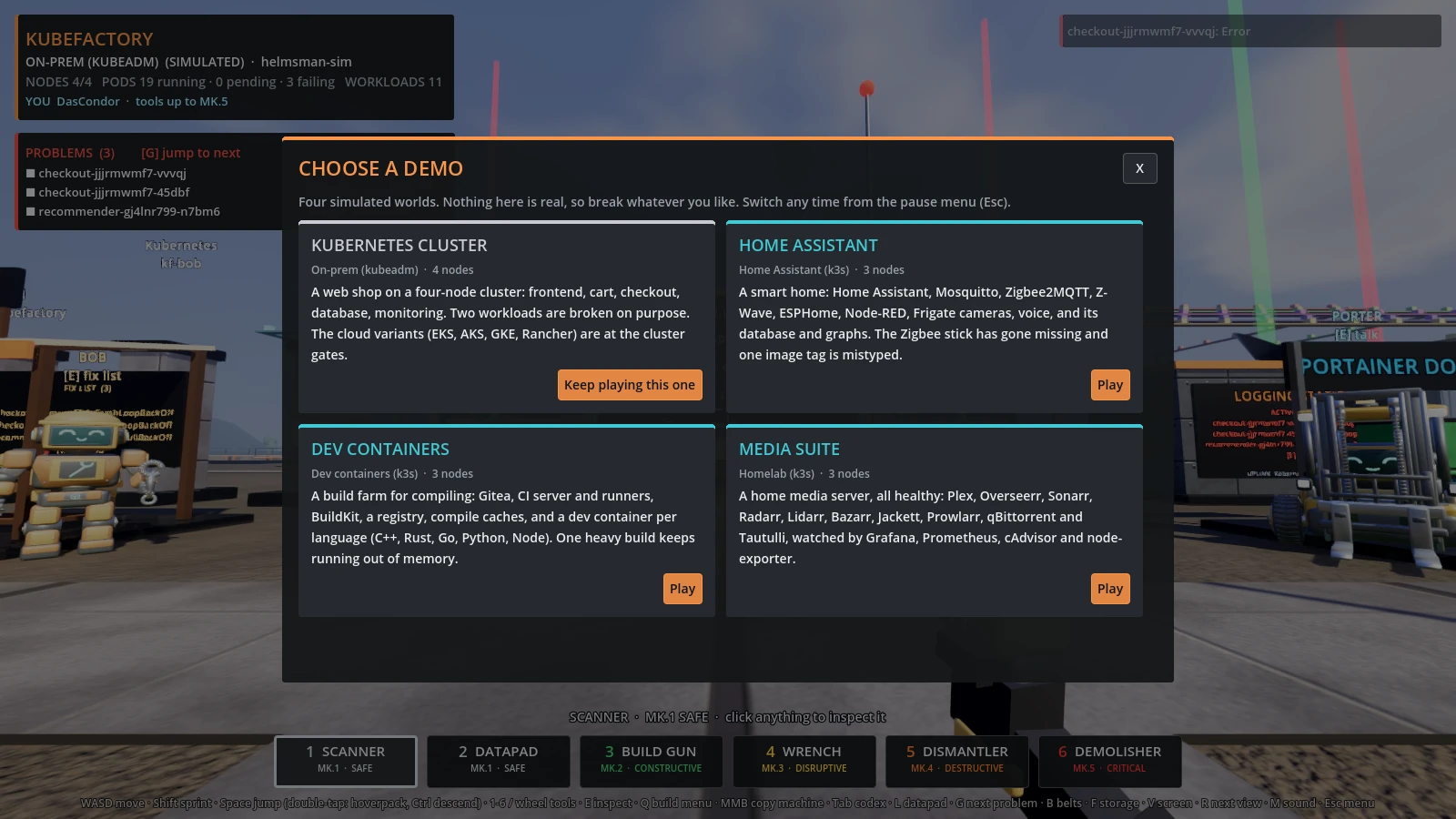
Four simulated demo worlds to try everything safely.
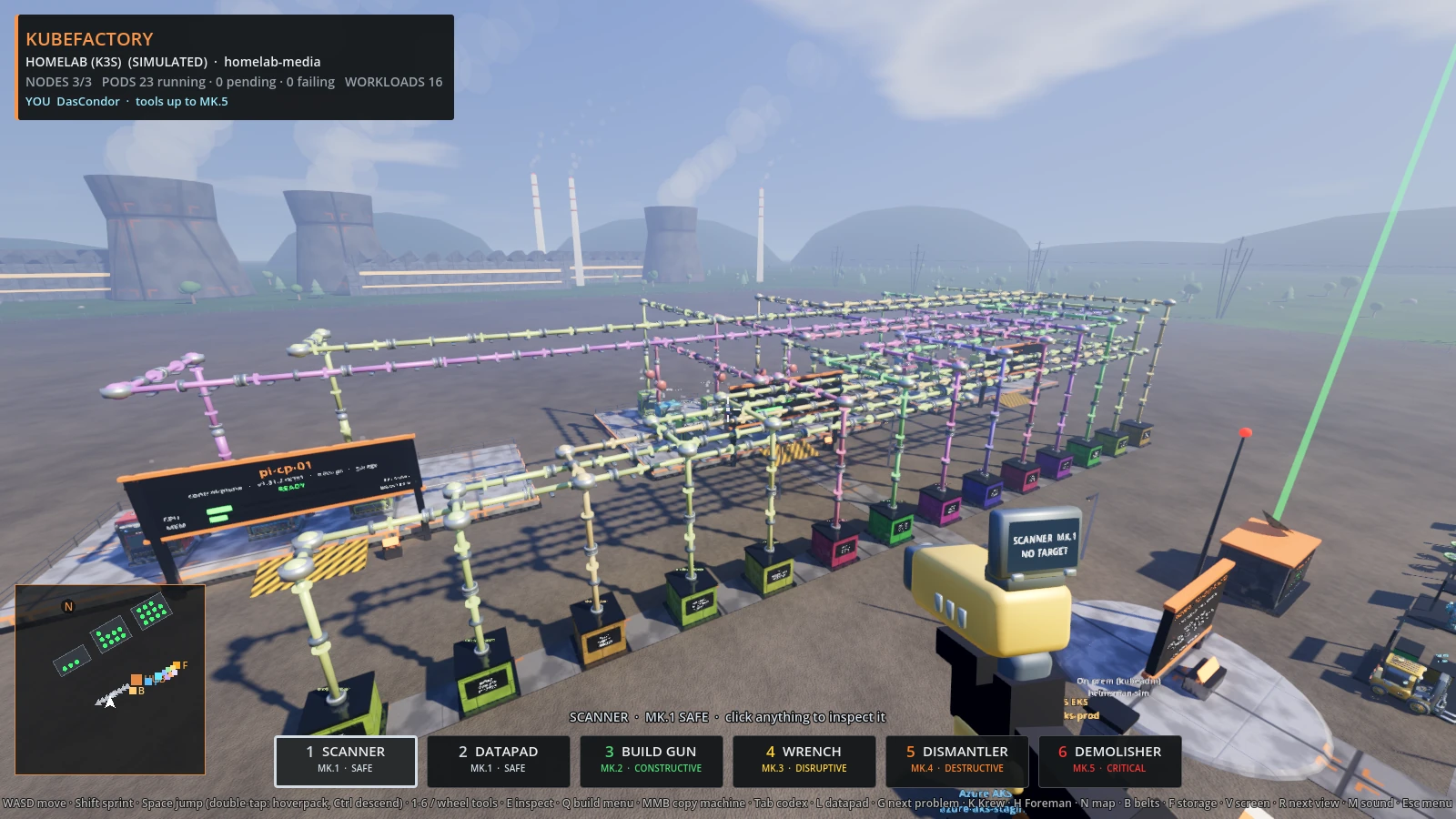
The media suite world: Plex, Sonarr, Radarr, Jackett and friends, all healthy.
The browser demo has touch controls. They switch on by themselves on a phone or tablet; a desktop browser with a mouse and keyboard keeps the desktop controls. Menus fill the screen and scroll; on a phone held upright they are drawn sideways, so turn the phone to read them.
| Control | What it does |
|---|---|
| Left thumb joystick | move and strafe |
| Drag anywhere else | look around |
| ACTION | whatever the crosshair offers: open screen, inspect, logs, build. Hold it for a tool's action |
| JUMP | jump; twice quickly for the hoverpack |
| AIM | turn to the nearest machine ahead |
| Bottom bar | Scanner, Datapad, Build Gun, All tools |
| MENU | the game menu: touch controls on/off, look sensitivity |
Landscape is the comfortable way to play; portrait works too. Choosing a tool
never uses it, and the strong tools keep their hold and typed confirmation.
Add ?touch=1 to the address to force the controls on, ?touch=0 to keep
them off on a laptop with a touch screen. The browser demo is the simulation
only, and says so on screen the whole time.
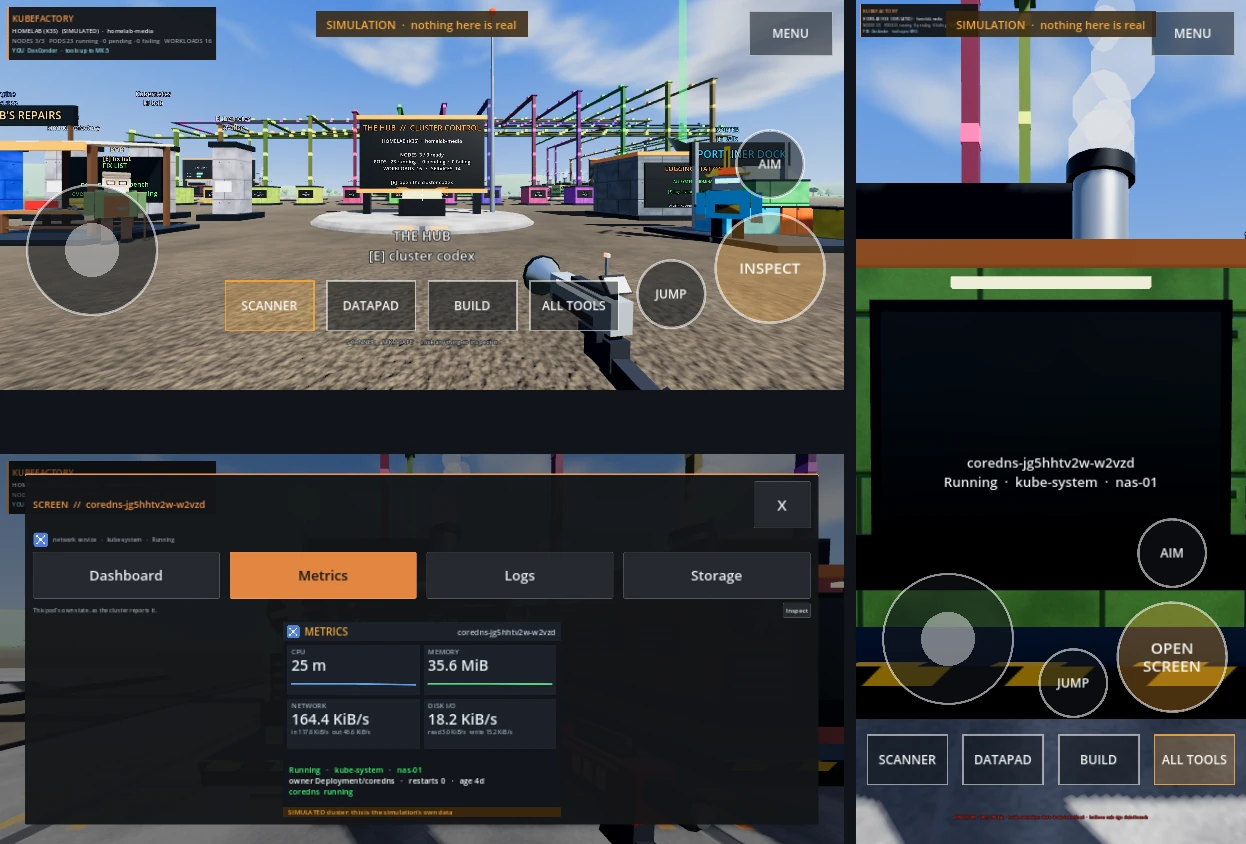
Checked at phone and tablet sizes; the latest menu changes have not yet been tried on a real iPhone or Android phone. See Known limitations.
KubeFactory needs no server, account or credentials of its own: it uses your
kubeconfig and your docker, as you (server mode is optional, see
SERVER). (A kubeconfig you paste into the wizard is
saved in your user folder; nothing else is kept.) Your cluster permissions are the security boundary; the
in-game tiers and confirmations are guard rails. App lists are treated as
untrusted input. See SECURITY.md for the details and for how to
report a problem.
MIT, see LICENSE. KubeFactory is built with the Godot Engine (MIT); notices for it and for the third-party names used are in THIRDPARTY.md. KubeFactory is an independent project and is not affiliated with Kubernetes, Portainer, Docker or any cloud provider.

If this project was useful to you, you can buy me a coffee to support future work. Contributions are voluntary.