2. Michi
Michi is an electronic board created by Electronic Cats that mimics several programmable keyboard and mouse keys. Any material that conducts electricity may be connected to the Michi, converting anything into a touch-screen device.
Here, you can see how the pins are arranged and what they are used for; the schematic is also relevant for a better grasp of this.
A chip's GPIO (General Purpose Input/Output) pins can have their behavior—including whether they are input or output pins—programmed at runtime by the user.
There is no stated particular usage for GPIO pins, and they are not used by default. The concept is that having a few extra digital control lines on hand may sometimes be helpful for the design of a full system utilizing the chip, saving time from having to arrange additional circuitry to provide them.
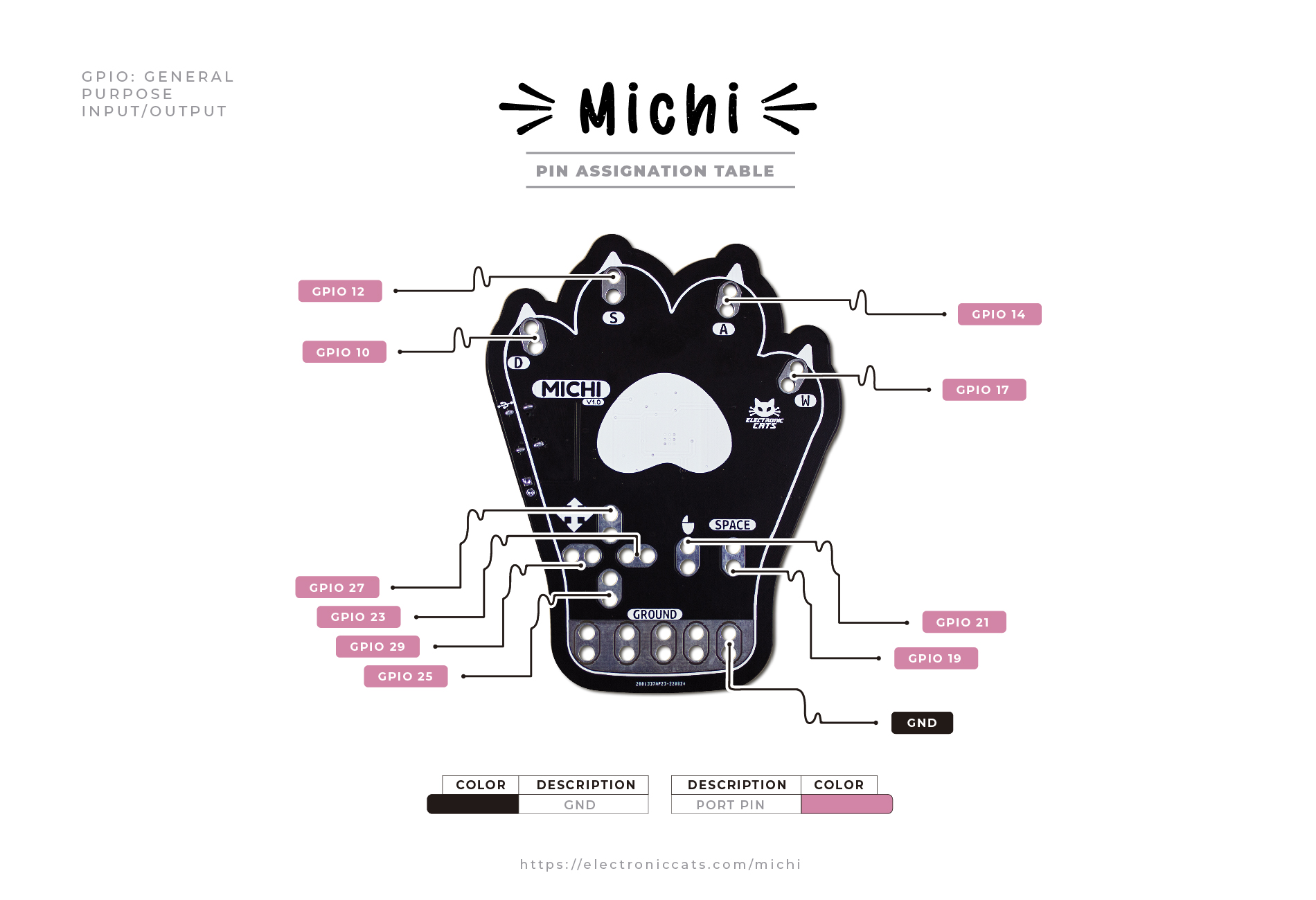
The Michi has pins 12, 10, 14, 17, 19, 21, 23, 25, and 27 at the front. Digital inputs and outputs are available on these pins.
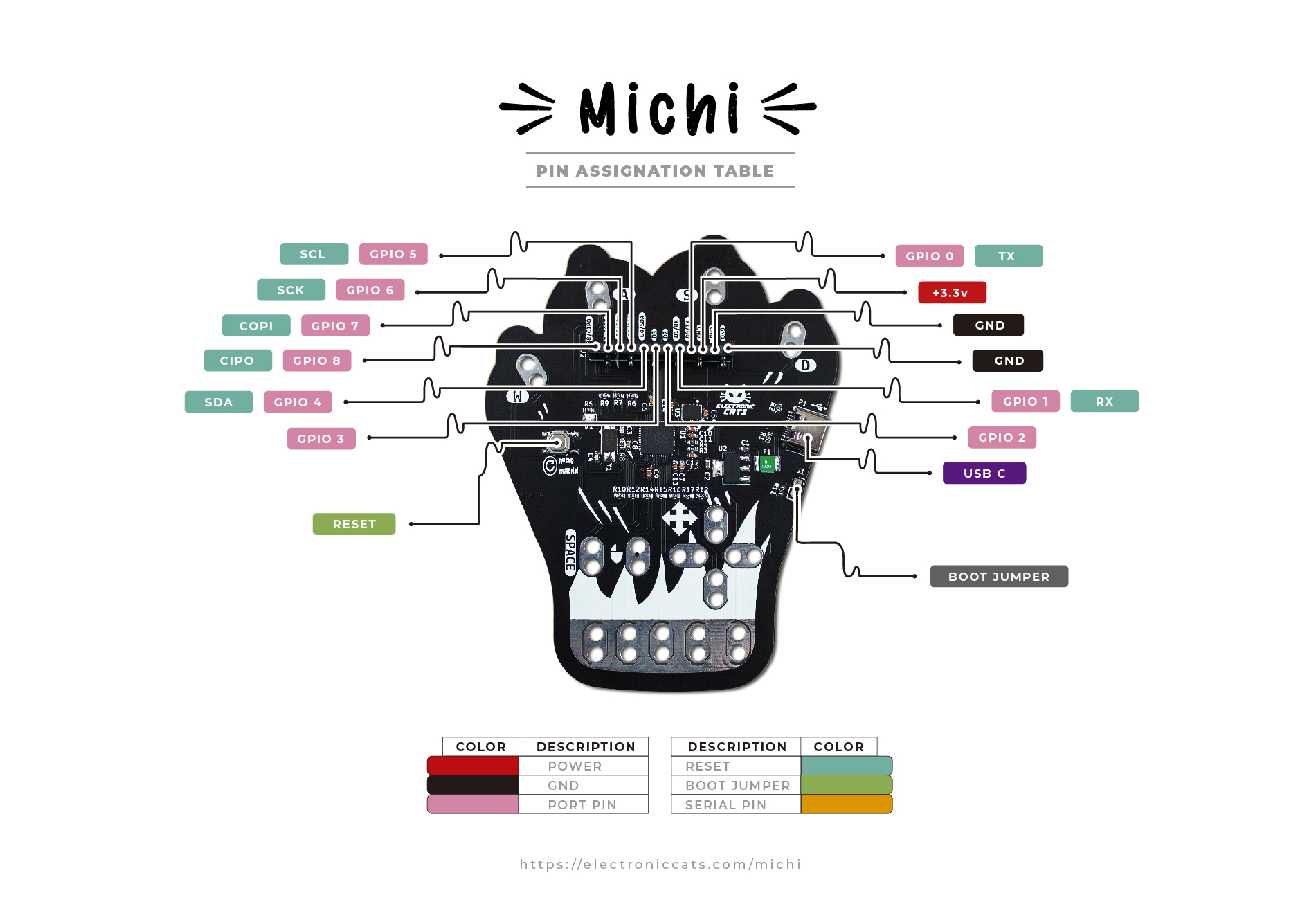
Pins 0, 1, 2, 3, 4, 5, 6, 7, 8, as well as two pins for ground and one for power (at 3.3 volts) are located on the back of the Michi. There is also a USB type C connector, a reset button, and lastly a boot jumper to enable bootloader mode.
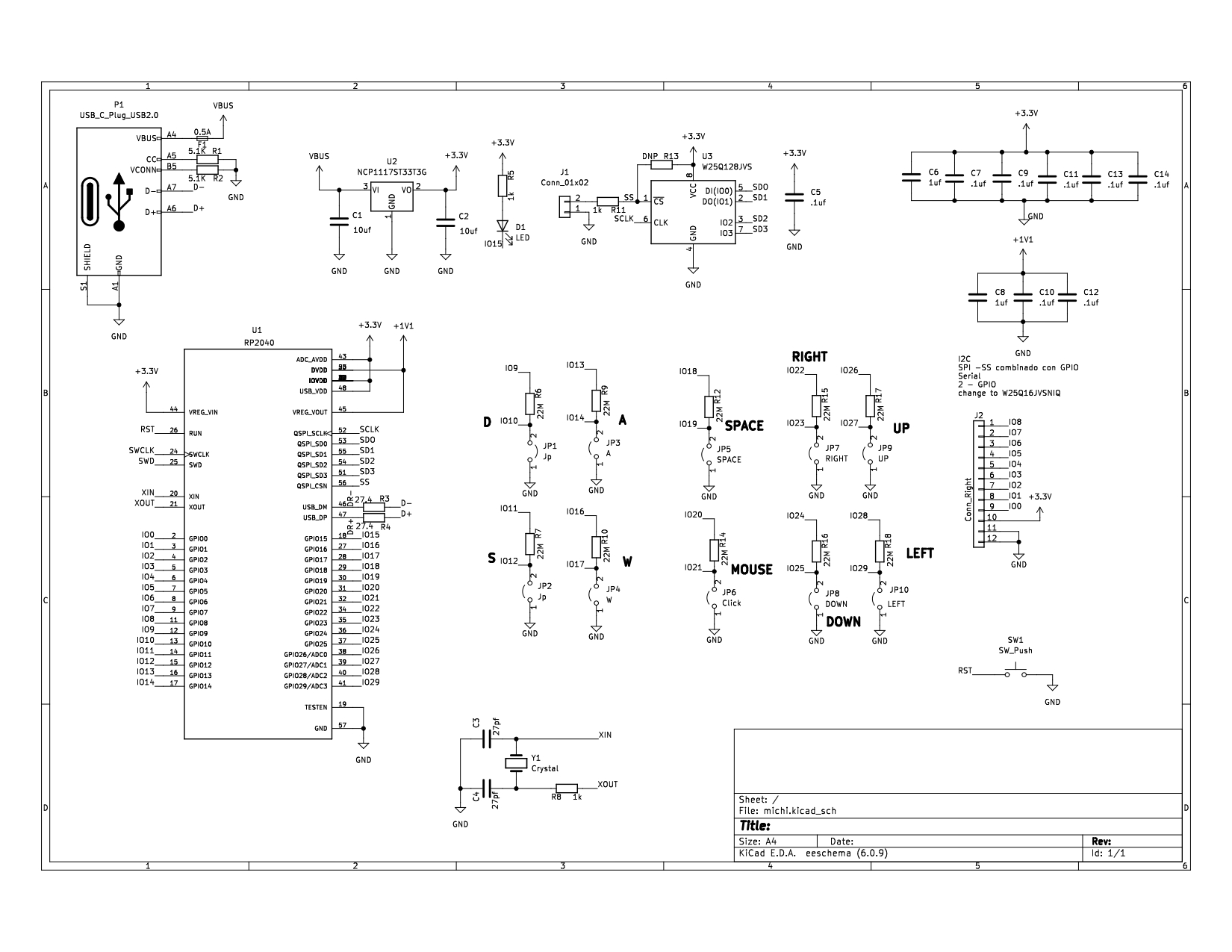
This is the Michi's schematic, which you may also see using the Kicad program if necessary. The Hw folder in this repository has all the files required for this.
This link will take you to the utilized microcontroller's datasheet (RP2040)

Thank you for reading our Wiki!