Publication Mode
Keyboard Shortcut: 2
Publication Mode isolates each subplot into its own radial pass, removing the combined outer ring. This mode focuses on Author time (your writing status) and Publishing time (revision stages), making it ideal for tracking progress.
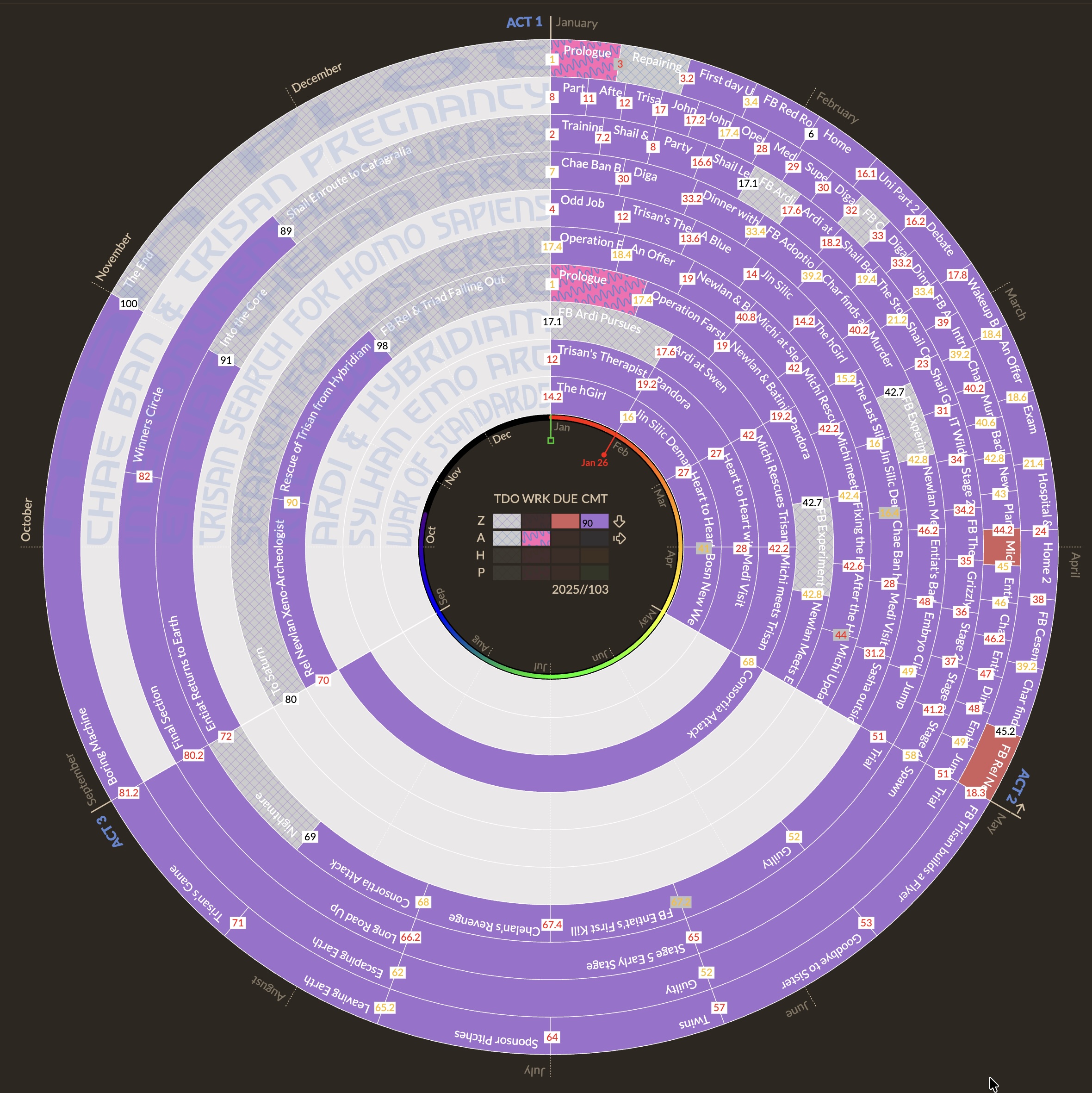
- Single Thread Focus: View one subplot at a time to analyze its specific arc and continuity.
- Act Structure: Like Narrative Mode, scenes are distributed across your configured act count (default 3). Each act spans an equal segment of the 360° circle.
- Cleaner View: Removes story beats to reduce visual noise while you focus on workflow.
Unlike Narrative Mode, this mode replaces subplot colors with your workflow status:
-
Author Status:
- Todo: Plaid pattern.
- Working: Pink.
- Overdue: Red.
- Complete: Inherits the color of the scene Publishing Stage.
-
Publishing Stage Colors:
- Once a scene is "Complete", it displays the color of its current stage (Zero Draft, Author's Draft, House Edit, Press Ready).
- These colors can be customized in Settings#publishing-stage-colors.
This mode effectively becomes your project management dashboard, highlighting what needs to be written, what is overdue, and what is ready for the next stage of editing.