Timeline Modes
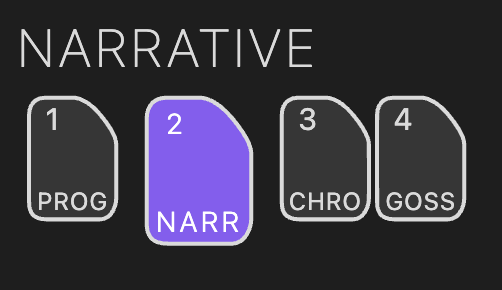
Radial Timeline has two co-equal Views: the Radial Timeline View and the Inquiry View. Within the Radial Timeline View, four modes let you examine your story from different structural perspectives: Progress, Narrative, Chronologue, and Gossamer. Switch modes using the keyboard shortcuts or the top-right navigation.
Isolates each subplot into its own unitary radial pass — no combined outer ring — so you can focus on one thread at a time. Scenes inherit the author workflow palette (Todo plaid, Working pink, Overdue red, Complete = progress-stage color) along with progress-stage indicators. Removes story beats for a cleaner view. Structured around your configured act count (default 3) with acts spanning equal segments of the 360° circle. Emphasizes Author time (writing status) and Progress stages (revision stages) and completion readiness. Use the top-right navigation or press 1 to cycle between subplots.
Shows all scenes from all subplots on the outer ring with story beats and subplot color-coding. Structured around your configured act count (default 3) with scenes organized by act divisions (360° divided evenly across acts). This is your primary manuscript-order workspace showing Narrative time (reading order). Status/progress overlays are hidden so subplot colors remain dominant.
Interactive Reordering: You can reorder scenes by dragging them on the outer ring. See Reorder Scenes for details.
Tip: For scenes in more than one subplot, click on a scene to make that subplot dominant in the outer ring color. The folded corner motif at the start of each subplot ring shows the state: missing (not assigned), gray (assigned but not dominant), or a darker hue of the subplot color (dominant and expressed on the outer ring).
See Narrative Mode for Saga scope, chapter/part placards, and dominant subplot behavior.
Displays scenes in chronological story order based on When field. Removes act divisions entirely—scenes are positioned across the full 360° circle based solely on when they occur in your story's timeline. Color styling mirrors Narrative mode (subplot colors only) to keep time comparisons clean.
Chronologue has three sub-modes for deeper temporal analysis:
-
Shift sub-mode (press
Shift, useCaps Lock, or click the button): Gray wireframe revealing the chronological backbone. Click scenes to measure elapsed time and spot discontinuity gaps. -
Alt sub-mode (press
Alt): Planetary wireframe overlay translating Earth dates into your active local time profile. -
Runtime sub-mode ✦ Pro (click the
RTbutton): Blue wireframe showing scene runtime duration arcs instead of elapsed story time.
Additional features:
- Discontinuities: Large time jumps marked with ∞ symbol.
- Smart duration labels: Time-period-appropriate formatting.
- Dynamic duration arc cap: Proportionally scales scene durations.
Visualizes beat-level scoring across your active story beat system. Gossamer supports Momentum, Tension, Activity, and Interiority, with saved run history and a top-left plots panel for switching signals and comparing runs.