Network Topology
The network architecture is hub-spoke. The hub hosts shared connectivity and inspection services. Spokes host identity, management, shared services, and workloads.

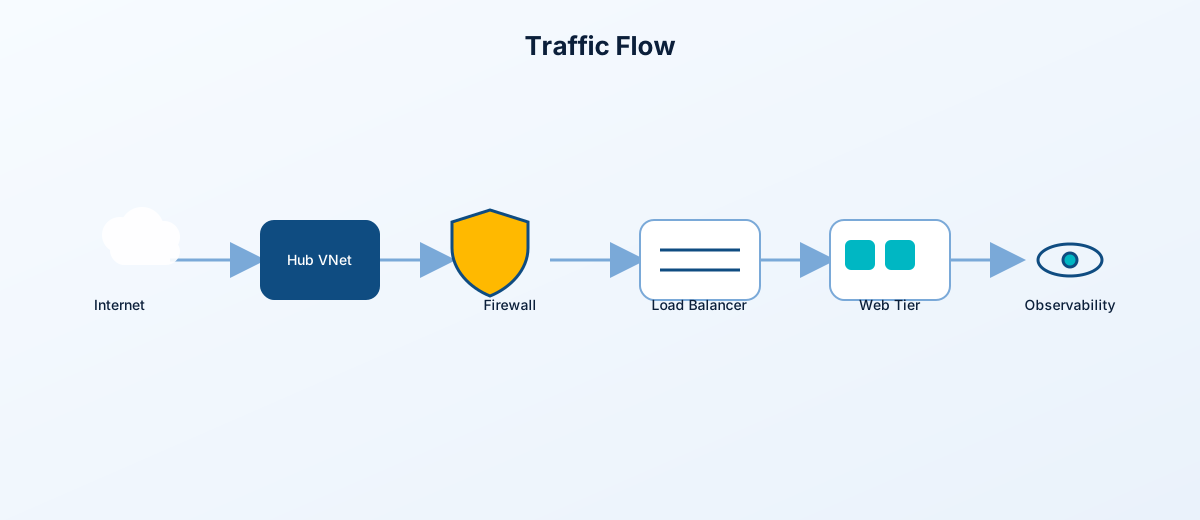
Source:
- landing-zones/networking
- landing-zones/networking/core
- landing-zones/networking/connectivity
- modules/networking
| VNet | Default address space | Key subnets |
|---|---|---|
| Hub | 10.0.0.0/16 |
Gateway 10.0.0.0/24, Firewall 10.0.1.0/24, Hub management 10.0.2.0/24, App Gateway 10.0.3.0/24
|
| Identity | 10.1.0.0/16 |
Domain controller 10.1.1.0/24
|
| Management | 10.2.0.0/16 |
Jumpbox 10.2.1.0/24
|
| Shared services | 10.3.0.0/16 |
App 10.3.1.0/24, Private Endpoint 10.3.2.0/24
|
| Workload prod | 10.10.0.0/16 |
Web 10.10.1.0/24, App 10.10.2.0/24, Data 10.10.3.0/24
|
| Workload dev | 10.11.0.0/16 |
Web 10.11.1.0/24, App 10.11.2.0/24, Data 10.11.3.0/24
|
| Simulated on-premises | 10.100.0.0/16 |
Gateway and server subnets |
The hub is built by landing-zones/networking/core/main.tf.
Core resources:
- Hub VNet through modules/networking/vnet
- Gateway subnet through modules/networking/subnet
- Azure Firewall subnet when
deploy_firewall = true - Hub management subnet
- App Gateway subnet when
deploy_application_gateway = true - Hub management NSG through modules/networking/nsg
- Hub and gateway route tables through modules/networking/route-table
Peering is created by landing-zones/networking/connectivity/main.tf.
Peering pairs:
- Hub to identity and identity to hub
- Hub to management and management to hub
- Hub to shared services and shared services to hub
- Hub to workload prod and workload prod to hub
- Hub to workload dev and workload dev to hub when dev is enabled
Implementation module: modules/networking/peering
When Azure Firewall is enabled:
- Spoke route tables send default or selected egress through the firewall private IP.
- Hub route tables support centralized inspection.
- Firewall policy and rules are applied through modules/firewall-rules.
When Azure Firewall is disabled:
- Profiles can still build VNets, NSGs, and Private Endpoints.
- Egress is handled through Azure defaults or optional NAT Gateway.
- This is the expected low-cost mode for
cheap-lab.
Public paths are intentionally optional:
| Public path | Toggle | Module | Notes |
|---|---|---|---|
| Application Gateway WAF | deploy_application_gateway |
modules/application-gateway | Declarative backend uses workload VM private IPs |
| Public Load Balancer | deploy_load_balancer |
modules/networking/load-balancer | HTTP load balancing for IIS web VMs |
| RDP NAT rules | enable_lb_rdp_nat_rules |
landing-zones/management/workload | Disabled by default |
| Jumpbox public IP | enable_jumpbox_public_ip |
landing-zones/management/core | Prefer disabled; use trusted CIDRs if enabled |
| VPN Gateway public IP | deploy_vpn_gateway |
modules/networking/vpn-gateway | For site-to-site style lab connectivity |
Before applying network changes, review:
- Is the public entry point intentional?
- Does the path terminate at Application Gateway, Load Balancer, VPN Gateway, or NAT Gateway?
- Does a route table force traffic through Azure Firewall when firewall is enabled?
- Are private endpoint DNS zones linked to the VNets that need resolution?
- Are NSG rules scoped to the minimum source and destination?
- Does the profile create unexpected public IP addresses?
Application Gateway is now root-level so it can receive workload backend IPs declaratively from module.workload_prod[0].web_server_ips.
Source:
- main.tf application_gateway module
- modules/application-gateway
- landing-zones/management/workload/outputs.tf
The old imperative backend update pattern was removed. The current model avoids Azure CLI local-exec, reduces drift, and keeps plan/apply behavior visible.
The repository contains both NSG flow log and VNet flow log modules:
Prefer VNet flow logs for new work. NSG flow logs are retained for reference and migration context.