Repository navigation
Typography
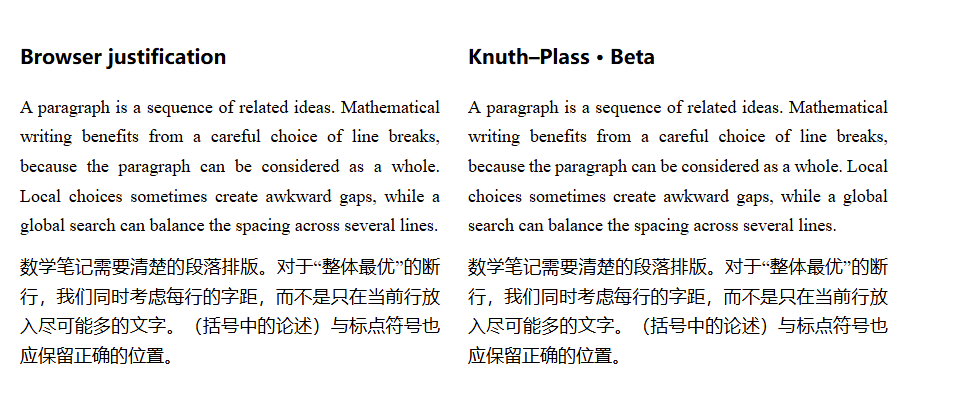
Open Settings → Academic Notes → Paragraph typography. The three KP switches and the first-line indentation option are off by default and work independently:
| Setting | Use |
|---|---|
| Indent prose first lines by two characters | Add a visual 2em indent in Reading view, Live Preview and exported documents, including mathematical callout prose. Independent of KP; no spaces are inserted into the note. Headings, lists, code, captions and tables are excluded. |
| Use Knuth–Plass line breaking in Reading view | Optimize prose and mathematical callout bodies in Reading view on desktop or mobile. Recalculate when the available width or fonts change. |
| Use Knuth–Plass line breaking in Live Preview | Optimize inactive, standalone plain-text paragraphs and read-only mathematical callout bodies. Entering with the caret or a selection restores native editing; leaving reoptimizes the paragraph. |
| Use Knuth–Plass line breaking in PDF | Optimize paragraphs at their final printed width when exporting a note or book to PDF on desktop. |
Knuth–Plass considers line breaks across a whole paragraph and adjusts spacing to reduce uneven lines. It supports basic Latin text and CJK characters with common Chinese punctuation rules. Inline links and formulas remain intact; they are treated as units that cannot be split across lines. Enable the Reading view switch, open a note in Reading view, and compare its paragraphs at different window widths. First-line indentation reserves space on the left before KP chooses breaks; non-final lines keep the same right edge. A display equation followed immediately by text continues the same paragraph: that text is not indented again. Insert an empty source line after the equation to start a new indented paragraph. An equation block ID does not create a paragraph boundary. No Markdown syntax changes are needed, and the source note is preserved. Source mode keeps its normal editing layout; HTML snapshots keep responsive browser layout.
Proof, Remark, theorem, definition and other mathematical callout bodies use the same solver. Inline headings reserve space on the first line; subsequent lines use the full width. Proof reserves space for a single final QED square, including across PDF pages. Long or multi-line floating headings retain native layout. Optimized non-final lines fill their available width; the final line keeps natural spacing. When inline formulas make fitting difficult, a bounded second pass evaluates the actual visible spacing. Small rendered-width differences are corrected through flexible gaps. At a formula-ending row, presentation wrappers trim theme end margins without modifying the original formula nodes or LaTeX spacing. Formulas remain indivisible: one wider than the remaining space moves to a later line; oversized formulas or unsupported paragraphs retain native layout.
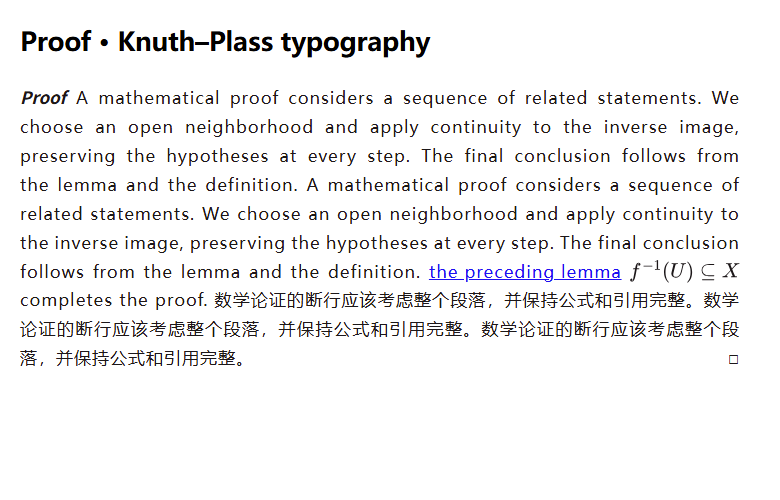
This Beta does not add automatic word hyphenation. Lists, tables, headings, captions, image paragraphs, explicit line breaks, and right-to-left or vertical text use normal browser layout. Complex markup, paragraphs that cannot fit, and content beyond the processing limit also fall back to normal layout; long notes may therefore be only partly optimized. The result depends on the text, font and width, so it will not improve every paragraph.
The Live Preview switch keeps a narrower scope for ordinary editable prose: it handles paragraphs written as one source line, surrounded by blank lines (or file boundaries), without inline Markdown formatting. Math, links, emphasis and multiline-source ordinary paragraphs keep native line breaking with browser justification while the Live Preview KP switch is enabled. Active prose also keeps browser justification. Lists and code keep their original layout. This fallback is not a global KP optimization. Read-only mathematical callout bodies also support inline formulas and links. Entering a callout restores its native body; an editable title remains under Obsidian's control. An inactive editable title alone does not exclude its read-only body from KP. A native caret still inside the callout defers further updates even after focus changes. Touch scrolling and momentum must settle before layout resumes. Copy selections defer reflow, and disabling the switch or removing the extension restores native content. All selected paragraphs and IME composition use native editing. Theme letter spacing and word spacing are included in Live Preview width measurements, with a local fallback for older WebKit canvas implementations. Only visible prose is optimized, with bounded work; very large notes retain native layout. It never inserts source line breaks or changes note text. Reading/PDF retain their broader inline-content support.