Repository navigation
Releases: Linux5Real/L4-Windows-NotchBar
Release list
L4-Notchbar v1.6.0

Install: download L4-Notchbar_1.6.0_x64-setup.exe below and run it. No admin rights or developer tools needed.
Already installed? The app offers this version under Settings → General → Updates.
Windows SmartScreen may warn because the installer is not code-signed yet: More info → Run anyway.
Coming next: version 2.0.0. A big update with lots of new things. The plan: the notch becomes much more useful even while it's small and closed – it will show downloads and updates, the status of your apps, the progress of Claude Code sessions and other AI CLIs (per provider), widgets and much more.
Lighter and quieter
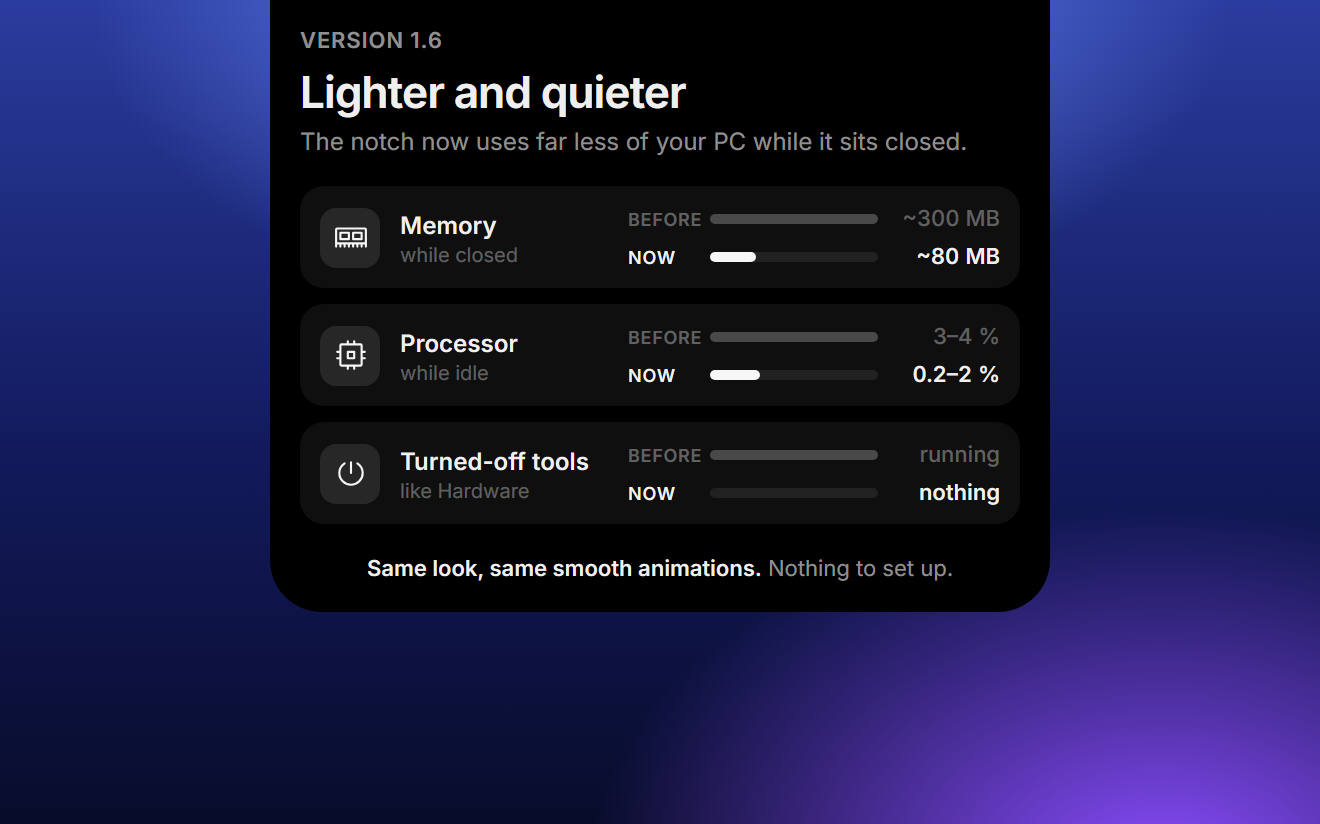
The notch now uses far less of your PC while it sits closed at the top of the screen. It looks and moves exactly like before, and there is nothing to set up. (#8)
- Much less memory. While the notch is closed, it now needs about 80 MB in total instead of roughly 300 MB. After it has been closed for a moment, it hands memory back to Windows. As soon as your mouse touches it, it's back at full speed before it opens.
- Quieter in the background. Processor use while idle drops from 3–4 % to 0.2–2 %. The notch now checks music, your mouse and the clipboard in a smarter way instead of asking Windows again and again.
- Turned-off tools cost nothing. If a tool is turned off in the settings, it no longer works in the background:
- Hardware off: no CPU, GPU or ping checks at all. With it on, the GPU and ping are only measured while you look at them; CPU and RAM keep their one-minute history.
- Clipboard off: copied text and screenshots are no longer read or stored. If only Ask is on, just the latest text is kept for its quick actions. Turning the clipboard tool off clears its history and frees that memory.
- Lighter music bars. The equalizer next to the song draws at about 60 frames per second instead of your screen's full refresh rate (up to 165 or 240). The motion looks the same, it just costs less on high refresh rate screens.
Also new
- The line as your everyday look. Under Settings → Display → Closed you can now pick a thin line instead of the notch, outside focus mode too. The line stays out of your way: music, calls and other activities don't show while it's closed, but hovering or clicking opens the notch as usual. When a timer or focus session ends, you still hear the alarm and the line opens into the notch with "Done" until you dismiss it. (#9)
Changes
L4-Notchbar v1.5.0
Install: download L4-Notchbar_1.5.0_x64-setup.exe below and run it. No admin rights or developer tools needed.
Already installed? The app offers this version under Settings → General → Updates.
Windows SmartScreen may warn because the installer is not code-signed yet: More info → Run anyway.
New: volume per app, right in the player
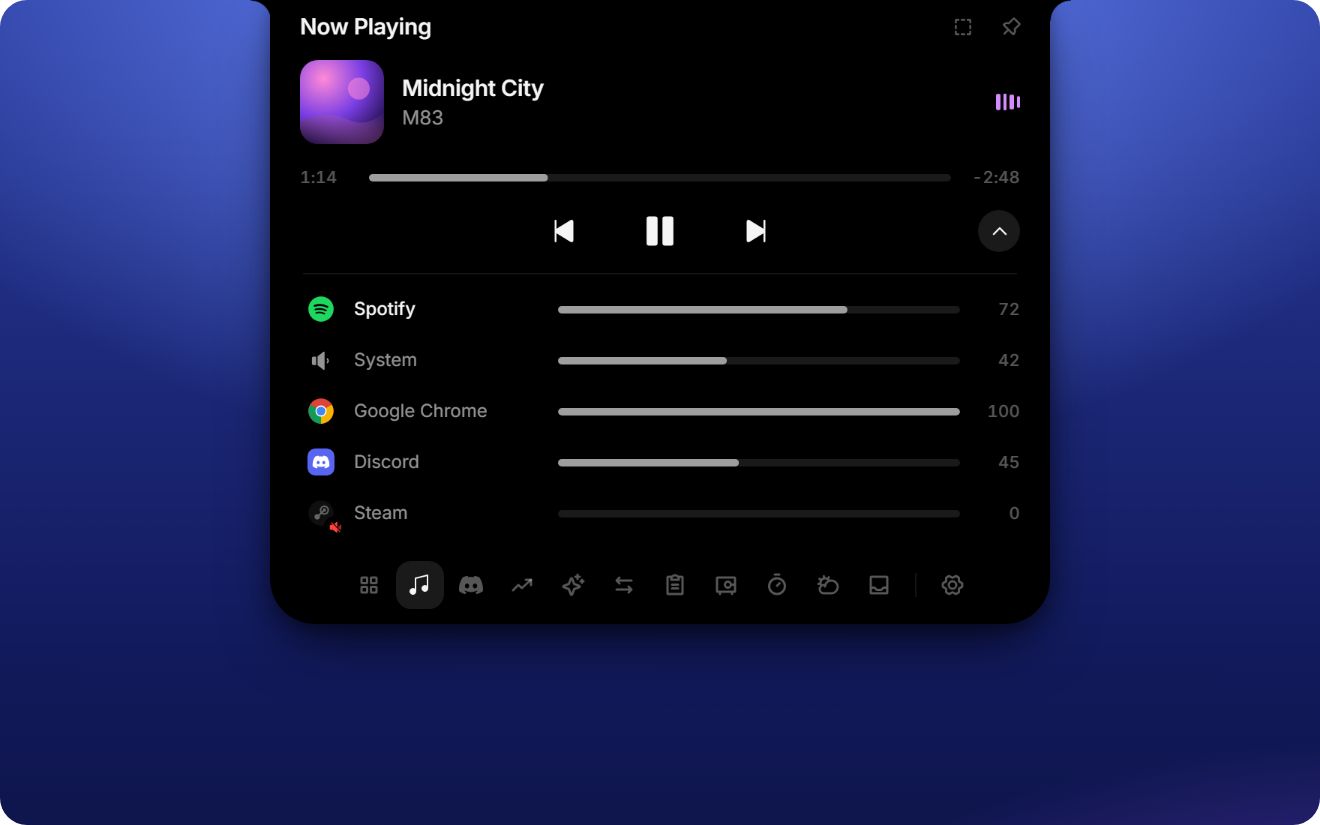
- Mixer like in Windows. The arrow next to the playback controls opens a list of every app that plays sound, plus the system volume. Drag a bar or scroll on it to change the level (hold Shift for bigger steps), click an app's icon to mute it. The app that's playing sits on top; when another app takes over, the rows slide into place. (#4)
- Jump to the playing app. Click the cover or the title to bring Spotify, Spotifast, your browser or whatever is playing to the front. For browsers, the window showing the track wins. An app closed to the tray (like Spotify) opens its window again. (#5)
Also new
- °C or °F, 24 h or 12 h. Pick the temperature unit under Settings → General → Weather and the clock format under Settings → General. On first start both follow your Windows region. With °F, wind is shown in mph.
- Presentation mode. Hides clipboard previews, portfolio amounts and the vault while you share or record your screen. Timer, music and the mic/camera dots stay visible. Switch it with the eye in the Overview, or let it turn on by itself while a screen recording is detected (Teams, Discord, OBS and others that use Windows screen capture). Settings live under Settings → Display.
- Focus mode as a thin line. Focus mode can now shrink the notch to a thin line at the screen edge instead of making it half transparent. Music and other activities are hidden then; click the line three times to get the notch back. Pick the look under Settings → Display → Focus look. (#7)
- Focus mode in the tray menu. Right-click the tray icon to turn focus mode on or off. The check mark always matches the notch, however you switched it.
- What's new, inside the app. Settings → General → Updates lists what changed in each version. After an update, a dot on the gear shows what's new since the version you had before, including versions you skipped. Before you install an update, you see what it brings.
Fixes
- Clicks right below the notch work again. Pressing the mouse anywhere near the notch made its invisible drop zone grow, so clicks on tabs or toolbars just below it were swallowed. The zone now only grows while you actually drag something towards the notch. (#7)
- Much lower memory use with images in the clipboard history. Copied images and screenshots are now kept compressed instead of as raw pixels. A 4K screenshot takes about 2.5 MB instead of 31 MB, so a history full of screenshots no longer adds hundreds of MB.
Polish
- Smooth cover changes. When the song or the app changes, the new cover fades in over the old one, in the closed notch and in the player. No more hard swap or flash of the note icon.
- Calmer player. Next track, play and previous sit centered; volume lives in the mixer instead of an extra slider.
Changes
- release 1.5.0
- release 2.5.0
- docs: release notes and mixer still for 2.5.0
- feat: per-app mixer, open the playing app, presentation mode and more
- docs: draft notes for 1.2.2
- fix: keep clipboard images as PNG instead of raw RGBA
L4-Notchbar v1.2.1
Install: download L4-Notchbar_1.2.1_x64-setup.exe below and run it. No admin rights or developer tools needed.
Already installed? The app offers this version under Settings → General → Updates.
Windows SmartScreen may warn because the installer is not code-signed yet: More info → Run anyway.
Fixes
- Album artwork from Spotifast. Covers from Spotifast (and other players that hand Windows a cover file without an extension) now show up. After skipping, the new track's cover also replaces the previous one reliably. (#1)
- Smoother animations. The toolbar icons no longer shimmer while the notch opens, and the album cover in the closed notch stays sharp while the notch grows and shrinks. (#3)
- Discord setup. The guide now says to add
http://localhostas a redirect in the Discord developer portal. Without it, Discord kept asking for permission in a loop. Already set up and working? Nothing to do. (#2)
Changes
- fix: live activity glides with the notch edges on subpixels (#3)
- fix: live activities stay put while the notch animates (#3)
- fix: snap the notch shape to whole device pixels (#3)
- release 1.2.1
- fix: show Spotifast album artwork (fixes #1)
- fix: no scale in the notch open animation (fixes #3)
- docs: Discord needs http://localhost as redirect (fixes #2)
- docs: keep two vault stills in README and 1.1.0 notes
L4-Notchbar v1.2.0
Install: download L4-Notchbar_1.2.0_x64-setup.exe below and run it. No admin rights or developer tools needed.
Already installed? The app offers this version under Settings → General → Updates.
Windows SmartScreen may warn because the installer is not code-signed yet: More info → Run anyway.
New: Windows Hello for the vault
Unlock the vault with your face, fingerprint or Windows PIN instead of the vault PIN. Off by default, one switch in Settings → Tools → Vault.
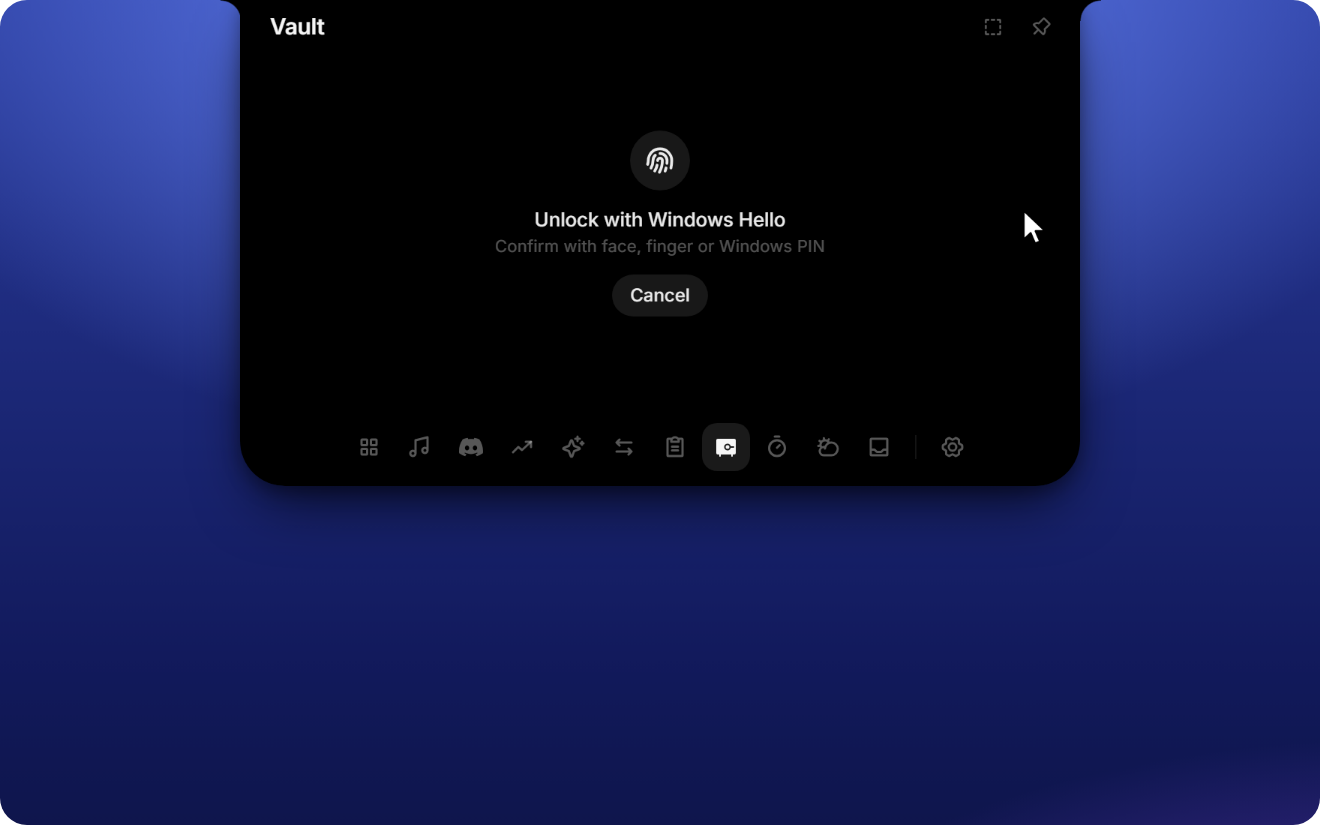
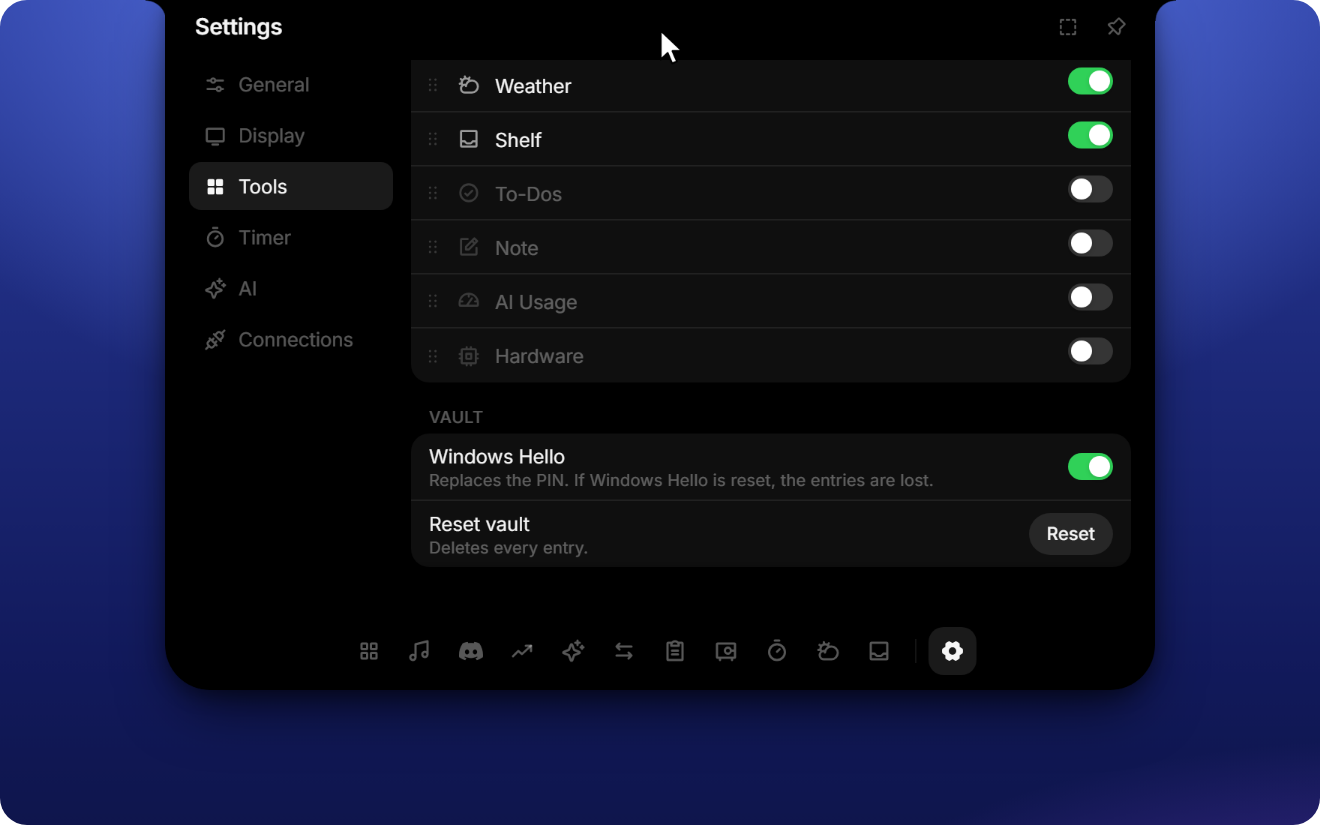
- Stronger encryption. With Windows Hello on, passwords and 2FA keys are additionally encrypted with AES-256. The key comes from a Windows Hello key that lives in your PC's security chip (TPM) and only works after you confirm. Even malware running under your account can't read them without that confirmation.
- Same as before when it's off. Without the switch, the vault keeps using its own 4-digit PIN.
- Turning Windows Hello on asks for the vault PIN; turning it off asks for Windows Hello and moves everything back.
- If Windows Hello is reset on this PC (for example after removing the Windows PIN), entries protected by it can't be recovered. Names and usernames stay visible; Reset vault starts fresh.
Changes
- release 1.2.0
- feat: optional Windows Hello for the vault
L4-Notchbar v1.1.0
Install: download L4-Notchbar_1.1.0_x64-setup.exe below and run it. No admin rights or developer tools needed.
Already installed? The app offers this version under Settings → General → Updates.
Windows SmartScreen may warn because the installer is not code-signed yet: More info → Run anyway.
New: Vault for passwords and 2FA
Passwords and two-factor codes, right in the Notch. Everything is encrypted on your PC and never goes anywhere else.
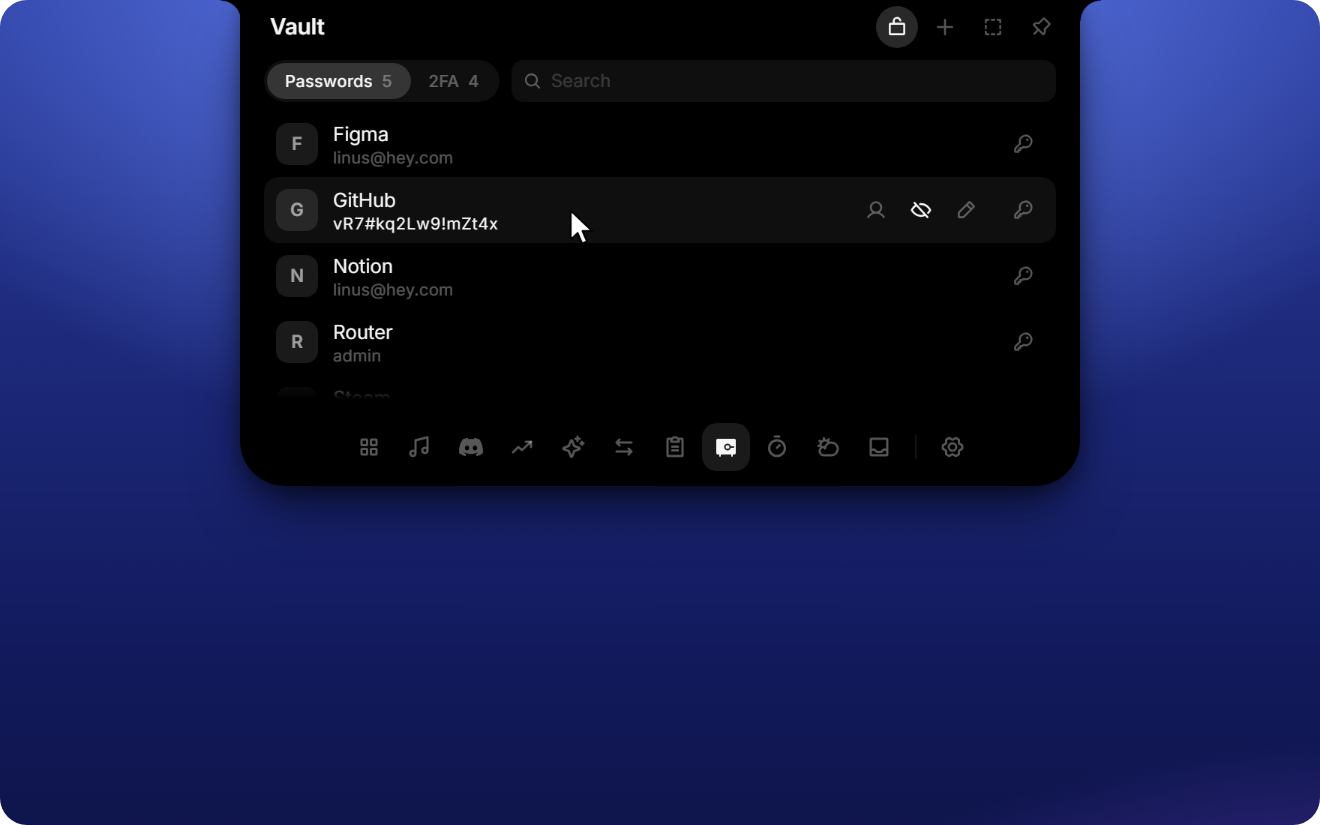
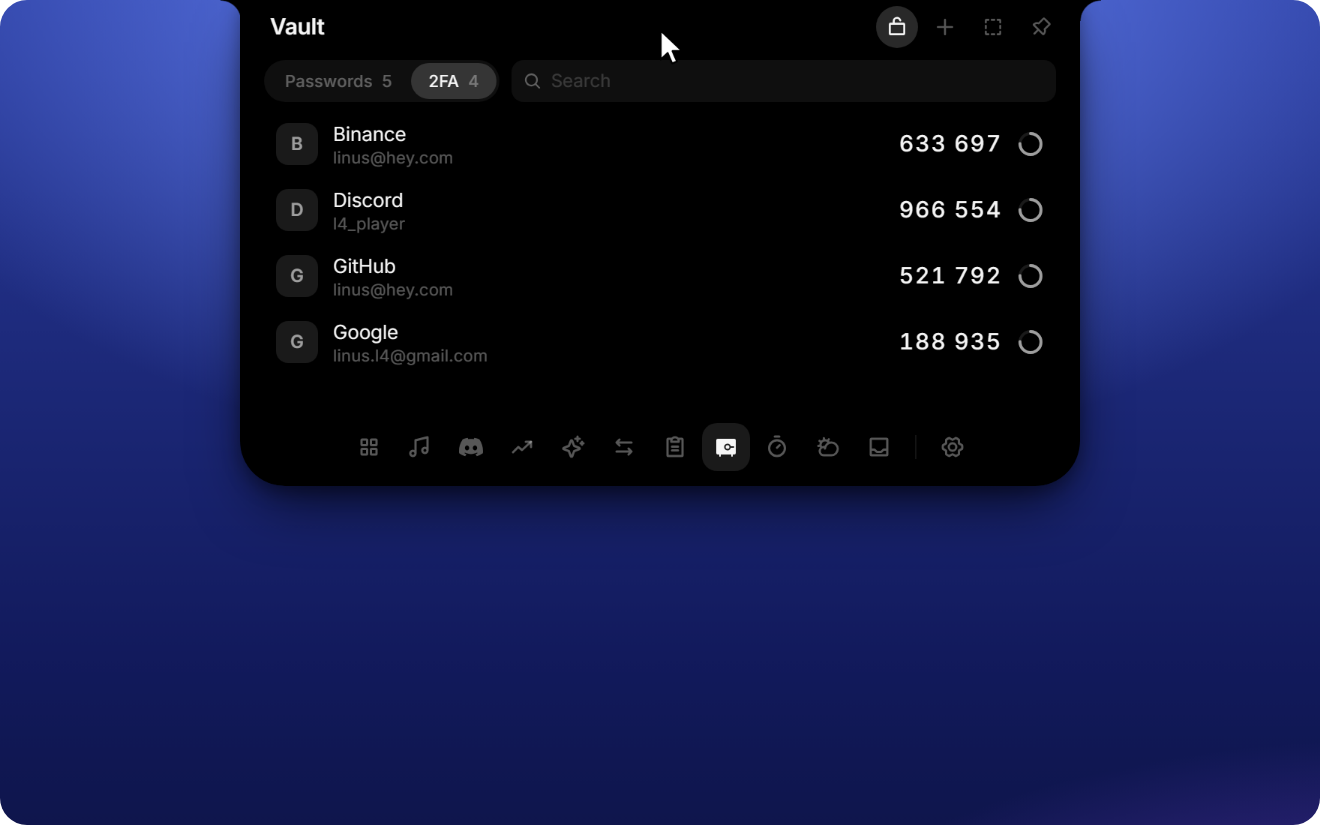
- Passwords with name and username or email. Copy either one with a click, show the password, edit it, or create a strong one with the built-in generator.
- 2FA codes (TOTP) with a live countdown. Add one by taking a screenshot of the QR code (Win + Shift + S) and pressing Ctrl + V, or type the key by hand. Then give it a name.
- 4-digit PIN before a password or code is shown or copied. You can turn it off for passwords or for 2FA separately in Settings → Tools → Vault; turning it off needs the PIN. After five wrong tries the vault locks for 30 seconds, and the lock doubles from there.
- Kept out of clipboard history. Copied passwords and codes don't show up in the Notch clipboard or in Windows' Win + V history, and they are cleared from the clipboard after 30 seconds.
- Local only. The vault is encrypted with Windows DPAPI and bound to your Windows account. 2FA keys never leave the app's backend; only the six-digit codes reach the interface.
The vault is off by default. Turn it on under Settings → Tools.
Changes
- release 1.1.0
- docs: vault in README, release notes with screenshots
- feat: vault for passwords and 2FA codes
L4-Notchbar v1.0.1
Install: download L4-Notchbar_1.0.1_x64-setup.exe below and run it. No admin rights or developer tools needed.
Already installed? The app offers this version under Settings → General → Updates.
Windows SmartScreen may warn because the installer is not code-signed yet: More info → Run anyway.
Changes
- release 1.0.1
- docs: intro covers every tool and the customization options
- docs: close the project layout code block
- docs: drop README screenshots, rename demo film
- docs: README redesign with inline demo film and uniform screenshots
- docs: README with demo film, screenshots and privacy section
L4-Notchbar v1.0.0
Install: download L4-Notchbar_1.0.0_x64-setup.exe below and run it. No admin rights or developer tools needed.
Already installed? The app offers this version under Settings → General → Updates.
Windows SmartScreen may warn because the installer is not code-signed yet: More info → Run anyway.
Changes
- ci: publish a release automatically on every version bump
- chore: English comments and log messages, release 1.0.0
- fix: FPS unlock without signing out (v0.1.1)
L4-Notchbar v0.1.0

First public release of L4-Notchbar.
Install: download L4-Notchbar_0.1.0_x64-setup.exe below and run it. No admin rights or developer tools needed.
Windows SmartScreen may warn because the installer is not code-signed yet: More info → Run anyway.
Future versions are offered inside the app under Settings → General → Updates.