Guide Session Manager
You run sessions. The app's job is to make each one mostly happen on its own; your job is to watch it, and to handle the handful of things a machine cannot decide.
Everything below is scoped to the teams you belong to. If you belong to more than one, the team picker at the top of the page carries your choice across every screen.
Nothing in VE Ops is triggered by you clicking a button. Every automatic thing is a scan: a background job wakes up, compares what it has against ExamTools and the FCC, and acts on the difference. That has one consequence worth internalizing —
ExamTools is the source of truth for people. Register a walk-in in ExamTools, move a candidate between sessions in ExamTools, fix a spelling in ExamTools. VE Ops will pick it up on the next pass. There is deliberately no in-app equivalent for those, because an ExamTools-side change would overwrite it anyway.
Mostly you watch.
- A session appears on the Sessions list within an hour of being created in ExamTools.
- The Zoom meeting and Discord event are created for it automatically, if the team has those configured.
- Each candidate who registers gets a payment link and a confirmation email automatically.
- Reminders go out on the schedule the team's Message Rules define.
What you actually do:
- Check the session's detail page a day or two out. Registered count, everyone paid, the Zoom link present.
- Invite VEs to the session, or remind the ones already coming — a saved message can carry the date, the Zoom link and the registered count.
- Chase anyone the payment reminders have not moved.
Two buttons matter, and a Team Lead can press both if you are not there:
- Refresh candidates — pulls ExamTools right now instead of waiting for the next pass. This is what you press when a walk-in was just registered in ExamTools: it ingests them, creates their payment link, and sends their confirmation email in one go.
- Create retest payment — for a candidate taking another element the same day.
This is the part with real work in it.
-
Results. Exam results sync from ExamTools once the session is graded. You do not enter them.
-
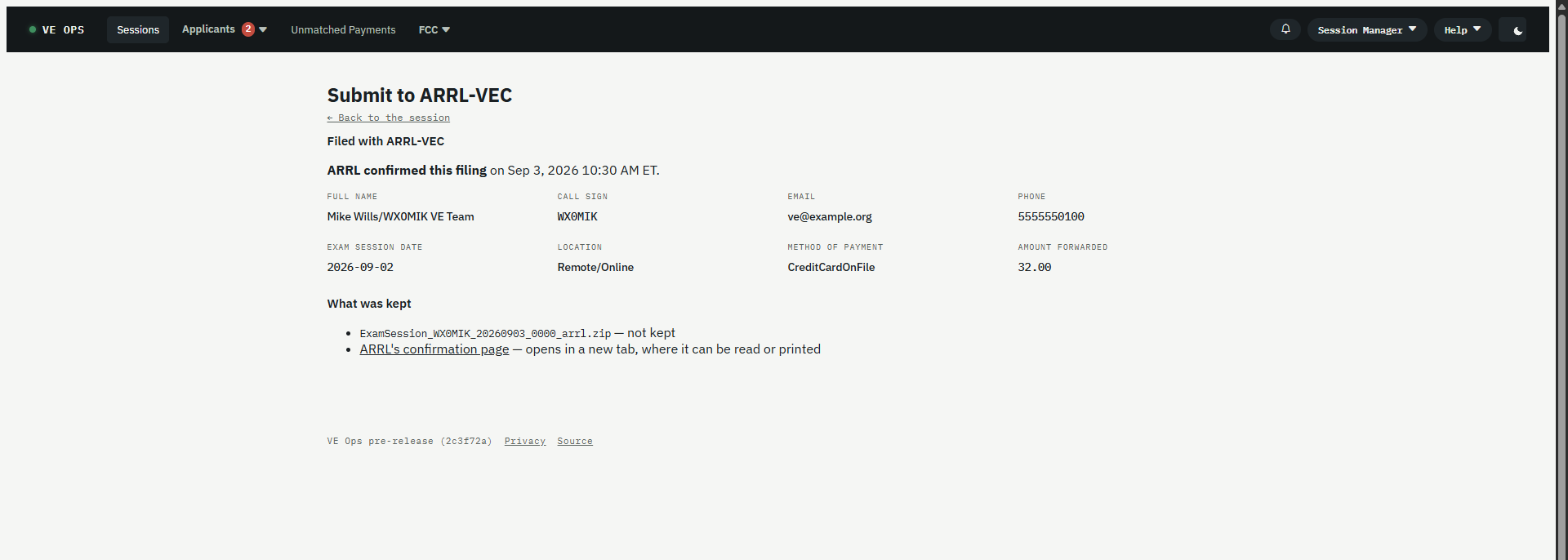
Submit to VEC. File the session with the VEC from the session's page.
⚠️ Never press submit twice after anUnknownresult. The VEC cannot de-duplicate and cannot unsend; a missing receipt is not proof that nothing was filed. The recovery procedure isarrl-filing-unconfirmed.md.Once filed, the same page becomes the record of what was sent:
-
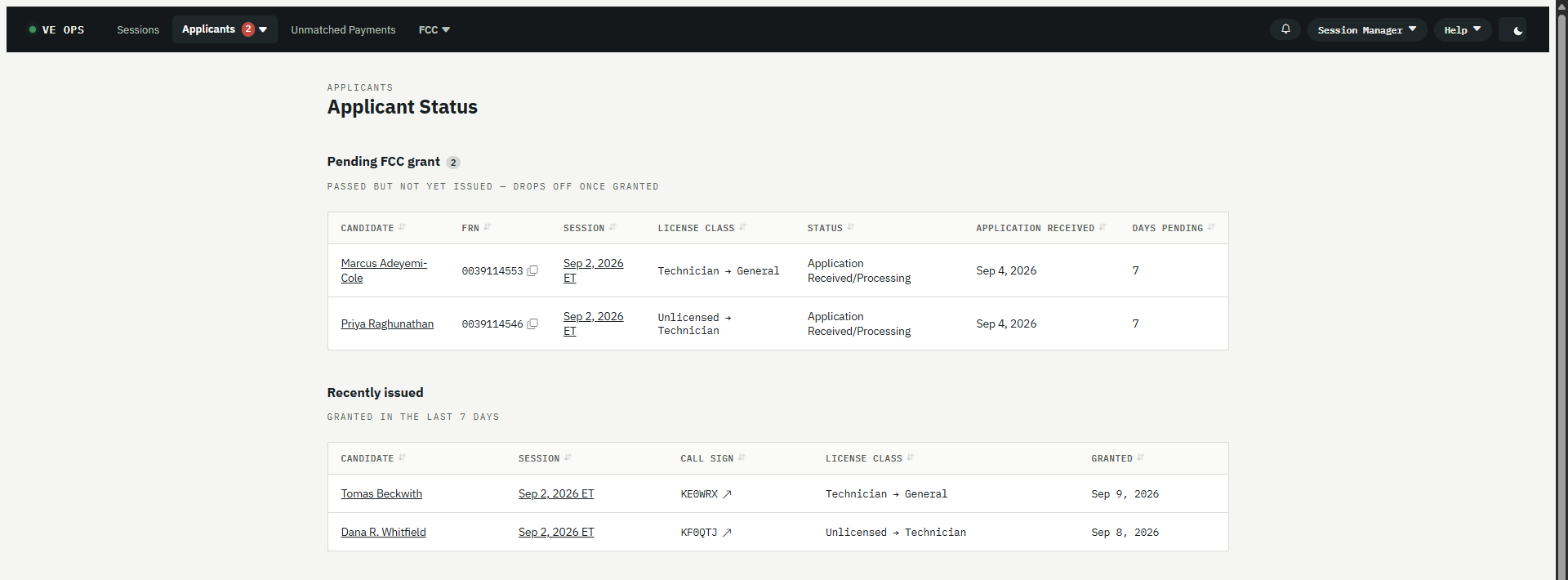
Applicant Status. Candidates now wait on the FCC. This screen is the list of everyone still waiting on a grant, across all your sessions. The app watches the FCC and moves them along on its own; the screen exists for when somebody asks.
-
Unmatched Payments. A payment that arrived without matching a candidate lands here for you to attach by hand. Usually somebody paid from a different email address.
Symptoms and their fixes are on one page: Something is wrong. It covers
the payment that says unpaid, the email that never arrived, the filing that came back Unknown, and
the day nothing happens at all.
Anything that needs a credential changed, a message rule edited, or a job re-run is a Team Admin's job, not yours. See Team Admin.
Two different fees, and confusing them is the most common misreading of this app:
- Your team's exam fee is collected through Square before the exam. No fee, no test — that is enforced by the VE at the door, not by the software. It can never legitimately be outstanding afterwards.
- The FCC's own application fee is paid by the candidate to the FCC through CORES, after they pass. That one can sit unpaid, and it expires the application after ten days. The reminders about an unpaid fee are always about this one.
- Roles and permissions — exactly what you can open
- Glossary